
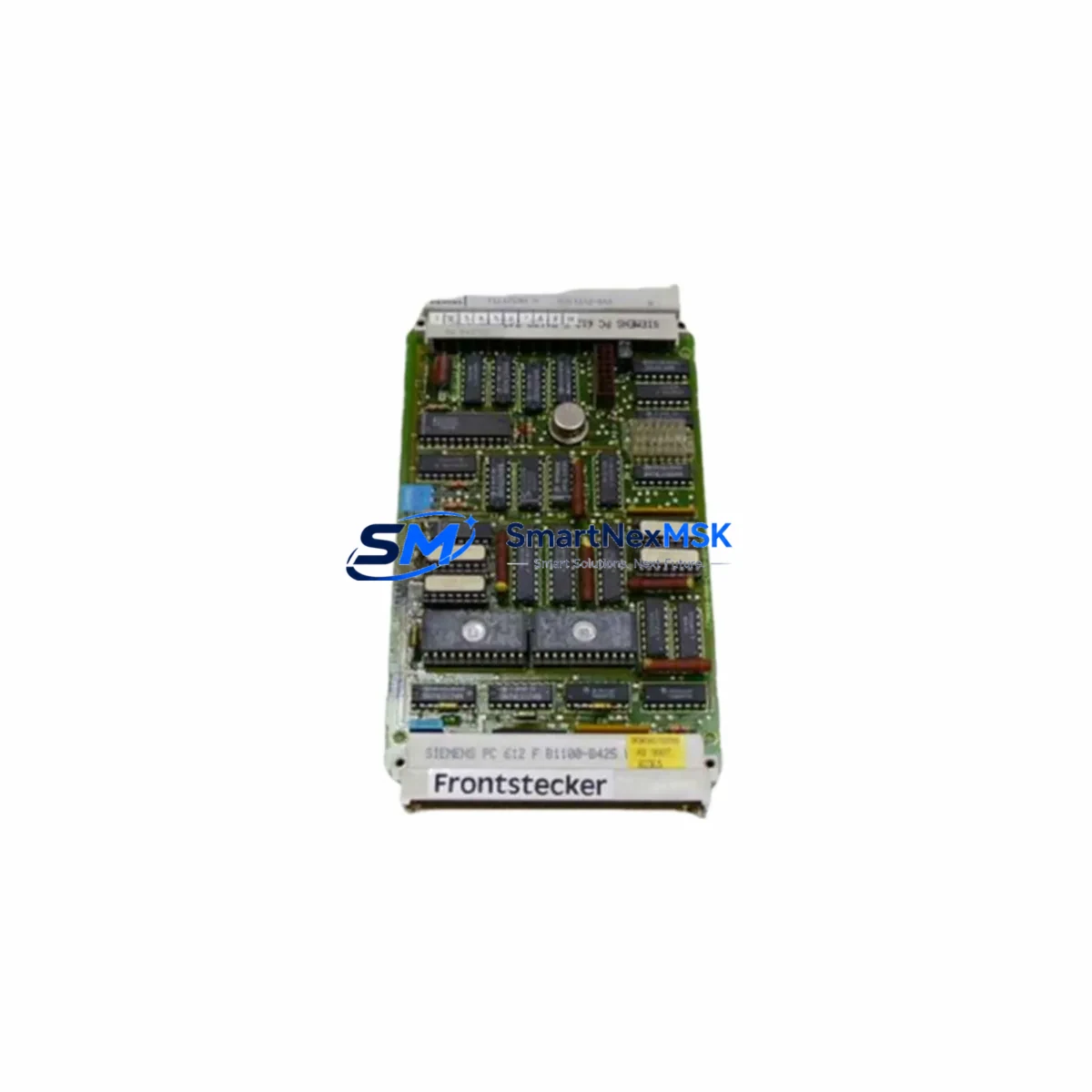
Siemens 6DS1212-8AB Spare for TELEPERM M Automation: Spare Replacement & Industrial Downtime Risk Control
The Siemens 6DS1212-8AB is a bus interface module designed for the TELEPERM M distributed control system (DCS) — one of Siemens’ most widely deployed legacy automation platforms in process industries including chemical, petrochemical, power generation, and water treatment. As TELEPERM M systems age beyond their original design lifecycle, sourcing verified original spare parts for the 6DS1212-8AB becomes a critical priority for maintenance engineers and procurement teams responsible for keeping continuous processes online.
This module serves as the communication backbone between the TELEPERM M central processing units and the field I/O subsystems. A failure in the 6DS1212-8AB directly disrupts bus communication, causing partial or complete loss of process visibility and control — a scenario that can escalate rapidly into unplanned downtime, production loss, and safety incidents. Stocking a verified replacement unit is the most effective single action a maintenance team can take to reduce mean time to repair (MTTR) for this failure mode.
Every unit supplied is sourced from original Siemens production, inspected for physical integrity, and functionally tested prior to shipment. A 12-month warranty is included with each order, covering defects in materials and workmanship under normal operating conditions.
Spare Maintenance Table
| Parameter | Specification / Detail |
|---|---|
| Part Number / SKU | 6DS1212-8AB |
| Manufacturer | Siemens AG |
| Product Series | TELEPERM M |
| Module Type | DCS Bus Interface Module |
| System Compatibility | Siemens TELEPERM M DCS (AS 230, AS 235, AS 488 series) |
| Bus Protocol | TELEPERM M internal bus (proprietary Siemens backplane) |
| Supply Voltage | 24 V DC (via backplane / rack power supply) |
| Operating Temperature | 0 °C to +60 °C |
| Storage Temperature | -25 °C to +70 °C |
| Mounting | TELEPERM M standard rack / subrack (DIN rail compatible enclosure) |
| Country of Origin | Germany |
| Condition | Original Siemens — inspected & tested |
| Warranty | 12 months from date of shipment |
| Shipping | ESD-safe packaging, worldwide express delivery available |
| Maintenance Recommendation | Replace immediately upon bus communication fault; inspect rack power and backplane connectors simultaneously |
Maintenance Planning for Continuous Operation
When a 6DS1212-8AB bus interface module is flagged for replacement — whether during a scheduled shutdown, a predictive maintenance inspection, or an emergency fault response — experienced maintenance engineers know that the module itself is rarely the only component that requires attention. A thorough site inspection should encompass the entire communication and power chain within the TELEPERM M control cabinet.
Begin with the rack power supply unit (such as the Siemens 6DS1300 series PSU) that feeds the subrack. Degraded DC output voltage or excessive ripple is a common root cause of intermittent bus interface faults and should be measured before the new 6DS1212-8AB is installed. Simultaneously, inspect the backplane connector and subrack bus bar for oxidation, bent pins, or contamination — a compromised backplane will cause the replacement module to fail prematurely.
Check the central processing module (AS 230 or AS 235 CPU card) for firmware revision compatibility with the replacement 6DS1212-8AB. In older TELEPERM M installations, mixed firmware revisions between the CPU and bus interface modules can produce non-obvious communication errors. Review the system’s I/O expansion modules — including analog input cards (e.g., 6DS1600 series) and digital output modules — for any secondary faults that may have been masked by the primary bus failure.
Inspect all field wiring terminal blocks and signal cables connecting the TELEPERM M subrack to field instruments. Loose terminations and degraded cable insulation are frequent contributors to intermittent bus errors. If the installation includes signal isolators or galvanic separation modules between field devices and the DCS I/O cards, verify their output signal levels are within specification — a drifting isolator can inject noise that stresses the bus interface.
For sites running PROFIBUS DP or SINEC H1 communication links alongside the TELEPERM M internal bus, inspect the relevant communication interface modules and their termination resistors. A failed bus terminator is a common and easily overlooked cause of bus instability. Also verify the condition of any fuse holders and miniature circuit breakers in the control cabinet — a marginal fuse with elevated contact resistance can cause voltage drops that destabilize the bus interface module under load.
Finally, if the site operates an operator station or HMI connected to the TELEPERM M system (such as an OS 525 or a legacy COROS LS-B workstation), confirm that the HMI communication link is restored and process data is updating correctly after the 6DS1212-8AB replacement. This end-to-end verification step is essential before returning the system to automatic control.
Site Replacement Workflow
Step 1 — Isolation and documentation: Before removing the faulty 6DS1212-8AB, record the module’s slot position, any DIP switch or jumper settings visible on the module face, and the current system fault log from the TELEPERM M operator station. Photograph the wiring and connector orientation if field cables are attached directly to the module.
Step 2 — Power-down sequence: Follow the TELEPERM M system shutdown procedure. De-energize the affected subrack via the rack power switch or upstream MCB. Verify with a multimeter that the backplane bus voltage is at zero before handling the module.
Step 3 — Module extraction: Release the module locking levers and extract the 6DS1212-8AB using the standard TELEPERM M card extraction tool. Avoid flexing the PCB. Place the removed module in an ESD-safe bag for return or failure analysis.
Step 4 — Replacement installation: Verify that the replacement 6DS1212-8AB has matching hardware revision markings. Set any DIP switches or jumpers to match the documented configuration. Slide the module into the slot until the backplane connector is fully seated and the locking levers engage.
Step 5 — Power-up and verification: Restore rack power and observe the module status LEDs. A healthy 6DS1212-8AB should indicate bus active status within the normal initialization period. Confirm at the operator station that all I/O points on the affected subrack are communicating correctly and that no residual fault codes remain.
Step 6 — System handover: Document the replacement in the site maintenance log, including the new module’s serial number and the date of installation. Update the spare parts inventory to trigger reorder of a replacement unit — maintaining at least one 6DS1212-8AB in the on-site spare parts store is strongly recommended for any facility running TELEPERM M as a primary control system.
Spare Parts Support FAQ
Q: Is the 6DS1212-8AB still available as a new original Siemens part, or is this a refurbished unit?
A: The Siemens 6DS1212-8AB has been discontinued from standard Siemens production as part of the TELEPERM M end-of-life program. Units supplied are original Siemens manufacture, sourced through authorized industrial spare parts channels, and are not refurbished or remanufactured. Each unit undergoes incoming inspection and functional testing before shipment.
Q: How is compatibility with my specific TELEPERM M system version confirmed before shipment?
A: Provide your system’s AS series designation (e.g., AS 230, AS 235, AS 488) and the hardware revision of your existing bus interface modules when placing your order. Our technical team will cross-reference the hardware revision of the available 6DS1212-8AB stock against your system configuration and confirm compatibility in writing before the order is processed.
Q: What does the 12-month warranty cover, and what is the claims process?
A: The 12-month warranty covers manufacturing defects and functional failures under normal operating conditions as defined in the Siemens TELEPERM M technical documentation. It does not cover damage resulting from incorrect installation, overvoltage events, or use outside the specified environmental parameters. To initiate a warranty claim, contact [email protected] with the order reference, a description of the fault, and the module’s serial number. Replacement or repair will be arranged within the warranty period.
Q: Can you supply multiple units for a planned maintenance stock program, and what lead times apply?
A: Yes. Volume orders for planned maintenance stock programs are accommodated. Lead times vary depending on current inventory levels — in-stock units ship within 2 business days. For larger quantities or specific hardware revision requirements, contact the sales team for a dedicated stock reservation and delivery schedule. Long-term supply agreements for TELEPERM M spare parts are available for facilities with ongoing maintenance requirements.
© 2026 SMARTNEXMSK. All rights reserved.
Original Source: https://smartnexmsk.com
Contact: [email protected] | +86 18259474341



