
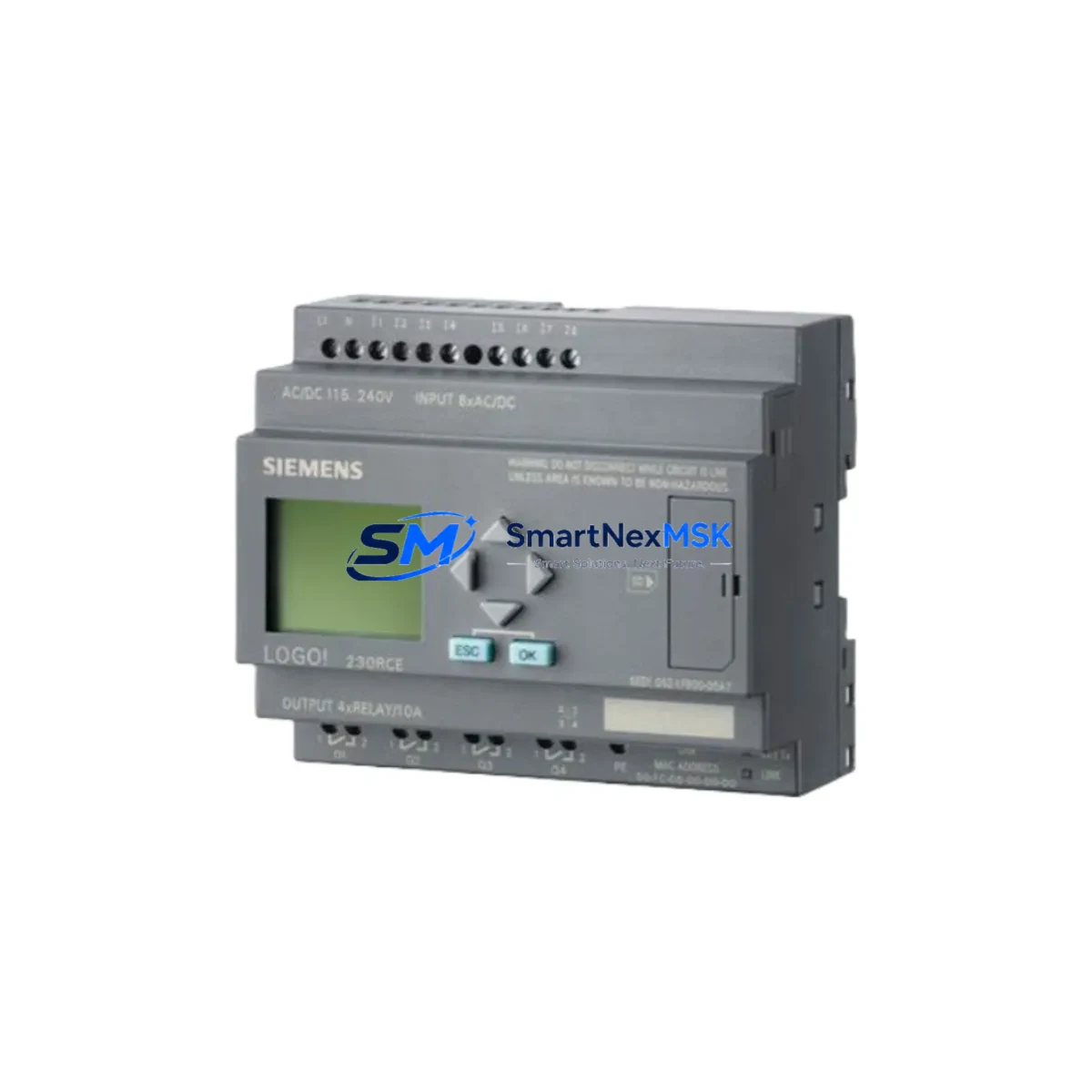
Siemens 6ED1052-1FB00-0BA7 Retrofit-Ready Logic Module for LOGO! 8 Control Systems
The Siemens 6ED1052-1FB00-0BA7 is a compact logic module from the LOGO! 8 series, designed for small-scale automation, building control, and machine logic applications. As legacy LOGO! 0BA6 and earlier 0BA5 installations reach end-of-service life, the 6ED1052-1FB00-0BA7 serves as the primary retrofit-ready replacement, offering backward-compatible I/O mapping, identical DIN-rail footprint, and support for the LOGO! Soft Comfort V8 programming environment. Whether you are upgrading a standalone control cabinet, migrating from a relay-based panel, or restoring a discontinued spare part, this module provides a reliable, field-proven upgrade path with minimal disruption to existing wiring and program logic.
Operating on a 12/24V DC supply, the 6ED1052-1FB00-0BA7 integrates 8 digital inputs and 4 relay outputs within a single compact housing. The onboard Ethernet port enables direct integration with LOGO! TDE text display, LOGO! CMR2020 communication module, and remote monitoring via the LOGO! Web Server. For installations previously using the 6ED1052-1FB00-0BA6 or 6ED1052-1MD00-0BA7 variants, the terminal layout and DIN-rail clip dimensions are mechanically compatible, significantly reducing rewiring time during planned maintenance windows.
Upgrade Compatibility Table
| Parameter | 6ED1052-1FB00-0BA7 (This Unit) | Predecessor: 0BA6 Series |
|---|---|---|
| Supply Voltage | 12/24V DC | 12/24V DC |
| Digital Inputs | 8 | 8 |
| Relay Outputs | 4 | 4 |
| Ethernet Port | Yes (onboard) | No (requires expansion) |
| Programming Software | LOGO! Soft Comfort V8+ | LOGO! Soft Comfort V7 |
| DIN-Rail Mounting | 35mm standard | 35mm standard |
| Terminal Compatibility | Direct drop-in | Direct drop-in |
| Communication Module | CMR2020 / CMR2040 | CM EIB/KNX (legacy) |
| HMI Compatibility | LOGO! TDE, LOGO! TD | LOGO! TD only |
| Retrofit Recommendation | ✔ Recommended replacement | Discontinue / replace |
| Commissioning Note | Re-upload program via LOGO! Soft Comfort; verify I/O addresses | — |
| Warranty | 12 Months | N/A (EOL) |
Retrofit Planning for Existing Automation Systems
Successful retrofit of the 6ED1052-1FB00-0BA7 into an existing control cabinet begins with a thorough audit of the power supply capacity. The LOGO! 8 base module draws up to 35mA at 24V DC from the internal logic supply; if the existing LOGO! Power 24V/2.5A power supply module is already loaded near capacity by field devices, a supplementary SITOP PSU100S 24V/5A power supply should be considered before installation. Verify that the 24V DC rail can sustain inrush current during simultaneous output switching without voltage dip below the 10.8V minimum threshold.
Terminal wiring on the 6ED1052-1FB00-0BA7 follows the same I1–I8 input and Q1–Q4 output labeling as the 0BA6 predecessor. However, if the legacy installation used analog input expansion via the LOGO! AM2 analog input module or the LOGO! AM2 PT100 temperature module, confirm that the expansion bus connector on the right side of the base unit is undamaged and that the module address assignments in the program have not shifted. The 0BA7 generation supports up to 24 I/O points through expansion modules including the LOGO! DM8 12/24R digital expansion module, which adds 4 inputs and 4 relay outputs per unit.
For installations that previously relied on the LOGO! CM EIB/KNX communication module for building automation bus integration, note that this module is not compatible with the 0BA7 base unit. Migration to the LOGO! CMR2020 or LOGO! CMR2040 GSM/GPRS remote module is required for remote I/O monitoring. Ethernet-based SCADA or HMI connectivity can be established directly through the onboard RJ45 port without additional hardware, simplifying panel wiring and reducing the number of components in the control cabinet.
If the existing HMI is a first-generation LOGO! TD text display, it remains electrically compatible with the 6ED1052-1FB00-0BA7 via the dedicated display port. Customers upgrading to the LOGO! TDE enhanced text display will benefit from a larger screen, multilingual support, and direct Ethernet connectivity, which eliminates the need for a dedicated display cable in new panel layouts. Program screens and message texts created in LOGO! Soft Comfort V7 can be imported into V8 with minor adjustments to variable mapping.
Before powering up the retrofitted system, verify the module address configuration in LOGO! Soft Comfort matches the physical slot positions of all expansion modules. Mismatched addresses are the most common cause of I/O errors during first power-on after a module swap. A programming cable or direct Ethernet connection to a laptop running LOGO! Soft Comfort V8 is recommended on-site during commissioning to allow real-time monitoring of input states and output forcing during functional verification.
Downtime Control During System Migration
Minimizing production downtime during a LOGO! 8 module replacement requires advance preparation of the replacement program file. Before removing the 6ED1052-1FB00-0BA6 or earlier unit from service, connect a laptop with LOGO! Soft Comfort V8 and perform a full program upload from the existing module. Save the .lsc project file and verify that all function blocks, timer settings, counter values, and message texts are captured correctly. This backup eliminates the risk of program loss if the legacy module fails during removal.
With the program backup confirmed, the physical swap of the 6ED1052-1FB00-0BA7 can typically be completed within 15–30 minutes for a standard 8 I/O installation. Disconnect the 24V DC supply, remove the terminal connectors as a single block if the wiring harness allows, slide out the old module from the DIN rail, and clip the new unit into position. Reconnect terminals in sequence from I1 through Q4, restore power, and download the saved program via Ethernet or the LOGO! programming cable. Perform a forced I/O test on each output before returning the system to automatic mode to confirm relay contact integrity and field device response.
For multi-cabinet installations where the LOGO! 8 module controls interlocked processes, coordinate the migration window with the operations team to ensure upstream and downstream equipment is placed in a safe hold state. The LOGO! 8 retains its last program in non-volatile memory, so a brief power interruption during module swap will not corrupt the downloaded program once the new unit is commissioned. Document the commissioning date, firmware version, and I/O test results for the maintenance record to support the 12-month warranty claim process if required.
Retrofit Support FAQ
Q1: Is the 6ED1052-1FB00-0BA7 a direct replacement for the 6ED1052-1FB00-0BA6?
Yes. The 0BA7 variant is the designated successor to the 0BA6 in the LOGO! 8 product line. Terminal layout, DIN-rail dimensions, and I/O count are identical. The program created in LOGO! Soft Comfort V7 for the 0BA6 can be opened and re-downloaded using LOGO! Soft Comfort V8 after a compatibility check. No rewiring is required for standard digital I/O configurations.
Q2: What commissioning steps are required after installing the replacement module?
After physical installation, connect via Ethernet or programming cable and download the backed-up program file. Perform a forced output test on Q1–Q4 to verify relay contact operation. Check all analog expansion modules (AM2, AM2 PT100) for correct address recognition in the I/O status display. Confirm communication link to any connected CMR2020 or TDE display before returning to automatic operation.
Q3: Can I reuse the existing terminal wiring without modification?
In most cases, yes. The 6ED1052-1FB00-0BA7 uses the same screw terminal pitch and I/O labeling as the 0BA6. If the installation uses plug-in terminal blocks, the entire wiring harness can be transferred without cutting or re-labeling wires. Verify that wire ferrules are in good condition and that no terminal screws were over-torqued during the original installation.
Q4: What does the 12-month warranty cover?
The 12-month warranty covers manufacturing defects, component failure under normal operating conditions, and DOA (dead on arrival) units. Each module undergoes pre-shipment functional testing including power-on verification, I/O continuity check, and communication port validation. Warranty claims are processed via email with proof of purchase and a fault description. Replacement units are dispatched within 3–5 business days upon claim approval.
© 2026 SMARTNEXMSK. All rights reserved.
Original Source: https://smartnexmsk.com
Contact: [email protected] | +86 18259474341



