
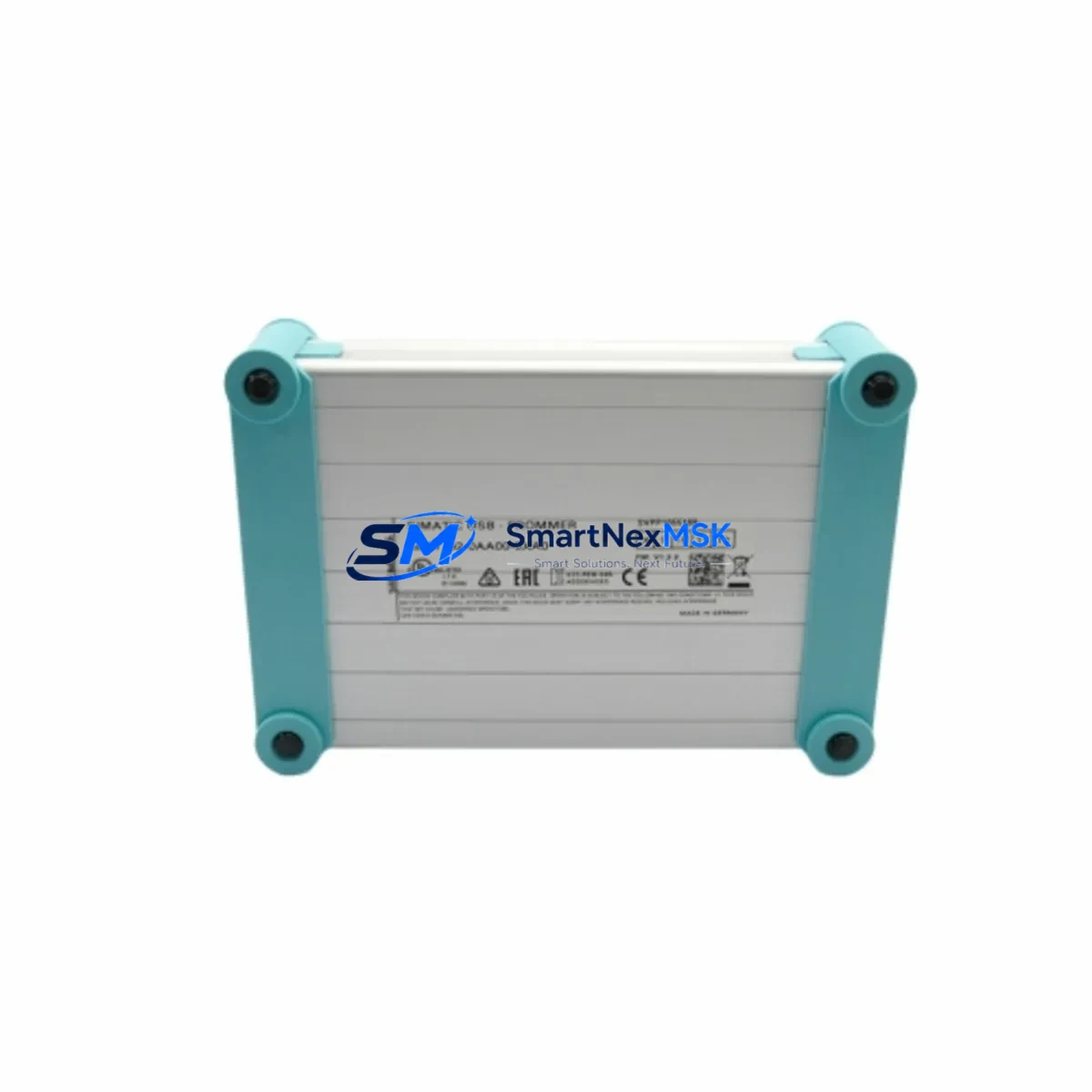
Siemens 6ES7 792-0AA00-0XA0 Retrofit-Ready USB-Prommer for S7-200 Control Systems
The Siemens 6ES7 792-0AA00-0XA0 USB-Prommer is a proven programming and download cable engineered for the SIMATIC S7-200 series of micro-PLCs. As legacy S7-200 installations continue to operate across manufacturing lines, packaging systems, water treatment facilities, and building automation networks, the demand for reliable, retrofit-ready programming interfaces has never been higher. This unit provides a direct USB-to-PPI (Point-to-Point Interface) connection between a PC running STEP 7-Micro/WIN and the S7-200 CPU, enabling engineers to upload, download, monitor, and modify control programs without disrupting live production.
Whether you are replacing a failed original cable, commissioning a refurbished control cabinet, or migrating an aging S7-200 system to a modernized panel layout, the 6ES7 792-0AA00-0XA0 delivers the compatibility and reliability that industrial retrofit projects demand. It is fully compatible with CPU 221, CPU 222, CPU 224, CPU 224XP, and CPU 226 variants, and supports all standard PPI baud rates used in S7-200 networks. The cable installs as a virtual COM port on Windows systems, requiring no additional hardware adapters or signal converters.
Upgrade Compatibility Table
| Parameter | Details |
|---|---|
| SKU / Part Number | 6ES7 792-0AA00-0XA0 |
| Brand / Manufacturer | Siemens SIMATIC |
| Compatible PLC Series | SIMATIC S7-200 (CPU 221 / 222 / 224 / 224XP / 226) |
| Interface Type | USB (PC side) to RS-485 PPI (PLC side) |
| Communication Protocol | PPI (Point-to-Point Interface) |
| Software Compatibility | STEP 7-Micro/WIN V4.0 and above |
| OS Support | Windows XP / 7 / 10 / 11 (32-bit & 64-bit) |
| Connector — PLC Side | DB9 Female (RS-485 port on S7-200 CPU) |
| Connector — PC Side | USB Type-A |
| Replaces / Upgrades | PC/PPI cable (6ES7 901-3CB30-0XA0), RS-232 PPI adapters |
| Installation Requirement | Virtual COM port driver; no external power required |
| Retrofit Recommendation | Direct drop-in replacement for legacy PC/PPI serial cables |
| Debugging Support | Online monitoring, force values, program status, data block edit |
| Warranty | 12 Months — covers hardware defects and communication failures |
Retrofit Planning for Existing Automation Systems
Retrofitting an S7-200-based control system requires careful coordination across multiple hardware and software layers. Before replacing or re-commissioning a programming cable, engineers should verify the existing S7-200 CPU firmware version and confirm that the installed version of STEP 7-Micro/WIN is compatible with the target CPU. In many legacy installations, the CPU communicates not only with the programming terminal but also with EM 277 PROFIBUS-DP modules or CP 243-1 Ethernet modules that handle upstream SCADA or HMI connectivity — these communication links must remain uninterrupted during cable replacement.
When upgrading a control cabinet that includes EM 221 digital input modules, EM 222 digital output modules, or EM 231 analog input modules, the I/O expansion bus must be inspected for address conflicts before any program download is attempted. The 6ES7 792-0AA00-0XA0 supports direct online access to the CPU’s data blocks, allowing technicians to verify I/O mapping and force individual outputs for loop testing without removing the CPU from the rack.
For installations that include a TD 200 text display or TP 177 HMI panel connected via PPI, the programming cable can be used to update HMI variable bindings and screen logic simultaneously with CPU program changes, provided the PPI network address of each device is correctly configured. Engineers should document all PPI station addresses before beginning any retrofit work to avoid address collisions on the RS-485 bus.
Power supply integrity is a critical checkpoint in any S7-200 retrofit. The CPU 224XP and CPU 226 units draw significant current from the 24 VDC rail, and adding expansion modules such as the EM 277 or analog I/O cards increases the load further. Before downloading a new program via the 6ES7 792-0AA00-0XA0, confirm that the panel power supply — typically a SITOP PSU100S or equivalent 24 VDC regulated supply — is within its rated output capacity. Undervoltage conditions during program transfer can corrupt the CPU’s user memory.
For systems being migrated from RS-232 serial PC/PPI cables (such as the 6ES7 901-3CB30-0XA0), the transition to USB-based programming via the 6ES7 792-0AA00-0XA0 eliminates the need for a serial COM port on the engineering laptop, which is particularly important for modern workstations that no longer include RS-232 ports. The virtual COM port driver assigns a stable port number that STEP 7-Micro/WIN can address directly, and the baud rate is auto-negotiated with the CPU, removing a common source of communication errors in legacy setups.
Downtime Control During System Migration
Minimizing production downtime during an S7-200 programming cable replacement or system migration requires a structured approach. The recommended procedure is to upload and archive the existing CPU program — including all data blocks, system blocks, and symbol tables — before any hardware change is made. The 6ES7 792-0AA00-0XA0 supports full program upload from a running CPU, allowing engineers to create a verified backup even when the original project files are unavailable or outdated.
Once the backup is confirmed, the new cable can be connected and the virtual COM port driver installed without powering down the PLC. STEP 7-Micro/WIN will detect the CPU automatically upon establishing the PPI connection. If the system includes a TD 200 operator panel or a networked TP 177B HMI, these devices should be placed in manual override or local control mode before any program download begins, ensuring that operator commands are not lost during the transfer window.
For multi-CPU networks where several S7-200 units share a single RS-485 PPI bus, the programming cable should be connected to the master CPU first. After verifying program integrity on the master, each slave CPU can be addressed individually by changing the PPI station address in STEP 7-Micro/WIN’s communication settings. This sequential approach keeps the network operational throughout the migration and allows each CPU to be tested independently before the system is returned to automatic mode.
All units supplied by SMARTNEXMSK are pre-tested for communication integrity prior to shipment. Each 6ES7 792-0AA00-0XA0 cable is verified for USB enumeration, virtual COM port assignment, and PPI handshake with a live S7-200 CPU before packaging. This pre-shipment testing protocol, combined with a 12-month warranty covering hardware defects and communication failures, ensures that your retrofit project proceeds without unexpected delays caused by faulty components.
Retrofit Support FAQ
Q1: Is the 6ES7 792-0AA00-0XA0 a direct replacement for the 6ES7 901-3CB30-0XA0 PC/PPI cable?
Yes. The 6ES7 792-0AA00-0XA0 replaces the legacy RS-232 PC/PPI cable (6ES7 901-3CB30-0XA0) with a USB interface. No changes to the PLC program, PPI network address, or wiring are required. The only difference is the PC-side connector — USB instead of DB9 serial — and the requirement to install a virtual COM port driver on the engineering workstation.
Q2: Can this cable be used to program multiple S7-200 CPUs on the same PPI network?
Yes. STEP 7-Micro/WIN allows the user to select the target CPU by PPI station address when multiple S7-200 units are connected to the same RS-485 bus. The 6ES7 792-0AA00-0XA0 supports all standard PPI baud rates and can address any CPU on the network by changing the station address in the communication settings panel.
Q3: What wiring checks should be performed before connecting the cable to an existing S7-200 installation?
Verify that the DB9 connector on the CPU’s programming port (Port 0 or Port 1 on CPU 224XP/226) is free of corrosion and that pins 3 (B/+) and 8 (A/−) are intact. Confirm that no other device — such as an EM 277 or a TD 200 — is actively using the same port. If the port is shared on a PPI network, ensure the cable is connected as a master device and that the network termination resistors are correctly installed at both ends of the RS-485 bus.
Q4: What does the 12-month warranty cover, and how is it claimed?
The 12-month warranty covers all hardware defects, including USB connector failure, cable sheath damage, and communication failures attributable to the cable itself. It does not cover damage caused by incorrect wiring, overvoltage, or physical misuse. To claim warranty service, contact SMARTNEXMSK with your order number and a description of the fault. Replacement units are dispatched within 3 business days of fault confirmation.
© 2026 SMARTNEXMSK. All rights reserved.
Original Source: https://smartnexmsk.com
Contact: [email protected] | +86 18259474341



