
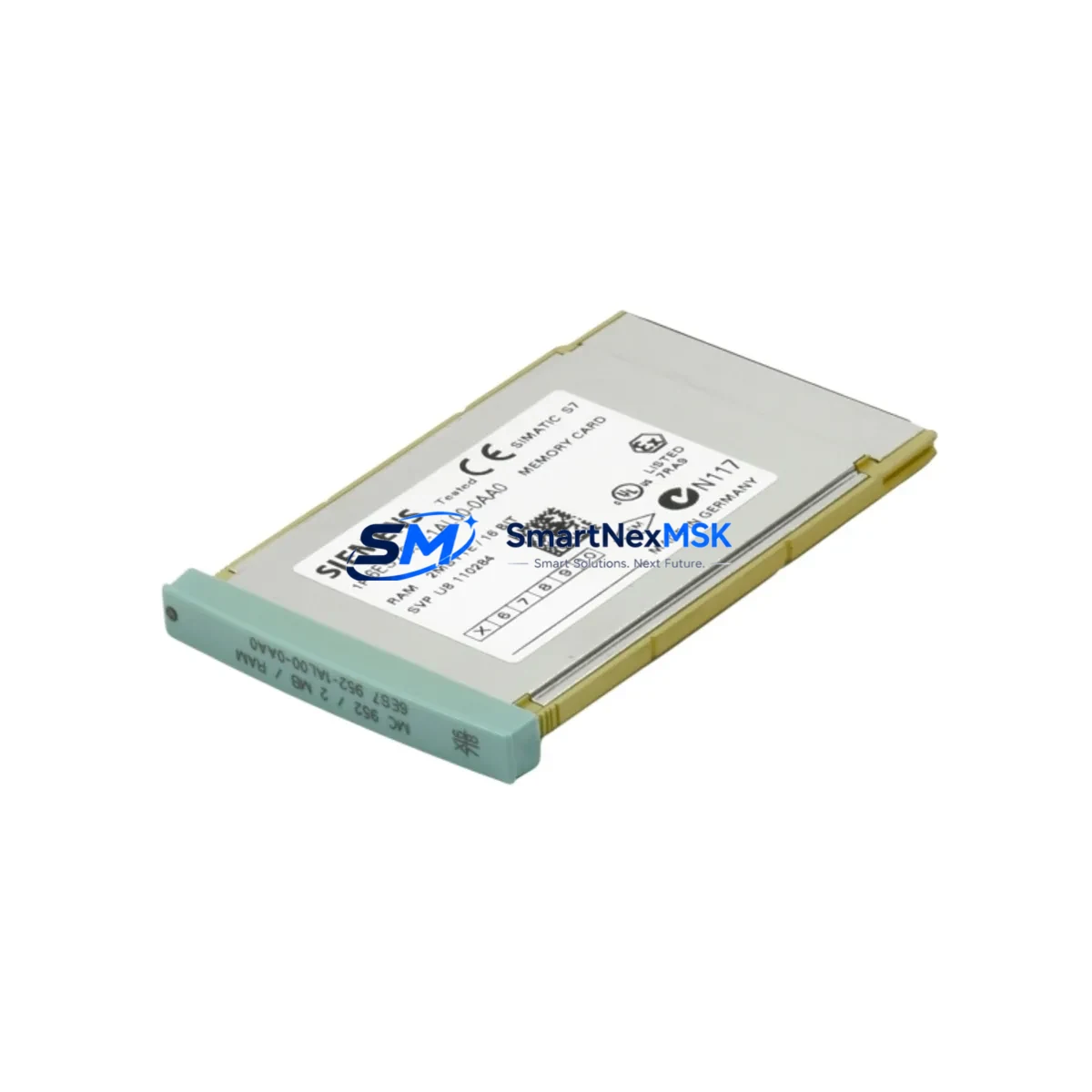
Siemens 6ES7 952-1AL00-0AA0 Spare for S7-400 Automation
The Siemens 6ES7 952-1AL00-0AA0 is a 1MB RAM memory card designed for the SIMATIC S7-400 programmable logic controller series — one of the most widely deployed high-performance PLC platforms in process automation, power generation, and heavy manufacturing. As a maintenance-ready original spare, this module enables rapid program restoration and minimizes unplanned downtime when a memory fault, card corruption, or hardware failure occurs in a live production environment.
For maintenance engineers managing aging S7-400 control systems, the availability of a verified, tested memory card is a critical element of any spare parts strategy. The 6ES7 952-1AL00-0AA0 stores the user program, data blocks, and system configuration directly on the card, allowing a replacement CPU — such as the 6ES7 414-2XG04-0AB0 or 6ES7 416-3XR05-0AB0 — to boot from the card immediately after insertion, without requiring a full reprogramming cycle. This capability is essential for reducing mean time to repair (MTTR) in facilities where every hour of downtime carries significant operational cost.
Procurement engineers sourcing long-term spares for S7-400 installations should note that this memory card is compatible across a broad range of S7-400 CPU variants, making it a versatile addition to any control room spare parts cabinet. Stocking one or two units alongside the primary CPU modules, power supply units such as the 6ES7 405-0DA02-0AA0 or 6ES7 407-0DA02-0AA0, and the rack backplane assembly provides a complete recovery kit for the most common S7-400 failure scenarios.
Spare Maintenance Table
| Part Number | 6ES7 952-1AL00-0AA0 |
| Brand | Siemens |
| Series | SIMATIC S7-400 |
| Module Type | RAM Memory Card |
| Memory Capacity | 1 MB |
| Memory Type | RAM (volatile, battery-backed) |
| Compatible CPUs | S7-400 CPU 41x series (e.g. 414, 416, 417) |
| Interface | S7-400 memory card slot (proprietary) |
| Operating Temperature | 0°C to +60°C |
| Storage Temperature | -40°C to +70°C |
| Power Supply | Supplied via CPU slot (no external power required) |
| Battery Backup | Requires CPU internal battery (6ES7 971-1AA00-0AA0) for data retention |
| Origin | Germany |
| Installation | Hot-swap capable (CPU-dependent); follow CPU manual for safe insertion |
| Application Environment | Industrial control panels, process automation, power distribution, manufacturing |
| Maintenance Recommendation | Inspect card contacts annually; replace battery if data retention errors occur |
| Warranty | 12 Months |
| Pre-shipment Testing | Functionally tested before dispatch |
Maintenance Planning for Continuous Operation
When replacing the 6ES7 952-1AL00-0AA0 in a live S7-400 system, a thorough maintenance inspection of the surrounding components is strongly recommended to prevent repeat failures and ensure system stability. Maintenance engineers should begin by verifying the condition of the CPU backup battery — typically the 6ES7 971-1AA00-0AA0 — since a depleted battery is the most common cause of RAM memory data loss in S7-400 installations. A battery replacement should always accompany a memory card swap.
Next, inspect the S7-400 power supply module (PS 405 or PS 407 series, such as the 6ES7 405-0KA02-0AA0) for output voltage stability. Undervoltage or ripple on the 24VDC bus can corrupt memory card data over time. Check the rack backplane — the 6ES7 400-1JA01-0AA0 or equivalent — for bent connector pins or oxidation at the card slot interface, which can cause intermittent read/write errors that mimic memory card failure.
For systems with active communications, verify the CP 443-1 Ethernet communication module (e.g. 6GK7 443-1EX30-0XE0) and any PROFIBUS DP interface modules are operating without fault LEDs. A communication module fault can sometimes trigger false memory errors in the CPU diagnostic buffer. If the S7-400 system interfaces with a SIMATIC HMI panel — such as a TP1500 or MP377 — confirm that the HMI project data is backed up independently, as a CPU memory card replacement will not affect HMI runtime data but may require a re-download of the PLC program.
Signal integrity should also be reviewed: check analog input modules (e.g. SM 431 series) and digital I/O modules (SM 421/422 series) for channel faults logged in the CPU diagnostic buffer prior to the memory failure event. Loose terminal block connections on the I/O sub-racks, corroded relay output contacts, or failed signal isolators in the field wiring loop can generate spurious interrupts that stress the CPU and accelerate memory wear. Replacing the memory card without addressing these upstream issues risks a repeat failure within weeks.
Finally, for older S7-400 installations approaching end-of-life, consider stocking a complete CPU spare kit: the replacement CPU module, a fresh 6ES7 952-1AL00-0AA0 memory card pre-loaded with the latest validated program backup, a spare PS 407 power supply, and a set of front connector assemblies for the I/O modules. This approach transforms a potential multi-day outage into a sub-hour swap-and-restore operation.
Site Replacement Workflow
Before beginning the replacement, ensure the S7-400 CPU is in STOP mode and the system is in a safe state per your site lockout/tagout (LOTO) procedure. Export the current program from the existing memory card using SIMATIC Manager or TIA Portal if the CPU is still partially functional — this provides a fallback if the replacement card contains an older program version.
Remove the faulty 6ES7 952-1AL00-0AA0 by pressing the card ejector on the CPU front panel. Insert the replacement card firmly until it clicks into the slot. Power-cycle the CPU and observe the STOP/RUN LED sequence. If the CPU transitions to RUN without fault, the program has loaded successfully from the new card. If the CPU remains in STOP with a memory error, perform a memory reset (MRES) and reload the program via PG/PC connection using SIMATIC Manager.
This workflow is compatible with all S7-400 CPU 41x variants and does not require rack removal or rewiring, making it one of the fastest field replacements in the S7-400 maintenance toolkit. Downtime for a prepared technician with a pre-loaded spare card is typically under 30 minutes, compared to 4–8 hours for a full program reload from scratch. Maintaining a tested, pre-loaded 6ES7 952-1AL00-0AA0 in the site spare parts cabinet is the single most effective measure for reducing S7-400 memory-related downtime.
After restoration, update the site maintenance log with the card serial number, replacement date, and program version loaded. Schedule a follow-up inspection of the CPU battery and power supply within 30 days to confirm system stability.
Spare Parts Support FAQ
Q: Is the 6ES7 952-1AL00-0AA0 compatible with all S7-400 CPU models?
A: This 1MB RAM card is compatible with the S7-400 CPU 41x series, including the 414, 416, and 417 CPU families. Always verify the memory card capacity requirement in your specific CPU’s technical manual before ordering, as some CPU variants require a minimum card size or support only FLASH (EPROM) cards for certain program storage modes.
Q: How is the unit tested before shipment?
A: Each 6ES7 952-1AL00-0AA0 unit undergoes functional verification prior to dispatch, including slot interface continuity checks and basic read/write validation. Units are shipped in anti-static packaging to prevent ESD damage during transit. A 12-month warranty covers any defects in materials or workmanship from the date of delivery.
Q: What is the recommended spare parts inventory strategy for S7-400 memory cards?
A: For critical production lines, we recommend maintaining a minimum of one pre-loaded spare card per S7-400 CPU in service, stored in a climate-controlled spare parts cabinet. For facilities with multiple S7-400 systems, a pool of 2–3 cards covering the most common capacity variants (1MB, 4MB) provides adequate coverage without excessive inventory cost. Cards should be inspected annually and program versions updated to match the current validated baseline.
Q: Can this card be used to transfer a program between two S7-400 CPUs of the same type?
A: Yes. The 6ES7 952-1AL00-0AA0 can be used to clone a program from one S7-400 CPU to another of the same CPU type, provided the hardware configuration and I/O assignments are identical. This is a common technique for rapid replacement of a failed CPU module on a production line, and is one of the key advantages of the S7-400 memory card architecture for maintenance engineers managing multi-unit installations.
© 2026 SMARTNEXMSK. All rights reserved.
Original Source: https://smartnexmsk.com
Contact: [email protected] | +86 18259474341



