
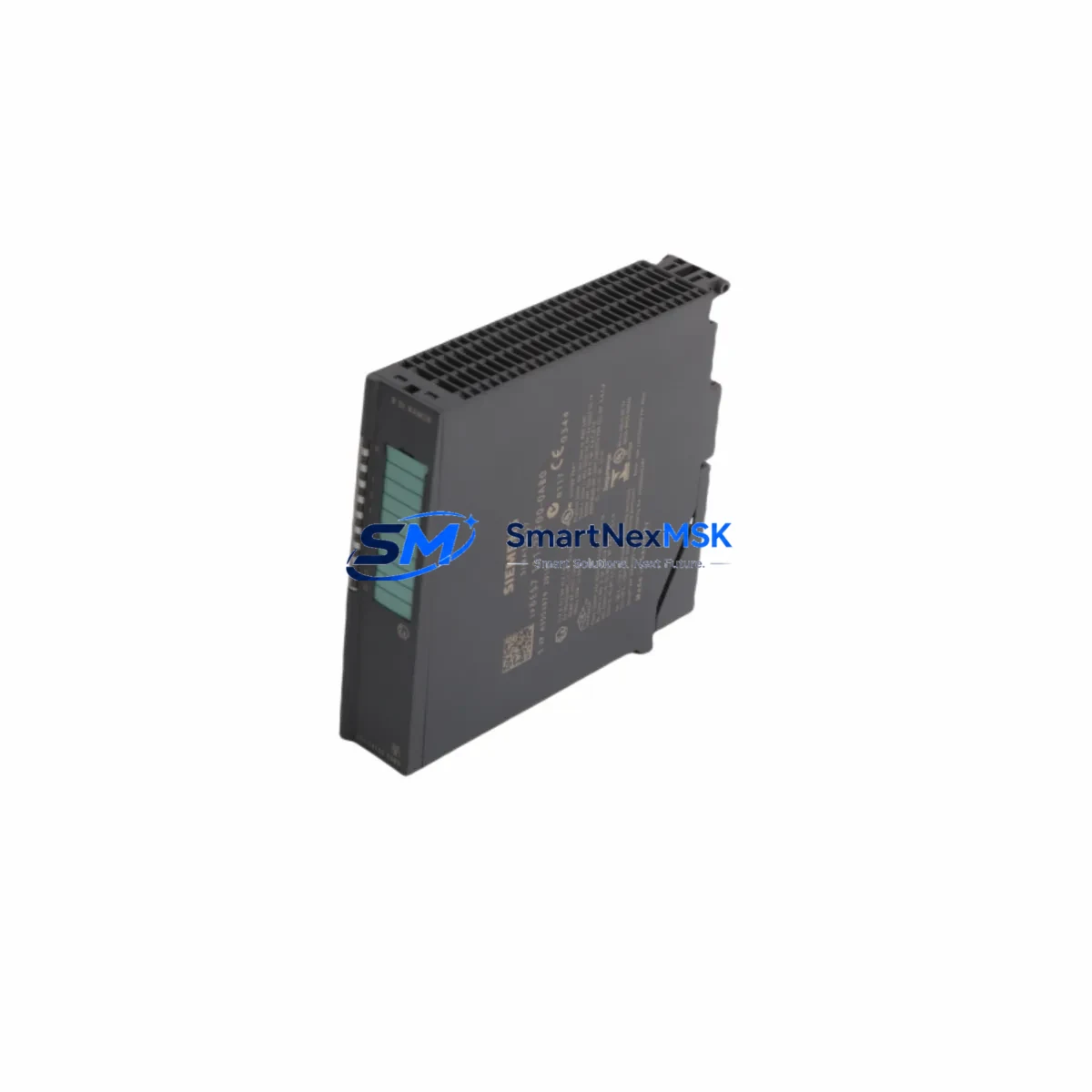
Siemens 6ES7131-7RF00-0AB0 Maintenance-Ready Spare for ET 200SP Automation
The Siemens 6ES7131-7RF00-0AB0 is a failsafe digital input module (F-DI) engineered for the ET 200SP distributed I/O platform, fully integrated with SIMATIC S7-1500F safety controllers. In industrial maintenance environments — from automotive assembly lines to chemical process plants and water treatment facilities — this module is a critical node in safety-rated signal acquisition, emergency stop circuits, and SIL 2/SIL 3-compliant interlock systems. Holding a verified spare on the shelf is not optional; it is a core element of any credible maintenance strategy for facilities running PROFINET-based safety architectures.
When this module fails or reaches end-of-service life, the impact is immediate: safety loops go offline, the PLC enters a safe state, and production halts. Maintenance engineers familiar with ET 200SP cabinet layouts know that replacing the 6ES7131-7RF00-0AB0 requires more than swapping the module — it demands a systematic check of the surrounding electrical environment to confirm the replacement will restore full safety function without introducing new faults. This page provides the technical reference, replacement workflow, and spare parts planning guidance needed to execute that process efficiently.
Spare Maintenance Table
| Parameter | Specification |
|---|---|
| SKU / Part Number | 6ES7131-7RF00-0AB0 |
| Brand | Siemens |
| Series | ET 200SP |
| Module Type | Failsafe Digital Input Module (F-DI) |
| Compatible System | SIMATIC S7-1500F, ET 200SP HA |
| Safety Integrity Level | SIL 2 / SIL 3 (IEC 61508) |
| Number of Inputs | 8 × F-DI (4 safety channels) |
| Input Voltage | 24 V DC |
| Backplane Bus | ET 200SP BaseUnit BU type A0 |
| Communication Protocol | PROFINET IO (via ET 200SP interface module) |
| Mounting | DIN rail via ET 200SP BaseUnit |
| Operating Temperature | 0 °C to +60 °C |
| Protection Rating | IP20 |
| Country of Origin | Germany |
| Firmware Compatibility | TIA Portal V15.1 and above |
| Condition | Original, tested before shipment |
| Warranty | 12 Months |
Maintenance Planning for Continuous Operation
A disciplined maintenance plan for any ET 200SP cabinet housing the 6ES7131-7RF00-0AB0 must account for the full signal chain — from field sensor to safety CPU. During scheduled cabinet inspections or after a safety trip event, maintenance engineers and procurement engineers should systematically verify the following components alongside the F-DI module to ensure a complete and reliable restoration:
ET 200SP Interface Module (IM): The interface module — such as the 6ES7155-6AU01-0BN0 — serves as the PROFINET gateway for all I/O modules in the station. A degraded IM can cause intermittent F-DI communication faults that mimic module failure. Always verify IM firmware version and PROFINET link status before condemning the 6ES7131-7RF00-0AB0. Procurement engineers should stock the IM alongside the F-DI module as a paired spare.
BaseUnit (BU Type A0): The F-DI module seats on a dedicated BaseUnit. Inspect the BaseUnit for contact corrosion, mechanical damage, or wiring terminal looseness. A faulty BaseUnit will cause the replacement module to fault immediately on power-up. The BaseUnit is a low-cost, high-impact spare that should be included in every ET 200SP cabinet spare kit.
24 V DC Power Supply: ET 200SP stations rely on a stable 24 V DC rail. Units such as the Siemens SITOP PSU8200 series should be checked for output ripple and voltage drop under load. An undersized or aging power supply is a common root cause of spurious F-DI faults and should be part of every annual cabinet inspection checklist.
Potential Distribution Module (PM-E): The PM-E module — for example the 6ES7138-6CF00-0AB0 — segments the power rail within the ET 200SP station. Verify that the PM-E feeding the F-DI module is healthy and that its load group is correctly configured in TIA Portal. A failed PM-E will de-energize an entire group of I/O modules simultaneously.
Failsafe Digital Output Module (F-DO): F-DI modules typically feed downstream safety relay modules or F-DO modules such as the 6ES7132-7HF00-0AB0 that control actuators and safety contactors. Inspect these modules for contact wear, coil resistance, and response time — a degraded F-DO can cause nuisance trips incorrectly attributed to the F-DI input module.
Terminal Blocks and Field Wiring: Loose or corroded terminal connections on the BaseUnit wiring side are a leading cause of intermittent digital input faults. During any planned maintenance window, re-torque all terminals to specification and inspect for insulation degradation, especially in high-vibration or high-humidity environments. Replacing terminal blocks proactively during a module swap is a best practice for aging cabinets.
Signal Isolators and Barriers: Where field sensors are located at distance or in electrically noisy environments, signal isolators or Zener barriers may be installed upstream of the F-DI inputs. Verify isolator output levels and check for drift that could push input signals outside the 24 V DC threshold window. Degraded isolators are a frequent hidden cause of intermittent F-DI channel faults.
PROFINET Communication Cables and Managed Switches: Degraded PROFINET cabling or an overloaded managed switch can cause cyclic data interruptions that trigger F-DI module diagnostics. Inspect cable shielding, connector seating, and switch port statistics for CRC errors or packet loss. Industrial-grade PROFINET patch cables and switches should be part of the cabinet spare inventory.
Safety CPU (F-CPU): For S7-1500F systems, confirm that the F-CPU — such as the 6ES7516-3FN03-0AB0 — safety program is consistent with the replacement module’s F-address and safety parameters. A mismatch in F-parameter assignment will prevent the safety channel from activating after module replacement. Always cross-check the TIA Portal hardware configuration before commissioning the replacement unit.
Fuses and Circuit Protection: Verify that the 24 V DC supply fuses protecting the ET 200SP station are rated correctly and have not degraded. Blown or weakened fuses are often overlooked during module replacement and can cause the new module to fault immediately after installation.
Stocking the 6ES7131-7RF00-0AB0 alongside the BaseUnit, IM module, PM-E, and associated power supply components ensures that a complete cabinet restoration can be executed within a single maintenance shift, minimizing mean time to repair (MTTR) and protecting production continuity.
Site Replacement Workflow
The following workflow is designed to minimize downtime and ensure a safe, verified replacement of the 6ES7131-7RF00-0AB0 in an active ET 200SP cabinet. It is applicable to both planned maintenance windows and emergency unplanned replacements.
Step 1 — Isolate and De-energize: Follow your site LOTO (Lockout/Tagout) procedure. De-energize the ET 200SP station and confirm zero voltage at the BaseUnit terminals before removing the module. For SIL-rated circuits, notify the safety system operator and obtain a permit to work.
Step 2 — Document Current Configuration: Before removal, record the module’s F-address, channel assignment, and any active diagnostic messages in TIA Portal. Photograph the wiring layout on the BaseUnit terminals. This documentation is essential for rapid recommissioning and for the safety acceptance test record.
Step 3 — Remove and Inspect: Slide the module off the BaseUnit. Inspect the BaseUnit contacts and the module connector for damage or contamination. If the BaseUnit shows wear or corrosion, replace it simultaneously to avoid a repeat fault within the next maintenance cycle.
Step 4 — Install Replacement Module: Seat the new 6ES7131-7RF00-0AB0 onto the BaseUnit. The module is keyed — confirm correct orientation before applying pressure. Do not force the module. Reconnect all field wiring per the documented terminal layout and re-torque to specification.
Step 5 — Restore Power and Validate: Re-energize the station. In TIA Portal, navigate to the F-DI module diagnostics and confirm that all safety channels are in the RUN state. Perform a channel-by-channel functional test by actuating each connected field device and verifying the corresponding input state change in the PLC online view.
Step 6 — Safety Acceptance Test and Documentation: For SIL-rated circuits, execute the required proof test per your site safety plan. Document the test results, update the maintenance record for the safety loop, and file the replacement record with the asset management system. The 12-month warranty period begins from the date of installation.
Compatibility Note: The 6ES7131-7RF00-0AB0 is a direct replacement for earlier ET 200SP F-DI variants. Confirm TIA Portal hardware catalog version and module firmware compatibility before commissioning. No hardware modification to the BaseUnit or cabinet wiring is required for a like-for-like replacement, making this module an ideal choice for legacy system life extension without cabinet redesign.
Spare Parts Support FAQ
Q1: What is the expected service life of the 6ES7131-7RF00-0AB0, and when should I plan for proactive replacement?
Siemens publishes a recommended proof test interval for safety modules used in SIL applications. For most ET 200SP F-DI modules, this is 1–5 years depending on the SIL level and PFD target. Regardless of proof test schedule, modules showing recurring diagnostic faults, communication errors, or physical damage should be replaced immediately. We recommend holding at least one spare per cabinet as a minimum inventory policy, with a second spare for multi-cabinet facilities running continuous production.
Q2: How do I verify compatibility between the replacement module and my existing TIA Portal project?
Open your TIA Portal project and navigate to the hardware configuration for the ET 200SP station. Confirm that the module order number (6ES7131-7RF00-0AB0) and firmware version in the catalog match the replacement unit. If the firmware version differs, update the module firmware via TIA Portal before running the safety acceptance test. F-address and safety parameter assignments are stored in the F-CPU — no re-programming is required for a like-for-like swap.
Q3: What pre-shipment testing is performed on this spare module?
Every 6ES7131-7RF00-0AB0 unit is functionally tested before shipment. Testing includes power-on self-test verification, channel continuity check, and PROFINET communication bus response confirmation. Units are shipped in original packaging with documentation. A 12-month warranty covers manufacturing defects and functional failures under normal operating conditions from the date of receipt.
Q4: Can this module replace older ET 200SP F-DI variants, and what is the long-term supply outlook?
The 6ES7131-7RF00-0AB0 is compatible with standard ET 200SP BaseUnit type A0 and integrates with all current S7-1500F safety CPUs via TIA Portal V15.1 and above. For facilities running legacy ET 200SP configurations, this module supports system life extension without cabinet redesign or rewiring. We maintain long-term stock availability for industrial customers with planned maintenance programs and can support blanket order arrangements for multi-site operations requiring guaranteed supply continuity.
© 2026 SMARTNEXMSK. All rights reserved.
Original Source: https://smartnexmsk.com
Contact: [email protected] | +86 18259474341



