
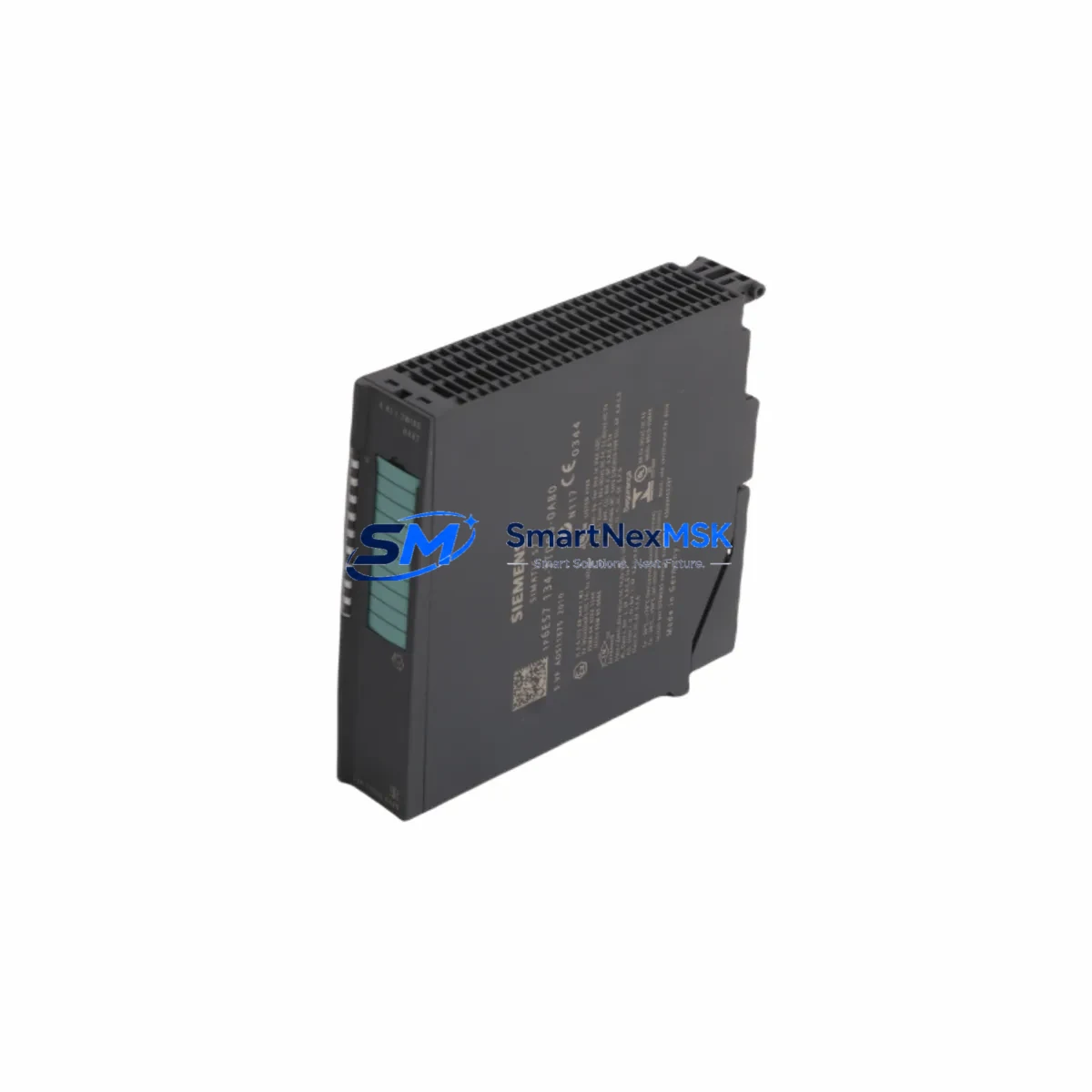
Siemens 6ES7134-7TD00-0AB0 Retrofit-Ready Analog Input for ET 200SP Control Systems
When an aging ET 200SP distributed I/O station begins to show signs of signal drift, intermittent channel faults, or simply reaches end-of-service life, the Siemens 6ES7134-7TD00-0AB0 analog input module offers a proven, retrofit-ready replacement path that minimizes engineering rework and keeps production lines running. Designed for the SIMATIC ET 200SP platform, this 4-channel high-feature (HF) analog input module supports both voltage and current measurement modes, making it a versatile drop-in solution for plants that need to restore accurate process signal acquisition without redesigning the entire control architecture.
The 6ES7134-7TD00-0AB0 is engineered to slot directly into existing ET 200SP base units, preserving the original terminal wiring layout and backplane communication interface. Engineers undertaking a retrofit project can retain the existing BaseUnit — typically a BU type A0 or compatible variant — and simply swap the module without rewiring field instruments. This dramatically reduces the risk of wiring errors during changeover and shortens the commissioning window to hours rather than days.
Upgrade Compatibility Table
| Parameter | Details |
|---|---|
| SKU / Order Number | 6ES7134-7TD00-0AB0 |
| Series | SIMATIC ET 200SP |
| Module Type | Analog Input, 4-channel, Voltage/Current HF |
| Backplane Interface | ET 200SP backplane bus — compatible with IM 155-6 interface modules |
| BaseUnit Compatibility | BU type A0 (light/dark) — no BaseUnit replacement required in most retrofits |
| Signal Range | ±10 V, ±5 V, 0–10 V, 0–20 mA, 4–20 mA (selectable per channel) |
| Resolution | 16-bit |
| Wiring Compatibility | Retains existing 2-wire/4-wire field instrument connections |
| Communication Protocol | PROFINET via IM 155-6 PN interface module |
| Program Compatibility | Hardware configuration update in TIA Portal required; I/O address mapping preserved |
| Operating Temperature | 0 °C to +60 °C |
| Protection Rating | IP20 |
| Origin | Germany |
| Warranty | 12-Month Warranty — tested before shipment |
Retrofit Planning for Existing Automation Systems
A successful retrofit of the 6ES7134-7TD00-0AB0 begins well before the module arrives on site. The first step is auditing the existing ET 200SP station configuration in TIA Portal or STEP 7 to confirm the hardware catalog version and GSD file compatibility. If the station is managed by a SIMATIC S7-1500 CPU — such as a CPU 1516-3 PN/DP — or an older S7-300 CPU connected via a IM 153-4 PN interface, the engineering team must verify that the firmware version of the IM 155-6 PN ST or IM 155-6 PN HF interface module supports the 6ES7134-7TD00-0AB0 module descriptor.
On the power side, the ET 200SP station’s PM-E power module — commonly a 6ES7138-6AA01-0BA0 or similar — must be checked to confirm it can supply sufficient load current for the updated module configuration. Adding a high-feature analog input module may marginally increase the station’s current draw, and this should be validated against the PM-E’s rated output before the retrofit window opens.
Terminal wiring is one of the most critical steps. The 6ES7134-7TD00-0AB0 uses the same push-in terminal concept as other ET 200SP I/O modules, and field cables connected to pressure transmitters, flow meters, temperature transmitters, and other 4–20 mA or voltage-output sensors can typically be reconnected without re-labeling or re-routing. Engineers should photograph the existing wiring before removal and cross-reference against the original loop drawings to avoid channel transposition errors.
In TIA Portal, after inserting the new module into the hardware configuration, the I/O address assignment should be reviewed. If the original module occupied the same slot, the process image addresses are likely preserved, meaning the existing PLC program logic — including PID function blocks, scaling routines, and alarm limits — requires no modification. However, if the slot order has changed or a different BaseUnit type is introduced, address offsets must be recalculated and the program retested in simulation before going live.
For stations that also include 6ES7131-6BF01-0BA0 digital input modules, 6ES7132-6BF01-0BA0 digital output modules, or 6ES7134-6GD01-0BA1 analog input modules for temperature measurement, the retrofit plan should document each module’s slot position and address range to prevent conflicts during the hardware reconfiguration. Communication continuity through the PROFINET ring or line topology — often managed by an X208 or SCALANCE XC208 industrial switch — must also be confirmed to avoid dropping the ET 200SP station from the network during the changeover.
Finally, HMI screens connected to a SIMATIC TP1200 Comfort Panel or KTP700 Basic Panel that display analog process values from this station should be reviewed to confirm that tag addresses remain valid after the hardware update. A brief offline simulation in WinCC or TIA Portal’s HMI editor can catch any broken tag references before the system goes live.
Downtime Control During System Migration
Minimizing unplanned downtime during an ET 200SP analog input module replacement requires a structured changeover plan. The recommended approach is to schedule the swap during a planned maintenance window, pre-configure the replacement 6ES7134-7TD00-0AB0 module in TIA Portal offline, and download the updated hardware configuration to the CPU before the physical swap begins. This way, the CPU is already aware of the new module descriptor and will not generate a configuration mismatch fault when the module is inserted.
During the physical swap, the ET 200SP station can remain powered if the plant safety assessment permits hot-swapping — a key advantage of the ET 200SP platform’s modular design. The module can be removed and reinserted without powering down the entire station, provided the BaseUnit remains in place and the field wiring is handled carefully. This approach keeps the remaining I/O channels — digital inputs, digital outputs, and other analog channels — fully operational throughout the swap, preserving control continuity for non-affected process loops.
After reinsertion, the CPU will automatically detect the new module and resume normal I/O scanning within seconds. Engineers should monitor the diagnostic buffer in TIA Portal online mode to confirm that no channel faults or configuration errors are reported. Analog channel values should be verified against known reference signals — for example, a calibrated 4–20 mA loop calibrator — to confirm that scaling and offset parameters are correctly applied before returning the loop to automatic control.
For critical interlock loops, it is advisable to place the affected control loop in manual mode at the DCS or SCADA level before the swap and restore automatic mode only after the analog input values have been verified stable. This prevents spurious trips or false alarms during the brief changeover period. With proper preparation, the total controlled downtime for a single-module swap is typically under 30 minutes, making the 6ES7134-7TD00-0AB0 one of the most field-serviceable analog input solutions in the ET 200SP family.
Retrofit Support FAQ
Q1: Is the 6ES7134-7TD00-0AB0 a direct drop-in replacement for older ET 200SP analog input modules?
In most cases, yes. The 6ES7134-7TD00-0AB0 is compatible with standard ET 200SP BaseUnits (BU type A0) and uses the same backplane bus interface. A hardware configuration update in TIA Portal is required, but field wiring and I/O address mapping are typically preserved, making it a straightforward retrofit for most applications.
Q2: What pre-shipment testing is performed on the 6ES7134-7TD00-0AB0?
Every unit supplied by SMARTNEXMSK undergoes functional verification before dispatch, including power-on testing and channel integrity checks. Units are shipped with original packaging and documentation where available, and all items are covered by a 12-month warranty from the date of delivery.
Q3: Can this module be used with both S7-1500 and S7-300 based ET 200SP stations?
Yes. The 6ES7134-7TD00-0AB0 is compatible with ET 200SP stations managed by SIMATIC S7-1500 CPUs via PROFINET, as well as legacy configurations using IM 155-6 interface modules connected to S7-300 or S7-400 controllers. Firmware compatibility of the interface module should be verified in TIA Portal before deployment.
Q4: What is the long-term supply availability for the 6ES7134-7TD00-0AB0?
SMARTNEXMSK maintains stock of the 6ES7134-7TD00-0AB0 and related ET 200SP components to support ongoing retrofit and spare parts programs. For customers managing multi-year maintenance contracts or large-scale system upgrades, we can discuss scheduled supply agreements to ensure continuity. Contact our team for current stock levels and lead times.
© 2026 SMARTNEXMSK. All rights reserved.
Original Source: https://smartnexmsk.com
Contact: [email protected] | +86 18259474341



