
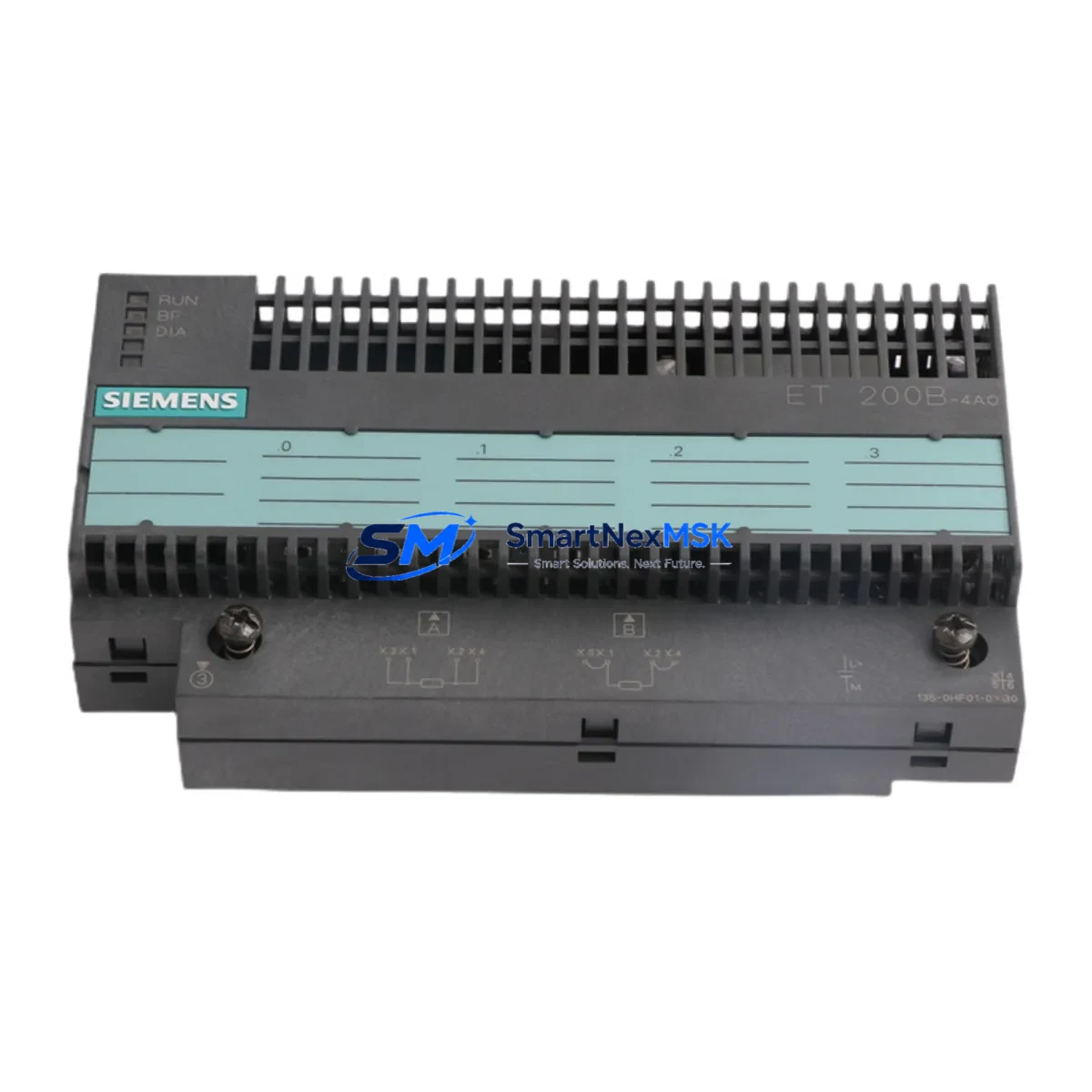
Siemens 6ES7135-0HF01-0XB0 Spare for ET 200S Automation: Spare Parts Replacement & Industrial Downtime Risk Control
The Siemens 6ES7135-0HF01-0XB0 is a 2-channel analog output module designed for the ET 200S distributed I/O system, operating within the SIMATIC S7-300 and S7-400 automation environments. This module delivers precise 4–20 mA current output and 0–10 V voltage output, making it a critical component in process control loops, drive command interfaces, and valve positioner circuits across manufacturing, chemical, energy, and water treatment plants. When this module fails or degrades, the downstream control loop loses its command signal — resulting in uncontrolled actuators, process deviations, and unplanned production stoppages.
Maintaining a verified original spare of the 6ES7135-0HF01-0XB0 in your site inventory is the most effective strategy to minimize mean time to repair (MTTR) and protect continuous operation. This listing provides a factory-original, tested unit with a 12-month warranty, pre-shipment functional verification, and documented compatibility with the ET 200S power module and terminal module ecosystem.
Spare Maintenance Table
| Parameter | Specification |
|---|---|
| Part Number / SKU | 6ES7135-0HF01-0XB0 |
| Brand | Siemens |
| Series / Platform | SIMATIC ET 200S Distributed I/O |
| Module Type | 2-Channel Analog Output Module |
| Output Signal | 4–20 mA (current) / 0–10 V (voltage) |
| Resolution | 12-bit |
| Supply Voltage | 24 V DC (via ET 200S power module) |
| Compatible Interface Module | IM 151-1, IM 151-3 PN, IM 151-7 CPU |
| Compatible Terminal Module | TM-E series (e.g., TM-E15S24-A1) |
| Mounting | DIN rail via ET 200S terminal module |
| Operating Temperature | 0 °C to +60 °C |
| Protection Class | IP20 |
| Country of Origin | Germany |
| Warranty | 12 Months |
| Condition | Original, New / Tested Surplus |
| Pre-shipment Test | Functional verification performed |
| Compatibility Verified | ET 200S S7-300 / S7-400 systems |
Maintenance Planning for Continuous Operation
When a maintenance or procurement engineer schedules replacement of the 6ES7135-0HF01-0XB0, the replacement scope should extend beyond the module itself. The ET 200S architecture distributes I/O across a shared backplane bus, meaning adjacent components are subject to the same environmental stress, power cycling history, and service age. A disciplined inspection of the following components during the same maintenance window significantly reduces the risk of a secondary failure shortly after the primary repair:
- ET 200S Power Module (PM-E 24VDC) — Verify output voltage stability and ripple. A degraded power module can cause intermittent analog output errors that mimic module faults.
- Terminal Module TM-E15S24-A1 — Inspect the spring-clamp terminals for oxidation, loose field wiring, and mechanical wear on the module locking lever. The terminal module is the mechanical and electrical interface between the 6ES7135-0HF01-0XB0 and field wiring.
- ET 200S Interface Module (IM 151-3 PN) — Check PROFINET link status, firmware version, and diagnostic buffer for recurring communication faults that may have masked the analog output failure.
- Adjacent Digital Output Modules (e.g., 6ES7132-4BB01-0AB0) — Inspect for thermal discoloration or relay contact wear if the control cabinet has experienced overtemperature events.
- Signal Isolators / Loop Isolators — For 4–20 mA loops connected to field instruments, verify that loop-powered isolators or barriers (e.g., Pepperl+Fuchs or Phoenix Contact signal conditioners) are within calibration and show no ground fault indication.
- 24 VDC Cabinet Power Supply (e.g., SITOP PSU100S) — Measure output voltage under load. Aging SITOP or equivalent DIN-rail PSUs can develop voltage droop that degrades analog output accuracy before causing hard faults.
- Fuse Terminals (e.g., Weidmüller or Phoenix Contact fuse holders) — Replace any fuses in the analog output loop circuit that show signs of thermal stress or are approaching rated age.
- Shielded Analog Signal Cables — Inspect cable shielding continuity and grounding at the cabinet entry point. Broken or improperly grounded shields introduce noise that degrades 4–20 mA signal integrity and can cause false diagnostics.
- SIMATIC HMI (e.g., KTP700 Basic or TP1200 Comfort) — Confirm that analog output setpoint tags are correctly mapped and that the HMI trend display reflects the restored output after module replacement.
- S7-300 / S7-400 CPU Diagnostic Buffer — Clear accumulated I/O fault entries after replacement and monitor for recurrence over the first 24 hours of operation to confirm root cause elimination.
Stocking one spare 6ES7135-0HF01-0XB0 per control cabinet that contains ET 200S analog output stations is the recommended minimum inventory posture for facilities with continuous process requirements. For plants with multiple ET 200S drops on the same PROFINET ring, a ratio of one spare per three to five installed modules is a practical starting point for annual spare parts budget planning.
Site Replacement Workflow
The 6ES7135-0HF01-0XB0 is a hot-swap-capable module within the ET 200S system when the interface module supports isochronous or standard PROFINET operation with module replacement enabled in the hardware configuration. The following workflow minimizes downtime and ensures a clean restoration:
- Isolate the affected output loop — Place the connected actuator (valve, drive, or positioner) in manual or safe-state mode before removing the module to prevent uncontrolled movement during the swap.
- Document the current output value — Record the last commanded output from the HMI or SCADA historian to facilitate bumpless transfer after restoration.
- Remove the faulty module — Unlock the module from the terminal module by pressing the release lever. The terminal module and field wiring remain in place; only the electronic module is removed.
- Insert the replacement 6ES7135-0HF01-0XB0 — Align the module with the terminal module guide rails and press firmly until the locking lever engages. No tools are required.
- Verify PROFINET recognition — The interface module should detect the new module within seconds. Confirm green LED status on both the interface module and the replacement analog output module.
- Restore the output setpoint — From the HMI or engineering station, ramp the output back to the documented setpoint and verify the field instrument response (e.g., valve position feedback or drive speed reference).
- Clear the CPU diagnostic buffer — Acknowledge all pending I/O faults in the S7 CPU or TIA Portal online diagnostics to restore clean system status.
- Log the replacement — Record the module serial number, replacement date, and technician ID in the plant CMMS for lifecycle tracking and warranty reference.
This workflow is compatible with legacy STEP 7 v5.x hardware configurations and current TIA Portal v17/v18 projects. No re-download of the hardware configuration is required if the replacement module is the same order number as the installed module.
Spare Parts Support FAQ
Q1: Is the 6ES7135-0HF01-0XB0 still available as a new original part, or is it discontinued?
The 6ES7135-0HF01-0XB0 is a mature ET 200S product. While Siemens has introduced successor platforms (ET 200SP), the 6ES7135-0HF01-0XB0 remains available as original new stock and tested surplus through authorized industrial spare parts suppliers. We maintain long-term stock to support installed base systems that are not yet scheduled for migration. Each unit ships with a 12-month warranty regardless of production date.
Q2: How is compatibility with my existing ET 200S station verified before shipment?
Compatibility is confirmed against the module order number (6ES7135-0HF01-0XB0), the ET 200S interface module variant (IM 151-x series), and the terminal module type (TM-E series). If you provide your existing hardware configuration file or a photo of the installed station, our technical team can cross-reference the slot assignment and confirm fit before dispatch. All units undergo functional output testing prior to shipment.
Q3: What is covered under the 12-month warranty, and how is a warranty claim processed?
The 12-month warranty covers manufacturing defects, functional failure under normal operating conditions, and any discrepancy between the shipped unit and the ordered specification. Warranty claims are initiated by contacting our support team with the order reference and a description of the fault. We offer advance replacement for critical production environments to minimize downtime — the replacement unit ships before the faulty unit is returned, subject to agreement.
Q4: Can I use this module to extend the life of an older S7-300 system that is not being migrated yet?
Yes. The 6ES7135-0HF01-0XB0 is the correct strategy for extending the operational life of installed ET 200S / S7-300 systems where a full migration to S7-1500 / ET 200SP is deferred. Maintaining a verified spare eliminates the risk of extended downtime caused by sourcing delays for obsolete components. We recommend pairing this spare with a documented inspection schedule for the power module, interface module, and terminal modules in the same station to maximize the remaining service life of the entire distributed I/O drop.
© 2026 SMARTNEXMSK. All rights reserved.
Original Source: https://smartnexmsk.com
Contact: [email protected] | +86 18259474341



