
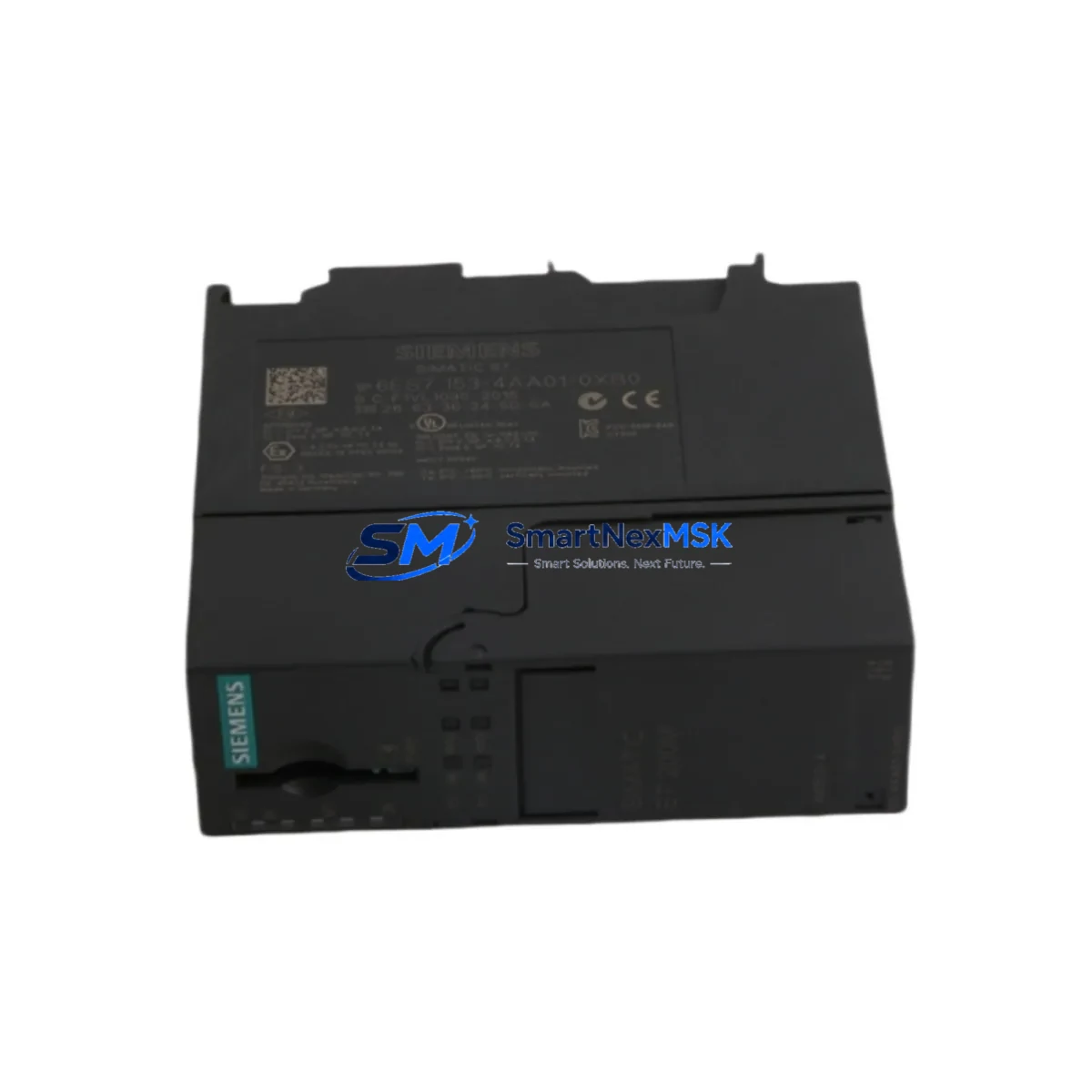
Siemens 6ES7153-2AR04-0XA0 Spare for ET 200M Automation
The Siemens 6ES7153-2AR04-0XA0 is an original IM153-2 redundant interface module designed for the ET 200M distributed I/O station operating on PROFIBUS DP networks. In industrial environments where unplanned downtime translates directly into production loss, maintaining a verified spare of this interface module is a fundamental element of any serious maintenance strategy. This module serves as the communication backbone between the PROFIBUS DP master — typically a Siemens S7-300 or S7-400 CPU — and the ET 200M I/O rack, enabling high-availability redundant configurations that keep critical processes running even during partial system faults.
At SMARTNEXMSK, every 6ES7153-2AR04-0XA0 unit is sourced as an original Siemens component, individually inspected, and function-tested prior to dispatch. Each unit ships with a 12-month warranty and full traceability documentation, giving maintenance engineers and procurement teams the confidence to stock this module as a long-term spare.
Spare Maintenance Table
| Parameter | Specification |
|---|---|
| Part Number | 6ES7153-2AR04-0XA0 |
| Module Type | IM153-2 Redundant Interface Module |
| Series / Platform | ET 200M Distributed I/O |
| Compatible Systems | Siemens S7-300, S7-400, PROFIBUS DP Masters |
| Communication Interface | PROFIBUS DP (up to 12 Mbit/s) |
| Redundancy Support | Yes — Active/Standby IM153-2 redundant pair |
| Supply Voltage | 24 V DC (via backplane bus) |
| Max. I/O Modules per Station | Up to 8 SM modules |
| Operating Temperature | 0 °C to +60 °C |
| Protection Class | IP20 |
| Country of Origin | Germany |
| Condition | Original, New / Tested Surplus |
| Warranty | 12 Months |
| Pre-shipment Test | Function-tested, communication verified |
| Typical Application | High-availability process control, redundant PROFIBUS DP stations |
| Maintenance Recommendation | Replace in pairs; verify PROFIBUS address and GSD file version on commissioning |
Maintenance Planning for Continuous Operation
When a maintenance or procurement engineer identifies the 6ES7153-2AR04-0XA0 as a replacement requirement, the scope of inspection should extend well beyond the interface module itself. A thorough site assessment during planned or emergency maintenance will prevent repeat failures and reduce the risk of secondary faults after the module swap.
Begin with the ET 200M backplane and rack: inspect the active bus connector and backplane bus for oxidation, mechanical damage, or loose seating. The IM153-2 communicates with all downstream signal modules through this backplane, so any intermittent contact will cause diagnostic alarms even after a successful module replacement. Check the 24 V DC power supply module (PS307 or equivalent) feeding the ET 200M station — voltage ripple or marginal output under load is a common root cause of IM153-2 communication faults that are misdiagnosed as module failures.
On the PROFIBUS DP side, inspect the PROFIBUS DP cable termination resistors at both ends of the segment. A missing or degraded termination resistor on a segment running at 1.5 Mbit/s or higher will cause intermittent bus errors that manifest as IM153-2 faults. Verify the PROFIBUS DP connector (6ES7972-0BA52-0XA0 or similar) at the module port for pin damage or cable strain relief failure.
For redundant configurations, the standby IM153-2 partner module should be inspected and tested simultaneously. A redundant pair where one module is degraded provides no real protection. If the active module has failed, the standby may have been operating under stress for an extended period. Replacing both modules as a matched pair is best practice for high-availability systems.
Downstream from the interface module, review the installed SM321 digital input modules, SM322 digital output modules, and SM331/SM332 analog I/O modules for blown fuse indicators, channel fault LEDs, or wiring terminal corrosion. A failed I/O channel on a signal module can generate bus-level diagnostic messages that are incorrectly attributed to the IM153-2. Similarly, inspect any SM374 simulation modules used during commissioning that may have been left in the rack.
If the ET 200M station includes FM355 or FM352 function modules for closed-loop control or high-speed counting, verify their parameter assignments are intact after the IM153-2 replacement, as some firmware versions require re-parameterization following a cold restart. For stations with CP342-5 communication processors installed alongside the IM153-2, confirm that the CP’s PROFIBUS address does not conflict with the new module configuration.
Finally, document the PROFIBUS DP station address set on the IM153-2 rotary switches before removal, and confirm the GSD file version loaded in the STEP 7 or TIA Portal hardware configuration matches the firmware version of the replacement module. Mismatched GSD versions are a frequent cause of commissioning delays after spare part replacement.
Site Replacement Workflow
Step 1 — Pre-replacement verification: Confirm the PROFIBUS DP station address on the existing module (rotary switches on the front face). Record the active/standby role assignment if operating in redundant mode. Download the current hardware configuration from the CPU for reference.
Step 2 — Safe isolation: In non-redundant systems, place the CPU in STOP mode or switch the PROFIBUS DP master to a safe state before removing the module. In redundant systems, initiate a controlled switchover to the standby IM153-2 before removing the active unit, minimizing process interruption to milliseconds.
Step 3 — Physical replacement: Remove the PROFIBUS DP connector and the 24 V DC supply connector. Slide the module out of the rack. Insert the replacement 6ES7153-2AR04-0XA0, ensuring the backplane bus connector seats fully. Set the rotary address switches to match the recorded station address. Reconnect the PROFIBUS DP and power connectors.
Step 4 — Commissioning and verification: Power up the station and observe the BF (Bus Fault) and SF (System Fault) LEDs. A correctly installed module will show a steady green RUN LED within 10–30 seconds as the CPU re-establishes communication. Verify all I/O channels in the STEP 7 or TIA Portal diagnostics view. For redundant configurations, confirm that the active/standby status is correctly assigned and that the redundancy switchover test passes.
Step 5 — Documentation: Update the maintenance log with the replacement date, module serial number, and firmware version. Flag the removed module for repair evaluation or controlled disposal. Replenish the spare parts inventory to maintain minimum stock levels.
This workflow applies equally to legacy S7-300 systems and to ET 200M stations integrated into S7-400H high-availability controllers, making the 6ES7153-2AR04-0XA0 a versatile and long-term-supportable spare for aging automation infrastructure.
Spare Parts Support FAQ
Q1: Is the 6ES7153-2AR04-0XA0 compatible with both S7-300 and S7-400 PROFIBUS DP masters?
Yes. The IM153-2 interface module is compatible with any PROFIBUS DP master that supports the standard GSD file for the ET 200M station, including Siemens S7-300 CPUs, S7-400 CPUs, and S7-400H redundant controllers. Confirm the GSD file version in your hardware configuration matches the module firmware before commissioning.
Q2: Can I replace only one module in a redundant IM153-2 pair, or must I replace both?
A single module can be replaced without replacing the partner. However, best practice for high-availability systems is to inspect and test the partner module simultaneously. If the partner shows any signs of degradation — intermittent BF LED, elevated error counters, or age-related wear — replacing both as a matched pair eliminates the risk of a second failure shortly after the first replacement.
Q3: What pre-shipment testing is performed on each 6ES7153-2AR04-0XA0 unit?
Each unit undergoes a function test that verifies PROFIBUS DP communication establishment, backplane bus integrity, and LED diagnostic response under simulated load conditions. Units that pass all test criteria are sealed and shipped with a test certificate. The 12-month warranty covers all functional defects identified after installation under normal operating conditions.
Q4: How do I manage long-term spare parts availability for discontinued or aging ET 200M components?
SMARTNEXMSK maintains stock of original Siemens ET 200M components including IM153-2 interface modules, SM series signal modules, and associated power supply and bus connector accessories. For facilities operating legacy S7-300 or S7-400 systems with no near-term migration plan, we recommend establishing a minimum stock of one redundant IM153-2 pair per critical ET 200M station. Contact our team to discuss volume pricing and long-term supply agreements tailored to your maintenance cycle.
© 2026 SMARTNEXMSK. All rights reserved.
Original Source: https://smartnexmsk.com
Contact: [email protected] | +86 18259474341



