
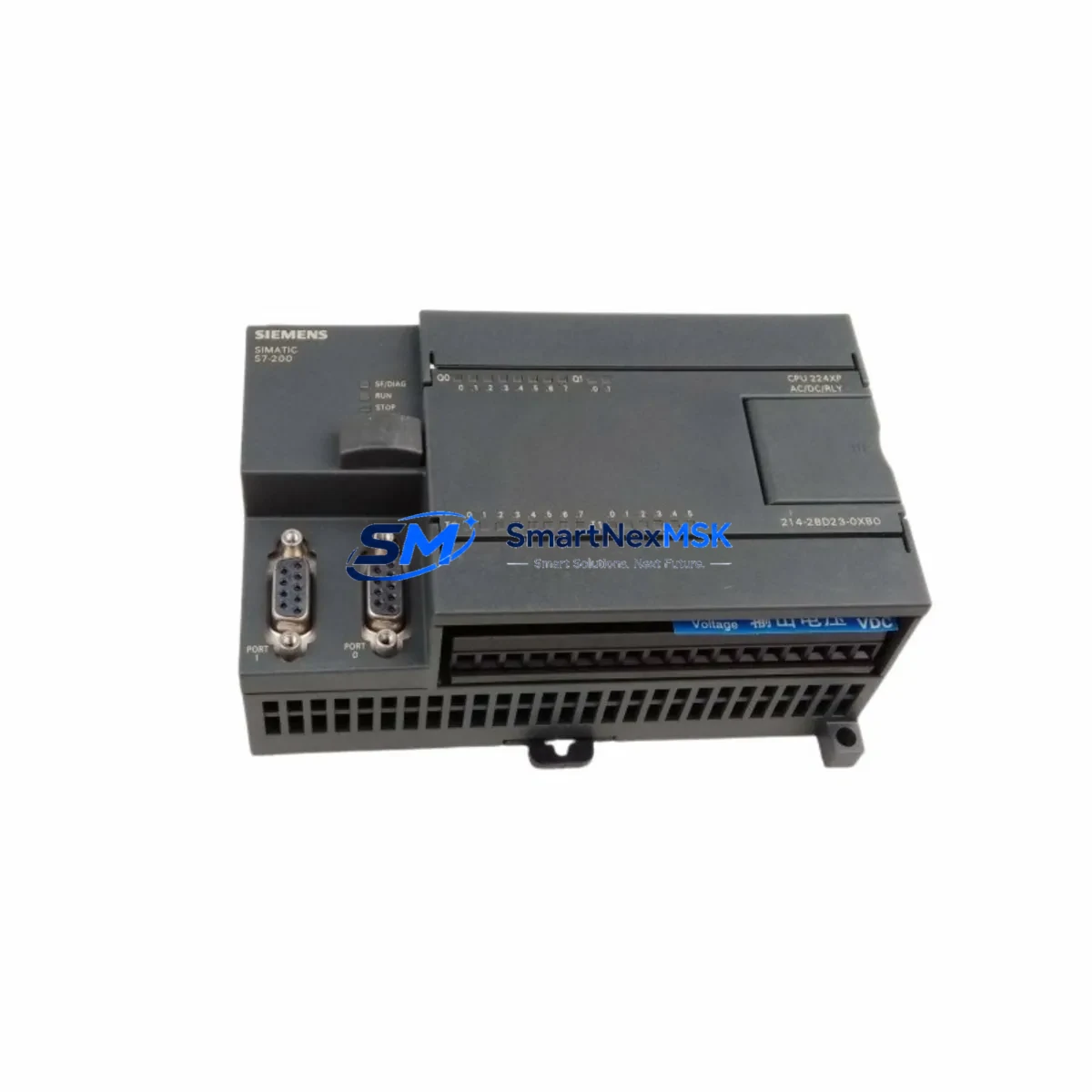
Siemens 6ES7214-2BD23-0XB0 Retrofit-Ready CPU for S7-200 Control Systems
The Siemens 6ES7214-2BD23-0XB0 is the CPU 224XP module of the S7-200 Micro PLC family — a compact, high-performance controller widely deployed in standalone machine automation, conveyor control, packaging lines, and building management systems. As the S7-200 series has reached end-of-life status, many facilities are now facing the critical challenge of sourcing verified replacement units or planning a structured migration to a supported platform. This product page is designed to support both scenarios: direct drop-in replacement for existing S7-200 installations and guided retrofit planning for engineers transitioning to modern control architectures.
The 6ES7214-2BD23-0XB0 CPU 224XP features 14 digital inputs, 10 digital outputs, 2 analog inputs, and 1 analog output — all integrated on a single compact module. It supports MPI and Profibus-DP communication protocols, making it compatible with a wide range of existing field devices, HMI panels, and SCADA systems without requiring protocol converters. The onboard 24 VDC power supply input, combined with its DIN-rail mounting profile, allows direct installation into existing control cabinets with minimal mechanical modification.
Upgrade Compatibility Table
| Parameter | 6ES7214-2BD23-0XB0 (CPU 224XP) | Retrofit Notes |
|---|---|---|
| Digital I/O | 14 DI / 10 DO | Verify terminal block wiring matches existing field wiring; use same terminal numbering |
| Analog I/O | 2 AI / 1 AO (integrated) | Confirm signal range (0–10V or 4–20mA) matches existing sensor/actuator configuration |
| Communication Ports | Port 0: MPI/PPI; Port 1: RS-485 Freeport | Compatible with existing MPI networks; Profibus-DP requires EM 277 expansion module |
| Power Supply | 24 VDC (20.4–28.8 V) | Verify existing PSU capacity; add PM 1207 or equivalent if load budget is tight |
| Backplane / Expansion | Up to 7 expansion modules via I/O bus | Existing EM 221, EM 222, EM 231, EM 232, EM 235 modules remain compatible |
| Programming Software | STEP 7-Micro/WIN V4.0 SP9+ | Backup existing program via PC/PPI cable (6ES7901-3CB30-0XA0) before replacement |
| Module Address | Configurable via DIP switch or software | Match original node address to avoid network conflicts on MPI bus |
| Mounting | DIN rail (35 mm) | Direct mechanical replacement; no panel modification required in most installations |
| HMI Compatibility | TD 200, TP 177 micro, KTP series via MPI | Existing HMI screens and tag mappings remain valid; verify PLC address in HMI project |
| Warranty | 12-Month Warranty — covers hardware defects; pre-shipment functional test included | |
Retrofit Planning for Existing Automation Systems
A successful retrofit of the 6ES7214-2BD23-0XB0 begins well before the physical swap. Engineers should start by auditing the existing control cabinet to document all connected expansion modules. Common companions in S7-200 installations include the EM 221 digital input module, EM 222 digital output module, and the EM 235 analog combination module — all of which remain fully compatible with the CPU 224XP and can be retained during the replacement without re-wiring the field side.
Power budget verification is a critical pre-retrofit step. The CPU 224XP provides a 5 VDC bus supply for expansion modules, but the total current draw of all connected EM modules must not exceed the CPU’s rated bus current. If the existing installation includes multiple expansion modules such as the EM 231 analog input module or EM 232 analog output module, calculate the cumulative 5 V bus load and confirm it falls within specification. If the budget is marginal, consider adding a dedicated Siemens PM 1207 power supply module to offload the 24 VDC sensor supply.
For installations that use Profibus-DP field devices — such as distributed I/O racks, variable frequency drives, or remote sensor clusters — the EM 277 Profibus-DP slave module must be retained or added to the expansion chain. The CPU 224XP’s Port 0 operates as MPI/PPI, not native Profibus-DP master, so the EM 277 serves as the Profibus interface bridge. Verify that the GSD file for the EM 277 is correctly loaded in the Profibus master configuration.
Terminal block wiring should be documented with photographs and a point-to-point wiring list before disconnecting the old CPU. The CPU 224XP uses the same terminal block layout as earlier S7-200 CPU variants, but confirm the I/O address mapping in the existing STEP 7-Micro/WIN program matches the physical wiring. Pay particular attention to the analog I/O terminals — the integrated analog channels on the 6ES7214-2BD23-0XB0 use a dedicated connector that must be wired correctly for 0–10 V or 4–20 mA signal ranges.
If the existing installation includes an HMI panel such as the Siemens TD 200 text display or a KTP 400 Basic panel connected via MPI, the HMI project does not need to be modified provided the replacement CPU is configured with the same MPI node address as the original. Confirm the address setting using the DIP switches on the CPU module before powering up the system. For installations using a PC/PPI cable (6ES7901-3CB30-0XA0) or USB-PPI multi-master cable for programming access, these remain fully compatible with the replacement CPU.
Downtime Control During System Migration
Minimizing production downtime during a CPU replacement requires a structured sequence. Begin by uploading the complete program from the existing CPU to a PC using STEP 7-Micro/WIN — save both the project file and a binary backup. Document all current data block values, especially retentive memory areas (V memory) that store process parameters, recipe data, or calibration offsets, as these will not be retained in the replacement CPU’s memory after a cold start.
Before the physical swap, pre-configure the replacement 6ES7214-2BD23-0XB0 offline: set the MPI node address, configure the system block (communication settings, analog filter constants, retentive memory ranges), and download the program. This allows the replacement unit to be powered up and verified on a bench before installation, reducing in-cabinet commissioning time to under 30 minutes in most cases.
During the physical swap, label all field wiring before disconnecting the terminal blocks. The CPU 224XP’s removable terminal connectors allow the wiring harness to be transferred directly to the replacement unit without re-terminating individual conductors. After installation, perform a controlled power-up sequence: energize the CPU first, verify the RUN/STOP LED status, then enable field power to outputs. Monitor the first scan cycle for any I/O errors or communication faults on the MPI bus before releasing the system to automatic operation.
For critical processes where even brief interruptions are unacceptable, consider staging the replacement during a scheduled maintenance window and pre-testing the replacement CPU with a simulated I/O load. The 12-month warranty on this unit includes a pre-shipment functional test, so the replacement arrives verified and ready for immediate installation.
Retrofit Support FAQ
Q1: Is the 6ES7214-2BD23-0XB0 a direct drop-in replacement for other S7-200 CPU variants such as the CPU 222 or CPU 226?
The CPU 224XP is pin-compatible with other S7-200 CPUs at the terminal block level, but the I/O count differs. The CPU 222 has fewer I/O points, while the CPU 226 has more. If replacing a CPU 226 (24 DI / 16 DO), the 6ES7214-2BD23-0XB0 will require additional EM 221 or EM 222 expansion modules to cover the I/O difference. Always verify the I/O address mapping in the existing program before finalizing the replacement strategy.
Q2: Can I reuse the existing Profibus network and field devices after replacing the CPU?
Yes, provided the EM 277 Profibus-DP slave module is retained in the expansion chain. The CPU 224XP does not have a native Profibus-DP master port, so the EM 277 acts as the Profibus interface. The existing Profibus network topology, device addresses, and GSD configurations remain valid. No changes to field device settings are required.
Q3: What commissioning steps are required after installing the replacement CPU?
After physical installation, download the backed-up program and system block configuration to the new CPU using STEP 7-Micro/WIN. Restore any retentive V memory data block values. Verify the MPI node address matches the original setting. Perform a controlled I/O check — force individual outputs and verify field response before switching to RUN mode. Confirm HMI communication is established and all screen tags are updating correctly. Document the commissioning date for warranty tracking purposes.
Q4: What does the 12-month warranty cover, and is a pre-shipment test included?
The 12-month warranty covers hardware defects in materials and workmanship from the date of shipment. Every unit undergoes a pre-shipment functional test that verifies power-up, I/O operation, communication port function, and program download/upload capability. If a defect is identified within the warranty period, we provide a replacement unit or repair at no additional cost. Warranty claims are processed via [email protected] with proof of purchase and a fault description.
© 2026 SMARTNEXMSK. All rights reserved.
Original Source: https://smartnexmsk.com
Contact: [email protected] | +86 18259474341



