
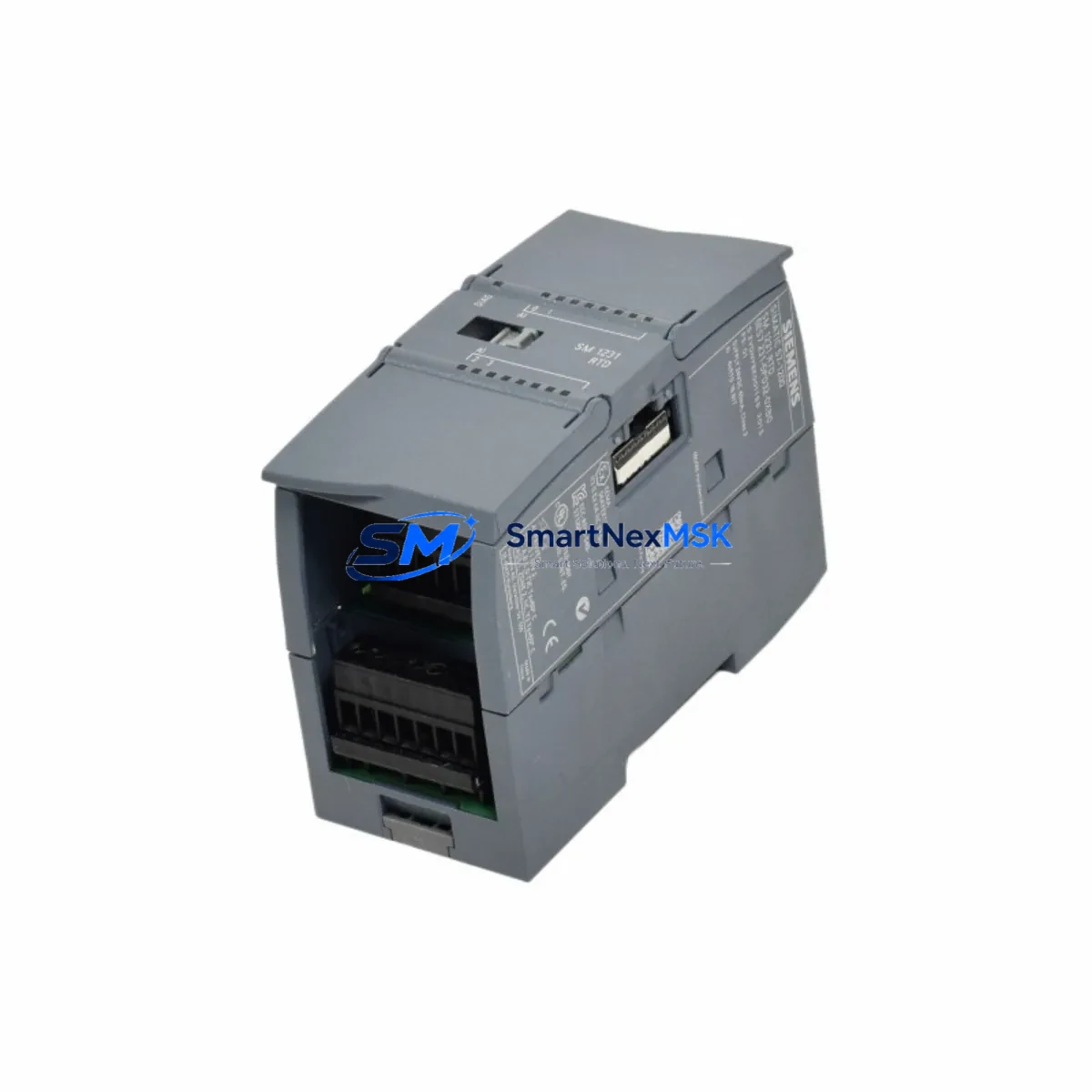
Siemens 6ES7231-5PD32-0XB0 Retrofit-Ready RTD Input for S7-1200 Control Systems
The Siemens 6ES7231-5PD32-0XB0 is a 4-channel RTD analog input module (SM 1231) designed for the SIMATIC S7-1200 control platform. As legacy S7-200 and early S7-300 installations reach end-of-service, this module has become a primary retrofit target for engineers modernizing temperature measurement loops, process control panels, and distributed I/O architectures. Whether you are replacing a discontinued 6ES7231-5PD22-0XB0 variant, migrating from a third-party RTD transmitter rack, or expanding an existing S7-1200 system, the 6ES7231-5PD32-0XB0 delivers a wiring-compatible, firmware-supported upgrade path with minimal downtime.
This module supports PT100, PT200, PT500, PT1000, Ni100, Ni120, Ni1000, and LG-Ni1000 RTD sensor types across a measurement range of -200 °C to +850 °C, with a resolution of 0.1 °C. It connects directly to the S7-1200 CPU signal board bus via the standard 40-pin front connector, sharing the same physical footprint and DIN-rail mounting profile as other SM 1231 and SM 1232 signal modules. This means no panel re-drilling, no new cable trays, and no changes to existing terminal block layouts when performing a like-for-like replacement.
Upgrade Compatibility Table
| Parameter | Detail |
|---|---|
| Module Type | SM 1231 RTD Analog Input |
| SKU / Part Number | 6ES7231-5PD32-0XB0 |
| Compatible Platform | SIMATIC S7-1200 (CPU 1211C, 1212C, 1214C, 1215C, 1217C) |
| Replaces / Upgrades | 6ES7231-5PD22-0XB0, legacy RTD transmitter racks, third-party analog input cards |
| Channels | 4 × RTD / Resistance inputs |
| Supported Sensor Types | PT100, PT200, PT500, PT1000, Ni100, Ni120, Ni1000, LG-Ni1000 |
| Measurement Range | -200 °C to +850 °C |
| Resolution | 0.1 °C |
| Bus Interface | S7-1200 signal module bus (40-pin) |
| Power Supply | 5 VDC via backplane bus (no external 24 VDC required for module logic) |
| Installation | DIN rail, right-side expansion of S7-1200 CPU |
| Communication Compatibility | PROFINET, Modbus TCP (via CPU), USS, PROFIBUS (via CM 1243-5) |
| Programming Environment | TIA Portal V13 SP1 and above |
| Retrofit Wiring | 2-wire, 3-wire, 4-wire RTD configurations supported |
| Commissioning Note | Module address auto-assigned by CPU; verify channel scaling in TIA Portal after replacement |
| Warranty | 12 Months — covers manufacturing defects, functional failure under normal operating conditions |
Retrofit Planning for Existing Automation Systems
Successful integration of the 6ES7231-5PD32-0XB0 into an existing control cabinet begins with a thorough pre-replacement audit. Before powering down the panel, document the current channel assignments, sensor wiring colors, and terminal block numbering from the original module. If the legacy system used a 6ES7231-5PD22-0XB0 or an equivalent third-party RTD input card, verify that the new module’s 40-pin connector aligns with the existing S7-1200 backplane slot — in most cases it does, as Siemens maintained physical compatibility across the SM 1231 product generation.
Power capacity is a critical checkpoint. The S7-1200 CPU internal bus supplies 5 VDC to signal modules; confirm that the total current draw of all installed signal modules — including SM 1232 analog output modules, SM 1221 and SM 1222 digital I/O modules, and any CM 1241 serial communication modules — does not exceed the CPU’s bus current budget. For larger configurations using a CPU 1215C or 1217C with multiple expansion modules, this calculation is especially important before adding the 6ES7231-5PD32-0XB0.
Terminal wiring adaptation is straightforward for 3-wire and 4-wire RTD configurations. If the legacy installation used 2-wire RTDs, plan for lead resistance compensation in TIA Portal’s channel configuration dialog. The module’s removable terminal block (included) accepts wire gauges from 0.2 mm² to 2.5 mm², compatible with standard industrial wiring practices. When migrating from a system that used a CP 1242-7 or CM 1243-5 PROFIBUS master for distributed I/O communication, ensure that the new module’s slot position does not conflict with the communication module’s address space on the backplane.
For systems that include an HMI panel — such as a KTP700 Basic or TP1200 Comfort connected via PROFINET — update the HMI tag table to reflect any channel address changes introduced by the module swap. If the original program used absolute I/O addressing (e.g., IW96, IW98), verify these addresses remain valid after the replacement; TIA Portal’s hardware configuration will reassign addresses automatically if the slot order changes. Export and archive the original TIA Portal project before making any hardware changes to preserve a rollback point.
For installations where the S7-1200 communicates upstream via a CM 1243-5 PROFIBUS DP master or downstream to remote I/O via a CM 1242-5 PROFIBUS DP slave, the 6ES7231-5PD32-0XB0 replacement does not affect the PROFIBUS network configuration — the communication module operates independently of the signal module bus. Similarly, if the system uses a CB 1241 RS485 signal board for Modbus RTU communication to field instruments, this board remains unaffected by the SM 1231 replacement.
Downtime Control During System Migration
Minimizing production downtime during an SM 1231 RTD module replacement requires a structured hot-swap preparation protocol. Begin by placing the affected PLC program in a controlled stop state — do not simply cut power to the panel, as abrupt power loss can corrupt retentive data blocks in the CPU 1214C or 1215C memory. Use TIA Portal’s online diagnostic view to confirm all outputs are in a safe state before initiating the hardware change.
The physical module swap on a DIN-rail mounted S7-1200 system takes approximately 5–10 minutes: release the bus connector latch, slide out the old module, insert the 6ES7231-5PD32-0XB0, and reconnect the terminal block. The CPU will automatically detect the new module upon power-up and assign it the same slot address as the previous module, provided the hardware configuration in TIA Portal matches the physical installation. If the module type has changed (e.g., from a 2-channel to a 4-channel variant), download the updated hardware configuration to the CPU before restarting the program.
After the module is seated and wired, perform a channel-by-channel verification using TIA Portal’s watch table or the CPU’s built-in web server diagnostic page. Confirm that each RTD channel reads within the expected temperature range before releasing the system to automatic mode. For critical process loops — such as furnace temperature control or reactor cooling circuits — consider running the new module in parallel with a temporary portable RTD indicator for 15–30 minutes before fully committing to the replacement. This parallel verification step is the single most effective method for protecting original program logic and maintaining field control continuity without extending the maintenance window.
All units supplied by SMARTNEXMSK undergo pre-shipment functional testing, including channel-level RTD simulation across the full measurement range, before dispatch. This factory-level verification reduces on-site commissioning time and supports the 12-month warranty coverage from the date of shipment.
Retrofit Support FAQ
Q1: Is the 6ES7231-5PD32-0XB0 a direct drop-in replacement for the 6ES7231-5PD22-0XB0?
Yes. Both modules share the same physical form factor, 40-pin bus connector, and DIN-rail mounting profile. The -5PD32- variant adds support for additional RTD sensor types and improved resolution. No panel modifications are required. Verify channel scaling parameters in TIA Portal after replacement.
Q2: Can I use this module with an S7-1200 CPU running an older TIA Portal version?
The 6ES7231-5PD32-0XB0 requires TIA Portal V13 SP1 or later for full hardware support. If your project was created in an earlier version, upgrade the TIA Portal HSP (Hardware Support Package) and perform a hardware configuration update before downloading to the CPU. The existing program logic (OB, FB, FC blocks) does not need to be rewritten.
Q3: What wiring changes are needed when replacing a 2-wire RTD installation with this module?
No physical rewiring is required — the module supports 2-wire, 3-wire, and 4-wire RTD configurations on the same terminal block. In TIA Portal’s channel configuration, select the correct wiring mode for each channel. For 2-wire installations, enable lead resistance compensation and enter the cable resistance value to maintain measurement accuracy.
Q4: What does the 12-month warranty cover, and how is it claimed?
The 12-month warranty covers manufacturing defects and functional failure under normal operating conditions from the date of shipment. It does not cover damage caused by incorrect wiring, overvoltage, or physical impact. To initiate a warranty claim, contact [email protected] with the order number, module serial number, and a description of the fault. Replacement units are dispatched after fault verification, with return shipping coordinated by SMARTNEXMSK.
© 2026 SMARTNEXMSK. All rights reserved.
Original Source: https://smartnexmsk.com
Contact: [email protected] | +86 18259474341



