
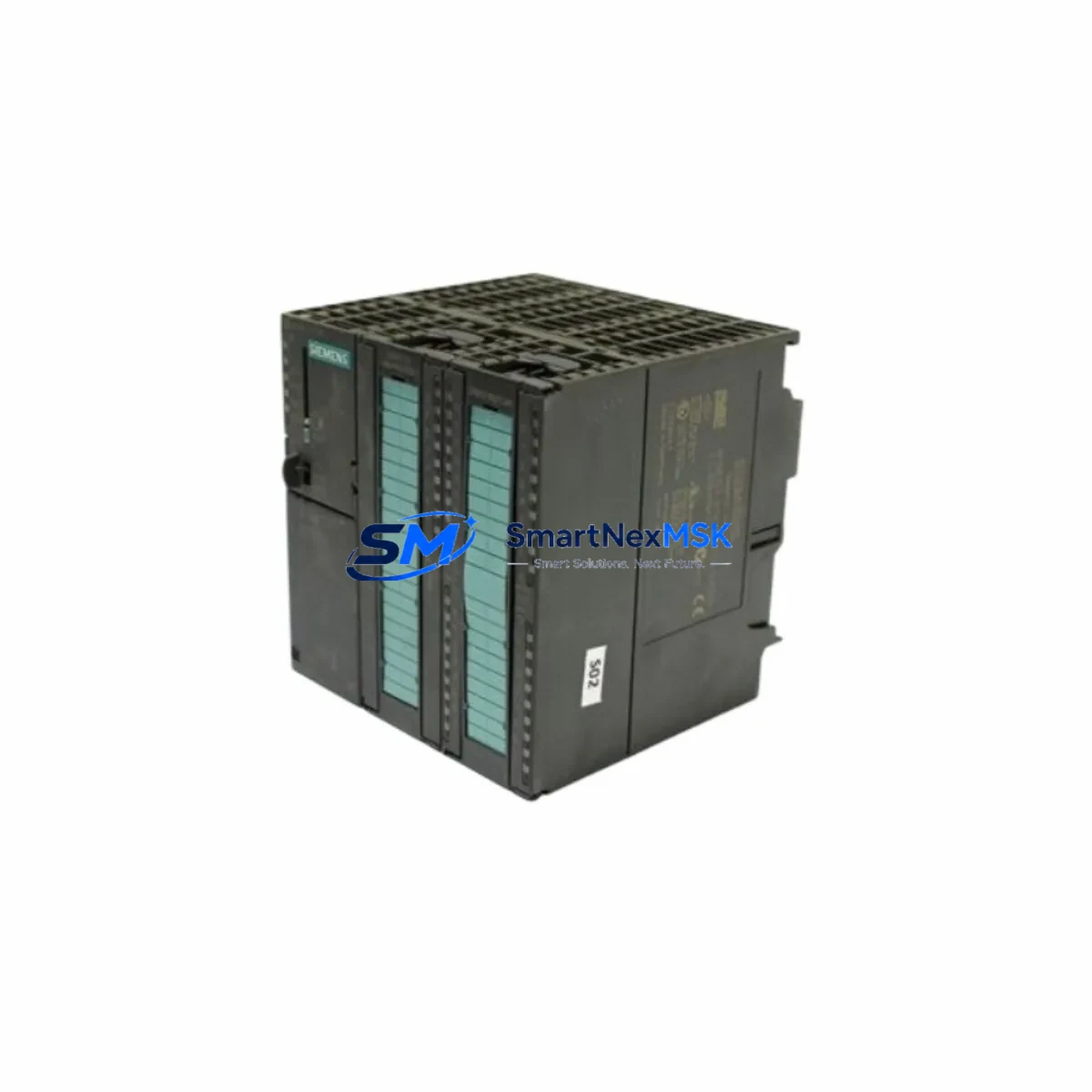
Siemens 6ES7314-6CG03-0AB0 Maintenance-Ready Spare for S7-300 Automation
The Siemens 6ES7314-6CG03-0AB0 is a CPU 314C-2 DP compact processor unit within the SIMATIC S7-300 programmable logic controller family — one of the most widely deployed automation platforms in discrete manufacturing, process control, and utility infrastructure worldwide. As production lines age and OEM support windows close, maintaining a verified spare of this CPU module is a critical element of any industrial maintenance strategy. Unplanned downtime caused by CPU failure can halt an entire production cell within minutes; having a tested, original-specification replacement on the shelf is the single most effective countermeasure available to maintenance and reliability engineers.
This unit ships from verified industrial stock, undergoes pre-dispatch functional inspection, and is backed by a 12-month warranty covering manufacturing defects and operational failure under normal service conditions. Every unit is packaged in anti-static ESD-safe materials with full documentation support to facilitate rapid site installation.
Spare Maintenance Table
| Parameter | Specification |
|---|---|
| Part Number / SKU | 6ES7314-6CG03-0AB0 |
| Product Family | SIMATIC S7-300 |
| Module Type | CPU 314C-2 DP Compact CPU |
| Communication Interface | MPI + PROFIBUS-DP (integrated) |
| Work Memory | 192 KB |
| Integrated I/O | 24 DI / 16 DO / 4 AI / 2 AO / 1 Pt100 |
| Supply Voltage | 24 V DC (via PS 307 or equivalent power supply) |
| Operating Temperature | 0 °C to +60 °C |
| Protection Class | IP20 |
| Country of Origin | Germany |
| Mounting | DIN Rail (S7-300 standard rack) |
| Compatible Racks | UR1, UR2, ER1, ER2 expansion racks |
| Firmware Compatibility | STEP 7 V5.x / TIA Portal (via legacy mode) |
| Warranty | 12 Months — covers manufacturing defects and operational failure |
| Pre-Shipment Test | Functional power-on and communication verification |
Maintenance Planning for Continuous Operation
When a 6ES7314-6CG03-0AB0 CPU is flagged for replacement during a scheduled shutdown or emergency callout, experienced maintenance engineers know that the CPU module itself is rarely the only component requiring attention. A thorough inspection of the surrounding control cabinet is essential to prevent repeat failures and ensure the replacement unit operates within its rated parameters from day one.
Begin with the PS 307 power supply module (e.g., 6ES7307-1EA01-0AA0 or 6ES7307-1KA02-0AA0): verify output voltage stability under load, check for capacitor bulge or thermal discoloration, and confirm the 24 V DC rail is within ±1% tolerance before powering the new CPU. A degraded power supply is a leading cause of premature CPU failure and intermittent PROFIBUS communication faults.
Next, inspect the SM 321 digital input modules and SM 322 digital output modules installed in the same rack. Corroded terminal blocks, loose field wiring, or failed output transistors can generate spurious signals that stress the CPU’s I/O processing. If the system uses SM 331 or SM 334 analog I/O modules, verify signal scaling and shielding continuity — unshielded analog loops are a common source of noise that accelerates CPU diagnostic load.
For systems using the integrated PROFIBUS-DP port, inspect the DP network termination resistors and bus connectors (e.g., 6ES7972-0BB52-0XA0 profibus connectors). A single unterminated segment or damaged bus cable can prevent the replacement CPU from establishing DP master communication, causing a prolonged commissioning delay that negates the benefit of having a spare on hand.
If the cabinet includes an IM 360 / IM 361 interface module pair for rack expansion, verify the inter-rack cable integrity and confirm the expansion rack addressing matches the CPU’s configuration. Similarly, check any installed CP 342-5 or CP 343-1 communication processors for firmware compatibility with the replacement CPU firmware version — mismatched firmware between the CPU and communication modules is a documented source of startup faults in S7-300 systems.
For facilities running SIMATIC HMI panels (TP177, OP177, or MP277 series) connected via MPI, confirm the MPI address assignments are preserved in the replacement CPU’s memory card. The MMC (Micro Memory Card) — 6ES7953-8LF31-0AA0 or equivalent — should be transferred from the failed unit if it contains the active program, or a pre-loaded card should be prepared in advance as part of the spare kit. Keeping a pre-programmed MMC alongside the CPU spare is a best practice that can reduce mean time to repair (MTTR) from hours to under 30 minutes.
Finally, inspect 24 V DC fuse holders and miniature circuit breakers on the cabinet’s power distribution rail. A blown fuse protecting the CPU supply is sometimes the root cause of the apparent CPU failure; replacing the CPU without identifying and correcting the upstream fault will result in immediate repeat failure.
Site Replacement Workflow
Step 1 — Pre-replacement preparation: Download and archive the current PLC program from the running CPU using STEP 7 or TIA Portal before any power interruption. If the CPU is already non-functional, retrieve the program from the MMC or from the last known backup in your engineering workstation archive.
Step 2 — Safe isolation: Follow your site’s lockout/tagout (LOTO) procedure. Isolate the 24 V DC supply to the CPU rack. Discharge any residual voltage on the backplane bus before removing the module.
Step 3 — Module swap: Remove the failed 6ES7314-6CG03-0AB0 by releasing the front panel latch and sliding the module off the DIN rail bus connector. Insert the replacement unit, ensuring the bus connector engages fully. Transfer the MMC from the old unit or insert the pre-loaded spare MMC.
Step 4 — Power-on and diagnostics: Restore 24 V DC supply. Observe the CPU’s LED indicators: SF (System Fault), BF (Bus Fault), DC5V, FRCE (Force), and RUN/STOP. A clean startup shows DC5V solid green and RUN solid green with no SF or BF faults. Use STEP 7 online diagnostics or the HMI system overview screen to confirm all DP slaves and I/O modules are recognized.
Step 5 — Functional verification: Run a controlled test cycle of the process or machine before returning to full production. Confirm analog signal scaling, PROFIBUS slave communication, and any safety interlock logic is operating correctly.
This workflow is compatible with all S7-300 rack configurations and supports direct replacement of earlier CPU 314C-2 DP firmware versions, minimizing re-engineering effort and preserving existing field wiring and I/O addressing.
Spare Parts Support FAQ
Q1: Is the 6ES7314-6CG03-0AB0 compatible with earlier S7-300 CPU 314C-2 DP versions?
Yes. The -0AB0 hardware revision is backward compatible with earlier firmware revisions within the CPU 314C-2 DP product line. The existing MMC program and I/O configuration can be used directly without modification in the majority of installations. Minor firmware differences may require a STEP 7 project update for advanced DP configuration features — verify using the hardware catalog in your STEP 7 installation.
Q2: What is included in the 12-month warranty and how does it apply to spare parts?
The 12-month warranty covers manufacturing defects and operational failure under normal industrial service conditions from the date of shipment. It does not cover damage resulting from incorrect installation, overvoltage events, or use outside the module’s rated environmental specifications. Warranty claims are processed via our sales team with a return merchandise authorization (RMA) procedure; replacement or repair is completed within an agreed lead time to minimize your operational impact.
Q3: How should this spare be stored to maximize shelf life?
Store the 6ES7314-6CG03-0AB0 in its original ESD-safe packaging in a dry, temperature-controlled environment (recommended: 0 °C to +40 °C, relative humidity below 75% non-condensing). Avoid storing near strong magnetic fields or in environments with high particulate contamination. Inspect the unit annually and perform a power-on functional test every 24 months if the spare remains unused, to confirm operational readiness before a real emergency arises.
Q4: Can you supply multiple units for a site-wide spare parts standardization program?
Yes. We maintain industrial stock of the 6ES7314-6CG03-0AB0 and can fulfill multi-unit orders for spare parts standardization, planned maintenance kits, or site-wide inventory programs. Volume pricing and consolidated shipment options are available. Contact our team to discuss lead times, inspection certificates, and long-term supply agreements tailored to your maintenance planning cycle.
© 2026 SMARTNEXMSK. All rights reserved.
Original Source: https://smartnexmsk.com
Contact: [email protected] | +86 18259474341



