
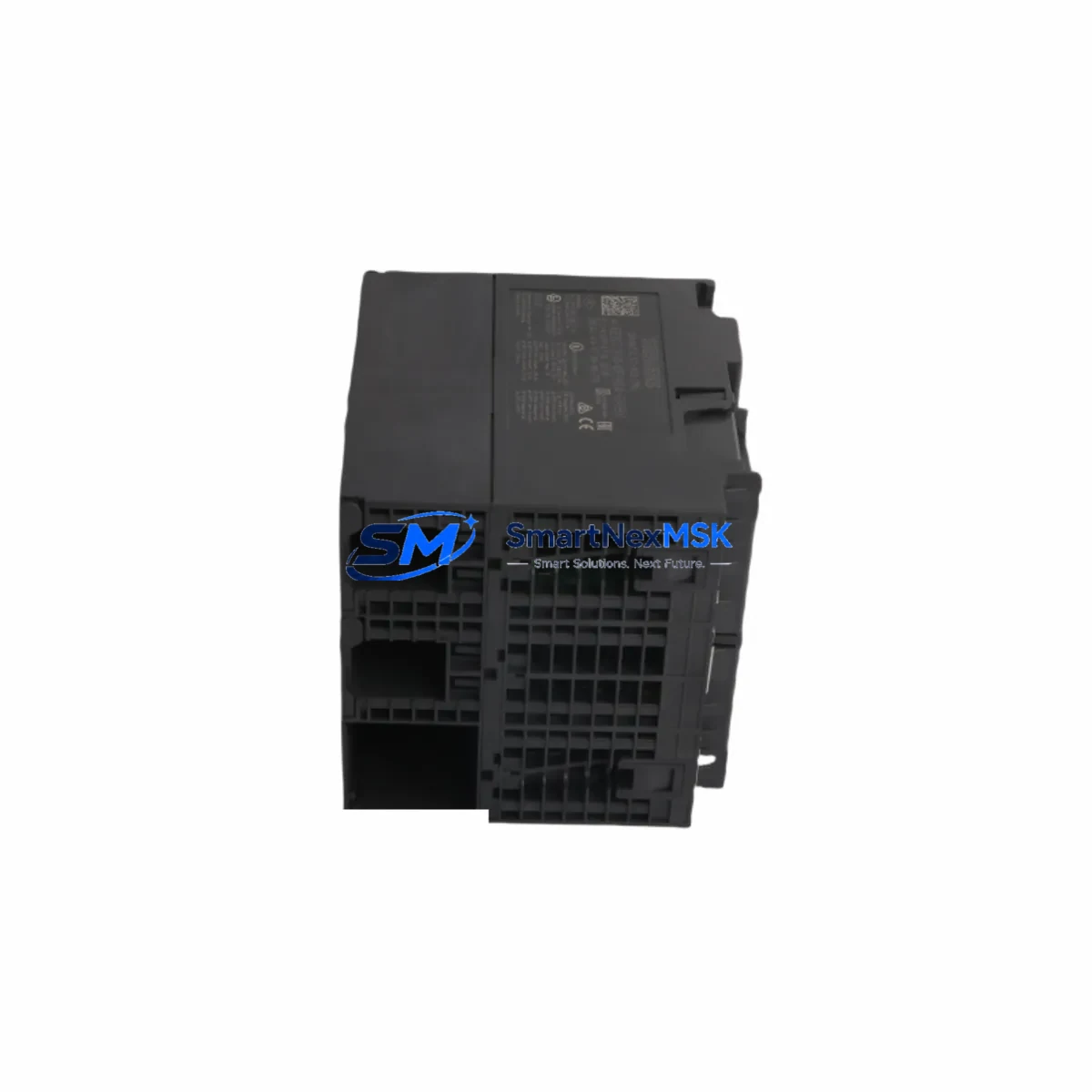
Siemens 6ES7314-6EH04-0AB0 Maintenance-Ready Spare S7-300 Automation
The Siemens 6ES7314-6EH04-0AB0 is the CPU 314C-2 PN/DP — a compact, high-performance central processing unit from the SIMATIC S7-300 series, integrating onboard digital and analog I/O with dual-port PROFINET and PROFIBUS-DP communication interfaces. For maintenance engineers managing aging S7-300 control systems, this CPU module represents one of the most critical spare parts in the cabinet. Unplanned CPU failure leads directly to production line stoppage, and without a verified replacement unit on the shelf, recovery time can extend from hours to days. Sourcing a tested, original 6ES7314-6EH04-0AB0 from a reliable supplier with documented inspection and a 12-month warranty is the single most effective measure to reduce mean time to repair (MTTR) in SIMATIC S7-300 environments.
This unit ships fully tested against Siemens factory electrical specifications. Each module undergoes pre-shipment functional verification covering CPU boot sequence, PROFINET port handshake, DP master/slave initialization, onboard I/O channel integrity, and memory card slot recognition. A 12-month warranty covers all hardware defects from the date of delivery, giving procurement engineers confidence in long-term spare parts planning.
Spare Maintenance Table
| Parameter | Specification |
|---|---|
| Part Number / SKU | 6ES7314-6EH04-0AB0 |
| Product Name | CPU 314C-2 PN/DP |
| Series | SIMATIC S7-300 |
| Brand / Manufacturer | Siemens AG |
| Origin | Germany (DE) |
| CPU Clock Speed | Up to 300 ns / instruction |
| Work Memory | 192 KB (expandable via memory card) |
| Onboard Digital I/O | 24 DI / 16 DO |
| Onboard Analog I/O | 4 AI / 2 AO |
| Communication Interfaces | PROFINET (2-port switch) + PROFIBUS-DP (MPI/DP) |
| Supply Voltage | 24 V DC (via PS 307 or equivalent power supply module) |
| Operating Temperature | 0 °C to +60 °C |
| Mounting | DIN rail, S7-300 standard rack (UR1, UR2) |
| Compatible Racks | SIMATIC S7-300 standard and expansion racks |
| Replaces / Compatible With | 6ES7314-6EH04-0AB0 (same order number); compatible with existing S7-300 hardware configurations |
| Programming Software | STEP 7 V5.x / TIA Portal (with legacy support) |
| Warranty | 12 Months from date of delivery |
| Pre-Shipment Test | Full functional verification: boot, PROFINET, DP, I/O, memory card |
| Condition | Original, unused or fully refurbished to OEM specification |
Maintenance Planning for Continuous Operation
When a 6ES7314-6EH04-0AB0 CPU fails or is flagged during a scheduled inspection, experienced maintenance engineers know that the CPU is rarely the only component requiring attention. A thorough cabinet audit during the replacement window significantly reduces the risk of secondary failures and repeat downtime events.
Begin with the PS 307 power supply module (e.g., 6ES7307-1EA01-0AA0 or 6ES7307-1KA02-0AA0): verify output voltage stability under load, check for capacitor aging, and confirm the 24 V DC rail is within tolerance before powering the new CPU. A marginal power supply is a leading cause of premature CPU failure in S7-300 systems.
Inspect all SM 321 digital input modules and SM 322 digital output modules in the rack. Onboard I/O on the 314C-2 PN/DP handles 24 DI and 16 DO, but expansion I/O modules share the same backplane bus. Check for blown output channels, stuck input bits, and loose field wiring at the front connector terminals. Replace any SM 331 analog input or SM 332 analog output modules showing drift or calibration errors — analog signal integrity is critical in process control loops.
Review the CP 343-1 PROFINET communication processor if the system uses a dedicated CP rather than the CPU’s integrated PROFINET port. Verify Ethernet cable integrity, switch port configuration, and IP address assignments. For PROFIBUS-DP segments, inspect the DP bus connector termination resistors and cable shielding — a degraded DP segment can cause intermittent slave communication errors that are difficult to diagnose without a bus analyzer.
Check all IM 360 / IM 361 interface modules if the system uses expansion racks. Backplane bus errors caused by aging interface modules can mimic CPU faults. Inspect the terminal block assemblies and signal isolators on analog loops — particularly in environments with high electrical noise from variable frequency drives or large motor starters. Relay output modules such as the SM 322 DO relay type should have their contact wear assessed if cycle counts are high.
Finally, confirm the SIMATIC memory card (e.g., 6ES7954-8LF03-0AA0) is readable and contains a verified backup of the current program. A corrupted or missing memory card will prevent the replacement CPU from loading the application, extending downtime unnecessarily. Keep a verified program backup on a spare memory card as standard practice.
Site Replacement Workflow
Step 1 — Preparation: Before removing the failed CPU, use STEP 7 or TIA Portal to upload and archive the current program from the memory card if accessible. Confirm the replacement 6ES7314-6EH04-0AB0 firmware version is compatible with the existing program and hardware configuration. Note all MPI address, PROFINET IP, and DP master settings.
Step 2 — Safe Isolation: Follow your site LOTO (Lockout/Tagout) procedure. De-energize the rack via the PS 307 power supply. Do not remove the CPU under power — the S7-300 backplane bus does not support hot-swap on standard racks.
Step 3 — Physical Replacement: Remove the front connector and memory card from the failed unit. Slide out the CPU from the DIN rail slot. Install the replacement 6ES7314-6EH04-0AB0, re-seat the memory card, and reconnect the front connector and all communication cables (PROFINET, MPI/DP).
Step 4 — Power-Up and Verification: Restore power via the PS 307. Observe the CPU LED sequence: SF (system fault) should clear, BF (bus fault) should clear once DP slaves are recognized, and the RUN LED should illuminate after program load. Verify PROFINET device table and DP slave list in STEP 7 / TIA Portal online view.
Step 5 — Functional Test: Cycle through I/O force tables to verify onboard DI/DO and AI/AO channels. Confirm all field devices are communicating. Run a supervised production cycle before returning the line to full automatic operation.
This workflow minimizes downtime to under two hours for a prepared maintenance team with a verified spare on hand — compared to 24–72 hours when sourcing begins after failure.
Spare Parts Support FAQ
Q1: Is this 6ES7314-6EH04-0AB0 a direct drop-in replacement for my existing S7-300 CPU?
Yes. The 6ES7314-6EH04-0AB0 is a same-order-number replacement. It uses the same rack slot, front connector pinout, memory card interface, and communication configuration as the original unit. No hardware modification is required. Firmware and program compatibility should be verified in STEP 7 or TIA Portal before go-live.
Q2: What pre-shipment testing is performed on each unit?
Every unit undergoes a full functional test covering CPU boot sequence, PROFINET port link and handshake, PROFIBUS-DP master initialization, onboard digital and analog I/O channel verification, and memory card slot read/write. A test report is available upon request. The 12-month warranty covers all hardware defects from the delivery date.
Q3: How should I manage S7-300 CPU spare inventory for a multi-line facility?
For facilities with 3 or more S7-300 racks using the 314C-2 PN/DP, we recommend maintaining a minimum of one verified spare CPU per 5 installed units, stored in anti-static packaging in a climate-controlled environment. Pair the CPU spare with a pre-programmed memory card backup and a spare PS 307 power supply module to cover the most common failure modes in a single kit.
Q4: Can you support long-term supply for legacy S7-300 systems being extended beyond original end-of-life?
Yes. We specialize in long-term supply of SIMATIC S7-300 components for system life extension programs. We maintain stock of 6ES7314-6EH04-0AB0 and related S7-300 modules including power supplies, I/O modules, communication processors, and interface modules. Contact us to discuss a scheduled supply agreement tailored to your maintenance cycle and annual consumption forecast.
© 2026 SMARTNEXMSK. All rights reserved.
Original Source: https://smartnexmsk.com
Contact: [email protected] | +86 18259474341



