
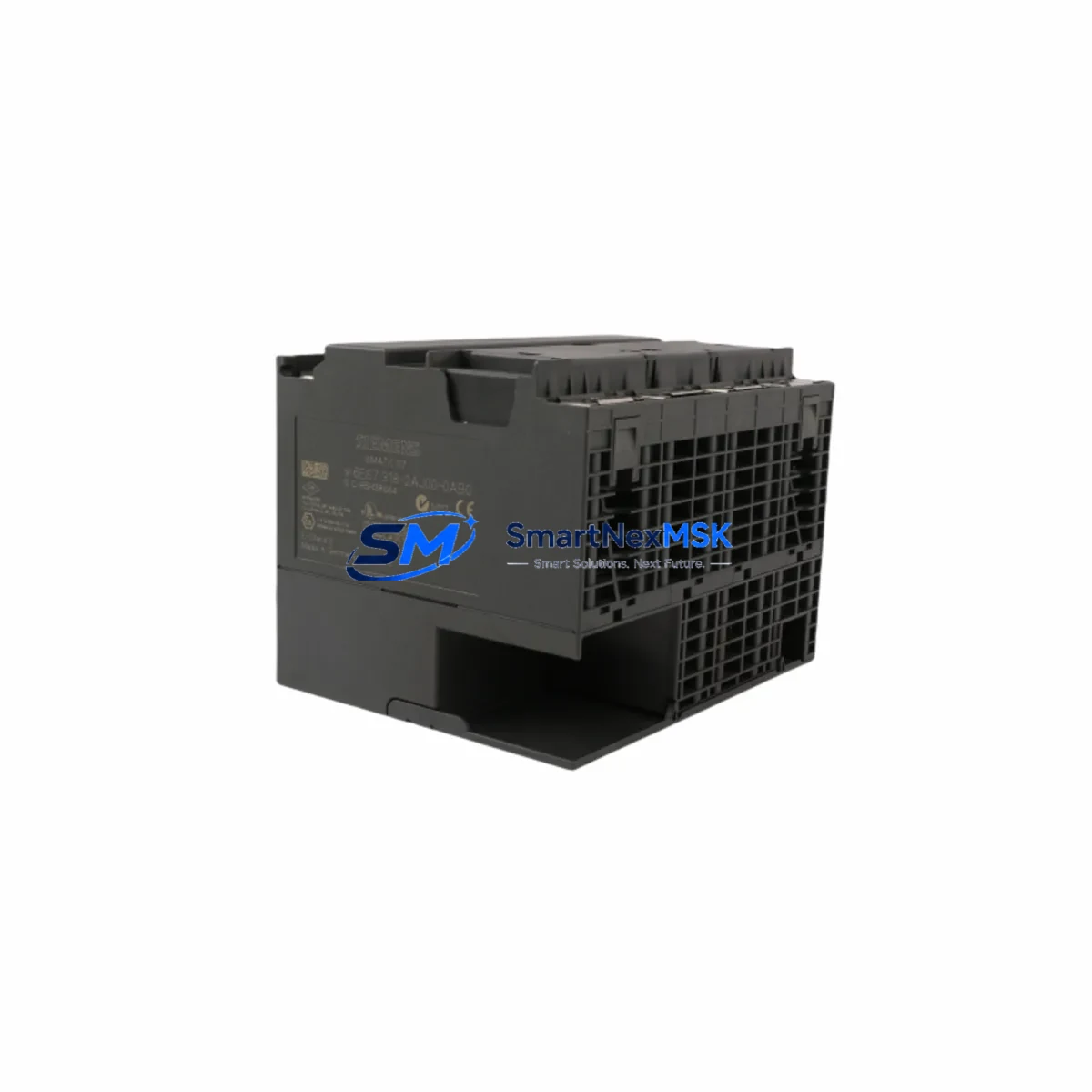
Siemens 6ES7318-2AJ00-0AB0 Spare for S7-300 Automation
The Siemens 6ES7318-2AJ00-0AB0 (CPU 318-2 DP) is a high-performance central processing unit designed for the SIMATIC S7-300 programmable logic controller platform. As a maintenance-ready original spare part, it is engineered to deliver immediate drop-in replacement capability for aging or failed CPU modules in continuous-process, discrete manufacturing, and infrastructure automation environments. Unplanned CPU failure in an S7-300 rack is one of the most disruptive events a maintenance team can face — production lines halt, safety interlocks may trip, and every minute of downtime translates directly into lost output and recovery cost. Stocking a verified 6ES7318-2AJ00-0AB0 spare eliminates that risk and restores normal operation within the shortest possible window.
This CPU module features dual PROFIBUS-DP master interfaces, enabling simultaneous management of distributed I/O networks and field device communication without additional communication processors. Its 512 KB working memory and high-speed processing capability make it suitable for complex ladder logic, function block diagrams, and structured text programs typical of large-scale S7-300 installations. The module is fully compatible with STEP 7 v5.x programming environments and supports MPI, PROFIBUS-DP, and point-to-point communication protocols, ensuring seamless integration into existing control architectures without firmware or configuration rework.
From a maintenance engineering perspective, the 6ES7318-2AJ00-0AB0 sits at the heart of the S7-300 rack. When replacing this CPU, a thorough inspection of the surrounding rack components is essential to prevent repeat failures and confirm system integrity before restart. Maintenance teams should verify the condition of the PS 307 power supply module (e.g., 6ES7307-1EA01-0AA0) supplying the rack — a degraded power supply is a common root cause of CPU faults and must be ruled out before commissioning a replacement CPU. The backplane bus connector and rack (e.g., UR2 or UR1 rail) should be inspected for corrosion, mechanical damage, or loose module seating that could cause intermittent bus errors.
PROFIBUS-DP network integrity is equally critical. Both DP interfaces on the 6ES7318-2AJ00-0AB0 should be tested with a PROFIBUS tester or via diagnostic buffers in STEP 7 to confirm correct termination resistors, cable shielding continuity, and node address assignments. If the installation includes IM 360/361 interface modules for multi-rack expansion, their bus connections and power feeds should be confirmed operational before the new CPU is brought online. Signal modules — including SM 321 digital input, SM 322 digital output, SM 331 analog input, and SM 332 analog output cards — should be checked for blown fuses, damaged field wiring terminals, and correct parameter assignments in the hardware configuration.
For sites running PROFIBUS-connected drives, valve positioners, or remote I/O stations, the DP slave configuration stored in the CPU’s hardware config must match the physical network exactly. Any mismatch will generate BF (bus fault) LEDs and prevent the CPU from entering RUN mode. Procurement engineers sourcing this spare should also consider maintaining buffer stock of CP 342-5 or CP 343-1 communication processors if the installation relies on Ethernet or additional fieldbus connectivity, as these modules share the same rack environment and are subject to similar aging cycles.
Spare Maintenance Table
| Parameter | Specification |
|---|---|
| Part Number / SKU | 6ES7318-2AJ00-0AB0 |
| Product Description | CPU 318-2 DP, SIMATIC S7-300 |
| Brand / Manufacturer | Siemens AG |
| Series | SIMATIC S7-300 |
| Working Memory | 512 KB (program + data) |
| Communication Interfaces | MPI (187.5 kbps), 2× PROFIBUS-DP Master (up to 12 Mbps) |
| Supply Voltage | DC 24 V (via backplane bus from PS 307) |
| Operating Temperature | 0 °C to +60 °C (horizontal installation) |
| Protection Rating | IP20 |
| Programming Software | STEP 7 v5.x (SIMATIC Manager) |
| Firmware | V3.3.x (field-upgradeable via STEP 7) |
| Dimensions (W×H×D) | 80 × 125 × 130 mm |
| Weight | Approx. 940 g |
| Country of Origin | Germany |
| Compatibility | SIMATIC S7-300 UR1, UR2, UR2-H racks; all standard SM, FM, CP modules |
| Replacement For | 6ES7318-2AJ00-0AB0 (same order number, direct replacement) |
| Condition | Original, new or tested-good surplus |
| Warranty | 12 Months — covers manufacturing defects and functional failure under normal operating conditions |
| Pre-shipment Testing | Power-on functional verification performed before dispatch |
| Shipping | Anti-static packaging, tracked international express |
Maintenance Planning for Continuous Operation
Effective maintenance planning for an S7-300 system built around the 6ES7318-2AJ00-0AB0 requires a holistic view of the entire control cabinet and field network. The CPU does not operate in isolation — its reliability depends on the health of every module sharing the rack and every device on its PROFIBUS-DP segments.
Start with the power supply. The PS 307 5A or 10A power supply module (6ES7307-1EA01-0AA0 / 6ES7307-1KA02-0AA0) should be load-tested periodically; output voltage ripple and response to step loads are early indicators of capacitor aging. A failing power supply will cause random CPU resets that are easily misdiagnosed as CPU faults, leading to unnecessary CPU replacements.
The backplane bus and rack integrity are next. Inspect the DIN rail mounting, module locking levers, and bus connector pins on each SM 321, SM 322, SM 331, and SM 332 signal module. Oxidized or bent bus connector pins cause intermittent I/O errors that are difficult to trace without physical inspection. If the installation uses FM 350 or FM 351 function modules for high-speed counting or positioning, their parameter blocks stored in the CPU must be backed up before any CPU swap.
For PROFIBUS-DP networks, maintain a cable topology diagram and verify termination at both ends of each segment. ET 200M or ET 200S remote I/O stations connected to the CPU’s DP interfaces should be checked for correct GSD file versions and consistent slave addresses. If the system includes CP 342-5 PROFIBUS communication processors or CP 343-1 Ethernet modules in the same rack, confirm their IP and DP configurations are documented and backed up in the STEP 7 project archive.
Signal isolation is often overlooked in aging S7-300 installations. Where analog signals from thermocouples, pressure transmitters, or flow meters feed into SM 331 analog input modules, signal isolators or barriers in the field junction box should be inspected for drift. A degraded isolator can introduce offset errors that appear as process measurement faults rather than hardware failures. Similarly, relay output modules (SM 322 relay variants) should have their output contacts checked for welding or excessive contact resistance, particularly in high-cycle applications.
For HMI connectivity, if a TP 177B, OP 177B, or MP 277 operator panel communicates with the CPU via MPI or PROFIBUS, verify the panel’s project version matches the current CPU program version to prevent communication timeouts after a CPU replacement. Maintaining a spare MMC (Micro Memory Card, e.g., 6ES7953-8LJ31-0AA0) pre-loaded with the current program is the single most effective way to reduce CPU swap time from hours to minutes.
Site Replacement Workflow
Step 1 — Pre-replacement preparation: Back up the current CPU program from the MMC using STEP 7 or a card reader. Document all hardware configuration settings, DP slave addresses, and MPI node numbers. Photograph the wiring on all front connectors of signal modules in the rack.
Step 2 — Safe isolation: Place the CPU in STOP mode via the mode selector switch. Confirm all outputs are de-energized and safe to work on. Switch off the PS 307 power supply and lock out / tag out per site safety procedures.
Step 3 — Module removal: Disconnect the MPI/DP bus connector from the CPU. Remove the MMC from the card slot. Unlock and slide out the 6ES7318-2AJ00-0AB0 from the rack. Inspect the bus connector pins on the rack side for damage before inserting the replacement unit.
Step 4 — Replacement installation: Insert the replacement 6ES7318-2AJ00-0AB0 into the same rack slot. Reinstall the MMC with the backed-up program. Reconnect the MPI/DP bus connector. Restore power via the PS 307.
Step 5 — Commissioning verification: Power on and observe the CPU LEDs — SF (system fault), BF1/BF2 (bus fault), DC5V, and RUN/STOP. A clean startup shows DC5V and RUN illuminated with no SF or BF faults. Use STEP 7 online diagnostics to confirm all configured modules are recognized and all DP slaves are communicating. Perform a functional test of critical I/O points before releasing the system to production.
Step 6 — Documentation update: Record the replacement date, new module serial number, and any observations in the equipment maintenance log. Update the spare parts inventory to trigger reorder of a replacement buffer unit.
Spare Parts Support FAQ
Q1: Is this 6ES7318-2AJ00-0AB0 a direct drop-in replacement for the same order number already installed in my rack?
Yes. The 6ES7318-2AJ00-0AB0 is a single-order-number product with no hardware revision changes that affect form, fit, or function for standard S7-300 rack installations. Provided the MMC with the current program is transferred to the replacement unit, no hardware reconfiguration or STEP 7 project modification is required.
Q2: What is included in the 12-month warranty and how does it apply to spare parts?
All units supplied by SMARTNEXMSK carry a 12-month warranty covering manufacturing defects and functional failure under normal operating conditions (correct supply voltage, operating temperature within specification, no physical damage). Each unit undergoes power-on functional verification before dispatch. Warranty claims are processed via our sales team with a return merchandise authorization (RMA) procedure.
Q3: How do you verify compatibility before shipment for older S7-300 installations?
Our technical team cross-references the order number, firmware version requirements, and rack generation against our inventory records. For installations with specific firmware version dependencies (e.g., older DP slave GSD requirements), please provide your STEP 7 hardware configuration export or the existing CPU’s firmware version label so we can confirm compatibility before shipment.
Q4: Can you support long-term or scheduled spare parts supply for multi-site maintenance programs?
Yes. We support blanket purchase orders, scheduled release agreements, and consignment stock arrangements for maintenance teams managing multiple S7-300 installations. Contact our sales team to discuss volume pricing, lead time commitments, and documentation packages (test reports, country-of-origin certificates) required for your procurement process.
© 2026 SMARTNEXMSK. All rights reserved.
Original Source: https://smartnexmsk.com
Contact: [email protected] | +86 18259474341



