
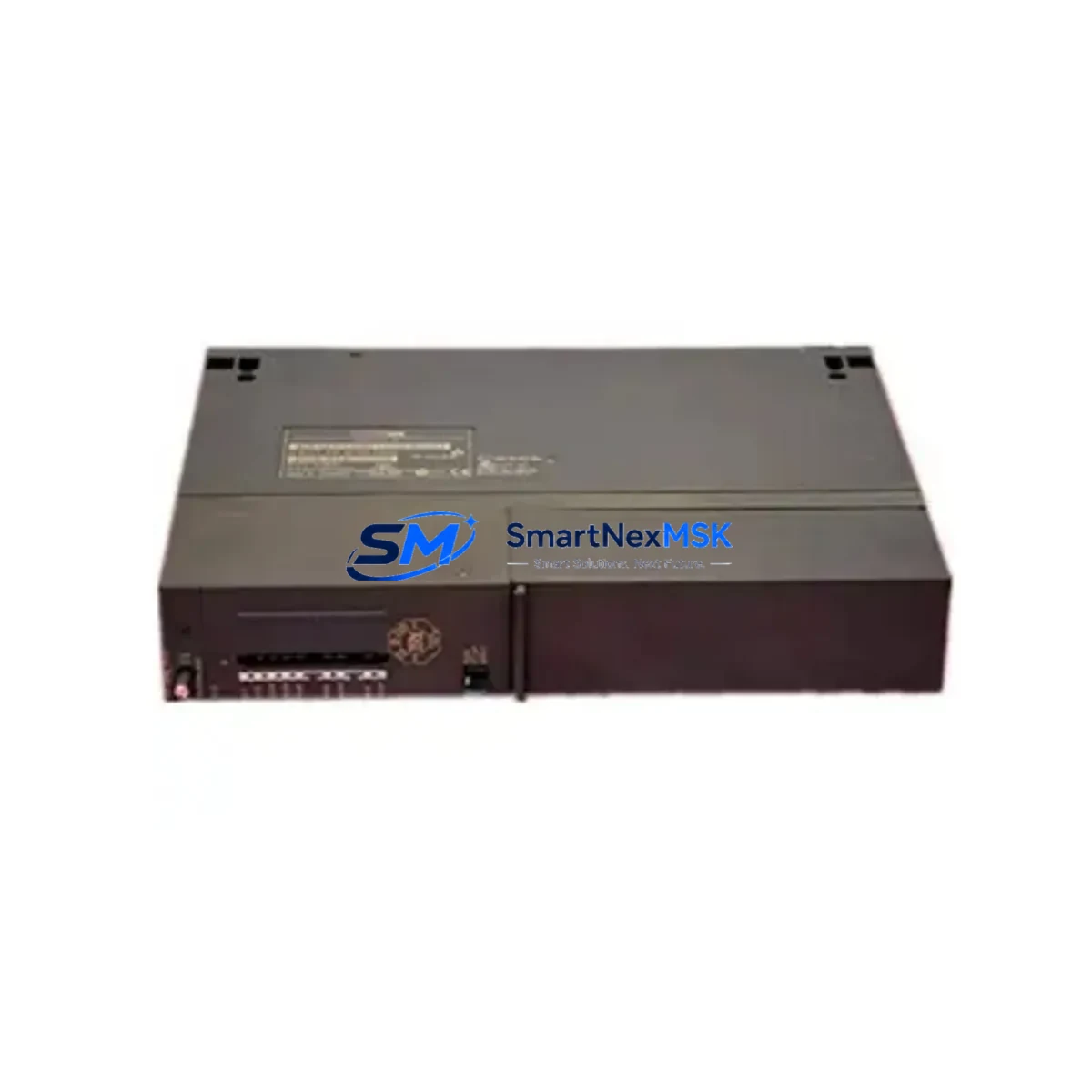
Siemens 6ES7416-3FR05-0AB0 Retrofit-Ready CPU for S7-400 Control Systems
The Siemens 6ES7416-3FR05-0AB0 is a high-performance CPU 416-3 PN/DP module designed for the SIMATIC S7-400 platform. As legacy S7-400 installations approach end-of-life or require capacity upgrades, this CPU serves as a direct retrofit replacement for earlier variants including the 6ES7416-3ER05-0AB0 and 6ES7416-2FP07-0AB0, enabling engineers to modernize control infrastructure without redesigning the entire control cabinet or rewriting core PLC logic.
Whether your facility is migrating from an aging S7-400H redundant system, expanding I/O capacity on an existing CR3 or UR2 rack, or recovering from an unplanned CPU failure, the 6ES7416-3FR05-0AB0 provides the processing headroom and communication flexibility required for demanding process automation environments. Its dual PROFIBUS DP and integrated PROFINET interface make it a natural fit for plants already running distributed I/O via ET 200M or ET 200S remote stations, as well as sites transitioning from legacy MPI-based HMI connections to modern Ethernet-based SCADA architectures.
Upgrade Compatibility Table
| Parameter | 6ES7416-3FR05-0AB0 (This Unit) | Typical Predecessor / Notes |
|---|---|---|
| CPU Series | CPU 416-3 PN/DP | CPU 416-3 DP / CPU 416-2 DP |
| Rack Compatibility | CR3, UR1, UR2 (S7-400 standard racks) | Direct slot-compatible; no rack modification required |
| Communication Interfaces | 1× PROFINET (RJ45), 2× PROFIBUS DP (MPI/DP) | Predecessors typically 2× DP only; PN interface is additive |
| Protocol Compatibility | PROFINET IO, PROFIBUS DP, MPI, S7 Routing | Backward compatible with existing DP slaves and MPI HMI panels |
| Memory | 16 MB work memory (expandable via MC) | Predecessor units typically 4–8 MB; program reload required |
| Installation Requirement | Standard S7-400 backplane slot; PS 407 or PS 405 power supply | Verify power budget before installation |
| Programming Tool | STEP 7 V5.6+ / TIA Portal V15+ | Existing STEP 7 projects uploadable; verify hardware config revision |
| Replacement Recommendation | Drop-in for 6ES7416-3ER05-0AB0, 6ES7416-2FP07-0AB0 | Hardware config update in STEP 7 required; logic recompile recommended |
| Commissioning Focus | PN IP address assignment, DP slave re-addressing, MPI node check | Use PRONETA or STEP 7 online diagnostics for verification |
| Warranty | 12-Month Warranty — Tested before shipment, full functional verification | |
Retrofit Planning for Existing Automation Systems
A successful retrofit begins well before the CPU is physically swapped. Engineers should first audit the existing S7-400 rack configuration, documenting every module installed in the CR3 or UR2 backplane — including digital input/output modules such as the SM 421 and SM 422, analog modules like the SM 431 and SM 432, and any CP 443-1 Ethernet communication processors already in service. The total current draw of all installed modules must be verified against the capacity of the installed PS 407 10A power supply to confirm the new CPU’s power consumption is within budget.
For sites running distributed I/O over PROFIBUS DP, the existing DP network topology — including ET 200M stations with IM 153-2 interface modules and ET 200S islands — remains fully compatible with the 6ES7416-3FR05-0AB0. The CPU’s two DP interfaces allow the existing DP master configuration to be preserved while the new PROFINET port is used to connect modern HMI panels such as the TP1500 Comfort or to integrate with a plant-level SCADA system via OPC UA or S7 protocol.
If the legacy system used an IM 460-0 or IM 460-4 send/receive interface for multi-rack expansion, these interface modules remain compatible with the new CPU. Engineers should verify the backplane bus load and confirm that the existing IM 461-0 receive modules in expansion racks are correctly addressed in the updated hardware configuration. Any CP 340 or CP 341 serial communication modules used for legacy Modbus RTU or ASCII device connections will continue to operate without modification.
Programming cable access is typically via the MPI port using a PC Adapter USB A2 or via the PROFINET interface using a standard Ethernet cable and STEP 7 or TIA Portal. Before the physical swap, the existing CPU program should be archived using STEP 7’s “Upload to PG” function or backed up via a memory card (MC) to ensure the program logic, data blocks, and hardware configuration are preserved. The replacement CPU should be loaded with the updated hardware configuration reflecting the 6ES7416-3FR05-0AB0 order number before being inserted into the rack.
Downtime Control During System Migration
Minimizing production downtime during a CPU replacement requires a structured pre-outage preparation phase. At least 48 hours before the planned maintenance window, engineers should complete a full program backup, document all current DP slave addresses and PROFINET device names, capture a screenshot or export of the current HMI variable table from the WinCC or TP panel project, and verify that all analog and digital I/O modules are correctly mapped in the existing hardware configuration file.
During the outage window, the sequence should follow: power down the PS 407 supply, extract the old CPU from its slot, insert the 6ES7416-3FR05-0AB0, restore power, and immediately verify the CPU reaches RUN mode without hardware faults. The PROFINET device names must be reassigned using STEP 7 or TIA Portal’s “Assign Device Name” function before the DP/PN network will initialize correctly. If the plant uses a CP 443-1 Advanced for IT-level communication or historian data logging, verify that the CP’s IP configuration and connection table remain intact after the CPU swap.
For facilities that cannot tolerate extended downtime, a parallel commissioning approach is recommended: configure and test the new CPU on a bench rack using a PS 405 4A power supply and a representative subset of SM modules before the live cutover. This allows the engineering team to validate program execution, I/O response, and communication link behavior in a controlled environment, reducing the live cutover window to under two hours in most cases.
Retrofit Support FAQ
Q1: Is the 6ES7416-3FR05-0AB0 a direct replacement for the 6ES7416-3ER05-0AB0?
Yes. The 6ES7416-3FR05-0AB0 is the current-generation successor to the 6ES7416-3ER05-0AB0 and installs in the same rack slot without mechanical modification. A hardware configuration update in STEP 7 or TIA Portal is required to reflect the new CPU order number, followed by a program download. All existing DP slave configurations and MPI node assignments are preserved.
Q2: What wiring or terminal changes are needed during the swap?
No terminal wiring changes are required on the CPU itself, as the S7-400 CPU does not have field wiring terminals — all I/O connections are made through the SM modules in the rack. The only physical connections to the CPU are the MPI/DP bus connectors and the new PROFINET RJ45 cable. Ensure the DP bus connector termination resistors are correctly set on the first and last nodes of each DP segment.
Q3: How is compatibility with existing HMI panels and SCADA systems verified?
Existing WinCC flexible or TIA Portal HMI projects connected via MPI or PROFIBUS DP will continue to communicate without modification. For panels migrating to PROFINET, the HMI project’s connection settings must be updated to use the CPU’s PROFINET IP address. Use STEP 7’s online diagnostics or PRONETA to verify all PN/DP devices are recognized before returning the system to production.
Q4: What does the 12-month warranty cover, and how is the unit tested before shipment?
Every 6ES7416-3FR05-0AB0 unit shipped by SMARTNEXMSK undergoes full functional testing including power-on verification, communication interface check, and memory integrity validation before dispatch. The 12-month warranty covers hardware defects and functional failures under normal operating conditions. Units are shipped with anti-static packaging and include a test report upon request. Expedited replacement is available for critical production environments.
© 2026 SMARTNEXMSK. All rights reserved.
Original Source: https://smartnexmsk.com
Contact: [email protected] | +86 18259474341



