
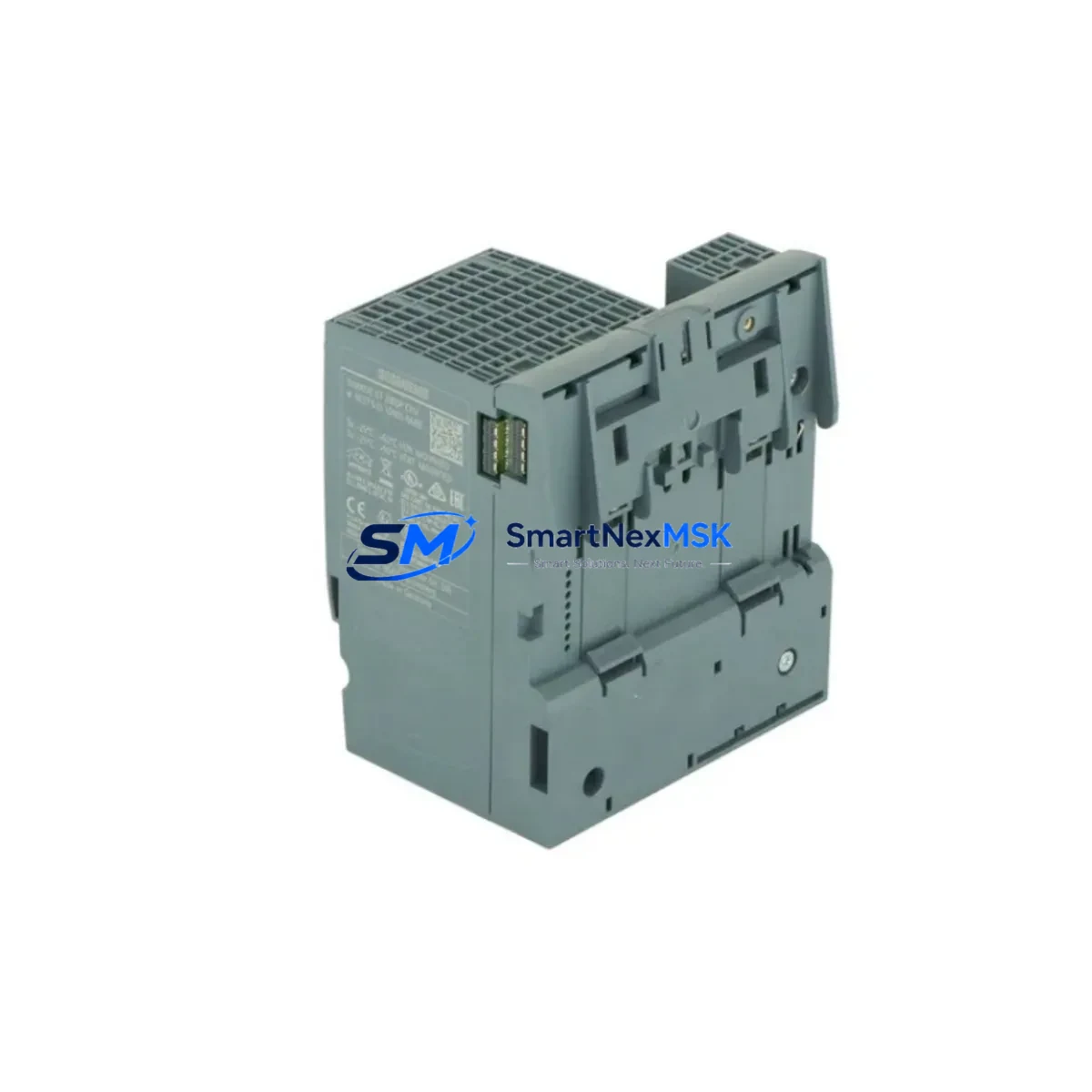
Siemens 6ES7512-1DK01-0AB0 Spare for S7-1500 Automation: Minimizing Downtime with Verified Replacement
The Siemens 6ES7512-1DK01-0AB0 is the CPU 1512D DP/PN central processing unit for the SIMATIC S7-1500 automation platform — one of the most widely deployed PLC families in discrete manufacturing, process control, and infrastructure applications worldwide. When this CPU fails or reaches end-of-service life, every minute of unplanned downtime translates directly into production loss. Sourcing a maintenance-ready, original-specification spare is the fastest path to system recovery.
This listing provides the 6ES7512-1DK01-0AB0 as a tested, original-grade spare component, backed by a 12-month warranty and pre-shipment functional verification. Whether you are executing a planned replacement during a scheduled maintenance window or responding to an emergency fault condition, this unit is prepared for immediate installation into your S7-1500 rack.
Maintenance engineers and procurement specialists working with SIMATIC S7-1500 systems recognize that the CPU 1512D DP/PN is not an isolated component — it operates within a tightly integrated control cabinet ecosystem. Replacing this CPU correctly requires attention to the surrounding hardware, firmware compatibility, and communication topology. This product page is designed to support both the technical and procurement dimensions of that process.
Spare Maintenance Table
| Parameter | Specification / Value |
|---|---|
| Part Number / SKU | 6ES7512-1DK01-0AB0 |
| Product Name | CPU 1512D DP/PN |
| Brand | Siemens |
| Series | SIMATIC S7-1500 |
| CPU Type | Compact CPU with integrated PROFIBUS DP and PROFINET interfaces |
| Work Memory | 300 KB (code) + 1.5 MB (data) |
| Communication Interfaces | 1× PROFINET IRT (2-port switch), 1× PROFIBUS DP Master/Slave |
| Supply Voltage | 24 V DC (via system power supply, e.g. 6EP1333-4BA00 or equivalent PM) |
| Mounting | S7-1500 mounting rail, left-side slot (CPU position) |
| Firmware Compatibility | TIA Portal V13 SP1 and above; verify project firmware version before replacement |
| Operating Temperature | 0 °C to +60 °C (horizontal installation) |
| Protection Class | IP20 |
| Country of Origin | Germany |
| Weight | Approx. 410 g |
| Application Environment | Discrete manufacturing, process automation, infrastructure control, machine building |
| Compatibility Verification | Cross-referenced against S7-1500 system manual and TIA Portal project hardware configuration |
| Pre-Shipment Testing | Power-on functional check, communication interface verification |
| Warranty | 12 Months from date of shipment |
Maintenance Planning for Continuous Operation
Replacing the 6ES7512-1DK01-0AB0 CPU in a live S7-1500 system is rarely a single-component event. Experienced maintenance engineers treat a CPU replacement as an opportunity to audit the entire control cabinet for latent faults and aging components that could trigger the next unplanned stop.
Begin with the system power supply. The S7-1500 CPU 1512D DP/PN draws its 24 V DC supply from a dedicated power module — commonly the PM 70W 120/230V AC (6EP1333-4BA00) or the PM 190W variant. If the power module has been in service for several years alongside the failed CPU, inspect it for capacitor aging, output voltage drift, and thermal stress marks. A marginal power supply is a frequent root cause of intermittent CPU faults and should be replaced proactively during the same maintenance window.
Next, inspect the interface module (IM) if your installation uses distributed I/O racks. The IM 155-5 PN ST (6ES7155-5AA00-0AB0) or similar ET 200MP interface modules connected via PROFINET to the 1512D should be checked for firmware currency and connector integrity. A CPU swap that introduces a firmware version mismatch with downstream interface modules can cause communication faults immediately after restart.
Review all digital and analog I/O modules installed in the same rack. Signal modules such as the SM 521 DI 16×24VDC HF or SM 522 DQ 16×24VDC/0.5A HF should be inspected for channel faults logged in the diagnostic buffer prior to the CPU failure. Replacing the CPU without clearing underlying I/O faults will result in immediate fault recurrence. Check terminal block tightening torques and inspect for corrosion on signal wiring, particularly in humid or chemically aggressive environments.
The PROFIBUS DP network integrated into the 1512D requires attention during replacement. Verify bus termination resistors at both ends of the DP segment, inspect the 9-pin Sub-D connectors on all slave devices, and confirm that the GSD files for all DP slaves are correctly loaded in the TIA Portal project. Common DP slaves in S7-1500 installations include ET 200S distributed I/O stations, frequency inverters with PROFIBUS adapters, and legacy S7-300 DP slaves operating in mixed-generation architectures.
For installations with CP communication processors — such as the CP 1543-1 for Industrial Ethernet or CP 1542-5 for PROFIBUS — verify that the IP address assignments and routing configurations remain consistent after the CPU replacement. CPU memory cards (6ES7954-8LF03-0AA0 SIMATIC Memory Card) store the project program and must be transferred correctly to the replacement unit. Always confirm the memory card firmware version is compatible with the new CPU hardware revision.
Finally, inspect relay output modules, fuse terminal blocks, and signal isolators in the same cabinet. Components such as 24 V DC relay modules, Phoenix Contact or Weidmüller fused terminal blocks, and galvanic signal isolators for analog loops are often overlooked during CPU-focused maintenance but are common sources of secondary faults that emerge after a CPU replacement restores system operation.
Site Replacement Workflow
Step 1 — Pre-replacement documentation. Before powering down, export the current TIA Portal project from the CPU memory card and save a timestamped backup. Record all active fault codes from the CPU diagnostic buffer. Photograph wiring connections on all I/O modules and communication cables.
Step 2 — Safe isolation. Follow your site LOTO (Lockout/Tagout) procedure. Isolate the 24 V DC supply to the S7-1500 rack via the upstream circuit breaker or fused disconnect. Verify zero-energy state with a calibrated voltage tester before touching any module.
Step 3 — Module extraction. Release the CPU 1512D DP/PN from the mounting rail by pressing the release lever and sliding the module upward. Remove the SIMATIC Memory Card from the card slot on the front face of the CPU before discarding the old unit.
Step 4 — Replacement installation. Insert the SIMATIC Memory Card into the replacement 6ES7512-1DK01-0AB0. Slide the new CPU onto the mounting rail until it clicks into the backplane bus connector. Reconnect all PROFINET and PROFIBUS cables, verifying connector locking mechanisms are fully engaged.
Step 5 — Power-on and verification. Restore 24 V DC supply. The CPU will perform a self-test and load the project from the memory card. Monitor the RUN/STOP LED and the ERROR LED. Connect TIA Portal online to verify hardware configuration matches the installed modules. Clear the diagnostic buffer and confirm all I/O channels report healthy status before returning the system to production.
This workflow is applicable to both like-for-like replacements and hardware revision upgrades. When upgrading from an earlier CPU 1512D firmware revision, allow additional time for TIA Portal to compile and download any project adaptations required by the new hardware revision.
Spare Parts Support FAQ
Q1: Is the 6ES7512-1DK01-0AB0 a direct drop-in replacement for earlier CPU 1512D revisions?
In most cases, yes. The 6ES7512-1DK01-0AB0 is backward-compatible with earlier hardware revisions of the CPU 1512D DP/PN within the S7-1500 platform. However, you should verify the TIA Portal project firmware version against the hardware revision of the replacement unit. If the project was compiled for an older hardware revision, a brief TIA Portal update and re-download may be required. We recommend confirming compatibility before installation if your system is running TIA Portal versions earlier than V15.
Q2: What pre-shipment checks are performed on this spare unit?
Each 6ES7512-1DK01-0AB0 unit undergoes a power-on functional test and communication interface verification before shipment. Units are inspected for physical integrity, connector condition, and correct firmware presence on the memory card slot. A 12-month warranty covers any defects in materials or workmanship from the date of shipment. Units that fail within the warranty period are replaced or refunded without additional cost.
Q3: How should I manage spare inventory for S7-1500 CPU modules in a multi-line facility?
For facilities operating three or more S7-1500 systems with CPU 1512D DP/PN units, maintaining at least one cold-spare CPU on-site is strongly recommended. The mean time to repair (MTTR) for a CPU fault drops from days (waiting for shipment) to hours (immediate swap) when a verified spare is available locally. Pair the CPU spare with a pre-configured SIMATIC Memory Card loaded with the current project backup to further reduce recovery time. Review your spare inventory annually against system criticality and production impact assessments.
Q4: Can this unit be used to extend the life of an aging S7-1500 installation scheduled for future migration?
Yes. The 6ES7512-1DK01-0AB0 is well-suited for life-extension strategies in S7-1500 installations that are not yet scheduled for full migration to newer platforms. Replacing a degraded CPU with a verified original-specification spare restores full system performance and extends the operational window by several years, providing time for planned migration without emergency-driven capital expenditure. This approach is commonly used in industries with long equipment lifecycles, including utilities, chemical processing, and heavy manufacturing.
© 2026 SMARTNEXMSK. All rights reserved.
Original Source: https://smartnexmsk.com
Contact: [email protected] | +86 18259474341



