
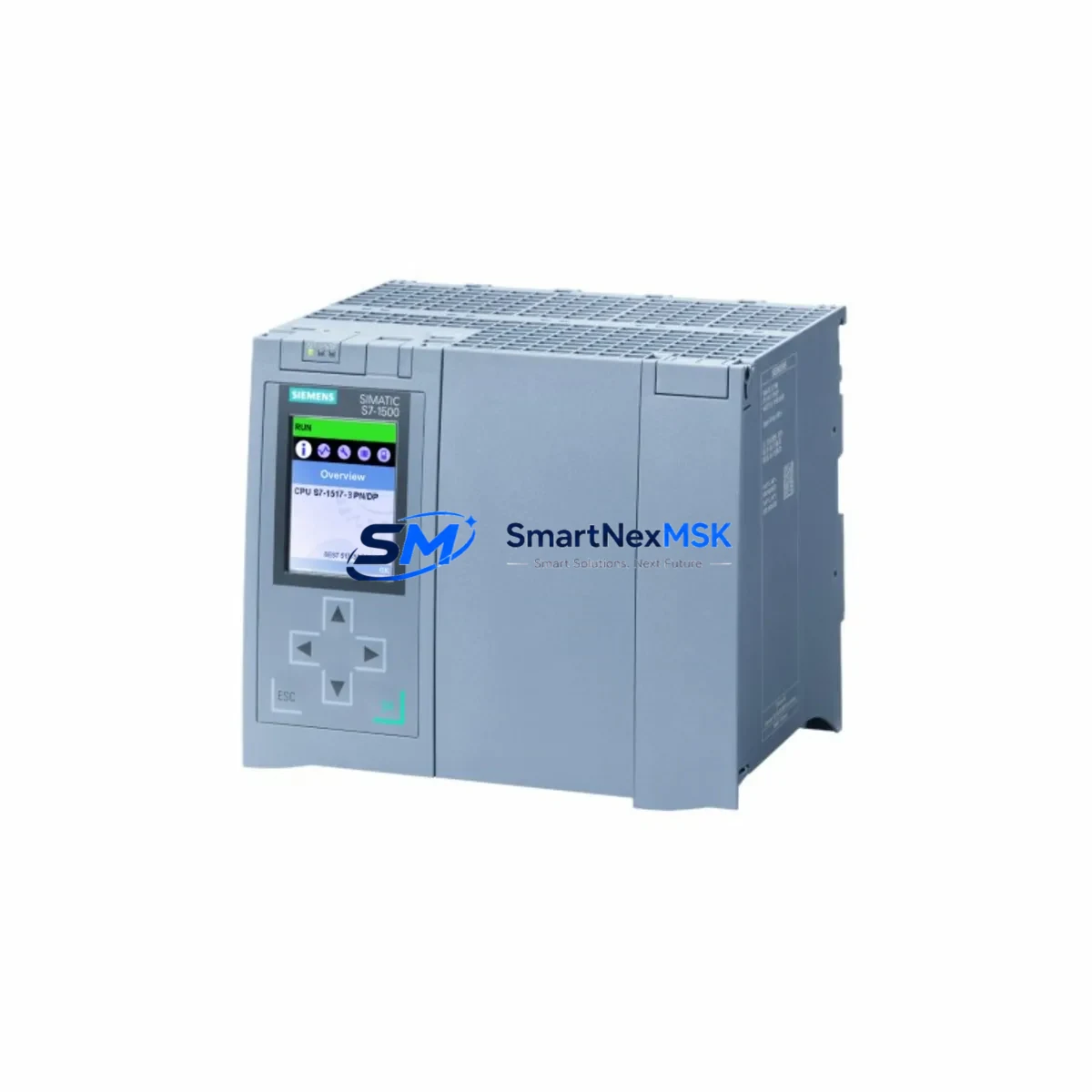
Siemens 6ES7517-3AP00-0AB0 Spare for S7-1500 Automation: Spare Parts Replacement & Downtime Risk Control
The Siemens 6ES7517-3AP00-0AB0 is the CPU 1517-3 PN/DP central processing unit for the SIMATIC S7-1500 programmable logic controller platform — one of the most widely deployed automation controllers in discrete manufacturing, process control, and infrastructure applications worldwide. When this CPU fails or reaches end-of-service life, the entire control system halts. Maintaining a verified, tested spare on the shelf is the single most effective strategy for minimizing unplanned downtime and protecting production continuity.
This listing provides an original, factory-sourced 6ES7517-3AP00-0AB0 spare unit, fully tested prior to dispatch, backed by a 12-month warranty, and ready for immediate site installation. Whether you are managing a planned maintenance window, responding to an emergency fault, or building out your critical spare parts inventory, this CPU module ships with full traceability and is compatible with TIA Portal V15 and above.
Spare Maintenance Table
| Parameter | Specification |
|---|---|
| Part Number / SKU | 6ES7517-3AP00-0AB0 |
| Product Series | SIMATIC S7-1500 |
| Module Type | CPU 1517-3 PN/DP |
| Communication Interfaces | 2× PROFINET (IRT), 1× PROFIBUS DP (Master/Slave) |
| Work Memory | 3 MB (code) + 8 MB (data) |
| Processing Speed | 1 ns per bit operation |
| Supply Voltage | 24 V DC (via S7-1500 power supply module) |
| Compatible Power Modules | 6EP1333-4BA00 (PM 70W), 6EP1334-3BA10 (PS 60W) |
| Programming Software | TIA Portal V15 / V16 / V17 / V18 / V19 |
| Mounting | S7-1500 rail (U-connector system), left-to-right slot assignment |
| Operating Temperature | 0 °C to +60 °C (horizontal), 0 °C to +40 °C (vertical) |
| Protection Rating | IP20 |
| Country of Origin | Germany |
| Compatibility | S7-1500 standard backplane; not compatible with ET 200SP or S7-300/400 racks |
| Warranty | 12 Months — tested and verified before dispatch |
| Condition | Original spare — new or refurbished-to-spec, clearly stated at order confirmation |
Maintenance Planning for Continuous Operation
Experienced maintenance engineers know that replacing a CPU 1517-3 PN/DP is rarely an isolated task. The 6ES7517-3AP00-0AB0 sits at the heart of the S7-1500 control cabinet, and a thorough site replacement procedure should include inspection and functional verification of all adjacent components in the same electrical circuit and communication topology.
Before or during a CPU swap, maintenance teams should verify the condition and firmware version of the SIMATIC S7-1500 power supply module (such as the 6EP1333-4BA00 PM 70W or 6EP1334-3BA10 PS 60W), since an aging or undersized power module is a common root cause of intermittent CPU faults. The 24 V DC system power rail and associated fuse terminals — typically Weidmüller or Phoenix Contact terminal blocks — should be checked for loose connections, corrosion, and correct fuse ratings.
On the I/O side, inspect the digital input modules (e.g., 6ES7521-1BL00-0AB0 DI 32×24VDC) and digital output modules (e.g., 6ES7522-1BL01-0AB0 DQ 32×24VDC) for channel faults or blown output drivers that may have contributed to the CPU fault condition. Analog I/O modules such as the 6ES7531-7KF00-0AB0 AI 8×U/I/RTD/TC should be verified for signal drift, particularly in temperature-sensitive process environments.
PROFIBUS DP communication integrity should be confirmed by checking the PROFIBUS termination resistors at both ends of the bus segment and inspecting the DP connector plugs (6ES7972-0BB52-0XA0) for pin damage or cable strain. On the PROFINET side, verify the Industrial Ethernet switch (e.g., SCALANCE X208 or X308) port assignments and cable continuity. A faulty switch port can cause the CPU to log PROFINET topology errors that mimic CPU hardware faults.
For systems using SIMATIC HMI panels — such as the TP1200 Comfort (6AV2124-0MC01-0AX0) or KTP900 Basic (6AV2123-2JB03-0AX0) — confirm that the HMI project is backed up and that the panel firmware is compatible with the replacement CPU firmware version. Mismatched firmware between the CPU and HMI is a common post-replacement commissioning issue that extends downtime unnecessarily.
Signal isolators and surge protection devices installed on analog input loops — such as the SITRANS signal conditioners or third-party DIN-rail isolators — should be inspected for thermal damage, especially if the original CPU failure was preceded by a power surge event. Finally, review the SIMATIC Memory Card (6ES7954-8LF03-0AA0) that stores the CPU program; always keep a verified backup copy and confirm the replacement card is formatted and loaded before powering up the new CPU.
Site Replacement Workflow
Step 1 — Pre-replacement preparation: Download and archive the current CPU project from TIA Portal. Export the hardware configuration and note the CPU’s IP address, PROFINET device name, and DP master system ID. Confirm the replacement 6ES7517-3AP00-0AB0 firmware version matches or is compatible with the existing project.
Step 2 — Safe isolation: Place the system in a controlled stop state. Switch the CPU to STOP mode via TIA Portal or the front panel mode selector. Isolate the 24 V DC supply to the CPU rack using the cabinet main isolator. Follow local LOTO (Lockout/Tagout) procedures before opening the cabinet.
Step 3 — Physical swap: Remove the SIMATIC Memory Card from the faulty CPU before extraction. Disconnect the PROFINET and PROFIBUS DP cables, labeling each port. Release the U-connector locking mechanism and slide the CPU off the rail. Install the replacement 6ES7517-3AP00-0AB0, reconnect all cables in the correct port order, and reinsert the Memory Card.
Step 4 — Commissioning and verification: Restore 24 V DC power. The CPU will perform a self-test and load the program from the Memory Card. Monitor the RUN/STOP and ERROR LEDs. Use TIA Portal online diagnostics to confirm all I/O modules, PROFINET devices, and PROFIBUS slaves are recognized and fault-free. Verify HMI communication and process variable readings before returning the system to automatic operation.
Step 5 — Documentation: Record the replacement date, new CPU serial number, firmware version, and any configuration changes in the site maintenance log. Update the spare parts inventory to reflect the consumed unit and initiate a reorder to maintain minimum stock levels.
Spare Parts Support FAQ
Q1: Is this 6ES7517-3AP00-0AB0 a new or refurbished unit, and how is it tested before dispatch?
Each unit is individually powered-on and subjected to a functional self-test protocol that verifies CPU boot sequence, memory integrity, and communication port activity. The condition — new original or refurbished-to-specification — is clearly confirmed at order placement. All units are dispatched with a 12-month warranty covering manufacturing defects and functional failures under normal operating conditions.
Q2: How do I confirm compatibility with my existing S7-1500 hardware configuration?
The 6ES7517-3AP00-0AB0 is compatible with all standard S7-1500 mounting rails and U-connector backplanes. Compatibility is determined by your TIA Portal hardware configuration file — the CPU order number must match exactly. If your project was created with an earlier firmware version, a firmware update via TIA Portal or SIMATIC Automation Tool may be required after installation. Contact our technical team with your TIA Portal project version and current CPU firmware for a pre-sale compatibility check.
Q3: What is the recommended spare parts stocking strategy for S7-1500 CPU modules in critical applications?
For production lines with no redundancy, industry best practice recommends maintaining at least one CPU spare per installed system, stored in an ESD-safe environment at controlled temperature. For multi-line facilities running the same CPU model, a shared pool of two to three units is typically sufficient. Pair the CPU spare with a pre-loaded SIMATIC Memory Card and a compatible power supply module to enable a complete cold-standby kit that can be deployed within one shift.
Q4: Can this spare replace older S7-1500 CPU variants such as the 6ES7516-3AN00-0AB0 or 6ES7515-2AM00-0AB0?
The 6ES7517-3AP00-0AB0 (CPU 1517-3 PN/DP) is a higher-performance model than the CPU 1516-3 PN/DP (6ES7516-3AN00-0AB0) and CPU 1515-2 PN (6ES7515-2AM00-0AB0). A direct hardware substitution requires a TIA Portal hardware reconfiguration and project re-download. In most cases, the higher-spec CPU is functionally compatible with the existing I/O and communication modules, but the project must be adapted and retested before returning to production. Our team can advise on cross-model substitution feasibility for your specific application.
© 2026 SMARTNEXMSK. All rights reserved.
Original Source: https://smartnexmsk.com
Contact: [email protected] | +86 18259474341



