
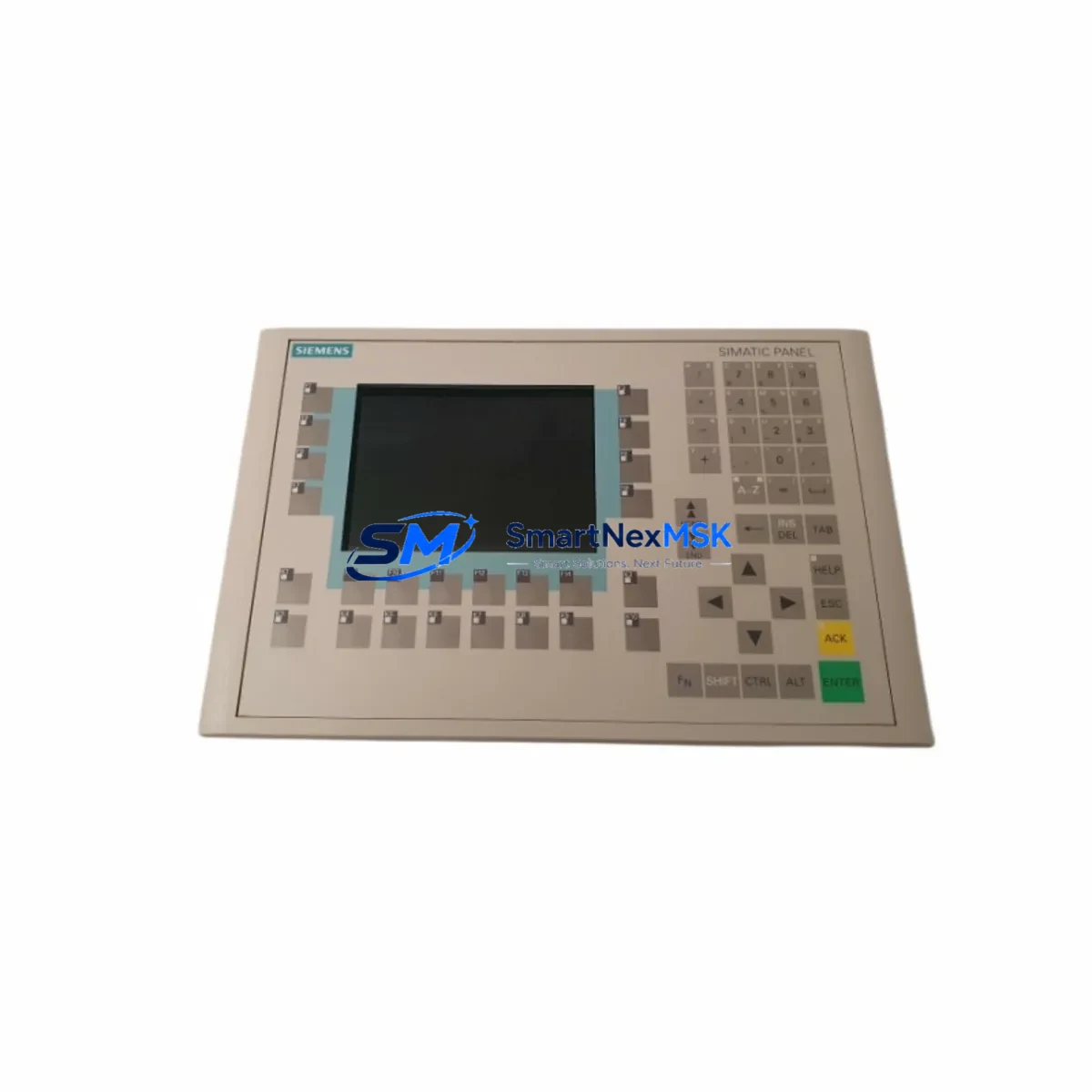
Siemens 6ES7621-1AD02-0AE3 Retrofit-Ready C7-621 Controller: Compatible Upgrade for Legacy SIMATIC Control Systems
The Siemens 6ES7621-1AD02-0AE3 is a compact controller display unit from the SIMATIC C7-621 series, integrating a CPU, operator panel, and I/O interface into a single housing. As this model reaches end-of-life and spare parts become increasingly scarce, industrial facilities running legacy SIMATIC S5 or early S7 architectures face mounting pressure to source verified replacements or plan a structured migration to current-generation platforms. SMARTNEXMSK maintains in-stock inventory of the 6ES7621-1AD02-0AE3 to support both emergency replacement and planned retrofit projects, with each unit subject to pre-shipment functional testing and covered by a 12-month warranty.
Whether your application involves a standalone machine controller, a distributed control cabinet, or a multi-panel HMI-integrated line, the C7-621 platform presents specific retrofit considerations that must be addressed systematically to avoid unplanned downtime and protect existing program logic.
Upgrade Compatibility Table
| Parameter | 6ES7621-1AD02-0AE3 (C7-621) | Retrofit / Upgrade Notes |
|---|---|---|
| CPU Platform | SIMATIC C7-621 (S7-300 core) | Direct replacement; program backup required before swap |
| Display Interface | Integrated OP panel (C7 series) | HMI screen layout must be verified post-replacement; re-download may be required |
| Communication | MPI / PROFIBUS DP | MPI address must match original; PROFIBUS GSD file version to be confirmed |
| Power Supply | 24 V DC | Verify rail capacity; PS 307 or equivalent power supply recommended |
| Backplane / Rack | Integrated (no external rack) | No rack change required for direct replacement |
| Terminal Wiring | Front connector, screw-type | Label and photograph all terminal assignments before removal |
| Module Address | Set via DIP switch / software | Record and replicate address settings before commissioning |
| Program Compatibility | STEP 7 V5.x project | Restore from backup via SIMATIC Manager or TIA Portal migration tool |
| Installation | Panel-mount, DIN rail optional | Cutout dimensions must match; verify depth clearance in cabinet |
| Warranty | 12-Month Warranty — all units tested prior to shipment | |
Retrofit Planning for Existing Automation Systems
A successful C7-621 retrofit begins well before the replacement unit arrives on site. Engineers should start by auditing the existing control cabinet to document every component that interfaces with the 6ES7621-1AD02-0AE3. In a typical installation, this includes the Siemens PS 307 24V DC power supply module, which must be confirmed to deliver sufficient current capacity for the replacement unit and any co-located I/O. If the cabinet also houses a SIMATIC S7-300 CPU 315-2 DP or similar distributed CPU for coordinating remote I/O, the MPI or PROFIBUS DP network topology must be mapped and node addresses recorded before any hardware is disturbed.
Terminal wiring is one of the most time-sensitive steps. The C7-621 uses a front-connector screw terminal arrangement, and each signal — digital inputs, digital outputs, analog channels, and power rails — must be labeled and photographed in situ. If the existing installation uses SM 321 digital input modules or SM 322 digital output modules on an adjacent rack or distributed ET 200 station, their wiring documentation should be updated simultaneously to ensure the I/O map remains consistent with the restored program.
Communication link integrity is equally critical. The C7-621 communicates via MPI and PROFIBUS DP. If the plant network includes a CP 342-5 PROFIBUS communication processor or a CP 343-1 Industrial Ethernet module for SCADA connectivity, the network configuration in STEP 7 or TIA Portal must be exported and preserved. After the replacement unit is installed, the MPI station address must be set to match the original before the network is re-energized, otherwise the PROFIBUS master will fail to recognize the node and the entire segment may fault.
For facilities that also operate SIMATIC HMI TP 177B or OP 177B operator panels connected to the C7-621 via MPI, the HMI project must be re-downloaded to the panel after the CPU replacement is complete. Screen navigation, alarm tags, and data block references are all tied to the CPU’s symbol table, and any mismatch will cause tag communication errors at runtime. Retain the original WinCC flexible or TIA Portal HMI project file and verify the connection parameters before going live.
If the retrofit scope extends to I/O expansion — for example, adding an SM 334 analog I/O module or a SM 374 simulation module for testing — the hardware configuration in STEP 7 must be updated and re-downloaded to the CPU. Slot assignments and module addresses must be consistent with the physical rack layout. For sites migrating from a pure C7 standalone architecture to a distributed S7-300 rack with remote ET 200M I/O stations, a phased migration plan is recommended: retain the C7-621 as the primary CPU during the transition period while commissioning the new rack in parallel, then cut over during a scheduled maintenance window.
All units supplied by SMARTNEXMSK undergo pre-shipment functional testing, including power-on verification, communication port checks, and display panel operation. Each 6ES7621-1AD02-0AE3 ships with a 12-month warranty and is accompanied by a test report on request.
Downtime Control During System Migration
Minimizing downtime during a C7-621 replacement requires a structured pre-outage preparation protocol. At least 48 hours before the scheduled maintenance window, the existing STEP 7 project should be uploaded from the CPU and archived to a secure location. If the CPU memory card contains the program, a backup copy should be written to a spare SIMATIC Micro Memory Card (MMC) so that the program can be restored to the replacement unit without requiring a PC connection on the factory floor.
During the outage, the sequence should follow a strict order: de-energize the cabinet, photograph and label all terminal connections, remove the front connector as a single assembly (preserving wiring), extract the C7-621 unit, install the replacement, reconnect the front connector, restore power, and verify the MPI address before downloading the program. This sequence typically takes 45–90 minutes for an experienced technician, provided all documentation is prepared in advance.
To protect original program logic, never attempt to modify the STEP 7 project during the replacement window. Restore the archived project to the new CPU first, verify I/O status in the diagnostic buffer, and only then make any necessary adjustments. If the plant uses a SIMATIC S7-PLCSIM environment for offline testing, the replacement program can be validated against the simulation before the live cutover, further reducing the risk of logic errors causing process upsets.
For critical processes where even a brief interruption is unacceptable, consider a hot-standby approach using a temporary CPU 315F-2 PN/DP or equivalent failsafe controller to maintain output states during the transition. This approach requires additional engineering effort but can reduce effective process downtime to under five minutes.
Retrofit Support FAQ
Q1: Is the 6ES7621-1AD02-0AE3 a direct drop-in replacement for other C7-621 variants?
The 6ES7621-1AD02-0AE3 is specific to the C7-621 hardware revision indicated by the order suffix. Before ordering, confirm the exact order number from the nameplate of the unit being replaced. Minor hardware revisions within the C7-621 family are generally program-compatible, but the firmware version and memory card format should be verified. SMARTNEXMSK can assist with compatibility confirmation prior to shipment.
Q2: What commissioning steps are required after installing the replacement unit?
After physical installation, set the MPI station address to match the original (typically via the integrated operator panel menu), restore the STEP 7 program from backup, perform a full I/O force test to verify terminal wiring integrity, re-download the HMI project if an OP or TP panel is connected, and check the PROFIBUS DP diagnostic buffer for any node faults. Document all steps in the site commissioning record.
Q3: Can the existing front connector and terminal wiring be reused?
Yes. The C7-621 front connector is a removable assembly that can be transferred directly to the replacement unit, provided the connector is in good condition and the terminal screws are properly torqued. Inspect the connector for signs of heat damage, corrosion, or loose conductors before reuse. If the connector shows wear, replace it with a compatible Siemens front connector to ensure reliable signal integrity.
Q4: What does the 12-month warranty cover, and what is the return process?
The 12-month warranty covers manufacturing defects and functional failures under normal operating conditions. Each unit is tested prior to shipment and ships with a test record available on request. In the event of a warranty claim, contact SMARTNEXMSK at [email protected] with the order number and a description of the fault. Replacement or repair will be arranged within the warranty period at no additional cost for verified defects.
© 2026 SMARTNEXMSK. All rights reserved.
Original Source: https://smartnexmsk.com
Contact: [email protected] | +86 18259474341



