
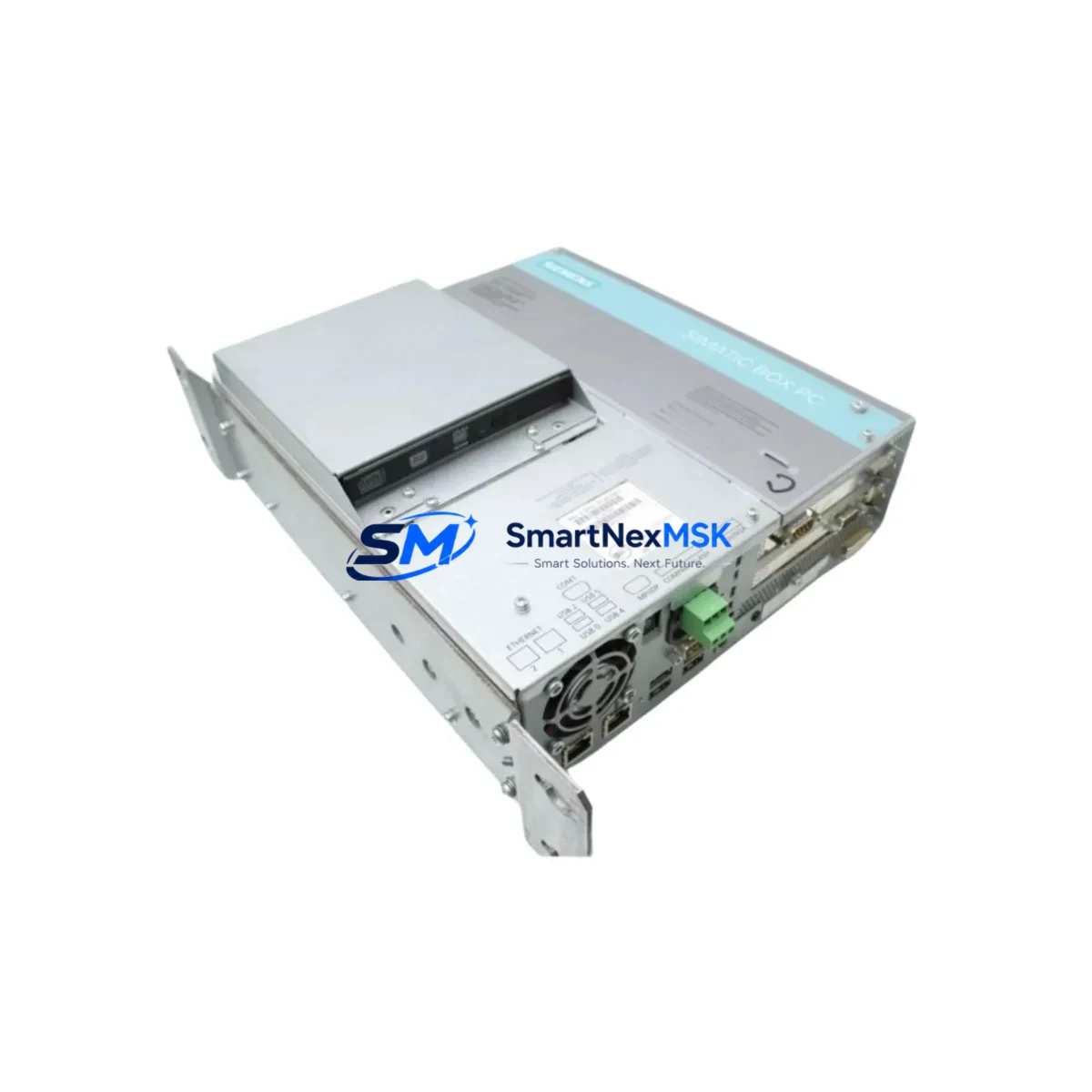
Siemens 6ES7647-6CB06-0KA0 Retrofit-Ready IPC for SIMATIC IPC647E Control Systems
The Siemens 6ES7647-6CB06-0KA0 is a 4U rack-mount Industrial PC engineered for demanding process control environments. As legacy SIMATIC IPC647E units reach end-of-life or become increasingly difficult to source, this module provides a verified retrofit path for production lines, control cabinets, and distributed automation architectures that depend on continuous, uninterrupted operation. Whether you are replacing a failed unit, upgrading an aging control platform, or migrating from an earlier IPC generation, the 6ES7647-6CB06-0KA0 is designed to slot into existing rack infrastructure with minimal re-engineering.
Industrial buyers sourcing this module typically operate environments where downtime is measured in thousands of dollars per hour. The 6ES7647-6CB06-0KA0 addresses this reality with a form factor and interface set that aligns with the SIMATIC IPC647 series backplane, power supply connectors, and front-panel I/O layout. Before installation, engineers should verify the 24 VDC or 120/230 VAC power supply capacity of the existing control cabinet — the IPC647E series draws up to 250 W under full load, and undersized power modules such as the SITOP PSU100S or PSU300S may require upsizing during the retrofit.
Terminal wiring compatibility is a critical checkpoint. The 6ES7647-6CB06-0KA0 uses standard DIN rail-compatible terminal blocks consistent with the IPC647 series, and field wiring from the previous unit can typically be re-terminated without modification. However, if the existing installation used a PROFIBUS DP interface card or a legacy MPI adapter, engineers must confirm whether the replacement unit’s PCIe expansion slots accommodate the same communication cards, or whether migration to PROFINET via a CP 1616 or CP 1604 communication processor is required.
Upgrade Compatibility Table
| Parameter | Detail |
|---|---|
| SKU / Part Number | 6ES7647-6CB06-0KA0 |
| Series | SIMATIC IPC647E |
| Form Factor | 4U Rack-Mount Industrial PC |
| Replaces / Compatible With | SIMATIC IPC647C, IPC647D, IPC647E legacy variants |
| Backplane Interface | Standard IPC647 series rack backplane |
| Communication Compatibility | PROFINET, PROFIBUS DP (via expansion card), Ethernet |
| Power Supply Requirement | 24 VDC / 120–230 VAC; verify cabinet PSU capacity ≥ 250 W |
| OS Compatibility | Windows 10 IoT Enterprise LTSC, Windows Server 2019 |
| Installation Requirement | Standard 19″ rack, DIN rail terminal re-termination |
| Programming / Commissioning | STEP 7 V5.x, TIA Portal V15+, WinCC flexible migration supported |
| HMI Screen Migration | WinCC Runtime compatible; screen re-mapping may be required |
| Warranty | 12 Months — covers hardware defects, DOA replacement |
Retrofit Planning for Existing Automation Systems
A successful retrofit of the 6ES7647-6CB06-0KA0 into an existing SIMATIC IPC647E installation requires a structured pre-migration audit. Begin by documenting the current rack configuration: identify all installed expansion cards, note the slot positions of any CP 1616 PROFINET cards or CP 5613 PROFIBUS cards, and photograph the front-panel USB and serial port assignments used by field devices or programming cables such as the PC Adapter USB A2.
For systems running WinCC flexible or WinCC Runtime Advanced, the HMI project file must be backed up and validated against the new hardware’s display driver and resolution settings before cutover. If the existing HMI screens were developed on an older WinCC version, a migration wizard run in TIA Portal is recommended to flag deprecated tags or unsupported script functions.
I/O expansion is another key consideration. Many IPC647E installations interface with ET 200SP distributed I/O stations or ET 200M remote I/O racks over PROFINET or PROFIBUS. The 6ES7647-6CB06-0KA0 maintains compatibility with these field devices, but the PROFINET controller configuration in TIA Portal must be re-downloaded after the hardware replacement to re-establish device addresses and GSD file assignments. Similarly, if the system uses a CP 343-1 or CP 443-1 Ethernet communication module in a connected S7-300 or S7-400 rack, the IP address table and connection definitions should be exported before shutdown and re-imported post-commissioning.
Power distribution within the control cabinet should be re-evaluated. If the existing SITOP power supply was sized for the previous IPC generation, confirm that the replacement unit’s peak current draw does not exceed the PSU’s rated output. In cabinets where a SITOP UPS1600 uninterruptible power supply is installed, verify that the UPS battery capacity supports the new IPC’s runtime requirements during a mains failure event.
For systems that include a TP1500 Comfort Panel or TP900 Comfort Panel as the operator interface, confirm that the OPC UA or S7 communication driver configured on the HMI panel is compatible with the replacement IPC’s runtime environment. Panel re-commissioning typically requires only a re-download of the HMI project, but tag address mapping should be verified against the updated hardware configuration.
Downtime Control During System Migration
Minimizing production downtime during an IPC replacement is the primary operational concern for most industrial customers. The recommended approach for the 6ES7647-6CB06-0KA0 retrofit is a parallel preparation strategy: configure and test the replacement unit offline before the scheduled maintenance window, using a duplicate of the existing STEP 7 or TIA Portal project loaded onto the new hardware.
Before the cutover window opens, export all current runtime data from the existing IPC647E — including WinCC alarm logs, trend archives, and recipe data — to a network share or USB drive. This ensures that historical process data is preserved and can be re-imported into the replacement unit’s WinCC Runtime environment after commissioning.
During the physical swap, label all field wiring and communication cables before disconnection. The 6ES7647-6CB06-0KA0’s front-panel layout mirrors the IPC647E series, so re-termination is straightforward. After reconnection, perform a cold start and verify that the PROFINET or PROFIBUS network topology is correctly recognized by TIA Portal’s online device view before releasing the system to production. A structured commissioning checklist — covering power-on sequence, communication link verification, I/O force test, HMI screen navigation, and alarm acknowledgment — should be completed and signed off before the maintenance window closes.
For critical processes where even a brief interruption is unacceptable, consider a hot-standby configuration using a second IPC647E-series unit running in parallel during the transition period. This approach, while requiring additional hardware, eliminates the risk of extended downtime caused by unexpected commissioning issues.
Retrofit Support FAQ
Q1: Is the 6ES7647-6CB06-0KA0 a direct drop-in replacement for the SIMATIC IPC647E?
Yes, the 6ES7647-6CB06-0KA0 is designed as a form-fit-function replacement for the SIMATIC IPC647E 4U rack IPC. The backplane interface, mounting dimensions, and front-panel I/O layout are consistent with the IPC647E series. Minor differences in PCIe slot count or expansion card compatibility should be verified against your specific installed configuration before ordering.
Q2: What commissioning steps are required after installation?
After physical installation, re-download the TIA Portal or STEP 7 hardware configuration to re-establish PROFINET device addresses and I/O assignments. Reload the WinCC Runtime project and verify HMI tag communication. Perform a full I/O force test to confirm field device connectivity. Document all commissioning steps and retain the signed checklist for maintenance records.
Q3: Can I reuse my existing PROFIBUS DP wiring and communication cards?
In most cases, yes. If your existing CP 5613 or CP 5614 PROFIBUS card is compatible with the PCIe slot configuration of the 6ES7647-6CB06-0KA0, it can be transferred to the replacement unit. Verify driver compatibility with the new operating system version. If migrating to PROFINET, a CP 1616 card and updated GSD/GSDML files will be required.
Q4: What does the 12-month warranty cover?
The 12-month warranty covers hardware manufacturing defects and dead-on-arrival (DOA) units. Each unit undergoes pre-shipment functional testing including power-on verification, communication port check, and visual inspection. Warranty claims are processed via our sales team with a standard RMA procedure. Warranty does not cover damage caused by incorrect installation, overvoltage, or unauthorized modification.
© 2026 SMARTNEXMSK. All rights reserved.
Original Source: https://smartnexmsk.com
Contact: [email protected] | +86 18259474341



