
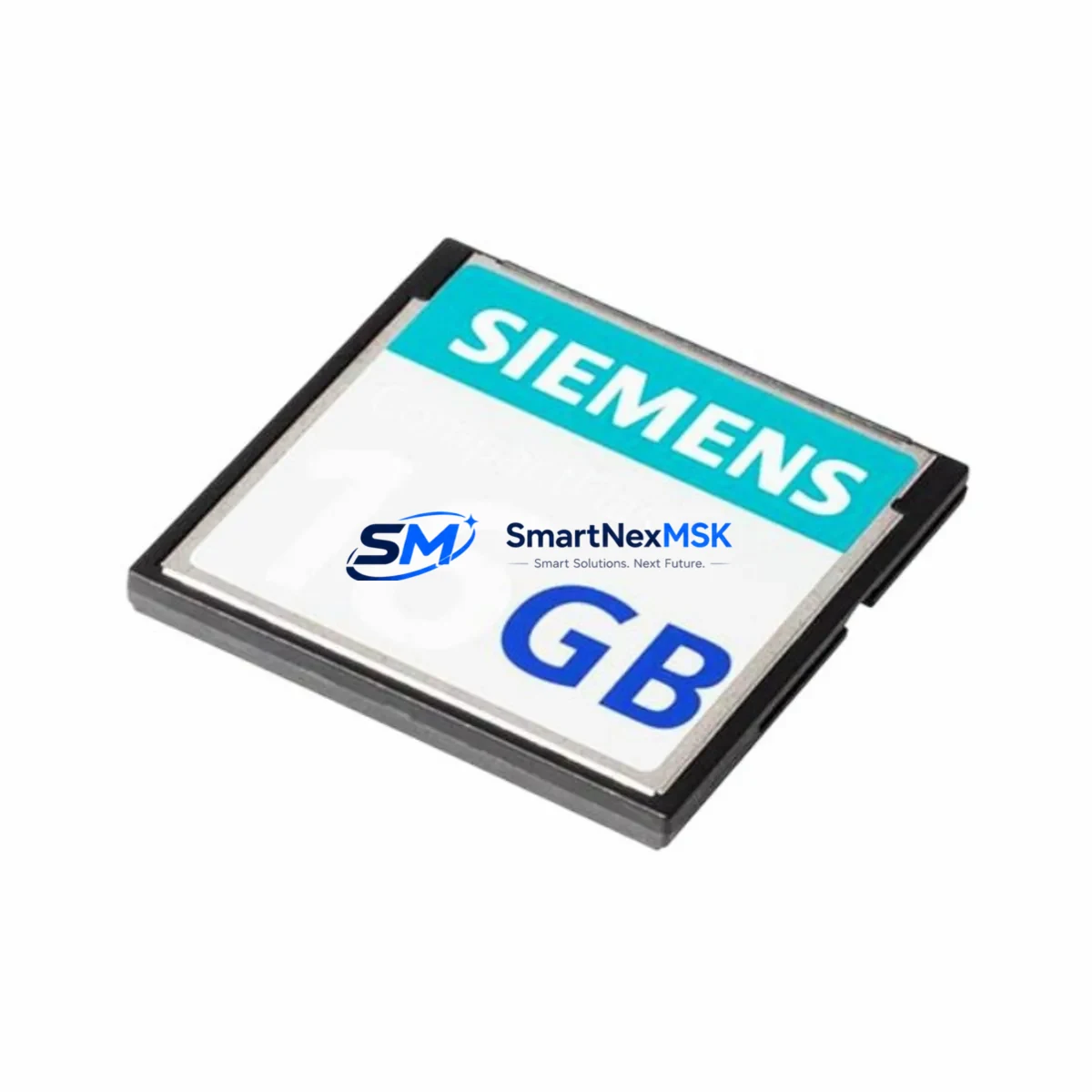
Siemens 6ES7648-2BF02-0XG0 Spare for S7-400 Automation
The Siemens 6ES7648-2BF02-0XG0 is a 4GB Compact Flash (CF) memory card engineered for the SIMATIC S7-400 programmable logic controller platform and WinAC-based PC control systems. As a maintenance-ready original spare, this module supports rapid program restoration, firmware storage, and data logging functions critical to continuous industrial process control. For maintenance engineers managing aging S7-400 racks or planning scheduled overhauls, stocking this CF card eliminates one of the most common causes of extended unplanned downtime: corrupted or failed program memory.
Whether you are performing a planned shutdown inspection, responding to a CPU fault alarm, or executing a like-for-like replacement of a failed memory card, the 6ES7648-2BF02-0XG0 provides a verified, factory-original solution that preserves program integrity and system compatibility without requiring re-engineering or firmware adaptation.
Spare Maintenance Table
| Parameter | Specification |
|---|---|
| Part Number / SKU | 6ES7648-2BF02-0XG0 |
| Brand | Siemens |
| Series | SIMATIC S7-400 / WinAC |
| Product Type | Compact Flash Memory Card (4GB) |
| Compatible CPUs | S7-400 CPU 41x, CPU 412, CPU 414, CPU 416, CPU 417; WinAC RTX / Slot PLC |
| Storage Capacity | 4 GB |
| Interface | Compact Flash (CF) Type II slot |
| Operating Voltage | 3.3 V / 5 V (CF standard) |
| Operating Temperature | 0 °C to +60 °C |
| Origin | Germany |
| Application Environment | Industrial automation, process control, discrete manufacturing, power generation |
| Maintenance Role | Program storage, firmware backup, data logging, CPU program restore |
| Installation | Hot-swap capable with CPU in STOP mode; no tools required |
| Warranty | 12 Months — tested before shipment, full functional verification |
Maintenance Planning for Continuous Operation
When a SIMATIC S7-400 system experiences a memory card failure, the impact extends well beyond the CPU itself. A thorough site inspection and replacement workflow should address the entire control cabinet ecosystem to prevent cascading faults and reduce the risk of repeat downtime incidents.
During the replacement of the 6ES7648-2BF02-0XG0, maintenance engineers should simultaneously inspect the S7-400 CPU module (such as the CPU 414-3 or CPU 416-3) for firmware version compatibility with the new card. The PS 407 or PS 405 power supply module should be checked for output voltage stability, as undervoltage conditions are a leading cause of CF card write errors and data corruption. If the rack houses a CP 443-1 or CP 443-5 communications processor, verify that PROFIBUS or Industrial Ethernet configurations are intact after the memory restore cycle.
For systems using distributed I/O, inspect the IM 460 / IM 461 interface modules connecting expansion racks to confirm that rack addressing and backplane communication remain stable post-replacement. Any SM 321 digital input modules or SM 322 digital output modules in the same rack should be visually inspected for indicator fault LEDs that may have been masked by the CPU STOP state during the memory failure event.
If the S7-400 system interfaces with a SIMATIC HMI panel (such as an MP 377 or TP 1500 Comfort), confirm that the HMI project file and tag communication links are re-established after the CPU returns to RUN mode. For process-critical applications, a SIMATIC ET 200M distributed I/O station connected via PROFIBUS DP should be verified for slave address integrity and module configuration consistency.
Procurement engineers building a comprehensive spare parts kit for S7-400 systems should consider stocking the 6ES7648-2BF02-0XG0 alongside a backup S7-400 CPU module, at least one PS 407 10A power supply, a set of front connector plugs for I/O modules, and a spare PROFIBUS DP connector (such as the 6ES7972-0BB52-0XA0) to cover the most common field-replaceable units in a single maintenance event.
Site Replacement Workflow
Step 1 — Pre-replacement verification: Place the S7-400 CPU in STOP mode via the mode selector switch or STEP 7 / TIA Portal online interface. Confirm that the process is in a safe state and that any interlock or safety relay outputs are de-energized or held by a separate safety PLC (such as an S7-300F or ET 200S FS safety station).
Step 2 — Card removal: Open the CPU front panel cover. Gently eject the existing 6ES7648-2BF02-0XG0 (or its predecessor card) from the CF slot. Note the card label for firmware version and program date reference.
Step 3 — New card installation: Insert the replacement 6ES7648-2BF02-0XG0 into the CF slot until it clicks into position. The card is keyed and cannot be inserted incorrectly. Close the front panel cover.
Step 4 — Program restore and CPU restart: Using STEP 7 or TIA Portal, perform a memory reset (MRES) if required, then download the current project to the CPU. Alternatively, if the card was pre-loaded with the correct program image, switch the CPU to RUN mode and verify the STOP/RUN LED transitions correctly.
Step 5 — System validation: Confirm all I/O modules report no fault LEDs. Verify HMI communication, PROFIBUS DP slave status, and any CP module diagnostic buffers. Log the replacement event in the site maintenance record with the new card serial number and installation date.
This workflow supports like-for-like replacement without system re-engineering, preserving the original hardware architecture and minimizing total downtime to under 30 minutes for experienced maintenance teams.
Spare Parts Support FAQ
Q1: Is the 6ES7648-2BF02-0XG0 a direct replacement for older Siemens S7-400 CF cards?
Yes. The 6ES7648-2BF02-0XG0 is compatible with all S7-400 CPUs that accept a Compact Flash Type II memory card, including legacy CPU 412, 414, 416, and 417 variants. No hardware modification is required. Confirm the CPU firmware version supports 4GB cards if replacing a smaller-capacity original card.
Q2: How is the card tested before shipment?
Each unit undergoes functional verification prior to dispatch, including read/write integrity testing and compatibility confirmation against the S7-400 platform specification. A 12-month warranty covers all units against manufacturing defects and functional failure under normal operating conditions.
Q3: What is the recommended inventory strategy for this spare part?
For facilities operating two or more S7-400 systems, maintaining a minimum of one 6ES7648-2BF02-0XG0 per CPU in the spare parts store is recommended. Given the long service life of S7-400 installations (often 15–25 years), sourcing original spare cards while supply remains available is a prudent lifecycle management strategy, particularly as Siemens transitions customers toward the S7-1500 platform.
Q4: Can the card be pre-loaded with a program before installation?
Yes. Using a SIMATIC S7-400 CPU or a compatible CF card reader with STEP 7 software, the program and hardware configuration can be written to the card offline. This enables a “swap and go” replacement approach that further reduces on-site downtime, particularly valuable for remote installations or facilities with limited on-site engineering support.
© 2026 SMARTNEXMSK. All rights reserved.
Original Source: https://smartnexmsk.com
Contact: [email protected] | +86 18259474341



