
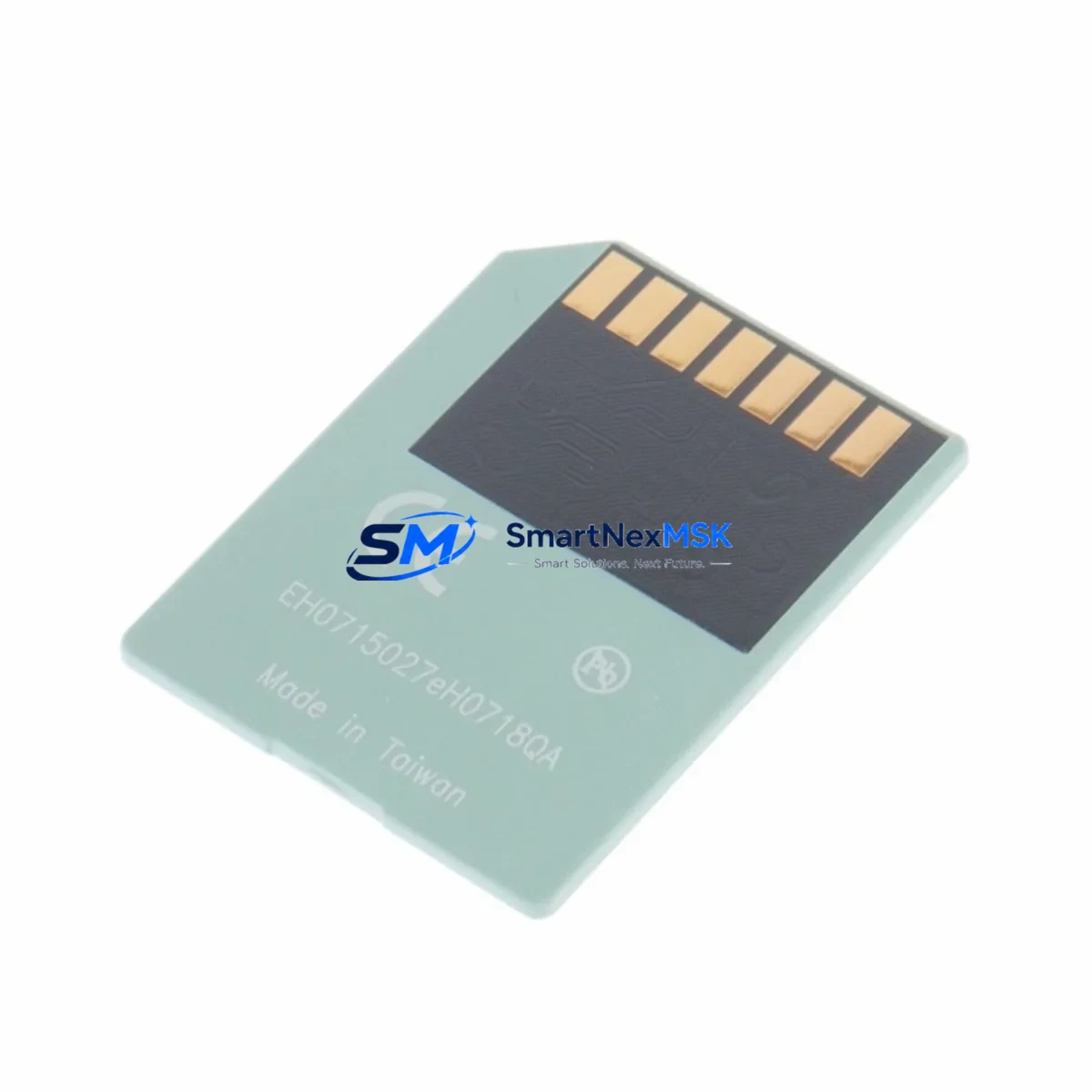
Siemens 6ES7953-8LJ20-0AA0 Retrofit-Ready MMC for S7-300 Control Systems
The Siemens 6ES7953-8LJ20-0AA0 is a 512 KB SIMATIC Micro Memory Card (MMC) engineered for seamless integration into S7-300 series programmable logic controllers. As legacy S7-300 installations approach end-of-life and spare-part availability tightens, this MMC serves as the authoritative retrofit solution for engineers managing aging control cabinets, upgrading discontinued memory modules, and preserving validated program logic without rewriting a single rung of ladder code. Whether you are replacing a failed 6ES7953-8LF11-0AA0, migrating from an earlier 128 KB card, or consolidating a multi-rack S7-300 system onto a standardised memory platform, the 6ES7953-8LJ20-0AA0 delivers the capacity and compatibility your retrofit project demands.
Upgrade Compatibility Table
| Parameter | Details |
|---|---|
| SKU / Order Number | 6ES7953-8LJ20-0AA0 |
| Memory Capacity | 512 KB |
| Compatible Controllers | SIMATIC S7-300 CPUs (CPU 312, 313C, 314, 315-2 DP, 317-2 PN/DP, 319-3 PN/DP, etc.) |
| Replaces / Upgrades From | 6ES7953-8LF11-0AA0 (128 KB), 6ES7953-8LG11-0AA0 (256 KB), 6ES7953-8LJ11-0AA0 (512 KB v1) |
| Interface / Slot | MMC slot on S7-300 CPU front panel (standard MMC form factor) |
| Communication Compatibility | PROFIBUS-DP, MPI, Industrial Ethernet (PN) — protocol-transparent storage |
| Installation Requirement | Power-off CPU before insertion; no tools required |
| Programming Software | STEP 7 v5.x (Classic), TIA Portal (via legacy project import) |
| Retrofit Recommendation | Direct drop-in; re-download program from PG/PC after insertion |
| Commissioning Note | Verify CPU firmware version ≥ stated MMC minimum; clear card before first use |
| Warranty | 12 Months — covers manufacturing defects and read/write failures |
Retrofit Planning for Existing Automation Systems
A successful S7-300 retrofit begins well before the maintenance window opens. Start by auditing the existing control cabinet: document the CPU model (e.g., CPU 315-2 DP or CPU 317-2 PN/DP), the installed power supply module (PS 307 5A or PS 307 10A), and the current backplane rack configuration — whether a single UR1 rack or a multi-tier UR2 expansion rack connected via IM 360/IM 361 interface modules. Confirm that the total current draw across all installed signal modules — SM 321 digital input modules, SM 322 digital output modules, SM 331 analog input modules, and SM 332 analog output modules — remains within the power supply’s rated output after the memory card swap.
Before removing the existing MMC, use a STEP 7 programming cable (PC Adapter USB A2 or CP 5611 PROFIBUS card) to upload and archive the complete project, including all OB, FB, FC, DB blocks and the hardware configuration (HW Config). Store the archived project on at least two independent media. This step is non-negotiable: the 6ES7953-8LJ20-0AA0 ships blank, and any program resident on the old card must be re-downloaded after installation.
For systems communicating over PROFIBUS-DP, verify that the DP master address and all slave addresses stored in the CPU’s hardware configuration are correctly reproduced in the new download. If the plant includes a CP 343-1 Lean or CP 343-1 Advanced Ethernet communication processor, confirm that the IP address parameters and connection table are preserved in the downloaded project. Systems using an S7-300 IM 153-2 distributed I/O interface module on a remote ET 200M station should also validate that the DP slave configuration matches the physical wiring before restarting the CPU.
HMI panels connected via MPI or PROFIBUS — such as a Siemens TP 177B, OP 177B, or a WinCC flexible runtime station — should be placed in manual mode or disconnected from the PLC network during the memory card replacement to prevent spurious alarm triggers or unintended output activations. After the new MMC is installed and the program downloaded, perform a CPU STOP → RESET → RUN cycle and monitor the diagnostic buffer for any configuration mismatches before reconnecting the HMI.
Downtime Control During System Migration
Minimising production downtime during an S7-300 memory card migration requires a structured, time-boxed procedure. The physical swap of the 6ES7953-8LJ20-0AA0 takes under two minutes; the dominant time cost is program verification and I/O checkout. To compress the maintenance window, prepare the replacement MMC in advance by pre-loading the archived program onto the card using a spare CPU or a SIMATIC Field PG — this eliminates the on-site download step entirely and reduces live intervention to a hot-swap of a pre-validated module.
Maintain the original program logic intact by never modifying the project archive between the upload and the re-download. If the retrofit is part of a broader upgrade — for example, migrating from a CPU 315-2 DP to a CPU 317-2 PN/DP to gain PROFINET connectivity — use the STEP 7 “Copy” function to duplicate the hardware configuration before making CPU substitutions, preserving all address assignments and retentive data area definitions. After restart, verify all retentive data blocks (DBs with “Retain” attribute) have been correctly initialised and that the process image matches the physical I/O state before releasing the line to production.
For critical continuous-process applications, coordinate the memory card replacement with a scheduled PLC scan-cycle pause rather than a full power-down where the control architecture permits. Document the exact time of STOP and RUN transitions in the plant maintenance log, and retain the diagnostic buffer export as evidence of a clean restart. All units supplied by SMARTNEXMSK undergo pre-shipment functional testing — each 6ES7953-8LJ20-0AA0 is verified for correct read/write operation and ships with a 12-month warranty covering manufacturing defects and memory integrity failures.
Retrofit Support FAQ
Q1: Is the 6ES7953-8LJ20-0AA0 a direct replacement for the 6ES7953-8LJ11-0AA0?
Yes. Both cards share the same 512 KB capacity and MMC form factor. The -0AA0 suffix denotes the current production revision. No hardware or software modification is required; simply insert the new card and re-download the existing STEP 7 project.
Q2: Do I need to rewire any terminals when replacing the memory card?
No terminal rewiring is required. The MMC slot is located on the CPU front panel and is entirely independent of the signal module terminal blocks. Wiring on SM 321, SM 322, SM 331, and SM 332 modules remains undisturbed throughout the procedure.
Q3: How do I verify compatibility with my specific CPU firmware version?
Check the CPU’s order number and firmware version in STEP 7 HW Config or on the CPU front panel label. The 6ES7953-8LJ20-0AA0 is compatible with all S7-300 CPUs that support the standard MMC interface. If your CPU predates MMC support (early CPU 312 IFM or CPU 313 models), contact our technical team before ordering.
Q4: What does the 12-month warranty cover, and how is it claimed?
The 12-month warranty covers all manufacturing defects, read/write failures, and memory integrity issues under normal operating conditions. To claim warranty service, contact [email protected] with your order number and a description of the fault. We will arrange a replacement or repair at no additional cost within the warranty period.
© 2026 SMARTNEXMSK. All rights reserved.
Original Source: https://smartnexmsk.com
Contact: [email protected] | +86 18259474341



