
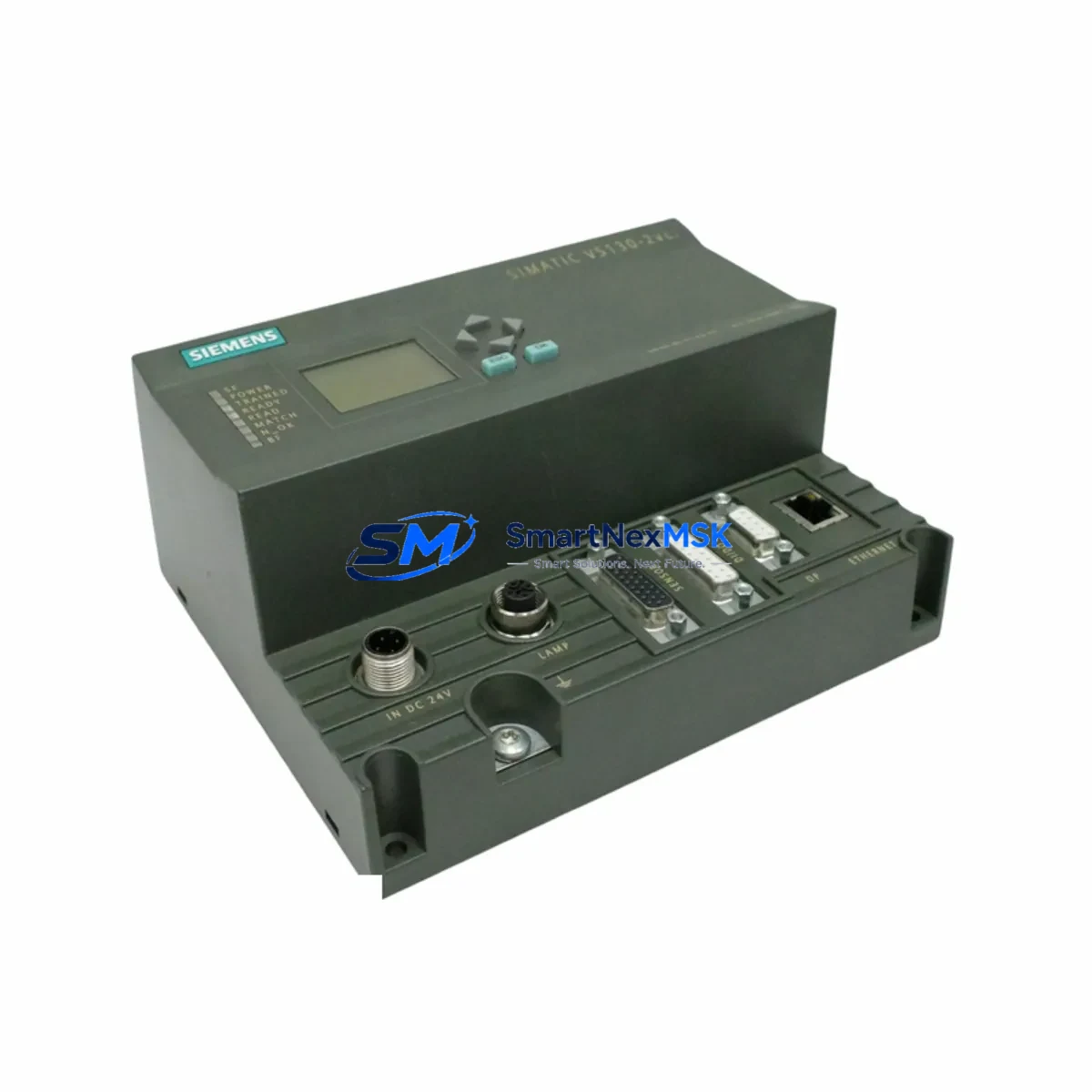
Siemens 6GF1018-3BA01 Retrofit-Ready Vericode Evaluation Unit for SIMATIC Ident Control Systems
The Siemens 6GF1018-3BA01 is a Vericode Evaluation Unit designed for integration within the SIMATIC Ident identification system platform. As legacy automation lines face increasing pressure to modernize, this module serves as a critical retrofit component for facilities operating older SIMATIC S5 or early SIMATIC S7 control architectures that rely on optical code reading and product traceability. Whether you are replacing a failed unit, upgrading a discontinued identification subsystem, or migrating an entire control cabinet to a current-generation platform, the 6GF1018-3BA01 provides a technically verified, inventory-ready solution with a 12-month warranty and pre-shipment functional testing.
Sourced directly from authorized distribution channels and subject to outgoing quality inspection, each unit is verified against Siemens factory specifications before dispatch. Stock availability is maintained to support urgent replacement scenarios, minimizing unplanned downtime on active production lines.
Upgrade Compatibility Table
| Parameter | Details |
|---|---|
| SKU / Order Number | 6GF1018-3BA01 |
| Product Series | SIMATIC Ident |
| Function | Vericode Evaluation Unit (optical code reader controller) |
| Compatible Control Platforms | SIMATIC S5, SIMATIC S7-300, S7-400 (via CP interface) |
| Communication Interface | Serial / RS-232; compatible with SIMATIC CP 340, CP 341 communication processors |
| Backplane / Rack Mounting | DIN rail or panel mount; verify cabinet depth and terminal block clearance before installation |
| Power Supply Requirement | 24 V DC; confirm PSU capacity (PS 307 or equivalent) supports additional load |
| Replacement Recommendation | Direct replacement for discontinued 6GF1018-3BA00 and compatible with SIMATIC Ident RF/MV reader families |
| Commissioning Notes | Re-address module in STEP 7 or TIA Portal; verify DB block assignments and OB interrupt routines |
| Warranty | 12 months from date of shipment |
Retrofit Planning for Existing Automation Systems
Integrating the 6GF1018-3BA01 into an existing control system requires a structured approach that accounts for both hardware compatibility and software continuity. Begin by auditing the current control cabinet layout: confirm that the SIMATIC S7-300 or S7-400 rack has an available slot and that the PS 307 5A or PS 307 10A power supply module can accommodate the additional 24 V DC load introduced by the evaluation unit. If the cabinet is already at capacity, a supplementary 24 V DC power rail may be required before installation proceeds.
On the communication side, the 6GF1018-3BA01 interfaces with the host PLC via a serial link, typically routed through a CP 340 or CP 341 communication processor module already installed in the S7 rack. Verify that the existing CP module firmware supports the Vericode protocol variant in use on your line. In cases where the original CP module is also end-of-life, a parallel replacement using a current CP 341 with updated firmware may be necessary to maintain protocol fidelity.
Terminal wiring should be mapped against the original installation drawings. The 6GF1018-3BA01 uses a standard screw-terminal connection block; confirm pin assignments for the reader head cable, trigger input, and ready output signals before energizing the unit. Where original wiring documentation is unavailable, a continuity check against the reader head — typically a SIMATIC MV320, MV340, or compatible Vericode camera — will confirm signal integrity prior to commissioning.
For facilities running SIMATIC HMI panels such as the TP177 or MP277, verify that the HMI project references the correct DB tags associated with the identification module. If the original DB structure has changed due to a CPU upgrade — for example, migrating from a CPU 315-2 DP to a CPU 317-2 PN/DP — the HMI screen links will require re-mapping in WinCC flexible or TIA Portal WinCC before the operator interface reflects live identification data correctly.
Where the retrofit involves a broader migration from PROFIBUS DP to PROFINET, the identification subsystem topology must be re-evaluated. The 6GF1018-3BA01 itself communicates via serial link to the CP module, so the PROFIBUS-to-PROFINET transition at the network layer does not directly affect the evaluation unit’s operation — however, the CP module selection and GSD/GSDML file configuration must be updated accordingly in the hardware configuration tool.
Finally, if the retrofit is part of a larger I/O expansion — for example, adding SM 321 digital input modules or SM 322 digital output modules to handle additional line signals — confirm that the updated rack configuration does not exceed the maximum addressable I/O range of the installed CPU. Document all module addresses, slot assignments, and DB block numbers before going live to support future maintenance and spare-parts planning.
Downtime Control During System Migration
Minimizing production downtime during a SIMATIC Ident retrofit requires advance preparation at both the hardware and software levels. Before removing the existing evaluation unit, export a full backup of the STEP 7 or TIA Portal project, including all symbol tables, data blocks, and hardware configuration files. Store this backup on an offline medium independent of the engineering workstation to protect against data loss during the changeover window.
Where line scheduling permits, stage the replacement during a planned maintenance window rather than responding reactively to a unit failure. Pre-configure the 6GF1018-3BA01 on a bench setup using a laptop with STEP 7 or TIA Portal and a PC adapter cable (e.g., PC Adapter USB A2) to verify communication with the reader head before the unit is installed in the live cabinet. This bench validation step can reduce in-cabinet commissioning time significantly.
During the physical swap, label all terminal connections before disconnection and photograph the existing wiring layout. Restore connections systematically, verify 24 V DC supply voltage at the module terminals, and perform a controlled power-up sequence with the CPU in STOP mode before switching to RUN. Monitor the diagnostic buffer in STEP 7 or TIA Portal for any hardware fault OBs triggered during the first scan cycle, and confirm that the identification module’s ready signal is active before releasing the line to production.
For sites with redundant control paths, consider keeping the legacy identification subsystem in a warm-standby configuration during the initial commissioning period to allow rapid fallback if unexpected compatibility issues arise. Once the 6GF1018-3BA01 has completed a full production cycle without fault, the legacy unit can be decommissioned and retained as a documented spare.
Retrofit Support FAQ
Q: Is the 6GF1018-3BA01 a direct drop-in replacement for the 6GF1018-3BA00?
A: The 6GF1018-3BA01 is the successor revision to the 6GF1018-3BA00 within the SIMATIC Ident Vericode Evaluation Unit family. In most installations the physical form factor, terminal layout, and communication protocol are compatible, but we recommend verifying the firmware version of the connected reader head and CP module against the Siemens compatibility matrix before installation.
Q: What commissioning steps are required after installing the replacement unit?
A: After physical installation and wiring verification, re-download the hardware configuration to the CPU using STEP 7 or TIA Portal. Confirm the module address assignment matches the original configuration, check that the CP 340 or CP 341 communication parameters (baud rate, data bits, parity) are correctly set, and perform a functional test by triggering a read cycle from the HMI or a test input signal.
Q: Can this unit be used with PROFINET-based S7-1500 systems?
A: The 6GF1018-3BA01 communicates via serial interface to a CP module and is not a native PROFINET device. Integration with S7-1500 systems is possible via a CP 341 or equivalent serial communication module installed in an ET 200M distributed I/O station connected over PROFINET, but this configuration requires additional engineering effort and should be validated in a test environment before deployment.
Q: What does the 12-month warranty cover, and how is it supported?
A: Each 6GF1018-3BA01 unit shipped by SMARTNEXMSK carries a 12-month warranty from the date of shipment, covering manufacturing defects and functional failures under normal operating conditions. Pre-shipment testing is performed on every unit. In the event of a warranty claim, contact our technical support team with the order reference and fault description; replacement or repair will be coordinated within the agreed service timeline.
—
© 2026 SMARTNEXMSK. All rights reserved.
Original Source: https://smartnexmsk.com
Contact: [email protected] | +86 18259474341



