
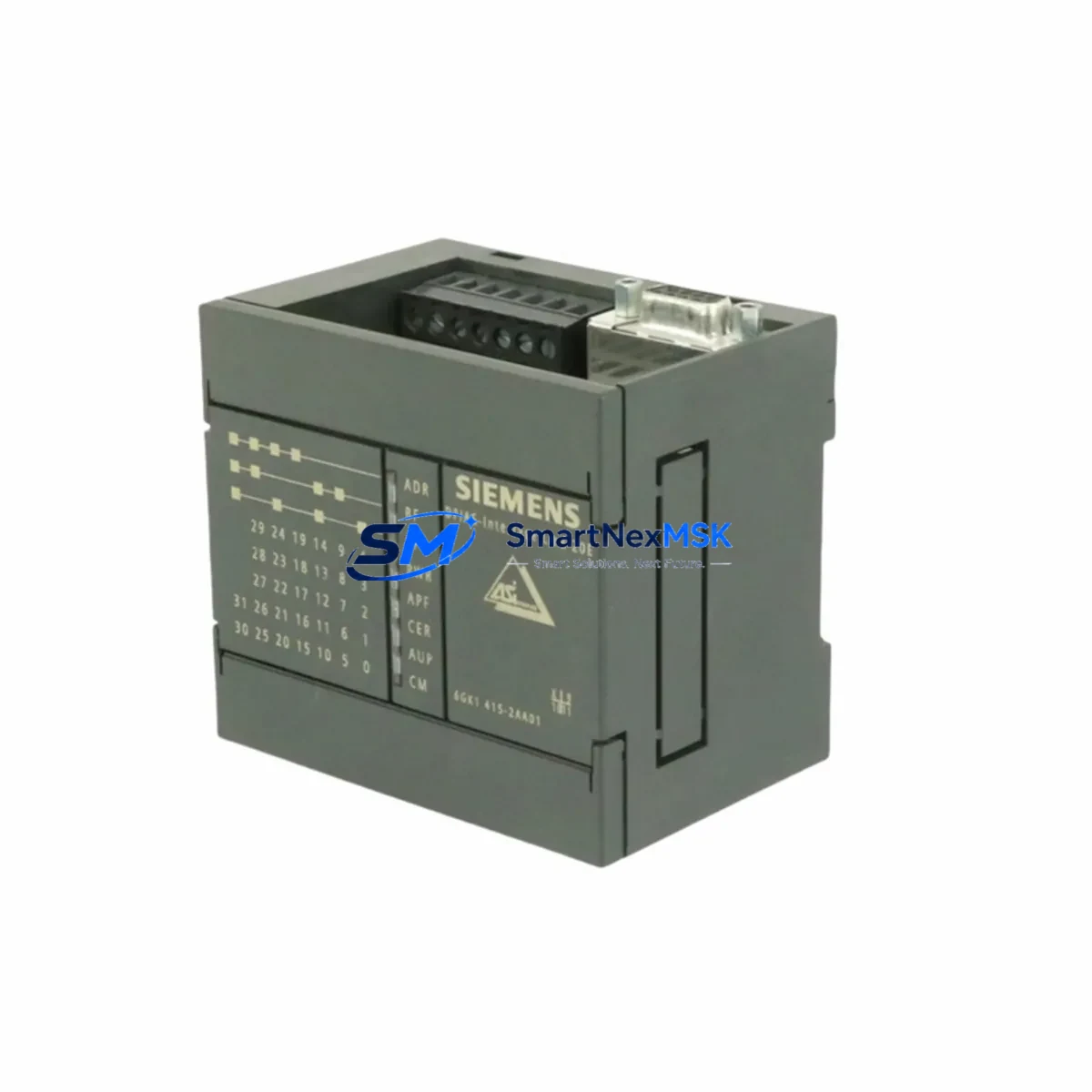
Siemens 6GK1415-2AA01 Maintenance-Ready Spare for CP 1415 Automation
The Siemens 6GK1415-2AA01 is a CP 1415 PROFIBUS DP communication processor designed for integration into Siemens S5 programmable controller systems. As a critical network interface component, this module enables reliable PROFIBUS DP master/slave communication between the central controller and distributed field devices — including remote I/O stations, drives, and intelligent field instruments. For maintenance engineers managing aging S5-based control architectures, maintaining a verified spare of the 6GK1415-2AA01 is a fundamental risk-mitigation strategy against unplanned production downtime.
In industrial facilities where legacy Siemens S5 systems remain in active service — particularly in process industries, discrete manufacturing, and utilities — the CP 1415 communication module is a single point of failure in the PROFIBUS network backbone. A failed or degraded 6GK1415-2AA01 can isolate entire segments of the field device network, halting production until a replacement is sourced and installed. Stocking a tested, original spare eliminates this sourcing delay and enables same-shift restoration of full system communication.
This unit is supplied as an original Siemens spare part, sourced from verified industrial channels, function-tested prior to shipment, and backed by a 12-month warranty. Each unit undergoes pre-dispatch inspection covering communication interface integrity, bus termination, and module identification to ensure drop-in compatibility with existing CP 1415 installations.
Spare Maintenance Table
| Parameter | Specification |
|---|---|
| Part Number / SKU | 6GK1415-2AA01 |
| Product Family | CP 1415 — PROFIBUS DP Communication Processor |
| Compatible Controller | Siemens S5 Series (S5-115U, S5-135U, S5-155U) |
| Communication Protocol | PROFIBUS DP (EN 50170 / IEC 61158) |
| Bus Role | DP Master / DP Slave (configurable) |
| Transmission Rate | 9.6 kbps – 12 Mbps |
| Interface | 9-pin Sub-D (RS-485) |
| Supply Voltage | 5 VDC (via S5 backplane bus) |
| Operating Temperature | 0 °C to +60 °C |
| Mounting | S5 rack slot (central controller or expansion rack) |
| Country of Origin | Germany |
| Condition | Original spare — function-tested before shipment |
| Warranty | 12 months from date of delivery |
| Certifications | CE, UL (per Siemens S5 system approvals) |
| Maintenance Recommendation | Inspect bus connector, termination resistors, and backplane contacts at each planned maintenance interval |
Maintenance Planning for Continuous Operation
When scheduling a replacement of the 6GK1415-2AA01 CP 1415 module, experienced maintenance engineers treat the intervention as an opportunity for a broader control cabinet inspection. The PROFIBUS DP segment served by this module typically interconnects multiple field devices and sub-systems, and a module swap is the ideal moment to verify the health of all associated components.
Begin by inspecting the PROFIBUS DP bus connectors (Siemens 6ES7972-0BA52-0XA0 or equivalent) at each node — degraded connector contacts and worn bus termination resistors are a leading cause of intermittent communication faults that are often misdiagnosed as module failure. Check the S5 backplane bus for oxidation or mechanical damage at the CP 1415 slot contacts. If the system uses a PROFIBUS repeater (such as the Siemens 6ES7972-0AA02-0XA0) to extend the network segment, verify its signal levels and power supply integrity at the same time.
On the power supply side, confirm that the S5 power supply module (e.g., Siemens 6ES5955-3LC41 or 6ES5955-3LF41) is delivering stable 5 VDC and 24 VDC rails within specification. Voltage sag on the backplane bus is a known cause of CP module resets and communication timeouts. If the cabinet includes a 24 VDC load power supply for field devices, inspect it for output ripple and thermal performance.
For systems with distributed I/O connected via PROFIBUS DP — such as Siemens ET 200M or ET 200B remote I/O stations — verify that each station’s DP address is correctly set and that the station’s own power supply and I/O modules (digital input/output cards, analog signal modules) are functioning within tolerance. A CP 1415 replacement is also a good trigger to audit signal isolators on analog loops connected to the DP network, as degraded isolation can introduce ground loops that corrupt process values.
If the S5 system communicates upstream to a SCADA or DCS via an MPI or Industrial Ethernet gateway, verify gateway configuration and communication health after the CP 1415 swap. Finally, check any programming interface adapters (e.g., PC Adapter USB or MPI/DP adapter) used for online diagnostics to ensure they remain functional for post-replacement commissioning and loop testing.
Site Replacement Workflow
Step 1 — Pre-replacement preparation: Download and archive the current STEP 5 project from the S5 CPU before beginning any hardware work. Confirm the replacement 6GK1415-2AA01 carries the same hardware revision index as the installed unit, or verify backward compatibility in the Siemens S5 hardware catalog. Prepare the PROFIBUS DP configuration file (GSD/GSE) for re-download if required after module swap.
Step 2 — Safe isolation: Follow site LOTO (Lockout/Tagout) procedures. Power down the S5 rack or switch the CPU to STOP mode before removing the CP 1415 module. Disconnect the PROFIBUS DP bus connector from the module — do not remove the connector from the cable to preserve network termination integrity on the remaining segment.
Step 3 — Module replacement: Remove the faulty 6GK1415-2AA01 from the rack slot. Inspect the slot contacts and backplane connector for contamination or damage. Insert the replacement module firmly into the same slot. Reconnect the PROFIBUS DP bus connector.
Step 4 — Recommissioning: Power up the rack and switch the CPU to RUN mode. Monitor the CP 1415 diagnostic LEDs for normal operating status (BF LED off, SF LED off). Use STEP 5 or a PROFIBUS diagnostic tool to verify that all DP slaves are communicating correctly and that no station is reporting a bus fault. Perform a full I/O loop check on critical process signals before returning the system to production.
Step 5 — Documentation: Record the replacement in the site maintenance log, including the date, replaced module serial number, new module serial number, and post-replacement test results. Update the spare parts inventory to trigger reorder of a replacement spare.
Spare Parts Support FAQ
Q1: Is the 6GK1415-2AA01 still available as a new original spare?
Yes. Although the Siemens S5 product line has reached end-of-life for new production, original spare units of the 6GK1415-2AA01 remain available through specialist industrial spare parts suppliers. Each unit we supply is an original Siemens component — not a counterfeit or remanufactured substitute — and is function-tested before shipment. We maintain long-term stock to support customers with extended S5 system lifecycles.
Q2: How do I verify compatibility with my installed S5 system before ordering?
The 6GK1415-2AA01 is designed for use in Siemens S5-115U, S5-135U, and S5-155U central controller racks. Confirm your CPU type and rack configuration against the Siemens S5 hardware catalog. If your system uses a specific hardware revision of the CP 1415, share the revision index (printed on the module label) with our technical team before ordering — we will confirm stock availability for the matching revision.
Q3: What testing is performed before shipment?
Each 6GK1415-2AA01 unit undergoes a pre-dispatch functional test covering: module power-up and self-diagnostic pass, PROFIBUS DP interface continuity, bus connector pin integrity, and module identification verification. A test report is available on request. Units that do not pass all test criteria are not shipped.
Q4: What does the 12-month warranty cover?
The 12-month warranty covers manufacturing defects and functional failures under normal operating conditions from the date of delivery. It does not cover damage resulting from incorrect installation, overvoltage events, or use outside the specified environmental parameters. In the event of a warranty claim, we will arrange replacement or repair at no additional cost. Contact our technical support team at [email protected] to initiate a warranty claim.
© 2026 SMARTNEXMSK. All rights reserved.
Original Source: https://smartnexmsk.com
Contact: [email protected] | +86 18259474341



