
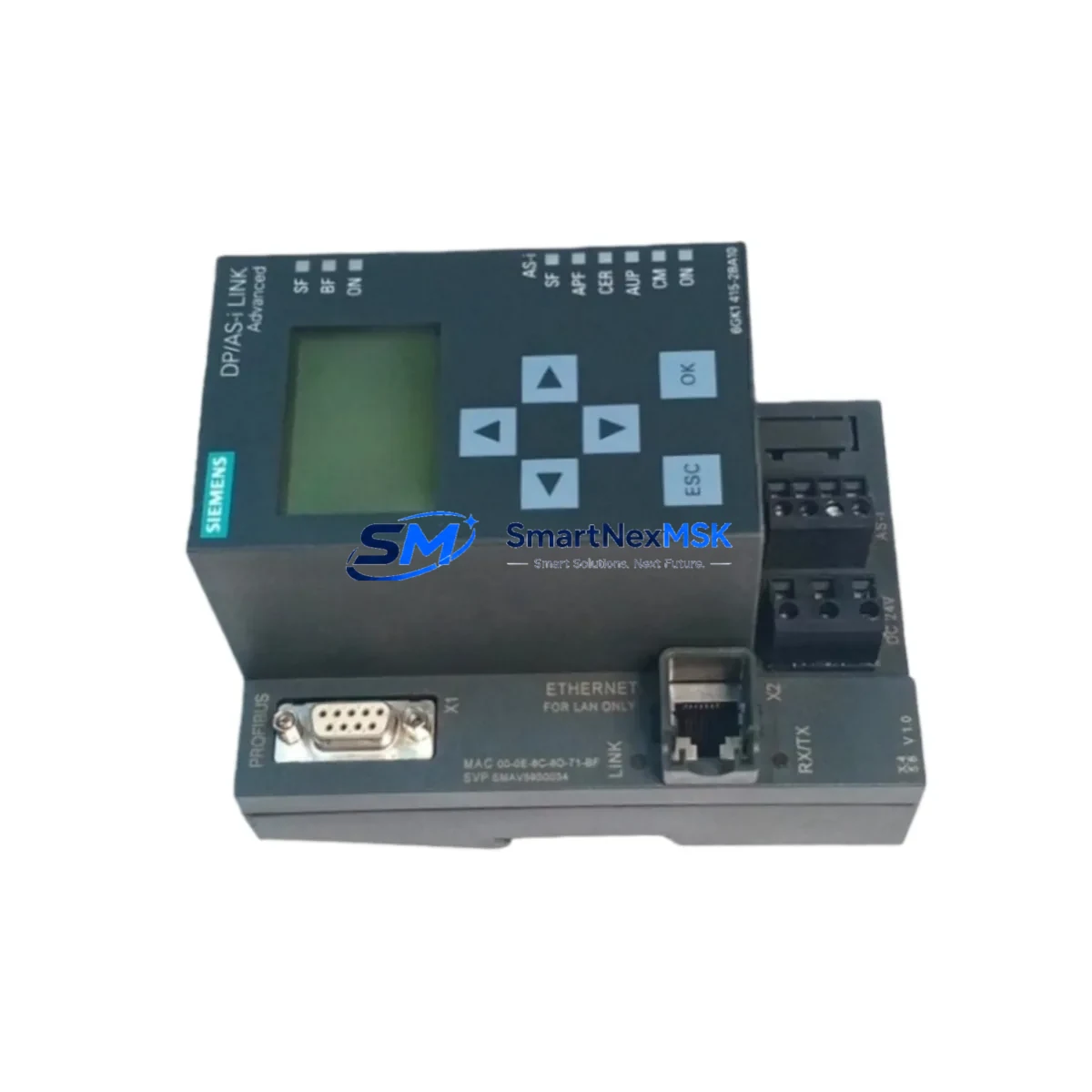
Siemens 6GK1415-2BA10 Retrofit-Ready Gateway for PROFIBUS Control Systems
The Siemens 6GK1415-2BA10 DP/AS-i Link Advanced is a high-performance PROFIBUS DP to AS-Interface gateway engineered for seamless integration into existing SIMATIC automation architectures. As industrial facilities face mounting pressure to extend the service life of legacy control systems while migrating toward modern communication standards, the 6GK1415-2BA10 serves as a critical bridge component — enabling engineers to retain proven field-level AS-Interface wiring and sensor networks while connecting them to PROFIBUS DP master controllers without wholesale system replacement.
Whether you are replacing a failed 6GK1415-2AA10 unit, upgrading from an earlier DP/AS-i Link 20E, or integrating AS-Interface slaves into a SIMATIC S7-300 or S7-400 control platform, the 6GK1415-2BA10 delivers the compatibility, throughput, and diagnostic transparency that retrofit projects demand. It supports up to 62 AS-Interface slaves per segment, handles both standard and A/B slave addressing, and provides full PROFIBUS DP V1 acyclic services for advanced diagnostics — capabilities that older gateway generations lacked and that modern maintenance teams rely on for predictive fault isolation.
Upgrade Compatibility Table
| Parameter | Details |
|---|---|
| SKU / Order Number | 6GK1415-2BA10 |
| Product Family | SIMATIC NET DP/AS-i Link Advanced |
| Communication Interface (DP Side) | PROFIBUS DP (RS-485), 9.6 kbps – 12 Mbps |
| Communication Interface (AS-i Side) | AS-Interface V3.0, 2-wire bus |
| Max AS-i Slaves Supported | 62 slaves (A/B addressing) |
| Installation | DIN rail mount, 35 mm; fits standard control cabinet |
| Power Supply | 24 V DC via AS-Interface bus power or separate terminal |
| Replaces / Compatible With | 6GK1415-2AA10, 6GK1415-2BA00, DP/AS-i Link 20E |
| Compatible Controllers | SIMATIC S7-300, S7-400, S7-1500 (via CM/CP modules), WinCC SCADA |
| PROFIBUS DP Version | DP V0 / DP V1 (acyclic services supported) |
| Commissioning Tool | STEP 7 V5.x / TIA Portal V13+; SIMATIC NET CD configuration |
| Retrofit Recommendation | Direct drop-in for 6GK1415-2AA10; verify GSD file version before download |
| Warranty | 12 Months — covers hardware defects, DOA replacement, and functional verification |
Retrofit Planning for Existing Automation Systems
Successful integration of the 6GK1415-2BA10 into a running production environment begins well before the module arrives on site. Engineers should start by auditing the existing PROFIBUS segment: confirm the DP master address allocation on the CPU — whether a SIMATIC S7-300 CPU 315-2 DP, a CP 342-5 communications processor, or a dedicated IM 153-2 interface module in a distributed ET 200M rack — and verify that a free DP address slot is available for the new gateway. The GSD file (SIEM80B3.GSD or the updated variant for the 2BA10 revision) must be imported into STEP 7 or TIA Portal before hardware configuration can proceed.
On the AS-Interface side, document every slave address currently in use. If the legacy system used a 6GK1415-2AA10 or an older DP/AS-i Link 20E, the slave address table is typically stored in the gateway’s internal memory and can be read out via the front-panel display or the SIMATIC NET configuration tool. Migrating this address table to the 6GK1415-2BA10 eliminates the need to re-address field devices — a significant time saver when dozens of AS-Interface sensors, actuators, and valve terminals are wired across the plant floor.
Power budget verification is equally critical. The 6GK1415-2BA10 draws its operating power from the AS-Interface bus; confirm that the AS-i power supply — commonly a SIEMENS 3RX9501 or equivalent 8 A / 30 V DC AS-i power supply — can sustain the combined current demand of all connected slaves plus the gateway itself. If the existing power supply is marginal, plan for a replacement or a parallel redundant supply before cutover.
Terminal wiring on the PROFIBUS side uses standard 9-pin Sub-D connectors. When replacing an older unit, retain the existing bus connector and cable if the termination resistors are correctly set — this avoids disturbing the segment impedance and risking communication errors on adjacent nodes. On the AS-i side, the flat two-wire yellow cable connects directly to the screw terminals on the gateway face; polarity is non-critical for AS-Interface, but insulation displacement connectors should be inspected for corrosion if the original installation is more than five years old.
For systems where the SIMATIC S7 program references I/O addresses mapped through the gateway, verify the process image assignment in the hardware configuration. The 6GK1415-2BA10 occupies a configurable number of bytes in the DP master’s process image; if the byte count differs from the predecessor module, the PLC program’s symbolic address table and any associated WinCC or SIMATIC HMI TP/MP panel screen tags referencing those I/O bits must be updated accordingly. A full offline simulation in STEP 7 or TIA Portal before live download is strongly recommended.
Related components commonly required during the same retrofit window include the SIMATIC S7-300 SM 321 digital input module (for parallel hardwired interlock circuits), the SM 322 digital output module, CP 343-1 Ethernet communications processor for remote diagnostics, SIMATIC NET PROFIBUS bus connector 6ES7972-0BA52-0XA0, and the MPI/PROFIBUS programming cable 6ES7972-0CB20-0XA0 for laptop-based commissioning. If the control cabinet also houses a SIMATIC HMI KTP700 Basic or TP1200 Comfort panel, confirm that the panel’s PROFIBUS DP address does not conflict with the new gateway address before energizing the segment.
Downtime Control During System Migration
Minimizing unplanned downtime during a gateway swap requires a structured cutover plan. Begin by scheduling the replacement during a planned maintenance window — ideally a shift changeover or a scheduled line stop — and communicate the expected outage duration to operations. A typical 6GK1415-2BA10 swap, when all preparatory steps have been completed offline, takes 20 to 40 minutes of actual control-system downtime.
Before powering down the existing gateway, perform a full CPU memory backup using STEP 7 or TIA Portal: save the current project, upload the actual hardware configuration from the CPU, and archive the project to a network share or USB drive. This ensures that if the new module requires a configuration correction, the original program logic can be restored without delay. If the system uses a SIMATIC S7 memory card (MMC or SD type), verify that the card contains the latest compiled project before the swap begins.
During the physical swap, label every cable before disconnection. The PROFIBUS bus connector, the AS-Interface flat cable, the 24 V DC supply terminal, and any diagnostic or status wiring should each carry a temporary label. Reconnect in reverse order: AS-i cable first, then power, then PROFIBUS. Power up the gateway and observe the front-panel LEDs — the SF (system fault) LED should extinguish within 30 seconds as the gateway initializes and the DP master re-establishes communication. If the SF LED remains lit, use the front-panel menu or SIMATIC NET Diagnostics to read the fault code before proceeding.
Once the gateway is online, perform a structured I/O check: cycle each AS-Interface output from the PLC program in manual mode and verify the corresponding field device response. For input slaves, physically actuate each sensor and confirm the correct bit state in the STEP 7 variable table or TIA Portal watch table. Document the results before returning the line to automatic mode. This structured verification step is the single most effective measure for preventing latent wiring errors from causing production faults after restart.
Retrofit Support FAQ
Q1: Is the 6GK1415-2BA10 a direct replacement for the 6GK1415-2AA10?
Yes, the 6GK1415-2BA10 is the designated successor to the 6GK1415-2AA10. Physical dimensions, DIN rail mounting, and AS-Interface terminal layout are identical. The primary differences are an updated GSD file (required for STEP 7 / TIA Portal hardware configuration) and extended A/B slave addressing support. No mechanical modifications to the control cabinet are required.
Q2: What commissioning steps are needed after installation?
After physical installation, import the correct GSD file into your STEP 7 or TIA Portal project, assign the PROFIBUS DP address (must match the address set on the module’s rotary switch), download the updated hardware configuration to the CPU, and perform an AS-Interface slave scan to verify all field devices are detected. If slave addresses were pre-programmed in the replacement unit, confirm they match the original address table before going live.
Q3: Can the 6GK1415-2BA10 be used with a SIMATIC S7-1500 controller?
Yes, via a CM 1542-5 PROFIBUS communications module or a CP 1542-5 installed in the S7-1500 rack. The gateway appears as a standard DP slave in TIA Portal V13 or later. Ensure the GSD file is imported into the TIA Portal hardware catalog and that the DP master system is configured with the correct baud rate and bus parameters.
Q4: What does the 12-month warranty cover?
The 12-month warranty covers hardware manufacturing defects, dead-on-arrival (DOA) units, and functional failures under normal operating conditions. Each unit undergoes pre-shipment functional testing including PROFIBUS DP communication verification and AS-Interface slave detection. In the event of a warranty claim, a replacement unit is dispatched upon confirmation of the fault, minimizing your system downtime.
© 2026 SMARTNEXMSK. All rights reserved.
Original Source: https://smartnexmsk.com
Contact: [email protected] | +86 18259474341



