
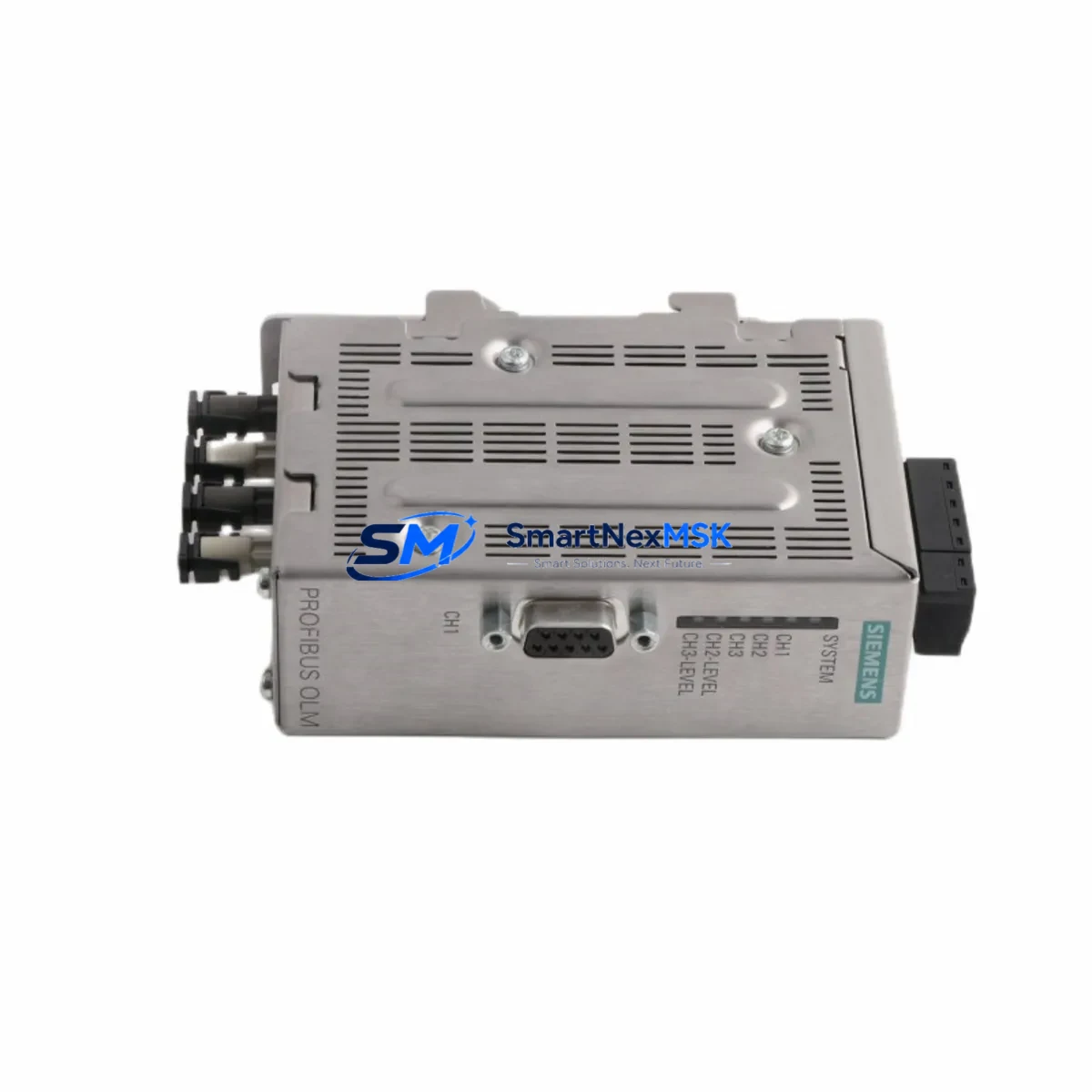
Siemens 6GK1503-3CB00 Retrofit-Ready OLM for PROFIBUS Systems: Seamless Compatibility and Legacy System Upgrade
The Siemens 6GK1503-3CB00 is a PROFIBUS Optical Link Module (OLM/G12 V4.0) engineered for industrial environments where reliable optical data transmission is critical. As legacy PROFIBUS DP networks age and original OLM units reach end-of-life, the 6GK1503-3CB00 serves as a direct retrofit-ready replacement, enabling plant engineers and system integrators to restore or upgrade optical bus segments without redesigning the control architecture. This module supports both RS-485 electrical interfaces and glass fiber optic ports, making it a versatile bridge between older copper-based PROFIBUS segments and modern fiber-optic ring or line topologies.
Whether you are replacing a failed unit in a running production line, upgrading a control cabinet as part of a broader DCS migration, or extending an existing PROFIBUS network to accommodate new I/O drops, the 6GK1503-3CB00 delivers the signal integrity and bus timing performance required by Siemens SIMATIC S7-300, S7-400, and compatible third-party PROFIBUS masters. Its compact DIN-rail form factor and standard 24 VDC power supply input simplify installation in existing control enclosures without requiring panel modifications.
Upgrade Compatibility Table
| Parameter | Specification / Recommendation |
|---|---|
| Replaces / Upgrades | 6GK1503-3CA00 (OLM/G11), 6GK1503-3CB00 (OLM/G12 V4.0 direct replacement) |
| PROFIBUS Interface | RS-485 (Sub-D 9-pin) + 2× glass fiber optic ports (ST connector) |
| Optical Fiber Type | 62.5/125 µm or 50/125 µm multimode glass fiber |
| Max Transmission Distance | Up to 3,000 m per fiber segment (glass fiber) |
| Power Supply | 24 VDC (18–32 VDC), verify existing PSU capacity before swap |
| Installation | 35 mm DIN rail; same footprint as OLM/G11 — no panel rework required |
| Communication Compatibility | PROFIBUS DP V0/V1/V2; compatible with SIMATIC S7-300/400, ET 200M, ET 200S |
| Bus Topology | Line, star, and redundant ring (with second OLM unit) |
| Retrofit Recommendation | Verify bus termination resistors on RS-485 segment; re-use existing fiber patch cables if ST-connector type |
| Commissioning Note | Set baud rate DIP switches to match existing network (up to 12 Mbit/s); no software configuration required |
| Warranty | 12-Month Warranty — tested and verified before shipment |
Retrofit Planning for Existing Automation Systems
A successful retrofit begins well before the module arrives on site. When replacing the 6GK1503-3CB00 in an active PROFIBUS network, the first step is to document the existing bus segment: record the baud rate, the number of nodes on the RS-485 segment, the fiber cable type and connector style, and the current OLM’s DIP switch positions. This information ensures the replacement unit is configured identically before it is powered up, eliminating the most common cause of post-swap bus faults.
In many retrofit projects, the OLM replacement is part of a wider control cabinet upgrade. Engineers frequently pair the 6GK1503-3CB00 with a Siemens SITOP PSU100S 24 VDC power supply to ensure stable bus power, particularly when the original PSU is aging or undersized for an expanded I/O count. On the PROFIBUS DP side, the module connects directly to distributed I/O stations such as the Siemens ET 200M with IM 153-2 interface module or the ET 200S with IM 151-1 interface, both of which remain widely deployed in legacy lines and continue to be supported through the OLM/G12 platform.
For plants running SIMATIC S7-300 CPUs — such as the CPU 315-2 DP or CPU 317-2 DP — the 6GK1503-3CB00 integrates without any changes to the STEP 7 hardware configuration, provided the DP master address and baud rate settings are preserved. In S7-400 environments using a CP 443-5 Extended communications processor, the OLM replacement is equally transparent to the PLC program. Where the retrofit involves migrating from a purely electrical RS-485 bus to a fiber-optic ring for improved EMI immunity, a second OLM/G12 unit is required at the ring closure point, and the redundancy monitoring function should be enabled via DIP switch to allow automatic ring healing on fiber break.
Terminal wiring on the RS-485 port follows the standard PROFIBUS Sub-D 9-pin pinout (pin 3: B-line, pin 8: A-line, pin 5: GND). Verify that bus termination is active only at the two physical ends of the RS-485 segment — a common wiring error during OLM swaps is leaving termination enabled on intermediate nodes, which causes reflections and intermittent communication faults. The 24 VDC supply terminals accept standard 1.5 mm² ferrule-terminated conductors; confirm polarity before energizing. For fiber connections, clean ST connectors with an appropriate fiber optic cleaning kit before mating to avoid insertion loss that can degrade link budget on longer runs.
When the retrofit also involves upgrading HMI screens — for example, replacing a Siemens OP7 or OP17 operator panel with a modern KTP700 Basic HMI — the PROFIBUS DP address of the HMI must be preserved in the new panel’s configuration to avoid address conflicts on the bus. Similarly, if a CP 5611 or CP 5613 PROFIBUS PC card is used for programming or SCADA connectivity, its bus parameters must match the OLM’s configured baud rate. Programming cables such as the PC Adapter USB A2 can be used for online diagnostics during commissioning to verify bus health without interrupting production.
Downtime Control During System Migration
Minimizing unplanned downtime is the primary concern during any OLM replacement in a live production environment. The recommended approach is a hot-standby swap procedure: pre-configure the replacement 6GK1503-3CB00 with the correct DIP switch settings (baud rate, termination, redundancy mode) before the maintenance window begins. During the window, power down only the affected bus segment — not the entire PLC rack — by isolating the OLM’s 24 VDC supply. Disconnect the RS-485 Sub-D connector and fiber ST connectors, swap the module on the DIN rail, reconnect in reverse order, and restore power. Total physical swap time is typically under five minutes for a prepared technician.
To protect the original program logic, ensure that the SIMATIC S7 CPU is placed in STOP mode only if the bus segment carries safety-relevant I/O. For non-safety segments, the CPU can remain in RUN mode with the affected DP slaves entering substitute value mode during the brief interruption — most S7 programs are designed to tolerate this. After power restoration, verify that all DP slaves on the segment return to DATA_EXCHANGE state using STEP 7 online diagnostics or the SIMATIC NET diagnostic tool. The OLM’s green PROFIBUS LED and fiber link LEDs provide immediate visual confirmation of a successful reconnection. Document the swap with a timestamped entry in the plant maintenance log and retain the original module for failure analysis if required.
For fiber-optic ring topologies, the ring healing function of the OLM/G12 ensures that a single fiber break does not interrupt bus communication — the ring automatically reconfigures to a line topology within the OLM’s reconfiguration time (typically <1 ms at 1.5 Mbit/s). This built-in redundancy is a key reason why many retrofit projects choose to upgrade from a line topology to a ring topology at the same time as the OLM replacement, using the 6GK1503-3CB00’s dual fiber ports to close the ring with minimal additional cabling.
Retrofit Support FAQ
Q1: Is the 6GK1503-3CB00 a direct drop-in replacement for the 6GK1503-3CA00 (OLM/G11)?
A: The OLM/G12 (6GK1503-3CB00) is functionally compatible with the OLM/G11 (6GK1503-3CA00) in most applications. Both use the same DIN-rail footprint, 24 VDC supply, and Sub-D 9-pin RS-485 interface. The G12 variant adds an enhanced fiber link monitoring function. Verify that your fiber cable type (glass multimode, ST connector) matches the G12’s optical specification before installation.
Q2: Do I need to modify my STEP 7 or TIA Portal project after replacing the OLM?
A: No software changes are required. The OLM is a transparent bus component — it does not appear as a node in the PROFIBUS DP configuration. As long as the baud rate DIP switches on the replacement unit match the existing network baud rate, the PLC program and hardware configuration remain unchanged.
Q3: What pre-shipment testing is performed on the 6GK1503-3CB00?
A: Every unit undergoes functional verification prior to dispatch, including power-on self-test, RS-485 port continuity check, and fiber optical link validation. Units are supplied with a 12-month warranty covering manufacturing defects and functional failures under normal operating conditions. A test report is available upon request.
Q4: Can this module support a PROFIBUS PA segment via a DP/PA coupler?
A: Yes. The 6GK1503-3CB00 operates on the PROFIBUS DP backbone and is fully compatible with Siemens DP/PA Link or DP/PA coupler configurations (e.g., 6GK1415-2AA10) that bridge PROFIBUS DP to PROFIBUS PA field instruments. No special configuration is required on the OLM itself — the DP/PA coupler appears as a standard DP slave on the bus segment.
© 2026 SMARTNEXMSK. All rights reserved.
Original Source: https://smartnexmsk.com
Contact: [email protected] | +86 18259474341



