
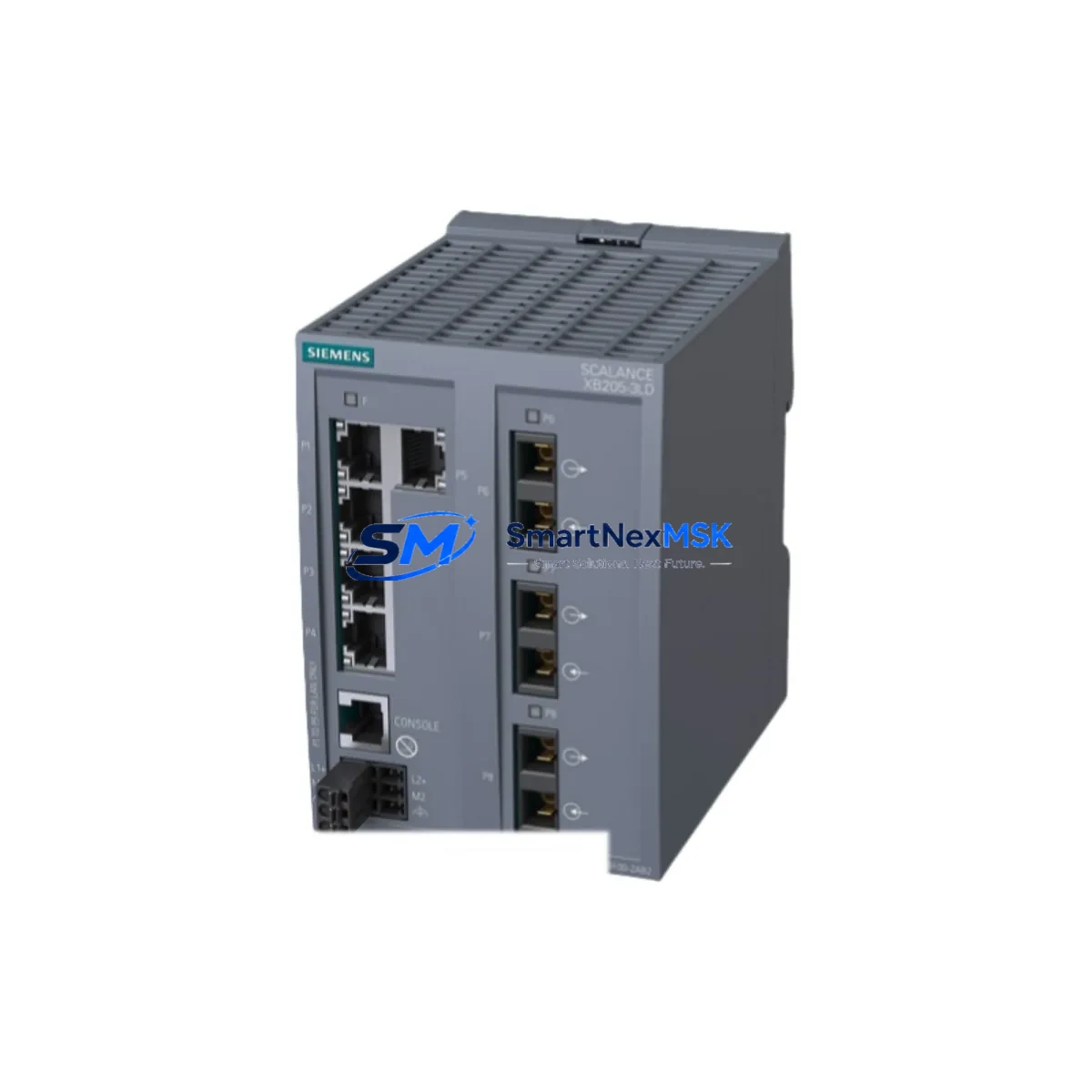
Siemens 6GK5205-3BF00-2AB2 Spare SCALANCE X200 Automation
The Siemens 6GK5205-3BF00-2AB2 is a managed industrial Ethernet switch from the SCALANCE X200 series, engineered for reliable network communication in demanding automation environments. As a maintenance-ready original spare, this unit is critical for minimizing unplanned downtime in PROFINET-based control architectures, distributed I/O networks, and plant-wide Ethernet backbones. Whether you are executing a planned shutdown, responding to an emergency network fault, or building a strategic spare parts inventory, the 6GK5205-3BF00-2AB2 delivers the compatibility, performance, and traceability that industrial maintenance teams require.
Sourced directly from authorized supply channels, each unit undergoes pre-shipment functional verification to confirm port integrity, management interface responsiveness, and PROFINET conformance. A 12-month warranty is included with every shipment, providing procurement engineers with the assurance needed for long-term asset planning and MRO budget justification.
Spare Maintenance Table
| Part Number | 6GK5205-3BF00-2AB2 |
| Brand | Siemens |
| Series | SCALANCE X200 |
| Product Type | Managed Industrial Ethernet Switch |
| Port Configuration | 5 × RJ45 10/100 Mbit/s + 1 × MM FO (SC duplex) |
| Network Protocol | PROFINET IO, SNMP, RSTP, VLAN (IEEE 802.1Q) |
| Supply Voltage | 24 V DC (SELV/PELV) |
| Power Consumption | Max. 5 W |
| Operating Temperature | -10 °C to +60 °C |
| Protection Rating | IP30 |
| Mounting | DIN rail (35 mm) |
| Dimensions (W×H×D) | Approx. 60 × 125 × 124 mm |
| Origin | Germany |
| Compatibility | SIMATIC S7-300/400/1200/1500, ET 200 distributed I/O, SCALANCE X200 family |
| Certifications | CE, UL, ATEX (Zone 2), cULus |
| Warranty | 12 Months — Tested & Verified Before Shipment |
Maintenance Planning for Continuous Operation
When a SCALANCE X200 switch fails or is flagged during a routine control cabinet inspection, the network segment it serves — often connecting SIMATIC S7-1500 PLCs, ET 200SP distributed I/O stations, and field-level PROFINET devices — can go dark within seconds. Maintenance engineers should treat the 6GK5205-3BF00-2AB2 as a tier-1 spare, stocked alongside the power supply modules (such as the SITOP PSU100S 24V/5A) that feed the switch’s 24 V DC rail.
During a planned replacement, it is equally important to inspect the 24 V DC terminal blocks and wiring harness connected to the switch’s power input. Corroded or loose terminals on Phoenix Contact or Weidmüller-style terminal strips are a common secondary fault that can cause a new switch to appear defective immediately after installation. Verify continuity and torque on all power terminals before energizing the replacement unit.
On the network side, inspect the fiber optic patch cord connected to the SC duplex port. MM fiber cables are susceptible to contamination and bending stress in cable trays; a dirty or cracked fiber end-face will prevent the optical link from establishing even with a fully functional switch. Keep a spare MM fiber jumper (50/125 µm, SC-SC) in the same cabinet kit as the 6GK5205-3BF00-2AB2.
For cabinets running PROFINET with media redundancy (MRP), confirm that the ring topology is correctly re-established after switch replacement. The SCALANCE X200 management interface allows MRP role configuration (Manager or Client); incorrect role assignment after a swap is a frequent cause of post-maintenance network instability. Cross-reference the cabinet’s network topology diagram and the STEP 7 or TIA Portal hardware configuration before closing the cabinet.
Procurement engineers building a comprehensive MRO kit for SCALANCE X200-based networks should also consider stocking the SCALANCE X208 (6GK5208-0BA10-2AB2) for larger ring segments, the SCALANCE XB005 unmanaged switch for non-critical branch drops, and CP 343-1 or CP 1543-1 communication processors if the PLC’s Ethernet interface itself is suspect. For cabinets with SIMATIC HMI panels (KTP700 or TP1200 Comfort), the HMI’s Ethernet port and its connecting patch cable should be verified as part of the same fault-isolation workflow. Additionally, surge protection devices (SPDs) on the Ethernet lines — such as the Siemens SITOP SURGE 24VDC — should be inspected for trip status, as a lightning or switching transient event that damaged the switch may have also degraded the SPD.
Site Replacement Workflow
Step 1 — Fault Isolation: Use the SCALANCE X200 diagnostic LEDs and STEP 7 / TIA Portal online diagnostics to confirm the switch is the failed component, not the fiber cable, SFP module, or upstream network device. Document the fault code and port status before powering down.
Step 2 — Safe Isolation: Follow your site’s LOTO (Lockout/Tagout) procedure. Disconnect the 24 V DC power supply and label all fiber and copper patch cables before removal. Photograph the wiring layout for reference.
Step 3 — Configuration Backup: If the switch was accessible prior to failure, export the configuration via the web-based management interface or SINEMA Remote Connect. The 6GK5205-3BF00-2AB2 supports configuration export to a local file, which can be imported directly to the replacement unit to restore VLAN, RSTP, and PROFINET settings without manual re-entry.
Step 4 — Physical Replacement: Mount the replacement 6GK5205-3BF00-2AB2 on the 35 mm DIN rail. Reconnect all labeled cables in sequence. Torque power terminals to specification (typically 0.5–0.6 Nm for standard terminal blocks).
Step 5 — Configuration Restore & Verification: Import the saved configuration file or manually re-enter VLAN and MRP settings. Verify all PROFINET IO devices return to RUN state in TIA Portal. Confirm ring closure if MRP is active. Log the replacement in the site maintenance record.
This workflow is compatible with legacy SCALANCE X200 installations running older firmware and with current TIA Portal V17/V18 projects, ensuring the replacement process does not require a full system re-commissioning.
Spare Parts Support FAQ
Q1: Is the 6GK5205-3BF00-2AB2 a direct drop-in replacement for older SCALANCE X200 switches?
Yes. The 6GK5205-3BF00-2AB2 is form-factor and functionally compatible with earlier revisions of the SCALANCE X200 series. Port layout, DIN rail footprint, and PROFINET behavior are consistent across the product generation, allowing direct substitution without cabinet modification or TIA Portal hardware reconfiguration in most installations.
Q2: What pre-shipment testing is performed on each unit?
Every 6GK5205-3BF00-2AB2 dispatched from our warehouse is powered on and tested for port link establishment, management interface access, and basic PROFINET frame handling. Units that do not pass functional verification are quarantined and not shipped. A test report is available upon request for quality-critical procurement processes.
Q3: How should this spare be stored in a maintenance inventory?
Store in the original anti-static packaging in a dry environment between -25 °C and +70 °C with relative humidity below 95% (non-condensing). Label the storage bin with the SKU, series, and date of receipt. Rotate stock on a FIFO basis and perform a power-on functional check annually if the unit remains unused for more than 12 months.
Q4: What is covered under the 12-month warranty?
The 12-month warranty covers manufacturing defects and functional failures under normal operating conditions. It does not cover damage resulting from incorrect installation voltage, physical impact, or environmental conditions outside the rated specification. Warranty claims are processed with a replacement-first policy to minimize your downtime exposure — contact our team with the order reference and a brief fault description to initiate a claim.
© 2026 SMARTNEXMSK. All rights reserved.
Original Source: https://smartnexmsk.com
Contact: [email protected] | +86 18259474341



