
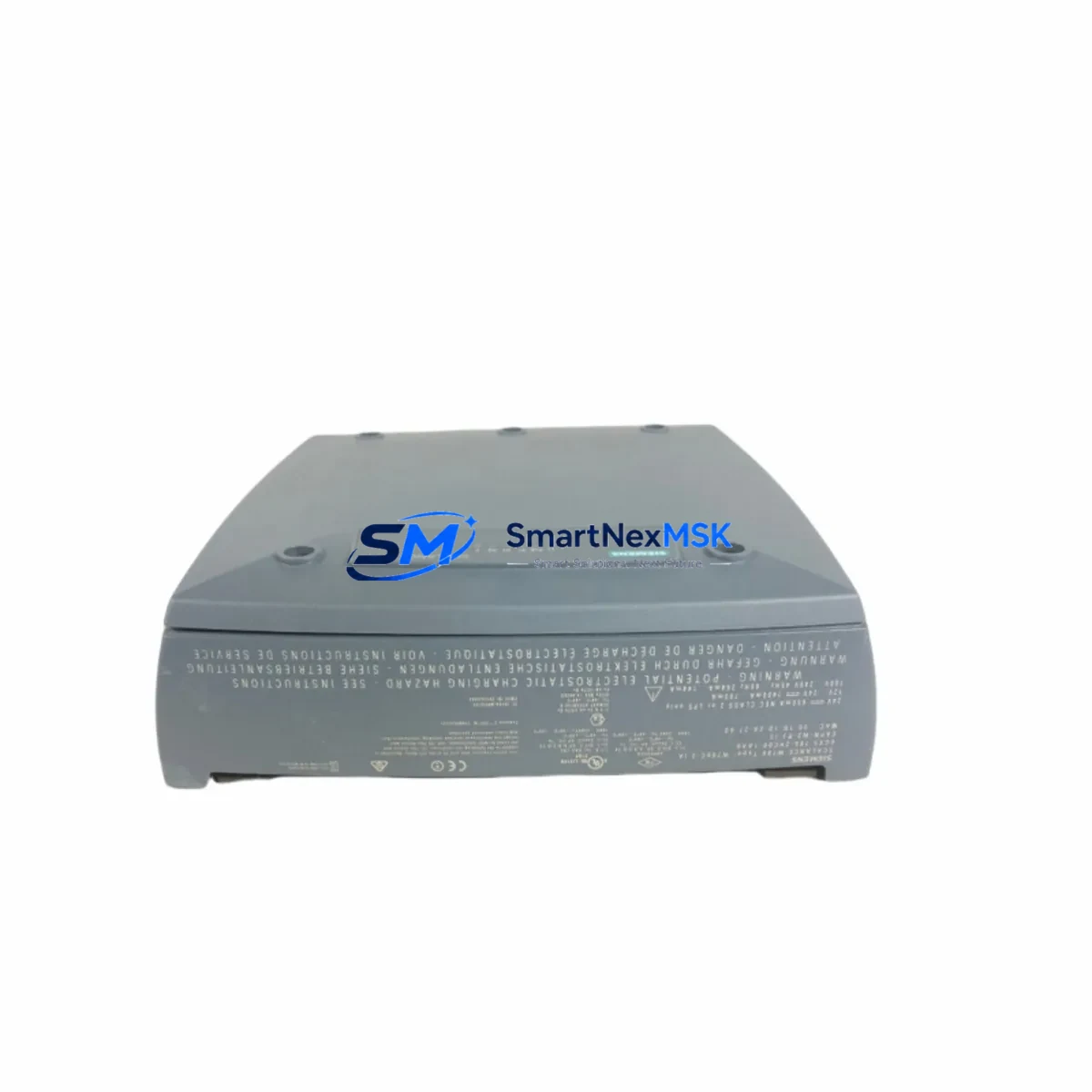
Siemens 6GK5786-2HC00-1AA0 Maintenance-Ready Spare for W786 Automation
The Siemens SCALANCE W786C-2 (6GK5786-2HC00-1AA0) is a ruggedized industrial WLAN access point engineered for continuous operation in demanding automation environments. As a maintenance-ready original spare, this unit is sourced directly from authorized supply chains, pre-shipment tested, and dispatched with a 12-month warranty — making it the preferred choice for maintenance engineers and procurement teams managing uptime-critical wireless infrastructure in manufacturing plants, process facilities, and logistics automation systems.
When a SCALANCE W786C-2 fails in a live production environment, every minute of downtime translates directly into lost output. This spare is stocked and ready to ship, enabling same-day dispatch for emergency replacement scenarios. Whether you are executing a planned maintenance cycle, responding to an unplanned fault, or building a strategic spare parts buffer for your W700-series wireless backbone, the 6GK5786-2HC00-1AA0 delivers the original hardware specification your system was commissioned with — no firmware compatibility risk, no re-engineering, no guesswork.
Spare Maintenance Table
| Parameter | Specification |
|---|---|
| Part Number | 6GK5786-2HC00-1AA0 |
| Product Name | SCALANCE W786C-2 |
| Brand | Siemens |
| Series | SCALANCE W700 / W786 Series |
| Product Type | Industrial WLAN Access Point / Client |
| Radio Standard | IEEE 802.11a/b/g/n/ac (Wi-Fi 5) |
| Frequency Bands | 2.4 GHz / 5 GHz Dual-Band |
| Antenna Ports | 2 × R-SMA (external antenna) |
| LAN Ports | 2 × RJ45 10/100/1000 Mbps |
| Power Supply | 24 V DC (via terminal block) / PoE IEEE 802.3af |
| Power Consumption | Max. 15 W |
| Operating Temperature | -20 °C to +60 °C |
| Protection Rating | IP30 (indoor cabinet mount) |
| Mounting | DIN Rail / Wall Mount |
| Dimensions (W×H×D) | Approx. 60 × 130 × 110 mm |
| Weight | Approx. 1,600 g (with accessories) |
| Country of Origin | Germany |
| Compatibility | SCALANCE W700 series, SINEMA Remote Connect, PROFINET wireless topologies |
| Management | Web-based GUI, SNMP, SINEMA Server, Command Line Interface |
| Certifications | CE, UL, cUL, FCC, ATEX Zone 2 (variant dependent) |
| Warranty | 12 Months — covers manufacturing defects, tested before dispatch |
| Condition | New, Original, Factory Sealed |
| Availability | In Stock — Ready to Ship |
Maintenance Planning for Continuous Operation
Replacing a SCALANCE W786C-2 in a live automation environment is rarely an isolated task. Experienced maintenance engineers know that a wireless access point failure often signals stress across adjacent components in the same control cabinet or network segment. Before returning the system to service, a thorough inspection of the surrounding infrastructure is strongly recommended.
Start with the 24 V DC power supply rail feeding the W786C-2. Units such as the Siemens SITOP PSU100S or PSU8600 should be checked for output voltage stability and ripple — a degraded power supply is a common root cause of intermittent WLAN dropouts that are misdiagnosed as access point failures. If the unit is powered via PoE (IEEE 802.3af), inspect the PoE injector or managed switch port for correct power delivery.
Next, verify the Ethernet patch cables and RJ45 connectors on both LAN ports of the W786C-2. Industrial environments subject cabling to vibration, thermal cycling, and chemical exposure — even a marginal crimp failure can cause packet loss that mimics a hardware fault. Replace with shielded Cat6 or Cat6A industrial-grade cable where possible.
For systems integrated into a PROFINET wireless topology, confirm that the SCALANCE XC208 or XC216 managed switch upstream of the access point has its port configuration and VLAN assignments intact after the replacement. A misconfigured switch port is a frequent cause of post-replacement connectivity failures. Similarly, if the W786C-2 is operating in client mode connecting a remote ET 200SP distributed I/O station or a SIMATIC S7-1500 PLC back to the main network, verify that the IP address assignment and PROFINET device name are correctly restored after the swap.
In control cabinets where the W786C-2 is co-located with SCALANCE XB-200 or XP-200 series unmanaged switches, inspect those units for overheating indicators — excessive ambient temperature in the cabinet accelerates failure rates across all active components simultaneously. Check cabinet cooling fans, filter mats, and thermostat-controlled ventilation units as part of the same maintenance window.
If the wireless network carries SIMATIC HMI (e.g., KTP700 or TP1200 Comfort Panel) traffic, confirm that the HMI can re-establish its connection to the PLC after the access point replacement. HMI communication timeouts are often the first symptom reported by operators when wireless infrastructure degrades. Additionally, inspect any IE/PB Link PN IO or SCALANCE S615 security module in the same network segment — these devices may require a configuration reload if the network topology changes during the replacement procedure.
For facilities maintaining a strategic spare parts inventory, it is advisable to stock at least one additional 6GK5786-2HC00-1AA0 unit alongside compatible R-SMA omnidirectional antennas (e.g., ANT795-4MR) and a spare 24 V DC terminal block power connector. This ensures that a complete field replacement can be executed without waiting for additional components to arrive.
Site Replacement Workflow
Step 1 — Pre-Replacement Verification: Before powering down the existing unit, document the current IP address, subnet mask, PROFINET device name, SSID configuration, and channel settings via the web GUI or SINEMA Server export. This configuration backup is essential for rapid recommissioning of the replacement unit.
Step 2 — Safe Isolation: Isolate the 24 V DC supply to the W786C-2 at the circuit breaker or fuse terminal (e.g., Siemens 5ST3 series or Phoenix Contact PT series fuse terminal). Do not disconnect the antenna cables under power — RF energy can damage the antenna port connectors. Confirm isolation with a calibrated multimeter before proceeding.
Step 3 — Physical Replacement: Remove the failed unit from the DIN rail. Install the replacement 6GK5786-2HC00-1AA0 on the same rail position. Reconnect the 24 V DC terminal block, both RJ45 Ethernet cables, and the R-SMA antenna connectors. Torque antenna connectors to finger-tight plus one-quarter turn — over-tightening damages the SMA thread.
Step 4 — Configuration Restore: Apply the previously exported configuration via the web GUI or SINEMA Server. Alternatively, use the SCALANCE W786C-2’s SD card slot (if previously configured with a backup card) for one-step configuration restore — this is the fastest method for emergency replacements and reduces recommissioning time to under five minutes.
Step 5 — Functional Verification: Restore power and confirm that the unit associates with the correct SSID, that both LAN ports show link activity, and that PROFINET communication is re-established. Verify HMI connectivity and confirm that all I/O data from connected remote stations is updating correctly in the PLC. Log the replacement in the site maintenance record with the new unit’s serial number and the date of installation.
This workflow is compatible with legacy W786C-2 installations and supports a direct drop-in replacement without requiring changes to the upstream network infrastructure, making it the lowest-risk path to restoring system availability.
Spare Parts Support FAQ
Q1: Is the 6GK5786-2HC00-1AA0 a direct replacement for older SCALANCE W786 variants?
Yes. The 6GK5786-2HC00-1AA0 is the current production revision of the SCALANCE W786C-2 and is a direct mechanical and functional replacement for earlier hardware revisions of the same model. No changes to antenna cabling, DIN rail mounting, or power wiring are required. Firmware should be updated to the latest Siemens-recommended version post-installation to ensure full feature compatibility with SINEMA Server and PROFINET controller configurations.
Q2: What pre-shipment testing is performed on this spare?
Every unit undergoes power-on functional verification, port link testing, and wireless association testing before dispatch. Units that do not pass all test criteria are quarantined and not shipped. A test record is available upon request. The 12-month warranty covers all manufacturing defects identified after delivery and is valid from the date of invoice.
Q3: How should this spare be stored if not immediately installed?
Store the unit in its original anti-static packaging in a dry environment between -40 °C and +70 °C with relative humidity below 95% (non-condensing). Avoid storing near strong electromagnetic fields or corrosive atmospheres. Inspect the unit annually if held in long-term storage — check connector integrity and perform a power-on test before deploying into a live system. Recommended maximum storage period before deployment is 36 months.
Q4: Can you supply multiple units for a site-wide spare parts program?
Yes. Volume orders for site spare parts programs are supported with consistent lead times and batch test documentation. Contact our team to discuss quantity pricing, staggered delivery schedules, and long-term supply agreements that ensure your facility maintains an adequate buffer stock of critical wireless infrastructure components without tying up excessive capital in inventory.
© 2026 SMARTNEXMSK. All rights reserved.
Original Source: https://smartnexmsk.com
Contact: [email protected] | +86 18259474341



