
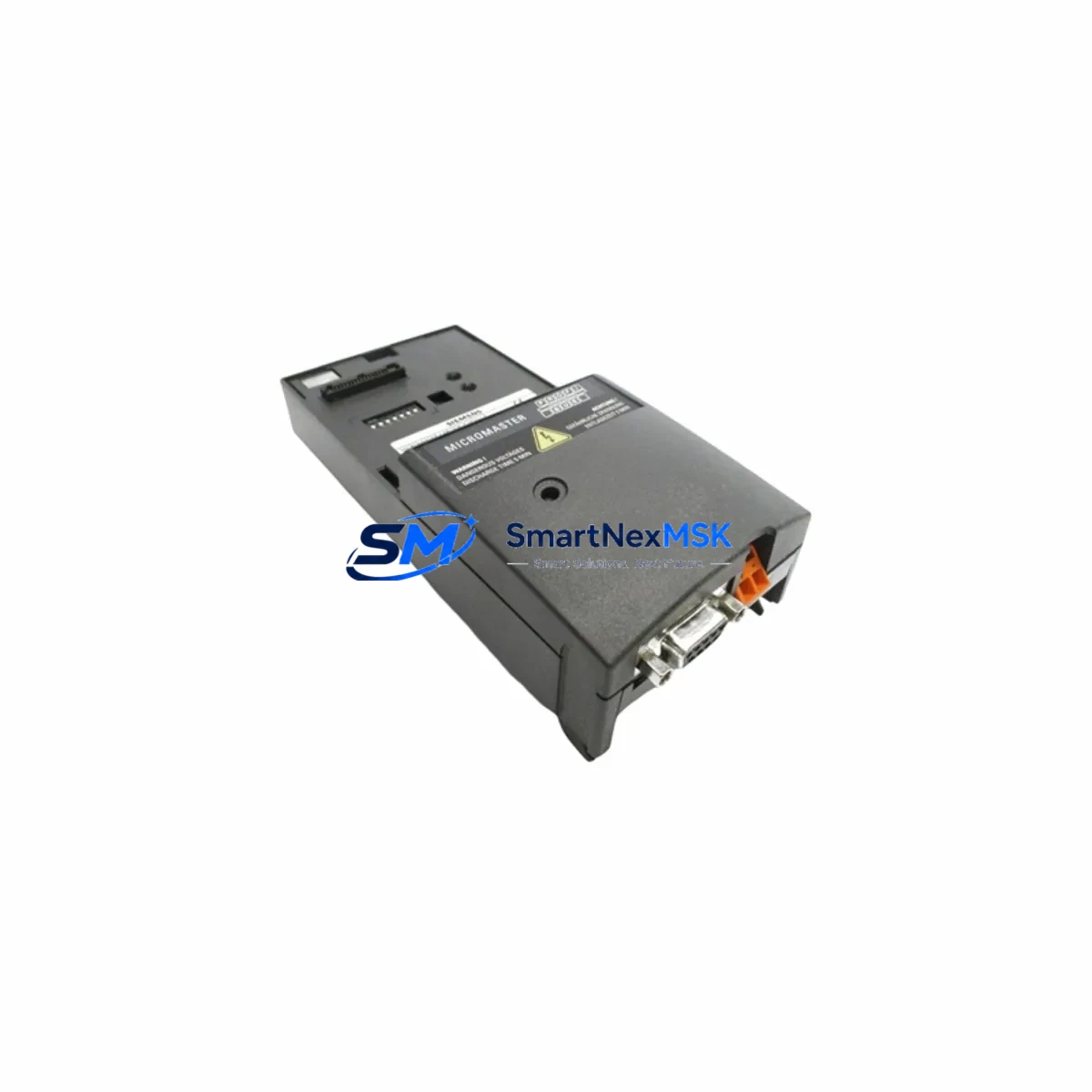
Siemens 6SE6400-1PB00-0AA0 Spare for MICROMASTER 4 Automation
The Siemens 6SE6400-1PB00-0AA0 is an original PROFIBUS DP option module designed for the MICROMASTER 4 series variable frequency drives. In industrial automation environments where drive communication is mission-critical, a failed or degraded PROFIBUS DP interface can halt an entire production line within seconds. Sourcing a verified, tested replacement unit is the fastest path to restoring PLC-to-drive communication and resuming normal operations.
This module enables seamless integration of MICROMASTER 4 drives into PROFIBUS DP networks, allowing the host PLC or DCS to issue speed references, read drive status, and execute fault resets over the fieldbus — eliminating the need for hardwired analog or digital I/O for every drive axis. For maintenance engineers managing aging drive cabinets, keeping a spare 6SE6400-1PB00-0AA0 on the shelf is a low-cost insurance policy against unplanned downtime that can cost far more than the component itself.
Every unit shipped from our inventory undergoes pre-shipment functional verification. We supply original Siemens spare parts with full traceability, backed by a 12-month warranty covering manufacturing defects and functional failures under normal operating conditions.
Spare Maintenance Table
| SKU / Part Number | 6SE6400-1PB00-0AA0 |
| Brand | Siemens |
| Series Compatibility | MICROMASTER 4 (MM420, MM430, MM440) |
| Module Type | PROFIBUS DP Option Module |
| Communication Protocol | PROFIBUS DP (EN 50170 / IEC 61158) |
| Baud Rate Support | 9.6 kbps – 12 Mbps (auto-detect) |
| Installation Interface | Option slot on MICROMASTER 4 drive front panel |
| Supply Voltage | Powered internally via drive option slot (no external supply required) |
| Operating Temperature | 0 °C to +50 °C (drive ambient) |
| Protection Class | IP20 (installed within drive enclosure) |
| Origin | Germany |
| Weight | Approx. 1,560 g (packaged) |
| Application Environment | Industrial automation, process control, conveyor systems, pump/fan drives, HVAC |
| Maintenance Recommendation | Inspect connector pins and option slot contacts during scheduled drive maintenance; replace if communication errors persist after firmware reset |
| Warranty | 12 Months — covers manufacturing defects and functional failures under normal operating conditions |
| Pre-Shipment Test | Functional verification performed on every unit before dispatch |
Maintenance Planning for Continuous Operation
When a PROFIBUS DP communication fault is traced to the 6SE6400-1PB00-0AA0 option module, experienced maintenance engineers know that the module itself is rarely the only component that warrants inspection. A systematic cabinet review during the same maintenance window prevents repeat call-outs and maximizes the value of each planned outage.
Start with the PROFIBUS cable and connectors — degraded shielding or loose 9-pin D-sub connectors are a leading cause of intermittent DP faults that are often misdiagnosed as module failures. Verify termination resistors are correctly set at both ends of the PROFIBUS segment. Next, inspect the MICROMASTER 4 control board (e.g., the A1 board assembly within MM440 units) for signs of capacitor aging or corrosion on the option slot connector, which can cause poor electrical contact with the 6SE6400-1PB00-0AA0.
The 24 VDC control power supply feeding the drive’s control electronics should be measured under load — voltage sag below 22 V can cause erratic fieldbus behavior even when the option module is healthy. If the cabinet uses a Siemens SITOP PSU or equivalent DIN-rail power supply, check its output ripple and replace if the unit is beyond its service life. Alongside the power supply, inspect the input fuses and circuit breakers protecting the drive’s main power feed; a partially blown fuse can cause undervoltage trips that mimic communication faults.
For drives integrated into a Simatic S7-300 or S7-400 PLC system via PROFIBUS, verify the DP master configuration in STEP 7 or TIA Portal matches the GSD file parameters for the 6SE6400-1PB00-0AA0. A mismatch in PPO type or telegram configuration will prevent the drive from entering data exchange mode regardless of module condition. If the system uses a CP 342-5 or CP 443-5 communications processor, confirm its firmware version is compatible with the drive’s DP profile.
During the same inspection, check the terminal blocks and wiring on the drive’s digital input (DIN) and digital output (DOUT) terminals — particularly the enable signal (DIN1) and fault reset wiring. Loose terminals on Phoenix Contact or Weidmüller terminal strips are a common source of nuisance faults in high-vibration environments. If the drive controls a motor with an integrated PTC thermistor or KTY84 temperature sensor, verify the sensor wiring continuity and the drive’s motor protection parameter settings (P0601–P0604 on MM440).
For sites running older MICROMASTER 4 installations beyond 10 years of service, a proactive spare kit should include the 6SE6400-1PB00-0AA0 PROFIBUS DP module, a replacement MICROMASTER 4 operator panel (BOP or AOP) for parameter backup and fault readout, and a set of drive cooling fans — fan bearing failure is the most common cause of thermal shutdown in aged MM440 units. Documenting parameter sets via the AOP or STARTER software before any replacement ensures rapid commissioning of the spare drive or module.
Site Replacement Workflow
Step 1 — Isolate and de-energize: Follow your site LOTO (Lockout/Tagout) procedure. Confirm the drive’s DC bus has discharged (wait minimum 5 minutes after power-off, or verify with a calibrated meter) before opening the drive cover or accessing the option slot.
Step 2 — Document current parameters: If the drive is still partially functional, use the BOP-2 operator panel or AOP to upload the parameter set, or connect STARTER / Startdrive software via the USS/RS485 port to save a full parameter backup. This is critical for restoring the replacement module to the correct PPO type and DP address settings.
Step 3 — Remove the faulty module: Slide the 6SE6400-1PB00-0AA0 out of the option slot on the drive’s front panel. Inspect the slot connector for bent pins or contamination. Clean with isopropyl alcohol if necessary before installing the replacement.
Step 4 — Install the replacement unit: Insert the new 6SE6400-1PB00-0AA0 firmly until it clicks into the option slot. Re-connect the PROFIBUS cable and verify termination resistor settings on the connector.
Step 5 — Restore parameters and commission: Set the PROFIBUS node address (P0918 on MM440) and PPO type (P2051) to match the original configuration. Power up the drive and confirm the DP LED on the module shows steady green (data exchange active). Verify the PLC DP master reports the drive online and test a speed reference command before returning the drive to service.
Step 6 — Update maintenance records: Log the replacement date, new module serial number, and parameter backup file reference in your CMMS. Schedule the next inspection interval per your site’s preventive maintenance plan.
Spare Parts Support FAQ
Q1: Is the 6SE6400-1PB00-0AA0 compatible with all MICROMASTER 4 variants?
The 6SE6400-1PB00-0AA0 is designed for the MICROMASTER 4 series, including MM420, MM430, and MM440 drives. It is not compatible with MICROMASTER 3 or earlier series. Always verify the drive’s option slot type and firmware version against the module’s compatibility matrix in the Siemens MICROMASTER 4 operating instructions before installation.
Q2: How do you verify the module is functional before shipment?
Every 6SE6400-1PB00-0AA0 unit undergoes a pre-shipment functional test that includes option slot interface verification and PROFIBUS DP communication handshake testing. Units that fail any test parameter are quarantined and not dispatched. A test report is available upon request for critical infrastructure projects.
Q3: What is the recommended spare inventory strategy for this module?
For sites operating more than three MICROMASTER 4 drives on a single PROFIBUS segment, we recommend maintaining at least one 6SE6400-1PB00-0AA0 as a cold spare. For continuous-process industries (chemical, water treatment, food & beverage) where drive downtime directly impacts production, a hot-swap spare kept in the control room is the preferred strategy. Shelf life for properly stored electronic modules is typically 5–7 years when kept in anti-static packaging at controlled temperature and humidity.
Q4: What does the 12-month warranty cover, and how is a warranty claim processed?
The 12-month warranty covers manufacturing defects and functional failures under normal operating conditions from the date of shipment. It does not cover damage caused by incorrect installation, overvoltage events, or physical mishandling. To initiate a warranty claim, contact our sales team with the order number, a description of the fault symptom, and photos of the installed unit. We will arrange return shipping and dispatch a replacement unit upon fault confirmation, minimizing your downtime.
—
© 2026 SMARTNEXMSK. All rights reserved.
Original Source: https://smartnexmsk.com
Contact: [email protected] | +86 18259474341



