
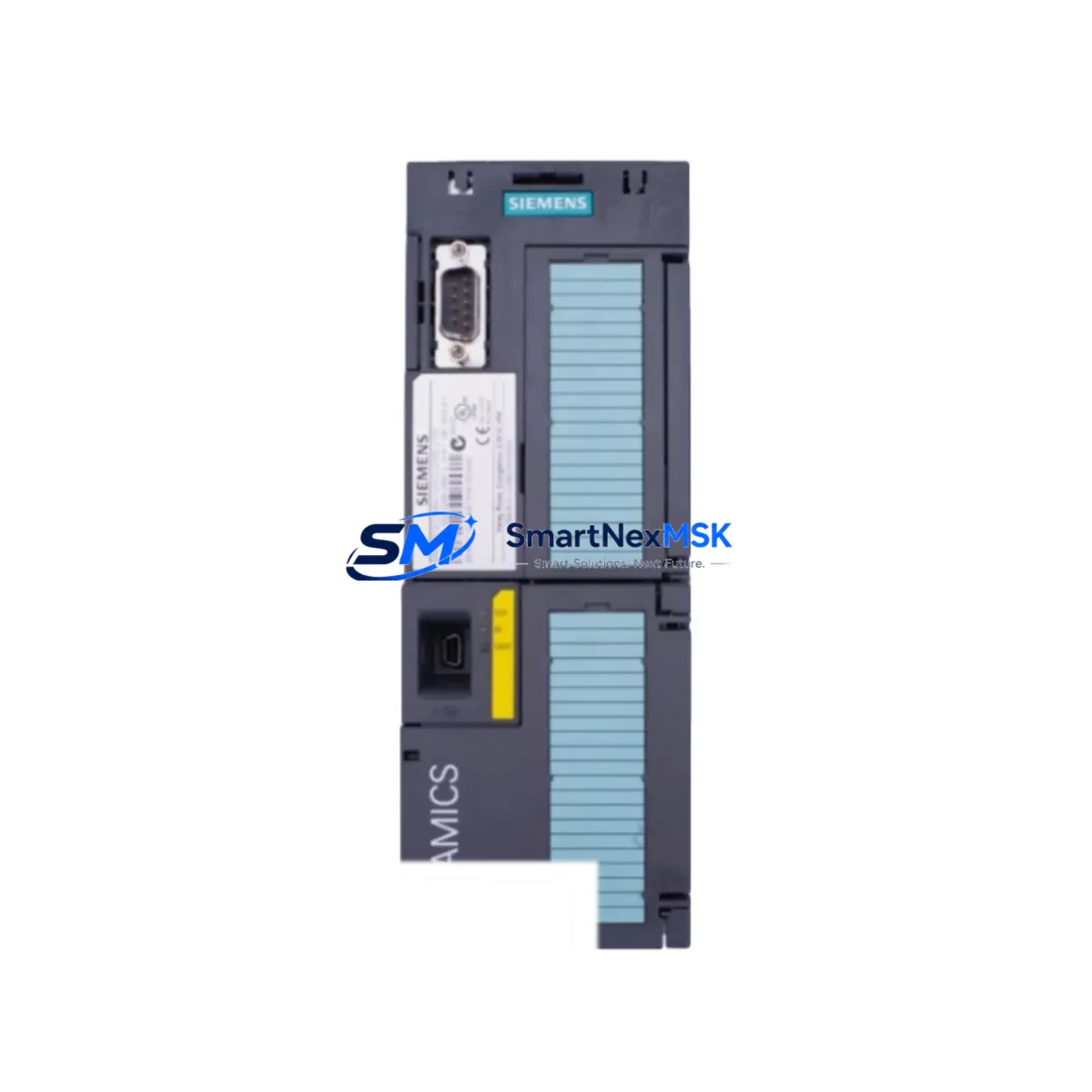
Siemens 6SL3244-0BB12-1PA1 Spare for G120 Automation: Spare Parts Replacement and Industrial Downtime Risk Control
The Siemens 6SL3244-0BB12-1PA1 is the CU240E-2DP Control Unit for the SINAMICS G120 modular drive system, featuring a PROFIBUS DP fieldbus interface. Designed for demanding industrial automation environments, this control unit manages speed, torque, and process control functions for AC induction and synchronous motors across a wide range of industrial applications — from conveyor systems and pumps to compressors and fans.
For maintenance engineers and procurement teams managing aging drive infrastructure, securing a verified original spare of the 6SL3244-0BB12-1PA1 is a critical step in any planned maintenance or emergency recovery strategy. Unplanned drive failures in production lines can result in hours or days of costly downtime. Stocking this control unit as a ready-to-deploy spare eliminates the lead-time risk associated with last-minute procurement and ensures your SINAMICS G120 system can be restored to full operation within the shortest possible window.
This unit ships fully tested, with parameter backup compatibility confirmed for standard G120 commissioning workflows. Each unit carries a 12-month warranty and is dispatched with pre-shipment functional verification to ensure it arrives ready for immediate installation.
Spare Maintenance Table
| Parameter | Specification |
|---|---|
| Part Number / SKU | 6SL3244-0BB12-1PA1 |
| Description | CU240E-2DP PROFIBUS Control Unit |
| Compatible Drive Series | SINAMICS G120 (PM240, PM240-2, PM250, PM260 Power Modules) |
| Fieldbus Interface | PROFIBUS DP (up to 12 Mbit/s) |
| Digital Inputs | 6 × DI (24 V DC) |
| Digital Outputs | 3 × DO (relay) |
| Analog Inputs | 2 × AI (0–10 V / 0–20 mA) |
| Analog Outputs | 2 × AO (0–20 mA) |
| Safety Function | STO (Safe Torque Off) via terminals |
| Supply Voltage | 24 V DC (via PM or external) |
| Operating Temperature | -10 °C to +60 °C |
| Protection Class | IP20 |
| Weight | Approx. 2,500 g (with packaging) |
| Country of Origin | Germany |
| Firmware Compatibility | SINAMICS G120 firmware V4.x and above |
| Mounting | Direct snap-on to G120 Power Module |
| Warranty | 12 Months — Tested and verified before dispatch |
Maintenance Planning for Continuous Operation
When replacing the 6SL3244-0BB12-1PA1 in a live production environment, a thorough inspection of the surrounding electrical circuit is essential to prevent repeat failures and ensure long-term system stability. Maintenance engineers should treat this replacement as an opportunity to audit the entire G120 drive assembly and its associated control cabinet components.
Begin by inspecting the PM240 or PM240-2 Power Module paired with this control unit. A failing power module can cause premature CU failure through voltage spikes or thermal stress. Check DC bus capacitors for signs of bulging or leakage, and verify that the power module’s cooling fan is operational. If the system has been in service for more than five years, consider scheduling a proactive power module replacement alongside the control unit swap.
Next, verify the integrity of the PROFIBUS DP communication cable and termination resistors. A degraded PROFIBUS segment — caused by damaged shielding, incorrect termination, or excessive cable length — can cause intermittent communication faults that are often misdiagnosed as control unit failures. Inspect the PROFIBUS connector (typically a 9-pin Sub-D) for pin corrosion and confirm that the bus termination is active only at the two physical ends of the segment.
The 24 V DC control power supply feeding the CU240E-2DP should be measured under load. Voltage dips below 20 V DC or ripple exceeding 5% can cause unexpected resets or parameter loss. If the control cabinet uses a shared 24 V rail, check for other loads that may be causing voltage sag — particularly solenoid valves, contactors, or relay coils switching on the same rail.
Inspect all terminal block wiring on the CU240E-2DP’s I/O connectors. Loose or corroded terminals on digital input circuits — especially the STO (Safe Torque Off) safety circuit — are a common source of nuisance trips. Re-torque all terminals to specification and apply contact protection spray where appropriate. If the installation uses signal isolators on analog input channels (e.g., for 4–20 mA process feedback from pressure or flow transmitters), verify that the isolator output range matches the CU’s analog input configuration.
For sites using a SIMATIC S7-300 or S7-400 PLC as the PROFIBUS master, confirm that the GSD file loaded in the PLC project matches the firmware version of the replacement CU240E-2DP. A firmware mismatch can prevent the drive from being recognized on the bus after replacement. If the site uses a SIMATIC HMI panel (such as a TP700 or KTP900) for local drive monitoring, verify that the HMI’s drive parameter screen still communicates correctly after the CU swap.
Additionally, inspect the output motor cable and motor terminal box. Insulation degradation on the motor cable — particularly in high-cycle applications — can cause ground faults that damage the new control unit. A simple insulation resistance test (Megger test) at 500 V DC before energizing the replacement unit is strongly recommended. Check the output reactor or dV/dt filter if installed, as these components can also degrade over time and affect drive performance.
Finally, review the fuse and circuit breaker protecting the drive input. A correctly rated fuse that has been subjected to repeated overcurrent events may have degraded interrupting capacity. Replace input fuses as a matter of course during any major drive maintenance event.
Site Replacement Workflow
The 6SL3244-0BB12-1PA1 is a direct plug-in replacement for earlier CU240E-2DP variants within the SINAMICS G120 platform. The control unit snaps directly onto the Power Module without tools, and all I/O wiring reconnects to the same terminal positions. This makes field replacement straightforward even for technicians who are not Siemens-certified, provided the replacement unit is pre-loaded with the correct parameter set.
Step 1 — Parameter Backup: Before removing the failed unit, attempt to upload the existing parameter set using STARTER, Startdrive, or a BOP-2 operator panel if the unit is still partially functional. Save the parameter file to a USB drive or engineering laptop.
Step 2 — Safe Isolation: Isolate the drive from mains supply and verify zero voltage using a calibrated voltage tester. Allow the DC bus to discharge fully (minimum 5 minutes after isolation) before handling the power module or control unit.
Step 3 — Control Unit Removal: Disconnect all I/O connectors and the PROFIBUS connector from the CU240E-2DP. Release the locking tab and slide the control unit off the power module.
Step 4 — Replacement Installation: Slide the new 6SL3244-0BB12-1PA1 onto the power module until it clicks into place. Reconnect all I/O and PROFIBUS connectors, verifying correct pin orientation.
Step 5 — Parameter Restore: Download the saved parameter set to the new control unit via STARTER or Startdrive. If no backup is available, recommission the drive using the factory commissioning wizard and the original motor nameplate data.
Step 6 — Functional Test: Energize the drive and perform a no-load test run before reconnecting the mechanical load. Verify PROFIBUS communication status on the PLC and confirm that all I/O signals are responding correctly.
This workflow minimizes downtime to under two hours in most cases, even for technicians performing their first G120 control unit replacement.
Spare Parts Support FAQ
Q1: Is the 6SL3244-0BB12-1PA1 still available as a new original spare?
Yes. We maintain stock of original Siemens 6SL3244-0BB12-1PA1 units sourced through authorized industrial distribution channels. Each unit is verified for authenticity and tested before dispatch. We support long-term supply for customers managing extended G120 system lifecycles, including sites where the drive series has been discontinued from standard Siemens distribution.
Q2: How do I confirm compatibility with my existing G120 Power Module?
The CU240E-2DP (6SL3244-0BB12-1PA1) is compatible with all standard SINAMICS G120 Power Modules in the PM240, PM240-2, PM250, and PM260 families. Compatibility is determined by the G120 frame size and firmware version. If you provide your existing power module part number, we can confirm compatibility before shipment.
Q3: What does the 12-month warranty cover?
The 12-month warranty covers manufacturing defects and functional failures under normal operating conditions. Each unit undergoes pre-shipment functional testing. In the event of a warranty claim, we offer priority replacement dispatch to minimize your production downtime. The warranty period begins from the date of confirmed delivery.
Q4: Can I order multiple units for a spare parts inventory program?
Yes. We support bulk procurement for maintenance spare parts programs, including scheduled delivery and consignment stock arrangements. For customers managing multiple G120 installations across several sites, we recommend maintaining at least one CU240E-2DP spare per five installed drives as a minimum inventory buffer. Contact our sales team to discuss volume pricing and long-term supply agreements.
© 2026 SMARTNEXMSK. All rights reserved.
Original Source: https://smartnexmsk.com
Contact: [email protected] | +86 18259474341



