
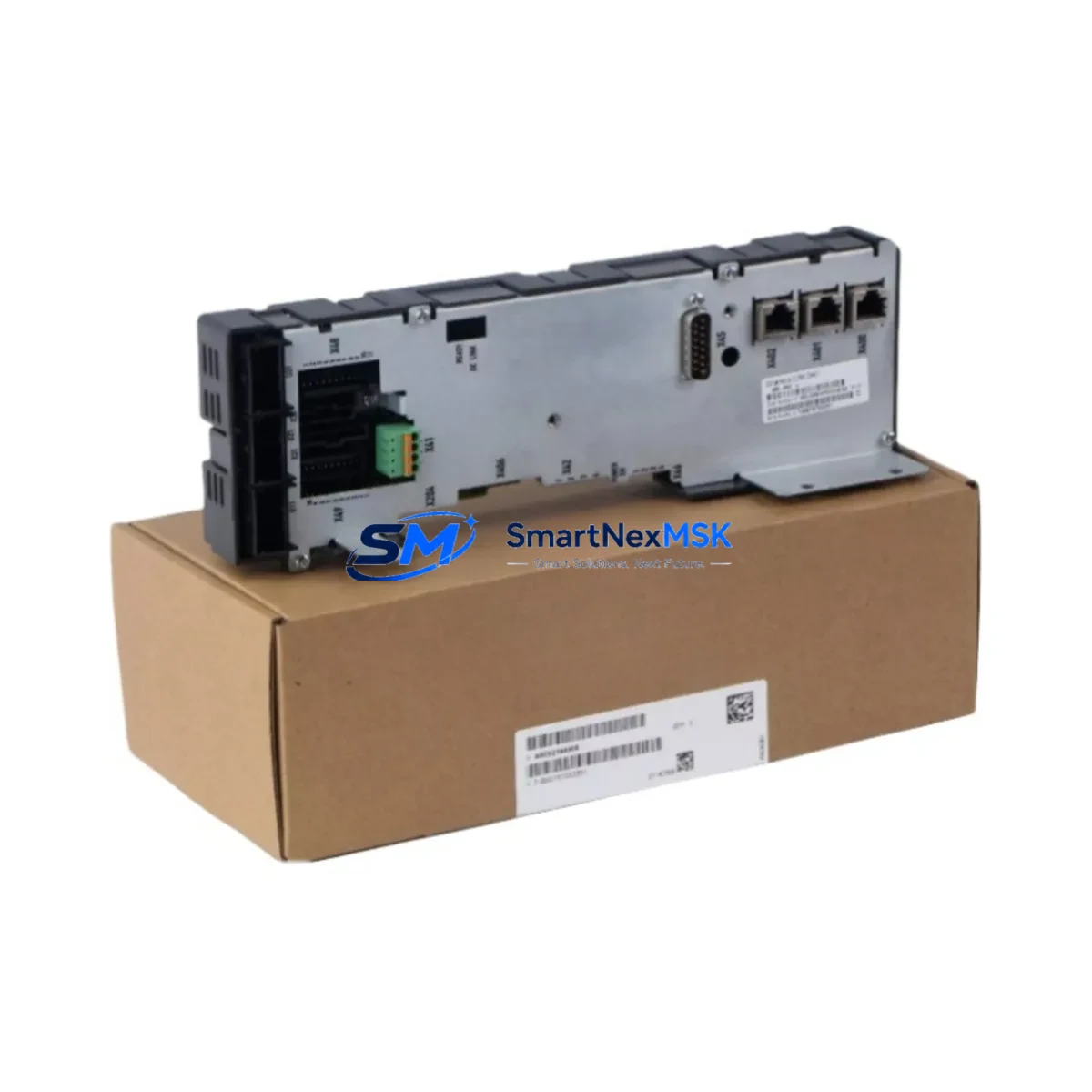
Siemens 6SL3350-6TK00-0EA0 Retrofit-Ready Drive Control Module for SINAMICS S120 Control Systems
The Siemens 6SL3350-6TK00-0EA0 (also referenced under internal part number A5E02144966) is a Drive Control Module (DCM) engineered for the SINAMICS S120 modular drive platform. As legacy S120 systems approach end-of-service milestones and original Siemens supply channels tighten, this module has become a critical retrofit and replacement component for industrial facilities operating multi-axis servo and vector drive architectures. SMARTNEXMSK maintains verified stock of the 6SL3350-6TK00-0EA0 with full functional testing, 12-month warranty coverage, and rapid global dispatch to minimize unplanned downtime on your production line.
Whether you are replacing a failed unit in an existing S120 cabinet, upgrading from an earlier SINAMICS S110 or MASTERDRIVES MC platform, or consolidating a multi-drive system onto a unified S120 booksize chassis, the 6SL3350-6TK00-0EA0 provides the processing backbone that coordinates axis synchronization, safety functions, and PROFIBUS/PROFINET communication across the drive line-up.
Upgrade Compatibility Table
| Parameter | Details |
|---|---|
| Compatible Platform | SINAMICS S120 Booksize / Chassis |
| Replaces / Upgrades From | Earlier S120 DCM revisions; SINAMICS S110 CU305; MASTERDRIVES MC Control Units |
| Backplane Interface | DRIVE-CLiQ (internal); compatible with S120 booksize power modules and Motor Modules |
| Communication Protocols | PROFIBUS DP, PROFINET IO (firmware-dependent); USS protocol via onboard serial |
| Installation Requirement | DIN rail or booksize chassis slot; 24 VDC logic supply from ALM or PSA power supply |
| Firmware Compatibility | STARTER / SINAMICS Startdrive (TIA Portal V14+); parameter set migration via p0971/p0972 |
| Retrofit Recommendation | Backup existing parameter set (p0971=1) before swap; restore via STARTER upload after replacement |
| Commissioning Focus | DRIVE-CLiQ topology scan, encoder assignment, safety function re-acceptance test |
| Warranty | 12 Months — covers functional failure under normal operating conditions |
Retrofit Planning for Existing Automation Systems
A successful retrofit of the 6SL3350-6TK00-0EA0 into an operating S120 system requires careful pre-planning across several interdependent subsystems. Before scheduling the maintenance window, engineers should audit the existing cabinet layout to confirm that the 24 VDC logic supply — typically sourced from a Siemens SITOP PSU8600 or an S120 Active Line Module (ALM) auxiliary output — can sustain the inrush demand of the replacement DCM alongside any co-installed Sensor Modules (SMC20, SMC30) and Terminal Modules (TM31, TM41) already on the DRIVE-CLiQ string.
Terminal wiring on the existing Control Unit Interface Module (CIM) or direct X100–X150 terminal strip must be documented and photographed before removal. Pay particular attention to the enable signal wiring (EP terminals), the Safe Torque Off (STO) channel pairs, and any analog setpoint inputs routed from the supervisory SIMATIC S7-300 or S7-1500 PLC. If the upstream controller communicates via PROFIBUS DP, verify that the DP address stored in the old module matches the address configured in the PLC hardware configuration — a mismatch will prevent the drive from appearing on the network after restart.
For sites migrating from PROFIBUS to PROFINET, the 6SL3350-6TK00-0EA0 supports both protocols, but the transition requires updating the GSD/GSDML device description file in TIA Portal and reassigning the IP address and device name via the Primary Setup Tool or TIA Portal online functions. This is also the ideal moment to upgrade the communication interface from a legacy CBE20 PROFINET board to an onboard PROFINET port if the replacement module revision supports it, eliminating one additional plug-in component from the cabinet.
I/O expansion requirements should be reviewed at the same time. If the original system relied on a TM15 or TM17 High Feature Terminal Module for fast digital I/O, confirm that the DRIVE-CLiQ port count on the replacement DCM is sufficient to accommodate the existing topology without adding a DMC20 DRIVE-CLiQ Hub Module. Similarly, if the machine uses a Siemens SIMOTION D or a CX32 Controller Extension for multi-axis coordination, the axis assignment and inter-drive synchronization parameters must be re-validated after the DCM swap to ensure that the master-follower relationship is correctly re-established.
HMI screens connected via a SIMATIC HMI TP700 Comfort or OP177B panel should be tested for alarm text accuracy after the replacement, as drive fault codes may shift between firmware versions. Update the HMI project’s alarm server connection if the drive’s PROFINET device name has changed. Finally, confirm that any Siemens SINAMICS S120 Combi or S120 PM240-2 Power Module firmware is at a compatible revision level before bringing the system back online.
Downtime Control During System Migration
Minimizing production interruption during a Drive Control Module replacement begins well before the maintenance window opens. The most effective strategy is to perform a full parameter backup using STARTER or SINAMICS Startdrive (TIA Portal) while the original 6SL3350-6TK00-0EA0 is still operational. Execute p0971=1 to save all drive parameters to the non-volatile memory card, then export the project file to an offline archive. This ensures that even if the replacement module arrives with a different firmware baseline, the parameter set can be restored without manual re-entry of hundreds of drive objects.
During the physical swap, label every DRIVE-CLiQ cable with its source and destination component before disconnection. The DRIVE-CLiQ topology is automatically scanned on power-up, but an incorrect cable reconnection will generate Component Assignment faults (F01375, F01386) that can extend the restart sequence significantly. Keep the 24 VDC logic supply energized where safe to do so, allowing the SIMATIC S7 PLC to maintain its I/O image and preventing upstream process interlocks from tripping.
After installing the replacement module, perform a controlled power-up sequence: energize the logic supply first, allow the DRIVE-CLiQ scan to complete, then restore the parameter set via p0972=1 before enabling the DC bus through the Active Line Module. Run a no-load test cycle to verify speed reference tracking and current limit behavior before reconnecting the mechanical load. Document the commissioning results and retain the test report alongside the 12-month warranty certificate supplied with every unit shipped by SMARTNEXMSK.
Retrofit Support FAQ
Q1: Is the 6SL3350-6TK00-0EA0 a direct drop-in replacement for earlier S120 Drive Control Module revisions?
In most cases, yes. The module occupies the same booksize slot and uses the same DRIVE-CLiQ and terminal interface. However, if the existing system runs firmware below V4.7, a firmware update via STARTER is recommended before restoring the parameter set to avoid object version conflicts. SMARTNEXMSK can advise on firmware compatibility based on your existing project version.
Q2: What wiring checks are mandatory before powering up the replacement module?
Verify the 24 VDC logic supply polarity on the X124 terminal, confirm STO channel wiring integrity on X132, and check that all DRIVE-CLiQ connectors are fully latched. Inspect the EP (Enable Pulses) terminal for correct signal source. Incorrect STO wiring is the most common cause of Safety Integrated faults (F01611, F01650) on first power-up after a module swap.
Q3: Can this module be used in a PROFINET-only system without a PROFIBUS connection?
Yes. The 6SL3350-6TK00-0EA0 supports PROFINET IO natively (firmware and hardware revision dependent). Simply assign the device name and IP address via TIA Portal’s online device configuration, import the GSDML file for the S120 CU, and configure the telegram type (e.g., Standard Telegram 1 or 111) to match your PLC drive object. No PROFIBUS hardware is required.
Q4: What does the 12-month warranty cover, and how is it claimed?
The 12-month warranty covers functional failure of the module under normal industrial operating conditions, including internal component defects identified during operation. It does not cover physical damage caused by incorrect installation, overvoltage events, or contamination. To initiate a warranty claim, contact SMARTNEXMSK with the original invoice number and a description of the fault symptom. All units are functionally tested prior to shipment and include a test report.
© 2026 SMARTNEXMSK. All rights reserved.
Original Source: https://smartnexmsk.com
Contact: [email protected] | +86 18259474341



