
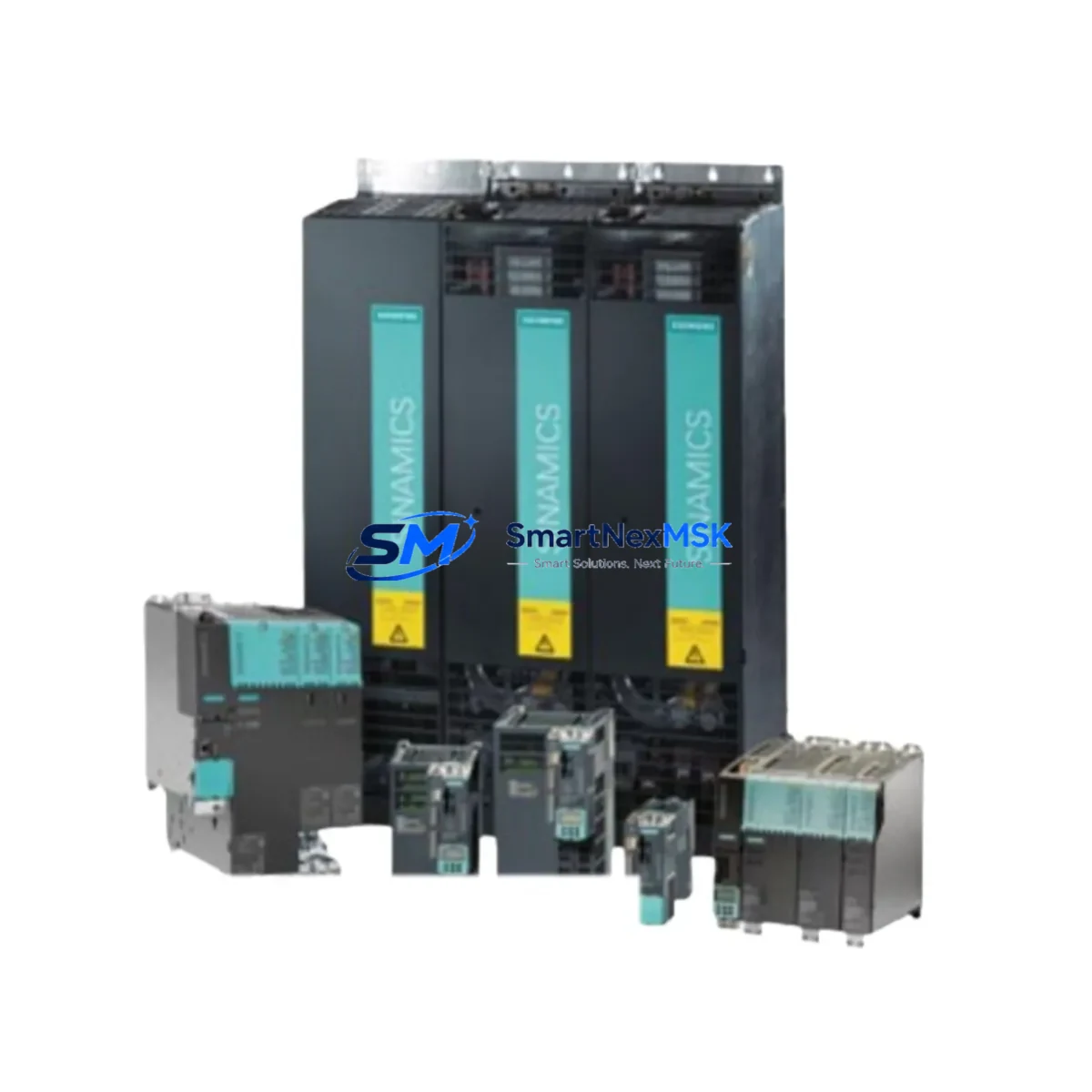
Siemens 6SL3352-6TG41-0AA3 Spare for S120 Automation: Spare Replacement & Industrial Downtime Risk Control
The Siemens 6SL3352-6TG41-0AA3 is an original SINAMICS S120 multi-axis drive control unit (CU320-2 series), designed for high-performance motion control in demanding industrial automation environments. As a maintenance-ready spare, this unit is essential for facilities operating multi-axis servo or vector drive systems where unplanned downtime carries significant production and financial risk. Whether you are managing a planned shutdown, responding to a fault alarm, or building a strategic spare parts inventory, the 6SL3352-6TG41-0AA3 provides a direct, compatible replacement that restores system operation with minimal reconfiguration.
This unit is sourced as an original Siemens component, fully tested prior to shipment, and backed by a 12-month warranty. It is suitable for integration into existing S120 booksize and chassis configurations, supporting PROFIBUS DP and PROFINET IO communication interfaces depending on firmware and hardware variant. Maintenance engineers and procurement teams can rely on this spare to maintain system continuity across CNC machining centers, press lines, winding machines, conveyor systems, and other multi-axis automation platforms.
Spare Maintenance Table
| Parameter | Specification |
|---|---|
| Part Number / SKU | 6SL3352-6TG41-0AA3 |
| Brand | Siemens |
| Series | SINAMICS S120 |
| Component Type | Drive Control Unit (CU320-2 DP / CU320-2 PN) |
| Communication Interface | PROFIBUS DP / PROFINET IO (variant-dependent) |
| Supply Voltage | 24 V DC (via DRIVE-CLiQ or external 24 V supply) |
| Mounting Format | Booksize / Chassis (S120 system rack) |
| Compatibility | SINAMICS S120 multi-axis drive systems; compatible with Motor Modules, Line Modules, and Sensor Modules |
| Operating Temperature | 0 °C to +55 °C (derating above 40 °C) |
| Protection Class | IP20 |
| Origin | Germany |
| Condition | Original, tested before shipment |
| Warranty | 12 Months |
| Application | CNC, servo press, winding, conveyor, multi-axis motion control |
| Maintenance Recommendation | Replace when CU fault codes F01000–F01999 persist after firmware reload; inspect DRIVE-CLiQ topology and 24 V rail before replacement |
Maintenance Planning for Continuous Operation
When a SINAMICS S120 system triggers persistent control unit faults — such as F01000 (internal software error), F01001 (floating point exception), or repeated DRIVE-CLiQ communication errors — the 6SL3352-6TG41-0AA3 control unit is typically the primary replacement candidate. However, experienced maintenance engineers know that replacing the CU alone without inspecting the surrounding system components often leads to repeat failures or extended commissioning time.
Before or alongside replacing the 6SL3352-6TG41-0AA3, the following components should be inspected and, where necessary, replaced as part of a complete maintenance cycle:
- Active Line Module (ALM) or Basic Line Module (BLM) — such as the 6SL3130 series — should be checked for DC bus voltage stability and pre-charge circuit integrity. A degraded line module can cause repeated CU resets.
- Motor Modules (Single-Axis or Double-Axis) — 6SL3120 or 6SL3121 series — should be verified for IGBT health and DRIVE-CLiQ link status. Faulty motor modules can generate upstream CU faults.
- DRIVE-CLiQ cables and hubs — including the 6SL3060 cable series — are a frequent source of intermittent topology errors. Inspect for connector damage, cable routing stress, and EMI exposure.
- Sensor Modules (SMC20, SMC30) — 6SL3055 series — should be tested for encoder signal integrity. A failing sensor module can cause the CU to report axis-level faults that mimic control unit failures.
- 24 V DC power supply — such as the Siemens SITOP PSU100S or PSU200M — must be verified for output voltage stability under load. Voltage dips below 20.4 V will cause CU brownout faults.
- Terminal modules and signal isolators — including the 6SL3055-0AA00-3AA0 TM31 or TM41 — should be checked for I/O signal integrity, especially in systems with analog speed references or digital enable signals.
- Braking resistors and Braking Modules — 6SL3100 series — should be inspected for thermal damage, particularly in press or hoist applications with frequent regenerative braking cycles.
- Control cabinet 24 V distribution fuses and terminal blocks — Phoenix Contact or Weidmüller terminal strips — should be checked for loose connections and blown fuses that may have caused the original CU fault.
- PROFIBUS DP or PROFINET IO network components — including network switches, DP connectors, and shielding clamps — should be verified for communication integrity before re-commissioning the replaced CU.
- Operator Panel Interface (OPI) or HMI connection — if the system uses a SINUMERIK 840D sl or similar CNC controller linked to the S120 drive, verify the NCU-to-CU interface and parameter backup before swapping the control unit.
Maintaining a stocked spare of the 6SL3352-6TG41-0AA3 alongside at least one spare Motor Module and a set of DRIVE-CLiQ cables is a recognized best practice for facilities with high-availability requirements. This approach reduces mean time to repair (MTTR) from days to hours and eliminates the risk of extended lead times for critical drive components.
Site Replacement Workflow
Replacing the 6SL3352-6TG41-0AA3 in the field follows a structured process to minimize downtime and ensure system compatibility:
- Backup parameters: Before powering down, use STARTER, Startdrive, or the existing HMI to export the full drive parameter set (p0010 = 30, p0970 = 1 for factory reset reference). Save the project file to a USB or engineering PC.
- Isolate and de-energize: Open the main circuit breaker and the 24 V DC control supply. Verify DC bus discharge (typically 5 minutes for chassis units) using a calibrated multimeter before touching any terminals.
- Disconnect DRIVE-CLiQ and I/O: Label and photograph all DRIVE-CLiQ cable connections, PROFIBUS/PROFINET connectors, and terminal block wiring before removal. The CU320-2 topology is order-sensitive.
- Install the 6SL3352-6TG41-0AA3 spare: Mount the new unit in the same slot position. Reconnect DRIVE-CLiQ cables in the original topology order. Reconnect I/O terminals and communication interfaces.
- Restore parameters: Power up the 24 V supply only. Use Startdrive or STARTER to download the saved parameter set to the new CU. Verify firmware version compatibility (upgrade if required via p0018).
- Commission and test: Perform a DRIVE-CLiQ topology scan (p9906), verify all axis identifications, and run a no-load test before reconnecting the mechanical load. Check for fault-free operation across all axes before returning to production.
This workflow is applicable whether replacing an end-of-life unit, recovering from a catastrophic fault, or performing a scheduled preventive replacement based on operating hours or thermal history. The 6SL3352-6TG41-0AA3 is a direct form-fit-function replacement within the S120 CU320-2 family, requiring no hardware modifications to the control cabinet.
Spare Parts Support FAQ
Q1: Is the 6SL3352-6TG41-0AA3 compatible with all SINAMICS S120 configurations?
The 6SL3352-6TG41-0AA3 is designed for the SINAMICS S120 multi-axis platform and is compatible with booksize Motor Modules, Line Modules, and Sensor Modules within the S120 system. Compatibility with specific firmware versions and communication variants (PROFIBUS DP vs. PROFINET IO) should be confirmed against your existing system’s hardware and software version. Our technical team can assist with compatibility verification prior to shipment.
Q2: What testing is performed before shipment?
Every 6SL3352-6TG41-0AA3 unit undergoes functional testing prior to dispatch, including power-on verification, DRIVE-CLiQ interface check, and firmware boot confirmation. Units are inspected for physical damage, connector integrity, and correct labeling. A test report is available upon request. All units are shipped with anti-static packaging and are covered by a 12-month warranty from the date of delivery.
Q3: How should I manage spare parts inventory for S120 drive systems?
For facilities with multiple S120 drive systems, we recommend maintaining at minimum one spare CU320-2 control unit (such as the 6SL3352-6TG41-0AA3), one spare single-axis Motor Module matched to your most common motor rating, and a set of DRIVE-CLiQ cables. For high-criticality lines, consider a complete spare drive stack. Spare parts should be stored in a dry, temperature-controlled environment and rotated into service on a planned basis to prevent shelf degradation of electrolytic capacitors and firmware obsolescence.
Q4: What is the warranty coverage and what does it include?
All units supplied by SMARTNEXMSK carry a 12-month warranty covering manufacturing defects and functional failures under normal operating conditions. The warranty covers free replacement or repair of the defective unit. It does not cover damage resulting from incorrect installation, overvoltage events, or operation outside specified environmental conditions. Warranty claims are processed within 5 business days of receiving the returned unit, and replacement units are dispatched with priority shipping to minimize customer downtime.
© 2026 SMARTNEXMSK. All rights reserved.
Original Source: https://smartnexmsk.com
Contact: [email protected] | +86 18259474341



