
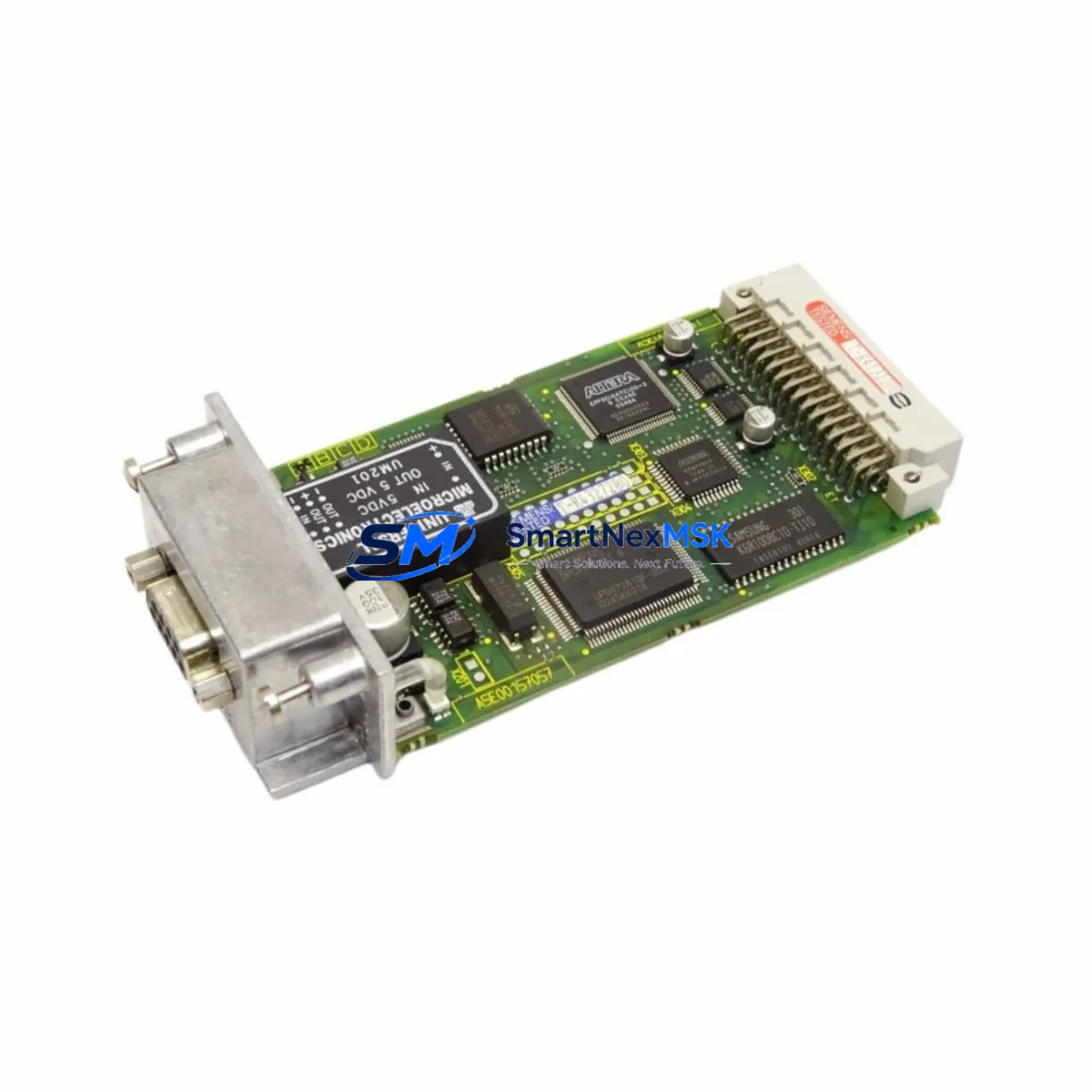
Siemens 6SN1114-0NB01-0AA0 Retrofit-Ready Profibus-DP Module for SIMODRIVE 611 Control Systems
The Siemens 6SN1114-0NB01-0AA0 is a Profibus-DP option module designed for the SIMODRIVE 611 drive platform — one of the most widely deployed servo and spindle drive systems in CNC machining centers, transfer lines, and automated production equipment. As original SIMODRIVE 611 hardware reaches end-of-life and spare parts become increasingly scarce, this module serves as a critical retrofit component for engineers tasked with keeping legacy drive systems operational without a full platform migration.
Whether you are replacing a failed communication module on an existing SIMODRIVE 611 rack, upgrading a drive cabinet from point-to-point wiring to Profibus-DP network topology, or migrating a multi-axis system from an older SINUMERIK 840C controller to a SINUMERIK 840D sl, the 6SN1114-0NB01-0AA0 provides the communication interface needed to maintain drive-to-controller data exchange. It slots directly into the SIMODRIVE 611 power module rack alongside the NE module (infeed/regenerative feedback unit) and axis control modules such as the 6SN1118 series, preserving the existing backplane bus architecture without requiring mechanical modifications to the control cabinet.
Upgrade Compatibility Table
| Parameter | Details |
|---|---|
| SKU / Part Number | 6SN1114-0NB01-0AA0 |
| Compatible Platform | SIMODRIVE 611 (Universal, Digital, Analog variants) |
| Communication Protocol | Profibus-DP (DP-V1 compatible) |
| Backplane Interface | SIMODRIVE 611 internal drive bus (ISA-style rack connector) |
| Installation Requirement | Inserts into option slot of SIMODRIVE 611 control module; no additional wiring harness required |
| Replaces / Upgrades | Older point-to-point or RS-485 drive interfaces; compatible with 6SN1114-0NB00-0AA0 predecessor |
| Controller Compatibility | SINUMERIK 840D, 840D sl, 810D; SIMATIC S7-300/400 with Profibus master |
| Commissioning Tool | SIMODRIVE 611 Start-up Tool (SimoCom U) via RS-232 programming cable |
| Retrofit Recommendation | Verify drive firmware version ≥ 3.x before installation; update via SimoCom U if required |
| Warranty | 12 Months — covers manufacturing defects and functional failure under normal operating conditions |
Retrofit Planning for Existing Automation Systems
A successful retrofit of the 6SN1114-0NB01-0AA0 begins well before the module arrives on-site. Engineers should first audit the existing SIMODRIVE 611 rack configuration, documenting the slot assignments of each axis module (typically 6SN1118-0DK23 or 6SN1118-0NH01 series), the NE infeed module rating, and the current Profibus node addresses assigned to each drive. Node address conflicts are among the most common causes of commissioning delays when adding or replacing a Profibus-DP option module in a multi-axis rack.
Terminal wiring on the Profibus-DP sub-D9 connector must be verified against the existing network segment. Confirm bus termination resistors are active only at the physical ends of the Profibus segment — a common oversight when inserting a new node into an existing daisy-chain. If the cabinet also contains a SIMATIC ET 200S distributed I/O station or a CP 342-5 communications processor on the same Profibus segment, ensure the GSD file for the 6SN1114-0NB01-0AA0 is correctly imported into STEP 7 or TIA Portal before going online.
Power supply capacity within the drive cabinet deserves careful attention. The SIMODRIVE 611 rack draws 24 VDC logic supply from a dedicated SITOP power supply unit. Adding or replacing a communication module does not significantly alter the 24 V load, but if the retrofit is part of a broader upgrade that also introduces a new OP 010 or TP 177B HMI panel, a PROFINET-to-Profibus link module, or additional 6SN1123 power sections, the total 24 V demand must be recalculated against the SITOP unit’s rated output current.
Program compatibility is another key checkpoint. If the PLC program running on a SIMATIC S7-315-2DP or S7-416-2DP references the drive’s Profibus I/O data by fixed byte offsets in the process image, any change to the GSD configuration or slot assignment will shift those offsets and require a corresponding update to the OB1 or FC blocks in the STEP 7 project. Always back up the existing S7 project and the SimoCom U drive parameter set before beginning physical installation.
Downtime Control During System Migration
Minimizing production downtime during a SIMODRIVE 611 communication module replacement requires a structured pre-commissioning approach. Begin by uploading all drive parameters from the existing module using SimoCom U over the RS-232 programming cable — this creates a complete parameter backup that can be restored to the replacement 6SN1114-0NB01-0AA0 within minutes of installation, eliminating the need to re-enter axis-specific settings such as encoder type, current limits, speed controller gains, and reference point coordinates.
Where production schedules permit only a narrow maintenance window, consider staging the Profibus network configuration changes in the STEP 7 or TIA Portal project offline, downloading the updated hardware configuration to the S7 CPU during a planned stop, and then performing the physical module swap and parameter restore in a single coordinated sequence. This approach keeps the SINUMERIK NCK and PLC in a known state throughout the process and avoids the risk of partial configuration mismatches that can trigger drive faults on power-up.
For systems where the SIMODRIVE 611 drives a spindle axis shared with a SINAMICS S120 booksize unit on the same Profibus segment, coordinate the node address assignment and telegram type (standard telegram 1 or 5) across both drive families before going live. Keeping the original axis logic intact in the NC program and limiting changes to the communication layer is the most reliable strategy for maintaining control continuity and protecting the existing HMI screen layouts and alarm configurations.
Retrofit Support FAQ
Q: Is the 6SN1114-0NB01-0AA0 a direct drop-in replacement for the 6SN1114-0NB00-0AA0?
A: Yes. The -0NB01- revision is the current production successor to the -0NB00- variant. Physical dimensions, rack connector pinout, and Profibus-DP functionality are identical. A parameter restore from the predecessor module’s SimoCom U backup is fully compatible.
Q: What commissioning steps are required after installation?
A: Set the Profibus node address via the rotary switches on the module face, restore the drive parameter set using SimoCom U, import or confirm the GSD file in the PLC project, perform a Profibus bus scan to verify node recognition, and execute a reference point run on each affected axis before returning the machine to automatic mode.
Q: Can this module operate on a Profibus segment that also carries SIMATIC S7 I/O and third-party devices?
A: Yes, provided the total bus load and cable length remain within Profibus-DP specification for the selected baud rate (typically 1.5 Mbit/s or 12 Mbit/s in SIMODRIVE 611 applications). Ensure correct bus termination and that each node has a unique address between 1 and 125.
Q: What does the 12-month warranty cover?
A: The warranty covers manufacturing defects and functional failure under normal operating conditions for 12 months from the date of shipment. Each unit undergoes functional testing prior to dispatch. Damage resulting from incorrect installation, overvoltage, or operation outside the specified environmental range is excluded. Contact [email protected] for warranty claims or pre-shipment test reports.
© 2026 SMARTNEXMSK. All rights reserved.
Original Source: https://smartnexmsk.com
Contact: [email protected] | +86 18259474341



