
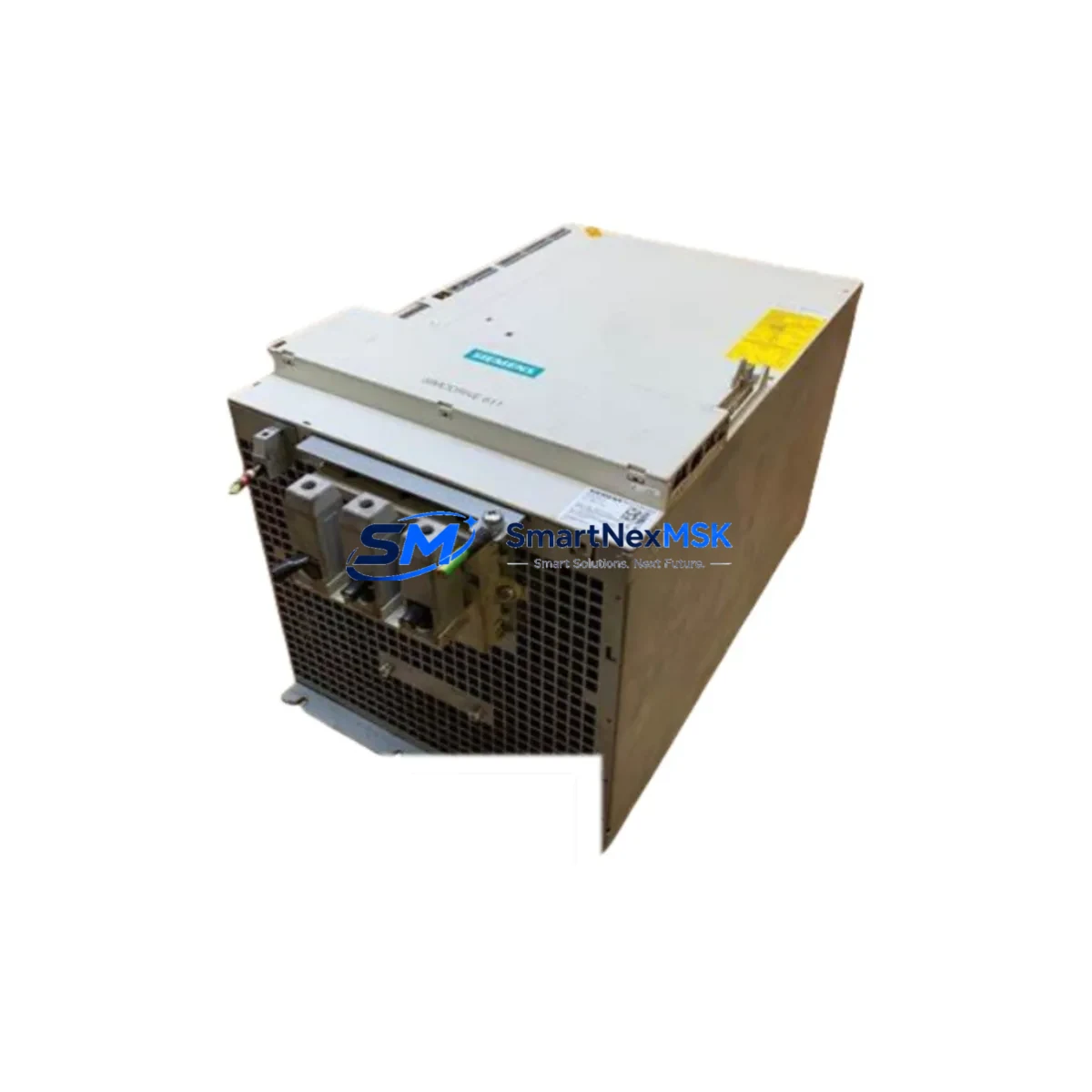
Siemens 6SN1145-1BA01-0DA1 Retrofit-Ready Infeed Module for SIMODRIVE 611 Control Systems
The Siemens 6SN1145-1BA01-0DA1 is a regenerative infeed/feedback module designed for the SIMODRIVE 611 drive platform — one of the most widely deployed servo drive systems in CNC machining centers, grinding machines, and multi-axis production lines worldwide. As legacy SIMODRIVE 611 systems approach end-of-service milestones, the 6SN1145-1BA01-0DA1 has become a critical retrofit component for engineers tasked with extending the operational life of existing control cabinets without committing to a full platform migration.
This module provides regulated DC bus power to the SIMODRIVE 611 drive group, enabling regenerative energy feedback to the supply network. It is compatible with the standard SIMODRIVE 611 booksize mounting system and interfaces directly with the 611 power section backplane. When replacing a failed or degraded infeed unit, engineers must verify the DC link voltage rating, the connected load capacity in kilowatts, and the line filter configuration — particularly when the original installation used a Siemens 6SL3000-series line filter or an external EMC filter module upstream of the infeed.
Before installation, confirm that the existing SIMODRIVE 611 NE module (infeed/regenerative unit) slot dimensions and backplane connector pinout match the 6SN1145-1BA01-0DA1 footprint. In most SIMODRIVE 611 installations, the infeed module is mounted at the left end of the drive group on a standard 300 mm or 600 mm booksize rail. The DC bus bar connections, PE terminal, and the 24 V DC auxiliary supply from the 6SN1146-series power supply module must all be verified before energizing the replacement unit.
Upgrade Compatibility Table
| Parameter | Details |
|---|---|
| SKU / Part Number | 6SN1145-1BA01-0DA1 |
| Platform Compatibility | SIMODRIVE 611 (booksize), SINUMERIK 840D / 810D CNC systems |
| Module Type | Regenerative Infeed / Feedback Module (NE Module) |
| DC Bus Interface | Standard SIMODRIVE 611 DC bus bar, left-end mounting |
| Auxiliary Supply | 24 V DC from 6SN1146-series or equivalent power supply module |
| Replaces / Upgrades | 6SN1145-1BA00-0DA1, 6SN1145-1BA01-0CA1 (verify load rating) |
| Communication Interface | SIMODRIVE 611 internal drive bus (not PROFIBUS — confirm with drive group config) |
| Installation Requirement | Booksize rail, standard 611 backplane, line filter upstream recommended |
| Commissioning Tool | SIMODRIVE 611 startup software via RS-232 or SINUMERIK operator panel |
| Warranty | 12 Months — covers manufacturing defects, functional failure under rated load |
Retrofit Planning for Existing Automation Systems
A successful retrofit of the 6SN1145-1BA01-0DA1 into an existing SIMODRIVE 611 drive group requires a structured pre-installation audit. Begin by documenting the full drive group configuration: the number of axis modules (such as 6SN1123-series or 6SN1124-series single- and double-axis drive modules), the total connected motor power, and the current infeed module’s rated kilowatt capacity. Undersizing the replacement infeed relative to the aggregate axis load is a common commissioning error that results in DC bus undervoltage faults during acceleration ramps.
The terminal wiring on the SIMODRIVE 611 infeed module includes the three-phase AC input (L1, L2, L3), the PE ground terminal, the DC bus output bars, and the 24 V DC control supply. When replacing the infeed, label and photograph all terminal connections before disconnection. Pay particular attention to the enable signal wiring — the SIMODRIVE 611 uses a hardware enable chain that typically runs through the 6SN1162-series terminal module or directly through the SINUMERIK NCU (Numerical Control Unit) enable outputs. If the enable chain is interrupted or rewired incorrectly, the drive group will not release from the safe state after power-up.
For systems running SINUMERIK 840D sl or 840D powerline, the infeed module communicates its status (ready, fault, DC bus charged) back to the NCU via the SIMODRIVE 611 internal drive bus. After replacing the infeed, perform a drive group initialization using the SINUMERIK startup wizard or the SIMODRIVE 611 commissioning software. Verify that the infeed module address is correctly assigned — in a standard 611 group, the infeed occupies the leftmost logical slot and does not require a separate PROFIBUS DP address, unlike the SINAMICS S120 platform which uses DRIVE-CLiQ topology.
If the retrofit is part of a broader control cabinet upgrade that also involves replacing the SINUMERIK 840D NCU 572.5 or NCU 573.5 controller board, or migrating from an older SINUMERIK 810D system, the infeed module replacement should be sequenced before the controller swap to allow independent DC bus verification. Similarly, if the HMI is being upgraded from an OP 010 or OP 012 operator panel to a modern HMI Advanced or Comfort Panel, the HMI migration can proceed in parallel without affecting the drive group commissioning.
For I/O-intensive applications, verify that the 6FC5111-series I/O modules or any ET 200S distributed I/O connected via PROFIBUS DP to the NCU remain unaffected by the infeed replacement. The DC bus voltage fluctuation during infeed swap can occasionally trigger PROFIBUS timeout faults on sensitive I/O nodes — a brief controlled shutdown of the PROFIBUS master before the swap is recommended. Programming cables such as the 6FX2002-series or a standard USB-to-RS-232 adapter are required for post-installation parameter verification and drive optimization (speed controller gain, current limits, ramp times).
Downtime Control During System Migration
Minimizing unplanned downtime during an infeed module replacement on a live production line requires advance preparation. Before the maintenance window, back up the full SINUMERIK NCU data archive — including NC programs, machine data (MD), setting data (SD), and tool offsets — using the SINUMERIK data backup function or a CF card image. This ensures that if the replacement infeed triggers a drive group re-initialization that resets axis-specific drive parameters, the original machine data can be restored within minutes rather than hours.
During the swap, keep the replacement 6SN1145-1BA01-0DA1 at ambient temperature for at least 30 minutes before energizing, particularly in cold-climate facilities, to avoid condensation on the power electronics. After installation, perform a controlled power-up sequence: apply 24 V DC auxiliary power first, verify the infeed module’s LED status indicators (ready/fault), then apply three-phase AC mains. Monitor the DC bus voltage on the SINUMERIK operator panel or via the drive diagnostic screen before releasing the axis enable chain.
For multi-axis machining centers where a full shutdown is not acceptable, consider a phased approach: isolate the infeed module from the DC bus using the bus bar disconnects (if fitted), replace the infeed, and restore the bus before re-enabling individual axis drives one at a time. This approach preserves the PLC program state in the SINUMERIK NCU and avoids a full machine restart, reducing effective downtime to under 45 minutes in most installations. All field adjustments should be logged in the machine maintenance record, and a post-retrofit functional test — including axis reference runs, spindle load test, and emergency stop verification — must be completed before returning the machine to production.
Retrofit Support FAQ
Q1: Is the 6SN1145-1BA01-0DA1 a direct drop-in replacement for the 6SN1145-1BA00-0DA1?
In most SIMODRIVE 611 installations, yes — both are regenerative infeed modules for the 611 booksize platform with compatible backplane connectors and DC bus interfaces. However, verify the rated infeed power (kW) against your drive group’s total axis load before installation. If the predecessor unit was a non-regenerative (monitoring) infeed, a wiring change to the line filter and mains contactor circuit is required.
Q2: What commissioning steps are required after replacing the infeed module?
After physical installation, power up the 24 V DC auxiliary supply and confirm the module’s ready status. Then apply three-phase AC and verify DC bus voltage via the SINUMERIK diagnostic screen. Run the SIMODRIVE 611 drive group initialization if prompted, re-enter any infeed-specific machine data parameters (P-numbers), and perform axis reference runs. Document all parameter changes in the machine log.
Q3: Can this module be used in a SINAMICS S120 or newer Siemens drive platform?
No. The 6SN1145-1BA01-0DA1 is specific to the SIMODRIVE 611 platform and is not compatible with SINAMICS S120, which uses a different booksize form factor, DRIVE-CLiQ communication topology, and Smart Line Module / Active Line Module architecture. If you are migrating from SIMODRIVE 611 to SINAMICS S120, a full drive group replacement including new motor cables and encoder adapters is required.
Q4: What does the 12-month warranty cover?
The 12-month warranty covers manufacturing defects and functional failure under rated operating conditions. Each unit undergoes pre-shipment functional testing including DC bus charge verification, enable signal response, and insulation resistance check. Warranty claims require the original invoice and a fault description. Physical damage, incorrect installation, or operation outside rated parameters are excluded. Contact [email protected] for warranty support.
© 2026 SMARTNEXMSK. All rights reserved.
Original Source: https://smartnexmsk.com
Contact: [email protected] | +86 18259474341



