
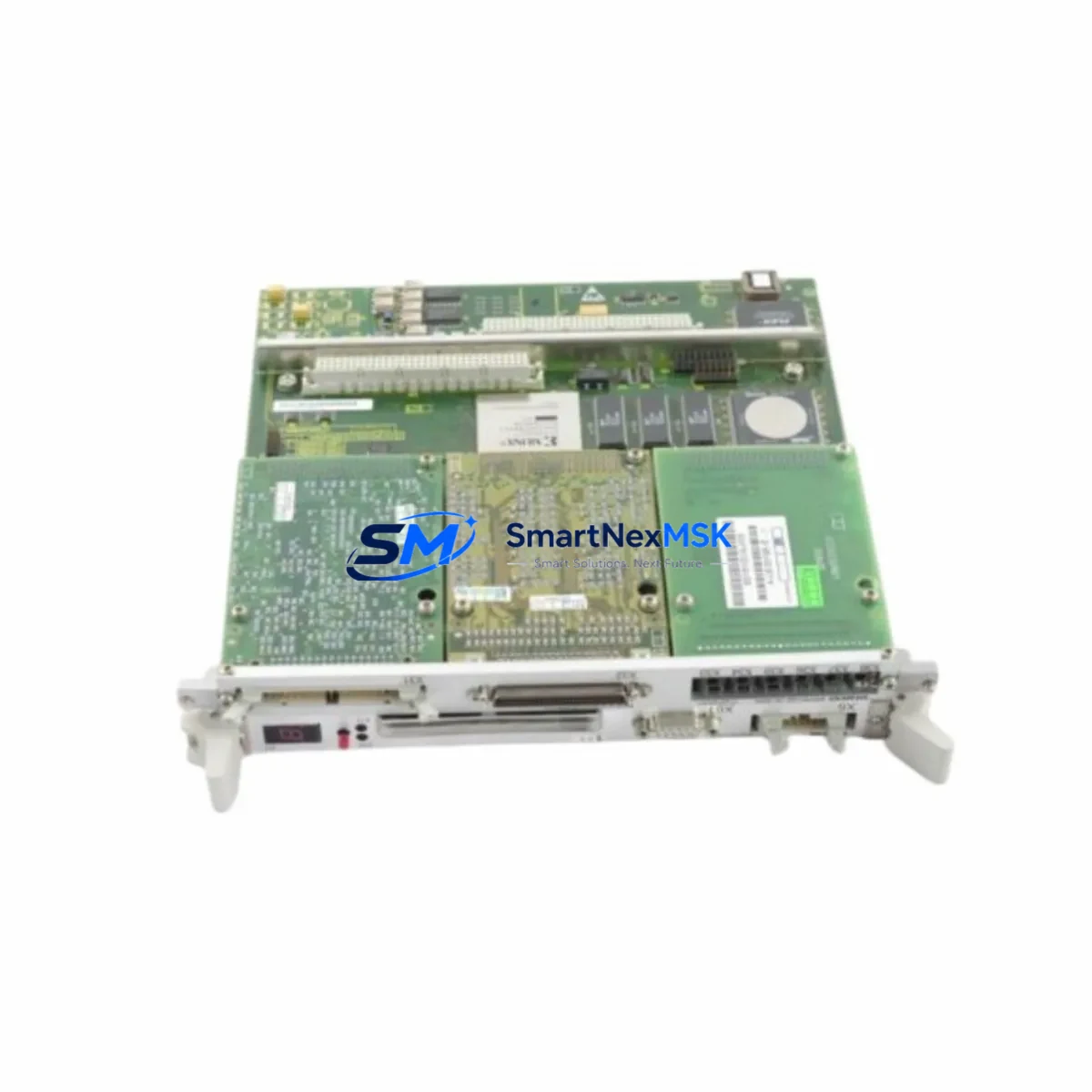
SIEMENS 6SY8102-0LA03 Retrofit-Ready PPC Control for SIMODRIVE Systems
The SIEMENS 6SY8102-0LA03 is a Position/Process Control (PPC) module designed for the SIMODRIVE drive platform — one of Siemens’ most widely deployed servo and spindle drive families in CNC machine tools, transfer lines, and automated production systems. As the SIMODRIVE series has reached end-of-production status, sourcing a verified, tested replacement for the 6SY8102-0LA03 has become a critical priority for maintenance engineers managing legacy automation infrastructure.
At SMARTNEXMSK, we supply the 6SY8102-0LA03 from controlled inventory with full functional testing, 12-month warranty coverage, and documented traceability. Whether you are executing a like-for-like swap on a failed axis, rebuilding a control cabinet after a power surge, or planning a phased modernization of an aging SIMODRIVE system, this module ships ready for installation.
Upgrade Compatibility Table
| Parameter | Details |
|---|---|
| Part Number | 6SY8102-0LA03 |
| Manufacturer | SIEMENS |
| Series | SIMODRIVE (PPC Control Module) |
| Replaces / Compatible With | 6SY8102-0LA00, 6SY8102-0LA01, 6SY8102-0LA02 (verify firmware revision before swap) |
| Backplane Interface | SIMODRIVE 611 / 611U rack bus connector — confirm slot assignment and module address before installation |
| Communication Compatibility | PROFIBUS-DP (verify baud rate and node address match existing NCU/840D configuration) |
| Power Supply Requirement | 24 VDC logic supply via backplane; confirm NE/UE module (e.g., 6SN1145-series) capacity before replacement |
| Installation Requirement | ESD precautions required; module address DIP switch must match original configuration |
| Retrofit Recommendation | Back up NCU program and drive parameters (SIMODRIVE 611 parameter set) before module swap |
| Commissioning Note | Re-run axis optimization (speed controller, current controller) after replacement; verify encoder feedback signal |
| Warranty | 12 Months — covers functional failure under normal operating conditions |
| Condition | New / Refurbished-Tested (specify at inquiry) |
| Lead Time | In stock — ships within 1–3 business days |
Retrofit Planning for Existing Automation Systems
A successful retrofit of the 6SY8102-0LA03 begins well before the module arrives on site. Engineers working on SIMODRIVE-based machine tools — particularly those integrated with a SINUMERIK 840D or 840Di CNC controller — should start by auditing the full drive cabinet. The SIMODRIVE 611 rack typically houses a combination of the 6SN1145-series NE/UE infeed module, multiple 6SN1123-series power modules, and the PPC or VSA control boards such as the 6SY8102-0LA03. Each of these components has a defined role in the power and signal chain, and replacing the PPC module without verifying the health of adjacent components can lead to repeat failures.
Before ordering, confirm the total power budget of the infeed module against the aggregate axis load. If the existing 6SN1145-1BA01 or similar NE module is already operating near capacity, a replacement PPC module will not resolve instability caused by insufficient DC bus headroom. Similarly, inspect the 6SN1118-series VSA control boards on each axis — a degraded VSA board can produce fault codes that mimic PPC failures, leading to misdiagnosis.
Terminal wiring on the SIMODRIVE 611 rack is largely standardized, but engineers should photograph and document all X1, X2, and X3 connector positions before removal. The 6SY8102-0LA03 interfaces with the rack backplane through a dedicated edge connector; no re-wiring of external terminals is typically required for a like-for-like swap, but any customized I/O wiring to the front-panel connectors must be replicated exactly. If the machine uses a 6FC5203-series SINUMERIK operator panel or a third-party HMI mapped to SIMODRIVE drive variables, verify that the HMI screen data blocks and PLC symbol assignments remain consistent after the module swap — parameter address offsets can shift between firmware revisions.
For systems using PROFIBUS-DP as the drive communication backbone, confirm that the node address set on the replacement 6SY8102-0LA03 matches the original. PROFIBUS node conflicts will prevent the NCU from establishing communication with the axis and will generate bus fault alarms on the SINUMERIK panel. If the plant is migrating from PROFIBUS to PROFINET as part of a broader modernization, a 6GK1415-series PROFIBUS/PROFINET gateway or a full upgrade to the SINAMICS S120 platform with 6SL3040-series Control Units should be evaluated in parallel.
For machines with encoder feedback via 6FX2001-series encoder cables or ERN/EQN Heidenhain encoders, verify signal integrity at the PPC module’s encoder input connector after installation. A degraded encoder cable is a common root cause of position control faults that surface immediately after a module replacement and can be mistaken for a defective new part.
Downtime Control During System Migration
Minimizing unplanned downtime during a SIMODRIVE PPC module replacement requires a structured pre-swap protocol. Before powering down the cabinet, use the SINUMERIK 840D service menu or SIMODRIVE 611 parameterization tool (SimoCom U) to export the complete drive parameter set for all axes. Store this backup on a separate device — not solely on the NCU CompactFlash card — so that parameter restoration is possible even if the NCU itself requires attention during the outage.
Power down the cabinet in the correct sequence: disable the machine program, retract all axes to a safe home position, issue an E-stop, then remove the 24 VDC logic supply before disconnecting the AC infeed. This sequence protects the program logic stored in the NCU and prevents DC bus voltage spikes from damaging adjacent modules such as the 6SN1123-series power modules or the 6SN1118-series VSA boards.
After installing the 6SY8102-0LA03, restore power in reverse order and allow the SINUMERIK controller to complete its boot sequence before attempting to reload drive parameters. Use SimoCom U or the SINUMERIK startup wizard to re-download the axis parameter set, then perform a controlled jog test on each affected axis at reduced feedrate before returning the machine to automatic cycle. Document the post-swap axis optimization results — particularly the speed controller gain settings — as a baseline for future maintenance reference. This structured approach typically limits total downtime for a single-axis PPC module swap to four to eight hours, including parameter verification and test cutting.
Retrofit Support FAQ
Q1: Is the 6SY8102-0LA03 a direct drop-in replacement for earlier 6SY8102-0LA0x revisions?
In most cases, yes — the mechanical form factor and backplane connector are identical across the 6SY8102-0LA0x family. However, firmware revisions between -0LA00/-0LA01 and -0LA03 may affect parameter compatibility. Always export and re-import the drive parameter set after swapping, and verify that the NCU firmware version supports the replacement module revision. Contact our technical team with your existing module label data for a pre-sale compatibility confirmation.
Q2: What commissioning steps are mandatory after installing the replacement module?
At minimum: (1) restore the backed-up drive parameter set via SimoCom U; (2) verify PROFIBUS node address and communication status on the SINUMERIK diagnostic screen; (3) check encoder feedback signal quality on the affected axis; (4) run the speed controller and current controller optimization routines; (5) perform a supervised jog test before returning to automatic operation. Skipping the optimization step can result in axis instability or following-error alarms during production.
Q3: How do I verify terminal wiring compatibility before installation?
The 6SY8102-0LA03 uses the standard SIMODRIVE 611 backplane interface — no external terminal rewiring is required for a like-for-like swap. However, if your machine has custom I/O wiring to the module’s front connectors (X1/X2/X3), photograph and document all connections before removal and replicate them exactly on the replacement unit. Refer to the SIMODRIVE 611 system manual (Siemens document 6SN1197-0AA00-0BP7) for connector pinout details.
Q4: What does the 12-month warranty cover, and what is the return process?
Our 12-month warranty covers functional failure of the 6SY8102-0LA03 under normal operating conditions — correct supply voltage, proper ESD handling, and installation per the SIMODRIVE 611 system manual. It does not cover damage from incorrect wiring, overvoltage events, or physical mishandling. If a warranty claim arises, contact [email protected] with the order reference and a description of the fault. We will arrange return shipping and provide a tested replacement or full refund within the agreed lead time.
© 2026 SMARTNEXMSK. All rights reserved.
Original Source: https://smartnexmsk.com
Contact: [email protected] | +86 18259474341



