
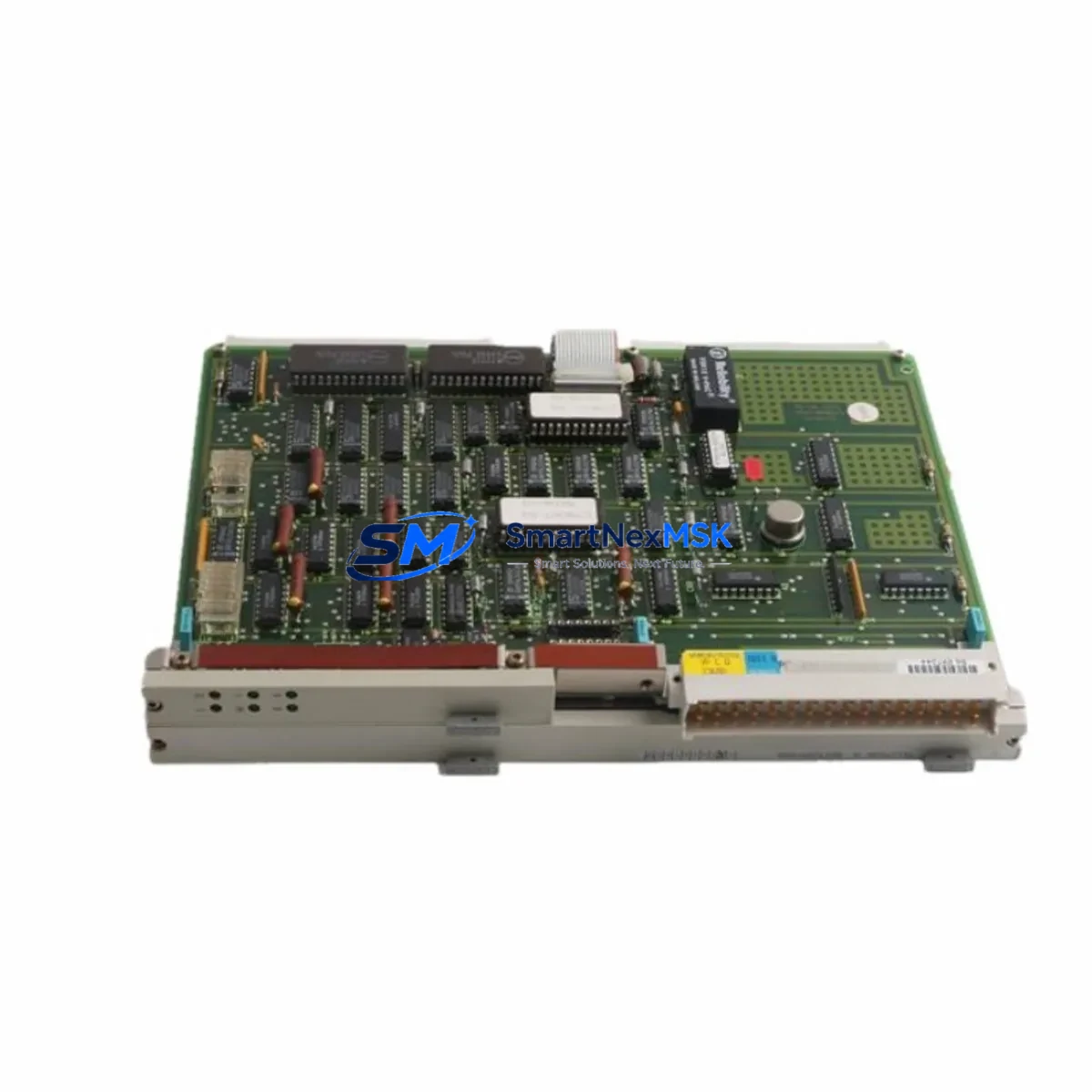
Siemens 700-443-0TP01 Retrofit-Ready CP for S7-300 Systems: Compatible Modernization & Smooth Legacy Upgrade
The Siemens 700-443-0TP01 (full part reference: 700-443-0TP01 S7-TCP/IP 200-8000-01) is a Communications Processor (CP) module engineered for SIMATIC S7-300 control systems. As legacy S7-300 installations approach end-of-life and original Siemens CP 343-1 series modules become increasingly difficult to source, the 700-443-0TP01 serves as a proven retrofit-ready replacement that preserves existing rack architecture, backplane wiring, and STEP 7 program logic without requiring a full controller migration.
For plant engineers managing aging control cabinets, this module addresses the most common pain points in a TCP/IP CP replacement: maintaining Ethernet connectivity to SCADA hosts, preserving S7 communication links to HMI panels such as the Siemens TP700 or MP277, and sustaining ISO-on-TCP and S7 routing sessions across the production network. The 700-443-0TP01 supports standard Industrial Ethernet protocols and integrates directly into the S7-300 rack alongside existing CPU modules such as the CPU 315-2 DP or CPU 317-2 PN/DP, requiring no additional backplane adapters.
Upgrade Compatibility Table
| Parameter | Details |
|---|---|
| SKU / Part Number | 700-443-0TP01 S7-TCP/IP 200-8000-01 |
| Compatible Series | SIMATIC S7-300 (all standard rack configurations) |
| Replaces / Upgrades | CP 343-1 (6GK7 343-1EX30-0XE0), CP 343-1 Lean, CP 343-1 Advanced |
| Communication Protocols | TCP/IP, ISO-on-TCP, S7 Communication, FETCH/WRITE |
| Backplane Interface | S7-300 standard backplane bus — no adapter required |
| Installation Requirement | DIN rail mount; slot assignment via STEP 7 HW Config or TIA Portal |
| Power Supply Compatibility | Powered via S7-300 backplane; verify PS 307 or PS 305 capacity ≥ 2A per rack |
| Programming Environment | STEP 7 V5.x / TIA Portal V13 and above |
| HMI Compatibility | WinCC, WinCC flexible, SIMATIC HMI TP/MP series via S7 routing |
| Debugging / Commissioning | NetPro configuration; IP assignment via STEP 7 or PRONETA |
| Warranty | 12-Month Warranty — tested and verified before shipment |
Retrofit Planning for Existing Automation Systems
A successful retrofit begins well before the module arrives on site. When replacing a failed or end-of-life CP in an S7-300 rack, engineers must first audit the existing rack layout. A typical S7-300 control cabinet may house a CPU 315-2 DP in slot 2, a CP 343-1 in slot 4, one or two SM 321 digital input modules, an SM 322 digital output module, and an SM 331 analog input module — all powered by a PS 307 10A power supply unit. Before swapping the CP, confirm that the PS 307 has sufficient headroom to support the replacement module’s current draw, particularly if additional I/O expansion modules have been added to the rack since the original commissioning.
Terminal wiring on the Ethernet side is straightforward: the 700-443-0TP01 uses a standard RJ45 Industrial Ethernet port. However, if the legacy installation used an AUI or BNC interface on an older CP 343 variant, a media converter or switch port reconfiguration will be required before the new module can join the plant network. Verify that the managed switch or SCALANCE X series switch serving the control cabinet is configured to accept the new module’s MAC address and that any VLAN assignments match the existing CP’s network segment.
Module address assignment is handled in STEP 7 HW Config. After inserting the 700-443-0TP01 into the hardware catalog and assigning it to the correct rack slot, engineers must re-enter the IP address, subnet mask, and default gateway that were previously configured on the replaced CP. If the plant uses a PROFIBUS DP network alongside the Ethernet CP — for example, connecting remote ET 200M I/O stations or a SINAMICS G120 drive via IM 153-2 interface modules — confirm that the DP master configuration in the CPU remains unchanged, as the CP replacement does not affect the PROFIBUS segment.
Program compatibility is a critical checkpoint. The 700-443-0TP01 supports the same FC5 (AG_SEND) and FC6 (AG_RECV) communication blocks used in legacy S7-300 TCP/IP applications, meaning existing OB1 and interrupt OB logic typically requires no modification. If the plant uses S7 routing to reach HMI panels — such as a SIMATIC MP277 or TP1200 Comfort connected via Ethernet — verify the routing table in NetPro to ensure the new CP is correctly mapped as the gateway for remote S7 connections. After downloading the updated hardware configuration, perform a warm restart of the CPU and monitor the CP’s diagnostic LEDs: the SF (system fault) LED should extinguish within 30 seconds of successful initialization.
Downtime Control During System Migration
Minimizing unplanned downtime during a CP module swap requires a structured pre-outage preparation protocol. Before taking the control system offline, upload and archive the complete STEP 7 project — including HW Config, NetPro settings, and all program blocks — to a secure engineering workstation. If the plant operates a redundant communication path using a second CP or a SCALANCE S security module, verify that the redundant path can sustain SCADA polling and HMI updates during the swap window.
The physical replacement of the 700-443-0TP01 in a powered-down S7-300 rack typically takes under 15 minutes. After seating the module and restoring rack power, the CPU will enter STOP mode if it detects a hardware configuration mismatch — this is expected behavior. Download the updated HW Config from STEP 7, perform a CPU memory reset if required, and then restart in RUN mode. Re-establish the Ethernet connection by pinging the CP’s IP address from the engineering workstation before releasing the system to production. If the plant uses a SIMATIC WinCC SCADA system, verify that all OPC or S7 channel connections re-establish automatically; most WinCC projects will reconnect within one to two scan cycles once the CP is online.
For sites where even brief interruptions are unacceptable, consider staging the replacement during a scheduled maintenance window and pre-configuring the 700-443-0TP01 on a bench rack using a spare CPU 314 or CPU 315 before the live swap. This approach allows full functional verification — including S7 communication to a test HMI and FETCH/WRITE transactions from a SCADA simulator — before the module enters service, reducing on-site commissioning time to a final IP address confirmation and cable reconnection.
Retrofit Support FAQ
Q1: Is the 700-443-0TP01 a direct drop-in replacement for the Siemens CP 343-1 (6GK7 343-1EX30-0XE0)?
A: Yes. The 700-443-0TP01 is designed as a functional replacement for the CP 343-1 family in SIMATIC S7-300 racks. It occupies the same backplane slot, uses the same RJ45 Ethernet interface, and supports the same TCP/IP, ISO-on-TCP, and S7 communication protocols. Minor differences in firmware revision may require a HW Config update in STEP 7 or TIA Portal before downloading to the CPU.
Q2: What pre-shipment testing is performed on the 700-443-0TP01?
A: Every unit undergoes functional verification prior to dispatch, including power-on self-test, Ethernet link establishment, and protocol handshake validation. Each module ships with a 12-month warranty covering manufacturing defects and functional failures under normal operating conditions. A test report is available upon request.
Q3: Can I reuse my existing STEP 7 program and NetPro configuration without modification?
A: In most cases, yes. If your existing program uses standard AG_SEND / AG_RECV blocks or S7 PUT/GET instructions, no program changes are required. You will need to update the HW Config to reflect the new module’s order number and re-download the configuration to the CPU. Verify the CP’s IP parameters and routing entries in NetPro after the download.
Q4: What should I check if the CP’s SF LED remains lit after installation?
A: An illuminated SF LED after startup typically indicates a configuration mismatch, IP conflict, or incomplete HW Config download. Check the CPU diagnostic buffer in STEP 7 for event codes, verify that the module is seated correctly in the backplane, confirm there are no duplicate IP addresses on the network segment, and ensure the PS 307 power supply is providing stable 24 VDC to the rack. If the fault persists, perform a module reset and re-download the HW Config.
© 2026 SMARTNEXMSK. All rights reserved.
Original Source: https://smartnexmsk.com
Contact: [email protected] | +86 18259474341



