
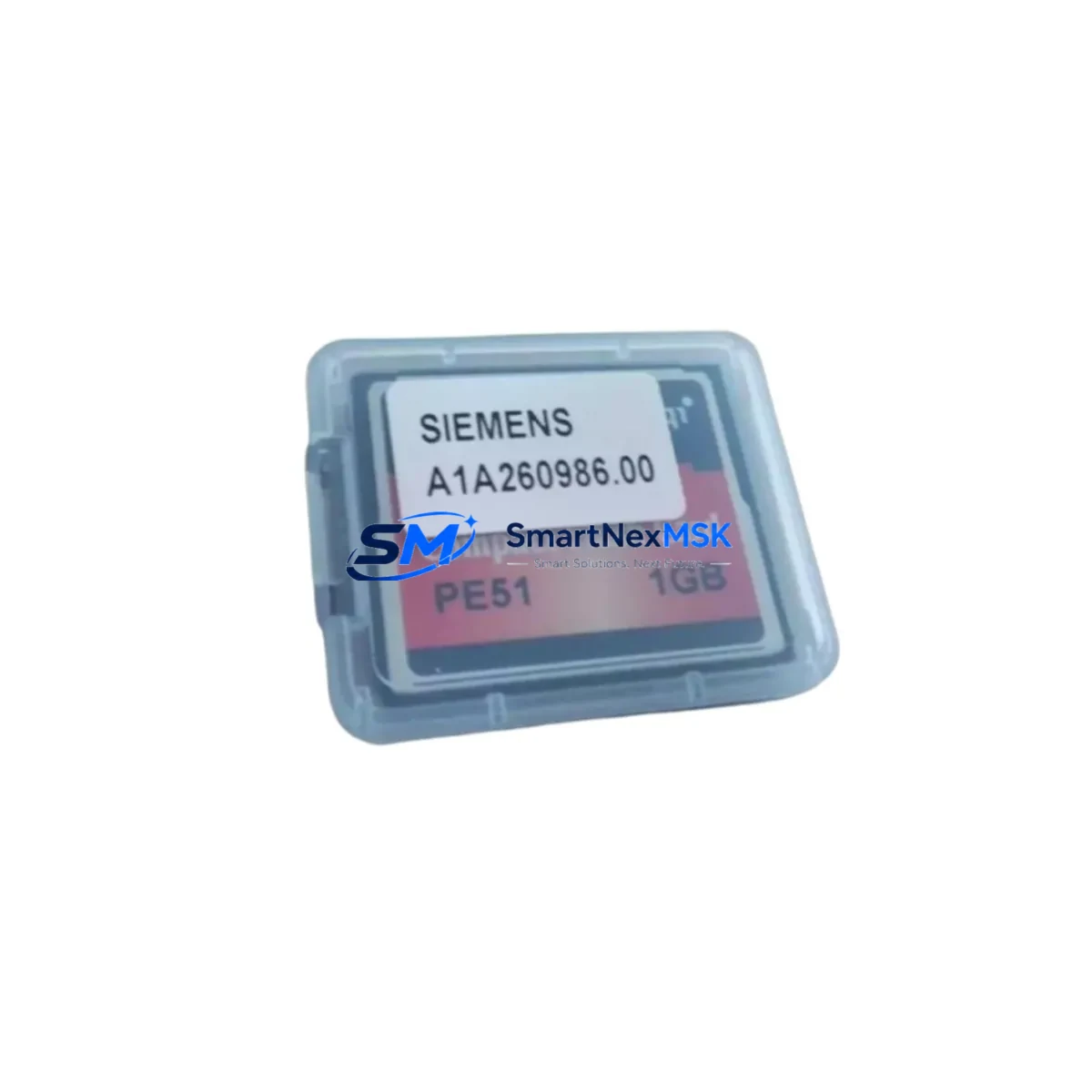
Siemens A1A260986.00 Spare for SIMATIC S7 Automation: Spare Replacement & Industrial Downtime Risk Control
The Siemens A1A260986.00 is an original CompactFlash memory module designed for use within the SIMATIC S7-300 and S7-400 programmable logic controller platforms. As a critical data-storage component, it retains the PLC user program, configuration data, and retain variables across power cycles — making it one of the highest-priority spare parts in any S7-based control cabinet. When this module fails or becomes corrupted, the entire automation sequence halts, resulting in unplanned downtime that can cascade across production lines, batch processes, or utility systems.
For maintenance engineers managing aging SIMATIC S7 installations, stocking a verified replacement A1A260986.00 is not optional — it is a fundamental element of a sound spare parts strategy. The module is compatible with standard S7-300 CPU slots and S7-400 rack configurations, and it supports direct program transfer via STEP 7 or TIA Portal in legacy-compatible mode. Its compact form factor and standardized interface mean that field replacement can be completed in minutes, dramatically reducing mean time to repair (MTTR) when a memory fault is detected during routine diagnostics or emergency response.
Every A1A260986.00 unit supplied by SMARTNEXMSK is sourced from verified industrial channels, inspected for physical integrity, and tested for read/write functionality prior to shipment. Each unit ships with a 12-month warranty covering manufacturing defects and functional failures under normal operating conditions. Packaging is ESD-safe and suitable for long-term storage in a spare parts cabinet or tool room environment.
Spare Maintenance Table
| Parameter | Specification |
|---|---|
| Part Number / SKU | A1A260986.00 |
| Manufacturer | Siemens AG |
| Product Type | CompactFlash Memory Module (PLC) |
| Compatible Series | SIMATIC S7-300, S7-400 |
| Interface | CompactFlash (CF) Type II slot |
| Function | User program storage, retain data, configuration backup |
| Operating Voltage | 3.3 V (supplied via CPU slot) |
| Operating Temperature | 0 °C to +60 °C (standard industrial range) |
| Country of Origin | Germany |
| Installation | Direct insertion into CPU front slot; no tools required |
| Programming Tool | STEP 7 V5.x / TIA Portal (legacy mode) |
| Application Environment | Manufacturing, process control, utilities, OEM machinery |
| Maintenance Recommendation | Replace at first sign of read/write error or CPU memory fault alarm |
| Pre-shipment Testing | Yes — read/write verified before dispatch |
| Warranty | 12 Months from date of shipment |
Maintenance Planning for Continuous Operation
When a maintenance or procurement engineer identifies the A1A260986.00 as a required spare, it is best practice to simultaneously audit the surrounding components in the same control cabinet or PLC rack. A memory module fault rarely occurs in isolation — it is often preceded or accompanied by power supply instability, backplane communication errors, or CPU overtemperature conditions.
Start with the CPU power supply module (such as the Siemens PS 307 series or PS 405 for S7-400 racks), which provides the regulated 24 VDC rail that powers the CPU and its memory slot. A degraded power supply can cause intermittent write errors on the CompactFlash module, leading to data corruption that mimics a failed memory card. Inspect the S7-300 or S7-400 backplane bus connector for oxidation or mechanical damage, as poor bus contact can generate spurious memory access faults.
For systems using distributed I/O, verify the status of ET 200 remote I/O stations and their associated IM 153 or IM 153-2 interface modules, which communicate with the central CPU over PROFIBUS DP. A communication timeout on the PROFIBUS segment can trigger CPU stop modes that are incorrectly attributed to memory faults. Check the CP 343-1 or CP 443-1 communication processor if the S7 system is integrated into an Industrial Ethernet network — firmware mismatches after a CPU memory replacement can cause network re-initialization failures.
On the field wiring side, inspect SM 321 digital input modules and SM 322 digital output modules for blown fuses or failed output drivers, particularly if the system was subjected to a power surge event that may have also stressed the memory module. SM 331 analog input modules should be checked for calibration drift if the system has been offline for an extended period. Terminal blocks and 40-pin front connectors on signal modules should be re-seated and inspected for loose wiring after any rack disturbance during the memory replacement procedure.
If the control system includes an OP 177B or TP 177B HMI panel connected via MPI or PROFIBUS, verify that the HMI project is consistent with the restored PLC program version after the memory module is replaced. A version mismatch between the HMI configuration and the PLC data block structure can cause runtime communication errors that delay restart. For systems using signal isolators or intrinsic safety barriers on analog loops, confirm that 4–20 mA signal integrity is maintained after power restoration, as these components can mask process deviations during the restart sequence.
Site Replacement Workflow
Step 1 — Preparation: Before removing the existing A1A260986.00 or its predecessor module, use STEP 7 or TIA Portal to perform an online backup of the current CPU program to a programming device (PG/PC). Confirm that the backup file is complete and readable. If the CPU is in STOP mode due to a memory fault, attempt a memory card read via the programming interface before physical removal.
Step 2 — Safe Isolation: Place the CPU in STOP mode using the mode selector switch. Do not remove the memory card while the CPU is in RUN mode, as this will cause an immediate CPU STOP and may corrupt retain data. Discharge any static charge by touching a grounded metal surface before handling the module.
Step 3 — Module Exchange: Remove the faulty A1A260986.00 from the CPU front slot. Insert the replacement module firmly until the card is fully seated. The CPU will detect the new card on the next power cycle or STOP-to-RUN transition.
Step 4 — Program Download: Using STEP 7 or TIA Portal, download the backed-up program to the new memory card via the CPU’s MPI or PROFIBUS interface. Verify that all data blocks, organization blocks, and system function blocks are transferred correctly. Perform a complete consistency check before switching the CPU to RUN mode.
Step 5 — Functional Verification: After the CPU enters RUN mode, monitor the diagnostic buffer for any residual faults. Confirm that all I/O modules report correctly, PROFIBUS slaves are online, and HMI displays are updating as expected. Document the replacement date, module serial number, and program version in the maintenance log.
This workflow is applicable to both planned maintenance windows and emergency replacement scenarios. The standardized interface of the A1A260986.00 ensures backward compatibility with existing S7-300 and S7-400 CPU models, eliminating the need for hardware reconfiguration or rack modification during the replacement process.
Spare Parts Support FAQ
Q1: Is the A1A260986.00 compatible with all S7-300 and S7-400 CPU models?
The A1A260986.00 is designed for the SIMATIC S7-300 and S7-400 platforms and is compatible with the majority of CPU models in these series that use a CompactFlash Type II memory slot. Compatibility should be confirmed against the specific CPU order number using the Siemens SIMATIC S7 system manual or by contacting our technical team with your CPU part number before ordering.
Q2: How is the module tested before shipment?
Every A1A260986.00 unit undergoes a pre-shipment read/write functional test to verify that the CompactFlash interface is fully operational. Physical inspection for connector damage, ESD marking, and label integrity is also performed. A test report is available upon request for quality-critical procurement processes.
Q3: What does the 12-month warranty cover?
The 12-month warranty covers manufacturing defects and functional failures under normal industrial operating conditions from the date of shipment. It does not cover damage resulting from incorrect installation, electrostatic discharge, overvoltage events, or physical mishandling. Warranty claims are processed with a replacement unit dispatched after fault verification.
Q4: Can you support long-term or repeat supply of the A1A260986.00 for ongoing maintenance programs?
Yes. SMARTNEXMSK maintains stock of the A1A260986.00 and related SIMATIC S7 spare components to support planned maintenance schedules, annual procurement contracts, and emergency replenishment. Customers managing multi-site S7 installations are encouraged to contact us to discuss volume pricing and reserved stock arrangements that align with their maintenance planning cycles.
© 2026 SMARTNEXMSK. All rights reserved.
Original Source: https://smartnexmsk.com
Contact: [email protected] | +86 18259474341



