
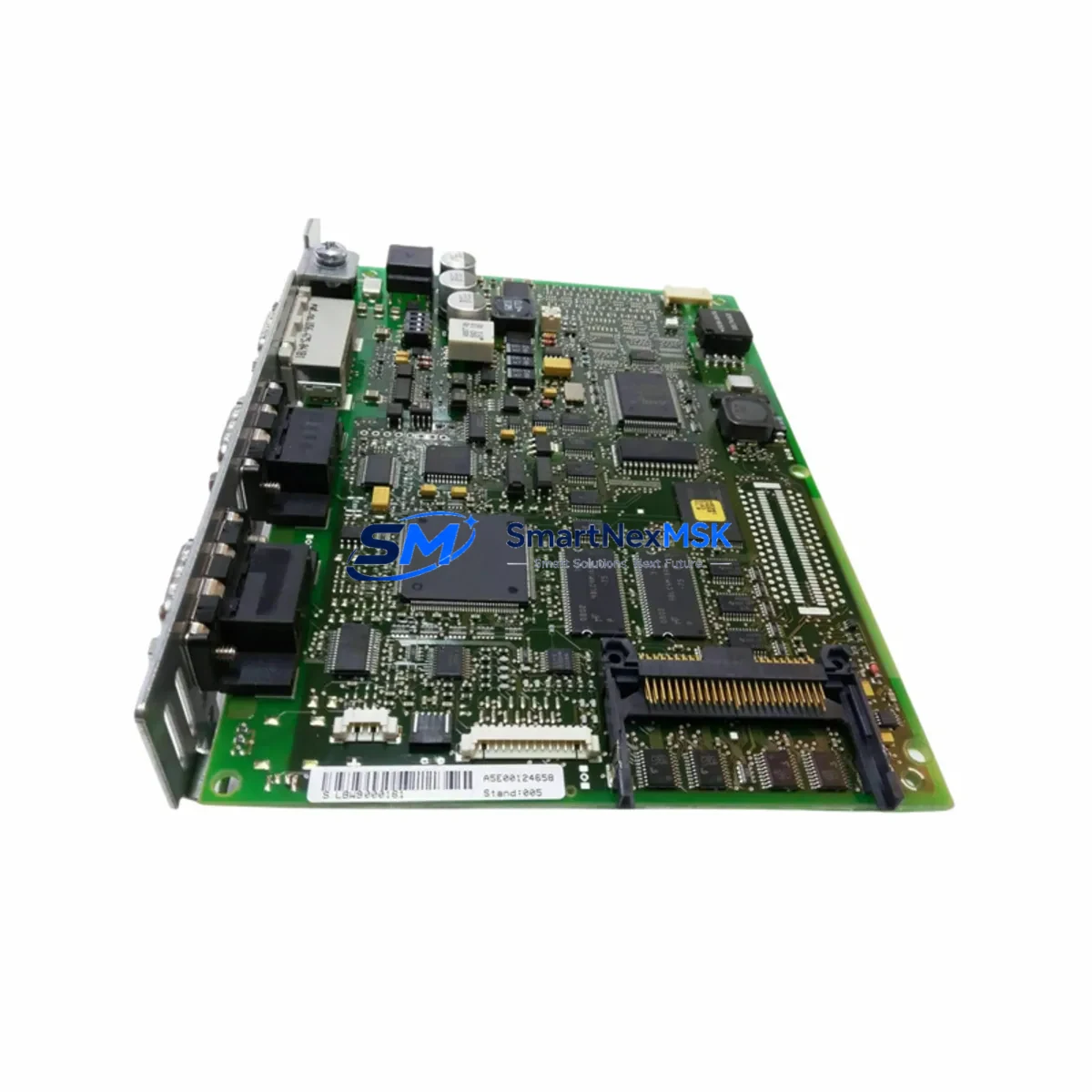
Siemens A5E00120081-01 Spare for SIMATIC S7 Automation
When a SIMATIC S7 control system goes down, every minute of unplanned downtime translates directly into production loss. The Siemens A5E00120081-01 is an original CPU motherboard assembly designed for the S7-300 and S7-400 series — one of the most widely deployed PLC platforms in global industrial automation. Sourced as a genuine original spare, this component is tested before shipment, packaged for safe transit, and backed by a 12-month warranty to support your maintenance and procurement strategy.
Maintenance engineers and spare parts procurement teams working with Siemens SIMATIC S7 infrastructure rely on having verified, compatible CPU-level spares on hand. The A5E00120081-01 addresses the core processing board of the S7 CPU rack, making it a critical item in any planned maintenance kit or emergency replacement inventory for facilities running S7-300 or S7-400 automation architectures.
Spare Maintenance Table
| Parameter | Specification / Value |
|---|---|
| Part Number / SKU | A5E00120081-01 |
| Brand | Siemens |
| Series | SIMATIC S7-300 / S7-400 |
| Component Type | CPU Motherboard / Processing Board |
| Origin | Germany (Original OEM) |
| Compatibility | SIMATIC S7-300 and S7-400 CPU rack assemblies |
| Installation | Direct board-level replacement; rack-mount compatible |
| Operating Environment | Industrial control cabinet; standard DIN rail enclosure |
| Pre-shipment Testing | Functional test performed before dispatch |
| Warranty | 12 Months from date of shipment |
| Condition | Original spare — new or refurbished OEM grade |
| Maintenance Recommendation | Replace during scheduled CPU overhaul or on fault diagnosis; inspect backplane connectors and power rail before installation |
Maintenance Planning for Continuous Operation
Replacing the A5E00120081-01 CPU motherboard is rarely an isolated task. A thorough maintenance engineer will treat this replacement as an opportunity to audit the entire control cabinet. Before and after installing this spare, the following components should be inspected or tested to ensure system integrity and prevent repeat failures:
- PS 307 / PS 305 Power Supply Module — Verify output voltage stability (24 VDC) and ripple levels. A degraded power supply is a leading cause of CPU board failures in S7-300 racks.
- SM 321 / SM 322 Digital I/O Modules — Check for blown channels, loose terminal connections, and correct 24 VDC signal levels at each I/O point after CPU replacement.
- SM 331 / SM 332 Analog I/O Modules — Calibrate analog input/output channels and verify signal isolation integrity, especially in environments with high electrical noise.
- CP 343-1 / CP 343-1 Lean Communication Processor — Confirm Ethernet/PROFIBUS communication parameters are retained after CPU swap; re-download network configuration if necessary.
- IM 360 / IM 361 Interface Modules — Inspect rack expansion connectors and bus termination resistors when the CPU is part of a multi-rack S7-300 configuration.
- SIMATIC S7 Backplane Bus Connector — Examine bus connector pins for oxidation or mechanical damage; a faulty bus connector can cause intermittent CPU faults that mimic board-level failures.
- 24 VDC Field Power Fuses and Circuit Breakers — Replace any blown fuses in the field power distribution circuit before restoring the system to service.
- SIMATIC HMI TP700 / KTP900 Panel — After CPU restart, verify HMI communication re-establishes correctly and all process screens display live data.
- Signal Isolators (e.g., Phoenix Contact MACX series) — Test signal isolation barriers on critical analog loops to confirm no ground loops were introduced during the repair.
- Terminal Blocks and Wiring Harness — Inspect all terminal block connections in the control cabinet for loose wires, corrosion, or heat damage that may have contributed to the original fault.
Maintaining a documented spare parts list that includes the A5E00120081-01 alongside these associated components ensures that your maintenance team can execute a complete cabinet restoration without secondary delays caused by missing parts.
Site Replacement Workflow
The A5E00120081-01 is designed as a direct replacement for the original Siemens SIMATIC S7 CPU motherboard assembly. The following workflow minimizes downtime and ensures system compatibility is maintained throughout the replacement process:
- Pre-replacement backup: Use SIMATIC Manager or TIA Portal to upload and save the current CPU program, hardware configuration, and data blocks to a PC or memory card before powering down.
- Safe power-down: Follow your site’s lockout/tagout (LOTO) procedure. Disconnect the 24 VDC supply to the CPU rack and verify zero energy state.
- Board removal: Remove the CPU module from the rack, disconnect the MPI/PROFIBUS connector, and carefully extract the motherboard assembly. Note the orientation and connector positions.
- Compatibility verification: Confirm the A5E00120081-01 part number matches the original board label. Check firmware version compatibility with your existing CPU housing and I/O configuration.
- Installation: Seat the replacement board firmly, reconnect all internal connectors, and reinstall the CPU module into the rack. Reconnect the MPI/PROFIBUS cable.
- Program restore: Power up the rack, download the saved program and hardware configuration to the new CPU, and perform a full I/O force test to verify all channels respond correctly.
- System validation: Run the system in manual mode before returning to automatic operation. Monitor CPU diagnostics for any fault codes during the first 30 minutes of operation.
This structured approach reduces mean time to repair (MTTR) and ensures the replacement does not introduce new faults into the system. Having the A5E00120081-01 pre-tested and in stock eliminates the longest delay in most emergency repair scenarios — sourcing the part itself.
Spare Parts Support FAQ
Q1: What is the warranty coverage for the A5E00120081-01?
This spare is covered by a 12-month warranty from the date of shipment. If the component fails under normal operating conditions within the warranty period, we will provide a replacement or full refund. Each unit undergoes functional testing before dispatch to minimize the risk of DOA (dead-on-arrival) failures.
Q2: How do I verify compatibility with my existing S7-300 or S7-400 system?
Compatibility is confirmed by matching the A5E00120081-01 part number against your CPU module’s label and the Siemens SIMATIC S7 spare parts catalog. If you have the CPU order number (e.g., 6ES7 315-2AG10-0AB0), share it with our technical team and we will cross-reference the motherboard assembly to confirm fitment before shipment.
Q3: Can this spare be used for long-term inventory stocking in aging S7 systems?
Yes. The A5E00120081-01 is well-suited for long-term spare parts inventory programs, particularly for facilities operating legacy S7-300 or S7-400 systems that are no longer in active production by Siemens. Stocking this board-level spare extends the operational life of existing control systems without requiring a full PLC platform migration, which is a cost-effective strategy for brownfield industrial sites.
Q4: What pre-shipment checks are performed before the unit is dispatched?
Each A5E00120081-01 unit is subject to a pre-shipment functional test that includes power-on verification, bus communication check, and visual inspection for physical damage. Units that do not pass testing are not dispatched. The test report is available upon request for quality assurance documentation purposes.
© 2026 SMARTNEXMSK. All rights reserved.
Original Source: https://smartnexmsk.com
Contact: [email protected] | +86 18259474341



