
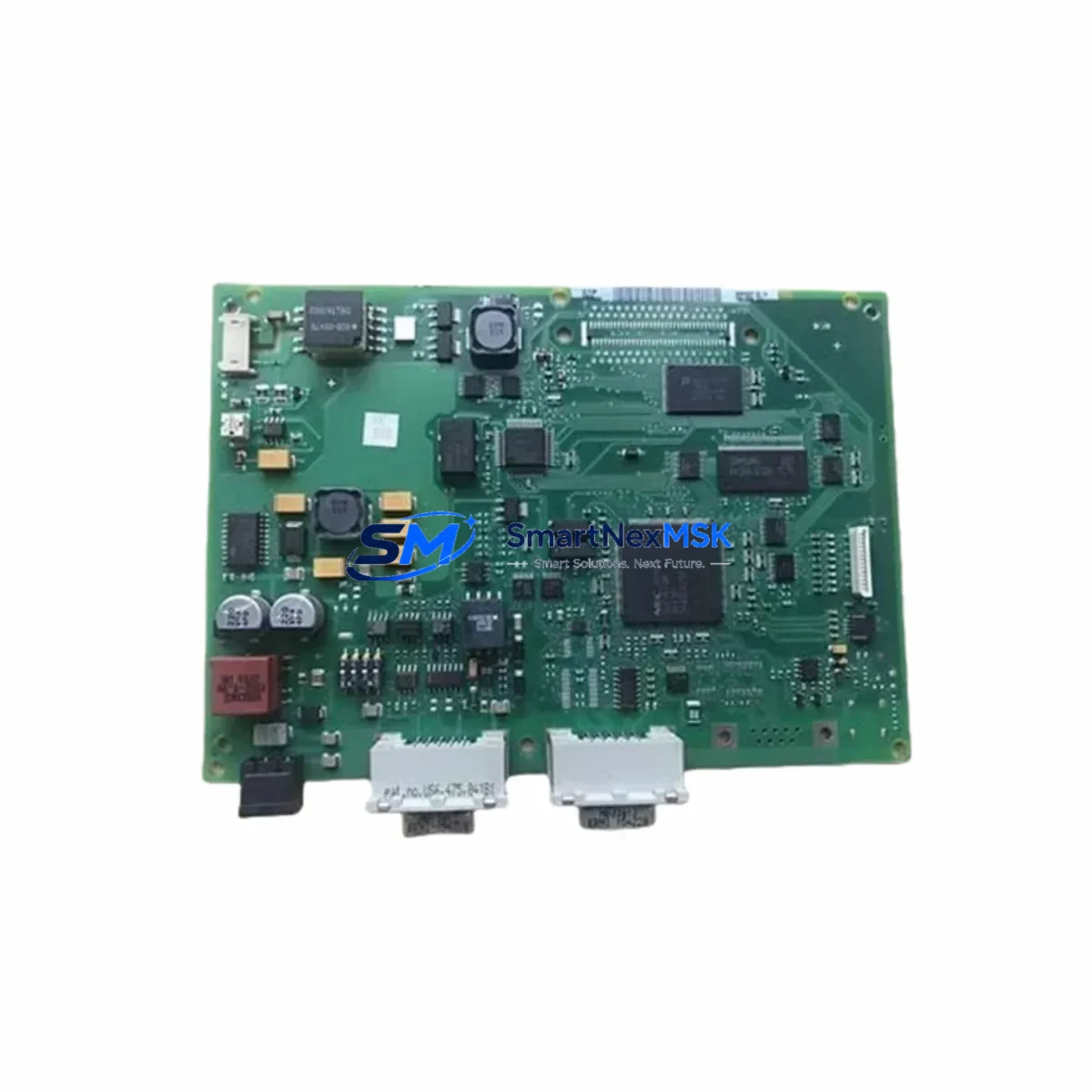
Siemens A5E00120261-02 Retrofit-Ready HMI Motherboard for SIMATIC OP270 Control Systems
The Siemens A5E00120261-02 (also referenced as 6AV6545-0BA15-2AX0) is a retrofit-ready HMI motherboard engineered as a direct replacement for the SIMATIC OP270 operator panel series. As legacy SIMATIC OP270 units reach end-of-service life and original spare parts become increasingly scarce, this board provides a verified, drop-in solution for control cabinet upgrades, production line modernization, and system recovery scenarios. Each unit is sourced from authorized supply channels, subjected to full functional testing, and backed by a 12-month warranty — giving maintenance engineers and system integrators the confidence to proceed with planned or emergency retrofits.
Upgrade Compatibility Table
| Parameter | Details |
|---|---|
| Compatible Platform | SIMATIC OP270 (6AV6545-0BA15-2AX0 series) |
| Replacement SKU | A5E00120261-02 / 6AV6545-0BA15-2AX0 |
| Backplane Interface | Standard OP270 internal connector; no mechanical modification required |
| Communication Compatibility | MPI, PROFIBUS-DP (via OP270 front-end interface) |
| Installation Requirement | Direct board swap; retain original terminal wiring and cable harness |
| Retrofit Recommendation | Verify firmware version on replacement unit matches or exceeds original; update via ProSave if required |
| Commissioning Focus | Re-link HMI project via WinCC flexible; validate tag communication and alarm lists |
| Warranty | 12-Month Warranty — covers manufacturing defects and functional failure under normal operating conditions |
Retrofit Planning for Existing Automation Systems
Successful integration of the A5E00120261-02 into an existing control architecture requires a structured pre-replacement assessment. Before powering down the panel, engineers should document the current HMI project file from the SIMATIC OP270 using WinCC flexible or the legacy ProTool configuration tool, ensuring all screen layouts, tag bindings, and alarm configurations are archived. The OP270 communicates with the PLC — typically a SIMATIC S7-300 or S7-400 controller — via MPI or PROFIBUS-DP. Confirm that the network address (MPI node number) assigned to the original panel is preserved in the replacement board’s configuration to avoid communication conflicts on the bus.
During disassembly, label all terminal connections on the 24 VDC power supply input and the RS-422/RS-485 communication port before disconnecting. The OP270 power supply module typically delivers 24 VDC at 1.5–2.5 A; verify that the existing panel power supply — often a SITOP PSU100S or equivalent — can sustain the load after the board swap. If the control cabinet also houses a CP 342-5 or CP 343-1 communications processor for Ethernet connectivity, confirm that the HMI’s updated IP or MPI address does not conflict with existing network topology.
For systems that include distributed I/O — such as ET 200M remote I/O stations or ET 200S modules connected via PROFIBUS-DP — the HMI tag database must correctly reference the I/O addresses assigned in the S7 hardware configuration (HW Config). After the board replacement, re-download the HMI project to the OP270 using a standard PC adapter cable (e.g., PC Adapter USB A2) and verify that all process values, setpoints, and status indicators display correctly on the operator panel. If the installation includes a SIMATIC S7-300 CPU 315-2 DP or CPU 317-2 DP, cross-check the DP master configuration to ensure the OP270 slave address is correctly mapped.
Where the retrofit is part of a broader control cabinet upgrade — for example, migrating from a legacy S7-300 rack with a PS 307 power supply module and SM 321/SM 322 digital I/O modules to a newer S7-1500 platform — the HMI project may require re-engineering in TIA Portal. In such cases, the A5E00120261-02 board can serve as an interim solution, maintaining operator visibility during the phased migration while the new controller infrastructure is commissioned in parallel.
Downtime Control During System Migration
Minimizing unplanned downtime is the primary concern in any HMI board replacement on an active production line. The recommended approach is to pre-configure the replacement A5E00120261-02 board offline — loading the archived HMI project, setting the correct MPI/PROFIBUS node address, and verifying display and touch calibration — before the scheduled maintenance window begins. This offline preparation reduces the in-cabinet swap time to under 30 minutes in most OP270 installations.
During the swap, maintain PLC program execution by keeping the S7-300 or S7-400 CPU in RUN mode where process safety permits. The loss of HMI visibility is temporary; the PLC continues executing the control logic autonomously. Once the replacement board is installed and powered, re-establish the MPI or PROFIBUS-DP link and confirm that the HMI project loads correctly and all tag communications are live before returning the line to full operator control. For critical processes, coordinate with the safety officer to implement a manual override or bypass procedure during the brief communication gap.
Document the post-swap configuration — including firmware version, project file checksum, and communication parameters — in the plant maintenance record. This documentation supports future audits, warranty claims, and subsequent upgrade planning.
Retrofit Support FAQ
Q1: Is the A5E00120261-02 a direct drop-in replacement for the original SIMATIC OP270 motherboard?
A: Yes. The A5E00120261-02 is dimensionally and electrically compatible with the SIMATIC OP270 (6AV6545-0BA15-2AX0) chassis. No mechanical modification is required. The existing cable harness, terminal wiring, and backplane connectors are retained. After installation, re-download the HMI project and verify communication link to the PLC.
Q2: What commissioning steps are required after the board swap?
A: Re-download the archived HMI project via WinCC flexible or ProSave using a PC Adapter USB cable. Set the MPI node address to match the original configuration. Verify all tag communications, alarm displays, and setpoint inputs are functioning correctly before returning the panel to service. Touch screen calibration may also be required after the first power-on.
Q3: Can this board be used if I am migrating from PROFIBUS-DP to PROFINET?
A: The A5E00120261-02 supports the native communication interfaces of the OP270 platform (MPI/PROFIBUS-DP). If your migration plan includes a full transition to PROFINET, this board is best used as an interim solution during the phased upgrade. For a full PROFINET-native HMI, consider upgrading to a SIMATIC KTP700 Basic or KTP900 Basic panel as the long-term replacement.
Q4: What does the 12-month warranty cover?
A: The 12-month warranty covers manufacturing defects and functional failures under normal operating conditions, including communication interface faults, display driver failures, and power regulation issues. Warranty claims are supported with proof of purchase and a fault description. Units are repaired or replaced at no charge within the warranty period. Contact [email protected] for warranty service initiation.
© 2026 SMARTNEXMSK. All rights reserved.
Original Source: https://smartnexmsk.com
Contact: [email protected] | +86 18259474341



