
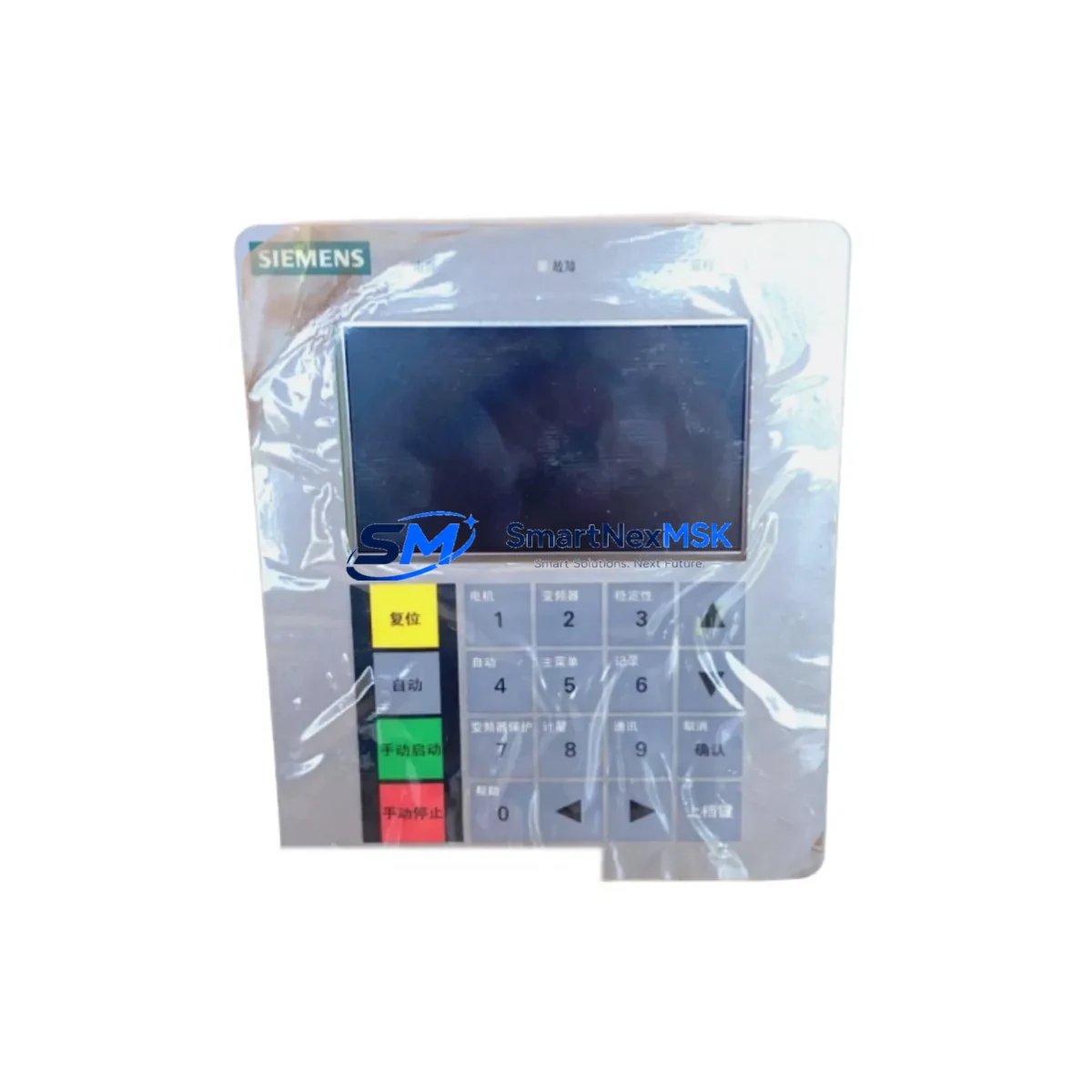
Siemens A5E02624585 Retrofit-Ready Interface Module for SIMATIC S7: Compatible Modernization and Smooth Legacy System Upgrade
The Siemens A5E02624585 is a retrofit-ready interface module engineered for seamless integration into existing SIMATIC S7 control architectures. Whether you are replacing a discontinued component in an aging production line, upgrading a control cabinet to meet current operational standards, or restoring a system after an unplanned failure, the A5E02624585 delivers verified compatibility, reliable signal handling, and the drop-in fit that industrial engineers demand during time-critical migrations.
This module is designed to serve as a direct replacement within SIMATIC S7-300 and compatible S7-400 rack configurations. It interfaces with standard S7 backplane bus structures, maintaining signal integrity across both digital and analog I/O channels. Engineers undertaking a retrofit should confirm the power supply capacity of the existing rack — typically a PS 307 or PS 405 series power supply — to ensure the additional module load is within rated output. Terminal wiring should be verified against the original installation drawings, as connector pinouts on legacy racks may differ from current-generation equivalents.
When integrating the A5E02624585 into an existing system, module slot addressing must be reconfigured in STEP 7 or TIA Portal to reflect the new hardware layout. If the original program was developed under STEP 7 Classic, a compatibility review is recommended before migrating logic to TIA Portal V16 or later. HMI screens linked to the affected I/O addresses — particularly those built on SIMATIC HMI TP or MP series panels — should be updated to reflect any address remapping introduced during the retrofit.
Communication link continuity is a critical consideration during migration. If the existing system uses PROFIBUS DP as its primary fieldbus, the A5E02624585 must be assigned the correct station address and baud rate to maintain network coherence. In systems transitioning toward PROFINET, an IE/PB Link PN IO or CP 343-1 communication processor may be required to bridge legacy PROFIBUS segments with the new Ethernet backbone. Ensuring that the IM 360/361 interface modules on multi-rack configurations remain correctly addressed will prevent bus faults during commissioning.
For I/O expansion scenarios, the A5E02624585 is commonly deployed alongside SM 321 digital input modules, SM 322 digital output modules, and SM 331 analog input modules within the same S7-300 rack. In distributed configurations, ET 200M remote I/O stations connected via PROFIBUS DP can be retained without modification, preserving the existing field wiring investment while the central rack is upgraded. This approach significantly reduces the scope of re-engineering and limits exposure to commissioning risk.
Downtime control during the migration depends heavily on pre-staging. The replacement module should be bench-tested against a known-good program image before installation. A full backup of the existing CPU — including the program blocks, data blocks, system function blocks, and hardware configuration — should be archived using STEP 7 or TIA Portal prior to any physical intervention. Where a hot-standby or redundant CPU configuration such as the S7-400H is in use, switchover testing should be performed to confirm that the standby path remains unaffected by the module swap.
Field commissioning of the A5E02624585 follows standard S7 procedures: insert the module into the designated slot, power up the rack, and perform a hardware scan in the programming software to confirm recognition. Force tables and watch tables in STEP 7 or TIA Portal can be used to verify I/O signal states before releasing the system to production. All units supplied by SMARTNEXMSK are pre-tested for functional integrity and covered by a 12-month warranty from the date of shipment.
Upgrade Compatibility Table
| Parameter | Details |
|---|---|
| SKU / Part Number | A5E02624585 |
| Compatible Series | SIMATIC S7-300, S7-400 (rack-dependent) |
| Backplane Interface | S7 standard backplane bus |
| Installation | DIN rail / rack slot, standard S7-300 form factor |
| Communication Compatibility | PROFIBUS DP; PROFINET via CP module |
| Replacement Recommendation | Direct drop-in for discontinued A5E02624585 variants |
| Commissioning Tool | STEP 7 V5.x / TIA Portal V14+ |
| Commissioning Notes | Slot address reconfiguration required; HMI address review recommended |
| Warranty | 12 months from shipment date |
| Origin | Germany |
Retrofit Planning for Existing Automation Systems
A successful retrofit begins with a thorough audit of the existing control cabinet. Identify all modules currently installed in the S7-300 rack: the CPU — such as a CPU 315-2 DP or CPU 317-2 PN/DP — the power supply, the interface module, and all signal modules occupying the remaining slots. Document the current slot assignments and cross-reference them with the hardware configuration stored in the programming software.
The A5E02624585 is frequently deployed in systems that also include CP 342-5 PROFIBUS communication processors, FM 350 counter modules, and SM 374 simulation modules used during development and testing. In multi-rack systems, the IM 360 send interface and IM 361 receive interface modules must remain correctly paired to maintain rack expansion integrity. Where the control system interfaces with a SIMATIC HMI panel — such as a TP 1200 Comfort or MP 377 — the variable table linked to the affected I/O must be reviewed and updated after any address change introduced by the retrofit.
For systems using a PC-based programming interface, the MPI/PROFIBUS PC adapter or USB-MPI cable must be available on-site during commissioning to allow direct CPU communication. Ensure that the programming laptop has the correct version of STEP 7 or TIA Portal installed and that the license is active before beginning the physical swap.
Downtime Control During System Migration
Minimizing production downtime during a module replacement requires a structured pre-migration checklist. Before powering down the rack, upload the current CPU program to the programming device and verify the backup against the last known-good version. Tag all field wiring connected to the module being replaced, photograph the terminal layout, and prepare the replacement A5E02624585 for immediate installation.
Where process continuity is critical, coordinate the swap during a scheduled maintenance window. If the system supports partial rack operation, isolate only the affected slots rather than performing a full rack power-down. After installing the replacement module, perform a controlled power-up sequence, monitor the CPU diagnostic buffer for fault entries, and use the force table to verify each I/O channel before releasing the system. This approach typically limits unplanned downtime to under 30 minutes for a single-module replacement in a well-documented system.
All A5E02624585 units from SMARTNEXMSK are shipped with a functional test report and are covered by a 12-month warranty, providing assurance that the replacement module will perform to specification from the moment it enters service.
Retrofit Support FAQ
Q: Is the A5E02624585 a direct replacement for the original Siemens part?
A: Yes. The A5E02624585 supplied by SMARTNEXMSK is sourced to match the original Siemens specification. It is intended as a drop-in replacement within compatible SIMATIC S7-300 rack configurations. Slot addressing and hardware configuration in STEP 7 or TIA Portal should be verified after installation.
Q: What wiring changes are required during installation?
A: In most cases, no wiring changes are required if the replacement module occupies the same slot as the original. Terminal assignments follow the standard S7-300 connector layout. If the slot position changes, field wiring should be re-tagged and the hardware configuration updated accordingly.
Q: How is compatibility with PROFIBUS DP verified before commissioning?
A: After installation, perform a network scan using STEP 7 or TIA Portal to confirm that the module is recognized at the correct station address. Check the PROFIBUS diagnostic screen for any address conflicts or baud rate mismatches. A loopback test on the DP segment is recommended before returning the system to automatic mode.
Q: What does the 12-month warranty cover?
A: The warranty covers manufacturing defects and functional failures under normal operating conditions for 12 months from the shipment date. Each unit is pre-tested prior to dispatch. In the event of a warranty claim, SMARTNEXMSK will arrange replacement or repair with priority handling to minimize your system downtime.
© 2026 SMARTNEXMSK. All rights reserved.
Original Source: https://smartnexmsk.com
Contact: [email protected] | +86 18259474341



