
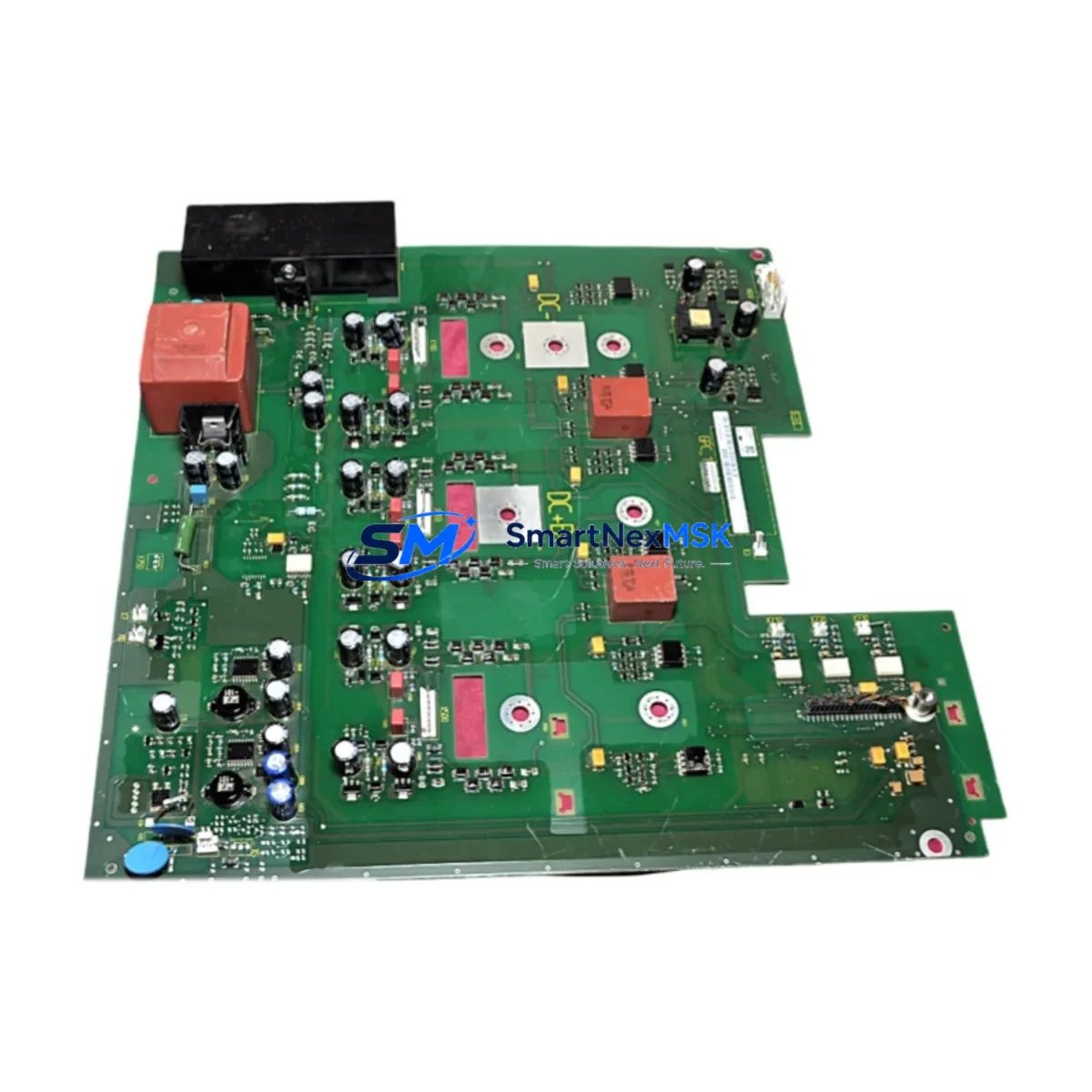
Siemens A5E35124434 Spare for ET 200SP Automation: Rapid Replacement & Downtime Control
The Siemens A5E35124434 (also cross-referenced as A5E35124435) is an original SIMATIC ET 200SP Interface Module designed for distributed I/O applications in industrial automation environments. For maintenance engineers managing aging SIMATIC S7-1500 or ET 200SP-based control architectures, this module represents a critical spare that directly governs communication between the CPU backplane and the distributed I/O station. Unplanned failure of this interface module can halt an entire production line within seconds — making pre-stocked, tested replacements essential to any serious maintenance strategy.
At SMARTNEXMSK, every A5E35124434 unit is sourced as an original Siemens component, inspected prior to dispatch, and covered by a 12-month warranty. We support maintenance teams and procurement engineers across manufacturing, energy, water treatment, and process automation sectors who require fast, reliable spare parts supply with full compatibility assurance.
Spare Maintenance Table
| Parameter | Specification |
|---|---|
| Part Number | A5E35124434 / A5E35124435 |
| Manufacturer | Siemens AG |
| Product Family | SIMATIC ET 200SP |
| Module Type | Interface Module (IM) |
| Communication Interface | PROFINET IO (IRT / RT) |
| Supply Voltage | 24 V DC (via backplane bus) |
| Mounting | DIN rail, ET 200SP BaseUnit |
| Compatible Systems | SIMATIC S7-1500, S7-1200 (as IO controller), TIA Portal V13+ |
| Operating Temperature | 0 °C to +60 °C |
| Protection Rating | IP20 |
| Country of Origin | Germany |
| Weight | Approx. 400 g |
| Warranty | 12 Months (SMARTNEXMSK) |
| Condition | Original, New / Tested |
| Shipping | Tested before dispatch, secure industrial packaging |
Maintenance Planning for Continuous Operation
When replacing the A5E35124434 Interface Module during a scheduled or emergency maintenance event, a thorough inspection of the surrounding ET 200SP station is strongly recommended. The IM module sits at the heart of the distributed I/O rack — its failure often masks or is caused by issues in adjacent components.
Begin by verifying the 24 V DC power supply module feeding the ET 200SP station, such as the Siemens SITOP PSU100S or equivalent, as voltage fluctuations are a leading cause of IM module faults. Inspect the BaseUnit BU15-P16+A0+2D or relevant BaseUnit beneath the IM for contact wear or contamination. Check all digital input modules (DI 8×24VDC ST) and digital output modules (DQ 8×24VDC/0.5A ST) seated on the rack — a shorted output card can cause bus communication errors that appear as IM failures.
For systems using analog signals, inspect analog input modules (AI 4×U/I 2-wire ST) for drift or calibration issues. If the ET 200SP station includes relay output modules (RQ 4×24VDC/230VAC/5A ST), verify contact integrity and coil voltage. Review the PROFINET patch cables and RJ45 connectors at both the IM port and the upstream switch — cable degradation in industrial environments is frequently overlooked. If the station uses F-modules for safety I/O, confirm that the safety program and F-address assignments remain intact after module swap.
For control cabinets with HMI integration, verify that the SIMATIC HMI TP700 Comfort or KTP700 Basic panel retains its PROFINET device name and IP address after the IM replacement, as TIA Portal device naming can reset under certain firmware conditions. Finally, check terminal blocks and wiring ferrules on all I/O modules for looseness — vibration in industrial environments causes intermittent faults that are difficult to diagnose without physical inspection.
Maintaining a minimum stock of one A5E35124434 IM module per ET 200SP-equipped control cabinet is a recognized best practice in facilities with high uptime requirements. Pair this with a documented spare parts list that includes the relevant BaseUnits, power supply modules, and at least one set of the most-used I/O module types in your system.
Site Replacement Workflow
Step 1 — Isolation: Place the affected ET 200SP station in safe state via TIA Portal or the CPU STOP command. Isolate 24 V DC supply to the station using the cabinet main disconnect or fuse holder.
Step 2 — Documentation: Photograph the existing wiring, module positions, and PROFINET port connections before removal. Note the IM firmware version from TIA Portal device diagnostics if accessible.
Step 3 — Module Removal: Unlatch the A5E35124434 from the BaseUnit by pressing the release lever. Slide the module upward and off the DIN rail mount. Avoid touching the backplane bus contacts.
Step 4 — Replacement Installation: Align the new A5E35124434 with the BaseUnit guide rails and press firmly until the latch clicks. Reconnect the PROFINET cable to the IM PN port.
Step 5 — Firmware & Configuration Restore: In TIA Portal, download the hardware configuration to the CPU. The ET 200SP station should be automatically recognized if the PROFINET device name is retained. If not, reassign the device name using the Assign device name function.
Step 6 — Functional Test: Restore power, bring the CPU to RUN, and verify all I/O modules report green status in TIA Portal diagnostics. Test critical I/O points before resuming production.
This workflow minimizes downtime to under 30 minutes for experienced maintenance personnel and ensures full system compatibility without requiring a new hardware configuration upload in most cases.
Spare Parts Support FAQ
Q1: Is the A5E35124434 a direct replacement for the A5E35124435?
Yes. The A5E35124434 and A5E35124435 are cross-referenced part numbers for the same SIMATIC ET 200SP Interface Module variant. Both are fully interchangeable in compatible ET 200SP stations running TIA Portal V13 and above. Always confirm the firmware version compatibility with your CPU before installation.
Q2: How is each unit tested before shipment?
Every A5E35124434 unit dispatched by SMARTNEXMSK undergoes a pre-shipment functional inspection covering visual integrity, connector condition, and where applicable, power-on verification. Units are packed in anti-static, shock-resistant industrial packaging to prevent transit damage.
Q3: What does the 12-month warranty cover?
The 12-month warranty covers manufacturing defects and functional failures under normal operating conditions. It does not cover damage caused by incorrect installation, overvoltage, or physical mishandling. Warranty claims are processed directly through SMARTNEXMSK with a target response time of 48 hours.
Q4: Can you support long-term or recurring spare parts orders for this module?
Yes. SMARTNEXMSK supports blanket orders and scheduled delivery programs for maintenance teams that require guaranteed stock availability. Contact our sales team to discuss volume pricing, lead times, and consignment stock arrangements for the A5E35124434 and related ET 200SP components.
© 2026 SMARTNEXMSK. All rights reserved.
Original Source: https://smartnexmsk.com
Contact: [email protected] | +86 18259474341



