
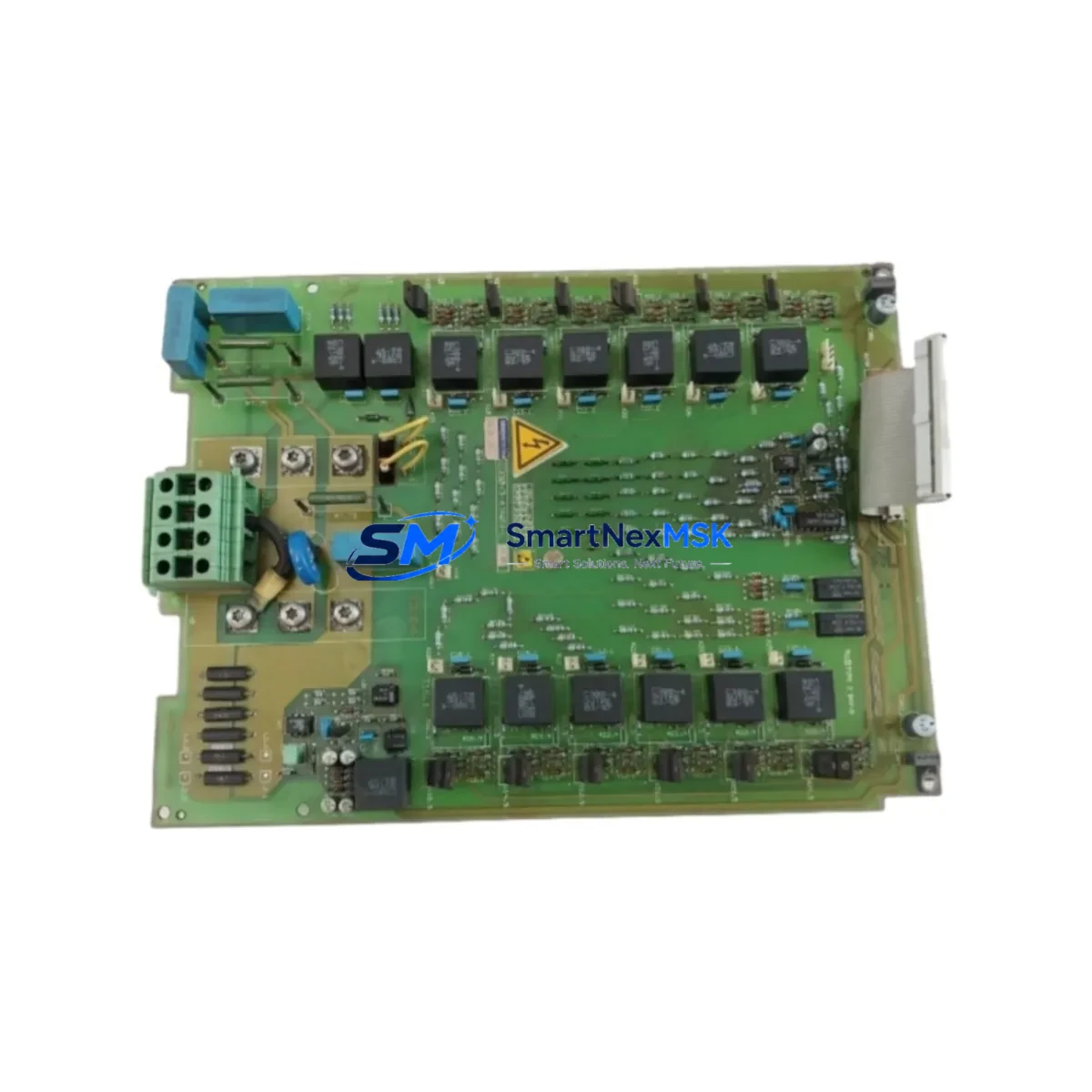
Siemens C98043-A1660-L1-13 Spare for SIMOREG Automation: Spare Replacement & Industrial Downtime Risk Control
The Siemens C98043-A1660-L1-13 (also referenced as A5E00078684) is an original drive control board designed for the SIMOREG DC Master series — one of Siemens’ most widely deployed DC drive platforms in heavy industrial environments. Whether you are managing a steel mill, paper machine, extruder line, crane drive, or winding system, this control board is the central intelligence of your DC drive cabinet. When it fails, production stops. Sourcing a verified, tested replacement quickly is not optional — it is a maintenance imperative.
At SMARTNEXMSK, we stock the C98043-A1660-L1-13 as a ready-to-ship industrial spare, fully tested before dispatch, with a 12-month warranty covering manufacturing defects and functional performance. Our supply chain is built for maintenance engineers and procurement teams who cannot afford to wait weeks for a factory order or risk receiving an untested board from an unverified source.
Spare Maintenance Table
| Parameter | Specification / Details |
|---|---|
| Part Number | C98043-A1660-L1-13 |
| Alternate Reference | A5E00078684 |
| Manufacturer | Siemens AG |
| Product Series | SIMOREG DC Master (6RA70 Series) |
| Component Type | Drive Control Board (CUD — Control Unit Drive) |
| Compatible Drive Ratings | SIMOREG DC Master 6RA70 series, various current ratings |
| Supply Voltage (Logic) | 24 VDC (supplied internally from drive power section) |
| Communication Interface | PROFIBUS DP (optional via CBP2 module), USS protocol via RS-485 |
| I/O Capability | Analog inputs/outputs, digital I/O, encoder interface |
| Operating Temperature | 0°C to +55°C (ambient, with adequate cabinet ventilation) |
| Origin | Germany (DE) |
| Application Environment | Industrial control cabinets, DC drive systems, heavy process automation |
| Maintenance Recommendation | Replace immediately upon fault code F025/F026 or parameter loss; inspect annually during planned shutdowns |
| Warranty | 12 Months — covers manufacturing defects and functional performance |
| Pre-Shipment Testing | Yes — functional test performed before dispatch |
| Availability | In stock — ready for same-day or next-business-day dispatch |
Maintenance Planning for Continuous Operation
Replacing the C98043-A1660-L1-13 control board is rarely an isolated task. In a SIMOREG DC Master cabinet, the control board interfaces with multiple subsystems, and a thorough maintenance engineer will use the replacement event as an opportunity to inspect and verify the condition of adjacent components to prevent repeat failures and unplanned downtime.
During the replacement procedure, it is strongly recommended to inspect the 6RA7031 or 6RA7075 power section thyristor firing circuits for signs of thermal stress or carbon tracking, as control board faults are sometimes triggered by upstream power irregularities rather than board failure alone. The 24 VDC auxiliary power supply module feeding the control electronics should be load-tested; a degraded SITOP PSU or equivalent 24V rail can cause intermittent CUD resets that mimic board failure.
Check the CBP2 PROFIBUS communication board if your system uses fieldbus integration — connector oxidation and loose seating are common causes of communication faults that are misdiagnosed as CUD failures. Similarly, inspect the SLB (Supplementary Board) if encoder feedback or technology functions are in use. The terminal strip X100–X172 wiring harness should be inspected for insulation degradation, loose ferrules, and correct torque on all signal and power terminals.
For systems with analog speed references, verify the condition of the signal isolator or analog input conditioning module upstream of the drive — a floating reference signal can corrupt parameter sets stored on the CUD. If the drive is part of a multi-drive line shaft or winder system, also check the peer-to-peer communication cables and the master/follower parameter configuration after board replacement.
In cabinet environments with high ambient temperatures or poor ventilation, inspect the drive cabinet fan unit and any door-mounted heat exchanger. Overtemperature conditions accelerate control board aging and are a leading cause of premature CUD failure in older SIMOREG installations. Finally, if the system uses a Siemens OP1S operator panel or external HMI for parameter access, verify that the panel communication link is restored and that all drive parameters are correctly loaded from backup after the new board is installed.
Maintaining a minimum spare inventory of one C98043-A1660-L1-13 board per production line — alongside a spare CBP2 module, a 24V PSU, and a set of pre-crimped terminal wiring harnesses — is a recognized best practice for facilities running SIMOREG-based DC drives in critical process applications.
Site Replacement Workflow
Step 1 — Parameter Backup: Before removing the existing CUD board, upload all drive parameters to the OP1S operator panel or via DriveMonitor/STARTER software. Store the parameter file with the equipment maintenance record. This step is critical — the replacement board ships with factory defaults and must be re-parameterized to match your application.
Step 2 — Safe Isolation: Isolate the drive from the AC supply using the main circuit breaker and verify LOTO (Lockout/Tagout) compliance. Allow the DC bus capacitors to discharge fully (minimum 5 minutes after isolation) before opening the drive cabinet.
Step 3 — Board Removal: Disconnect all ribbon cables, plug-in connectors, and the PROFIBUS/USS interface cables from the existing CUD. Note the position of any supplementary boards (SLB, CBP2) before removal. Remove the board using the extraction handles — do not apply lateral force to the PCB.
Step 4 — Visual Inspection: Inspect the removed board for burnt components, cracked solder joints, or electrolyte leakage from capacitors. Document findings for root cause analysis. Inspect the card guide rails and backplane connector for damage before installing the replacement.
Step 5 — Installation of C98043-A1660-L1-13: Install the new board, ensuring full seating in the backplane connector. Reconnect all cables in the correct orientation. Re-install supplementary boards if applicable.
Step 6 — Parameter Restore & Commissioning: Power up the drive and download the saved parameter set. Verify motor data, encoder configuration, and fieldbus node address. Run a no-load test before reconnecting the mechanical load. Confirm all fault codes are cleared and the drive responds correctly to speed reference signals.
This workflow minimizes replacement time to under 2 hours for experienced maintenance teams and ensures system compatibility is maintained without requiring a full recommissioning cycle.
Spare Parts Support FAQ
Q1: Is the C98043-A1660-L1-13 a direct drop-in replacement for all SIMOREG DC Master 6RA70 variants?
The C98043-A1660-L1-13 (CUD1 board) is compatible with the majority of SIMOREG DC Master 6RA70 series drives. However, compatibility depends on the specific drive firmware version and hardware revision of your unit. We recommend confirming your drive’s order number and existing board revision before ordering. Our technical team can assist with compatibility verification prior to shipment.
Q2: What pre-shipment testing is performed on this board?
Every C98043-A1660-L1-13 unit dispatched from SMARTNEXMSK undergoes functional testing to verify logic power-up, I/O integrity, and communication interface operation. Boards that do not pass testing are not shipped. A test report is available upon request for critical applications.
Q3: How should this spare be stored if not immediately installed?
Store the board in its original ESD-protective packaging in a dry environment at 15°C–35°C with relative humidity below 75% (non-condensing). Avoid storage near strong magnetic fields or in environments with corrosive airborne contaminants. Inspect the board annually if held in long-term storage and replace ESD packaging if damaged.
Q4: What does the 12-month warranty cover?
The 12-month warranty covers manufacturing defects and functional failures under normal operating conditions. It does not cover damage resulting from incorrect installation, overvoltage events, physical impact, or operation outside the specified environmental parameters. Warranty claims are processed with return of the defective unit and a brief fault description. Replacement or repair is completed within 10 business days of receipt.
© 2026 SMARTNEXMSK. All rights reserved.
Original Source: https://smartnexmsk.com
Contact: [email protected] | +86 18259474341



