
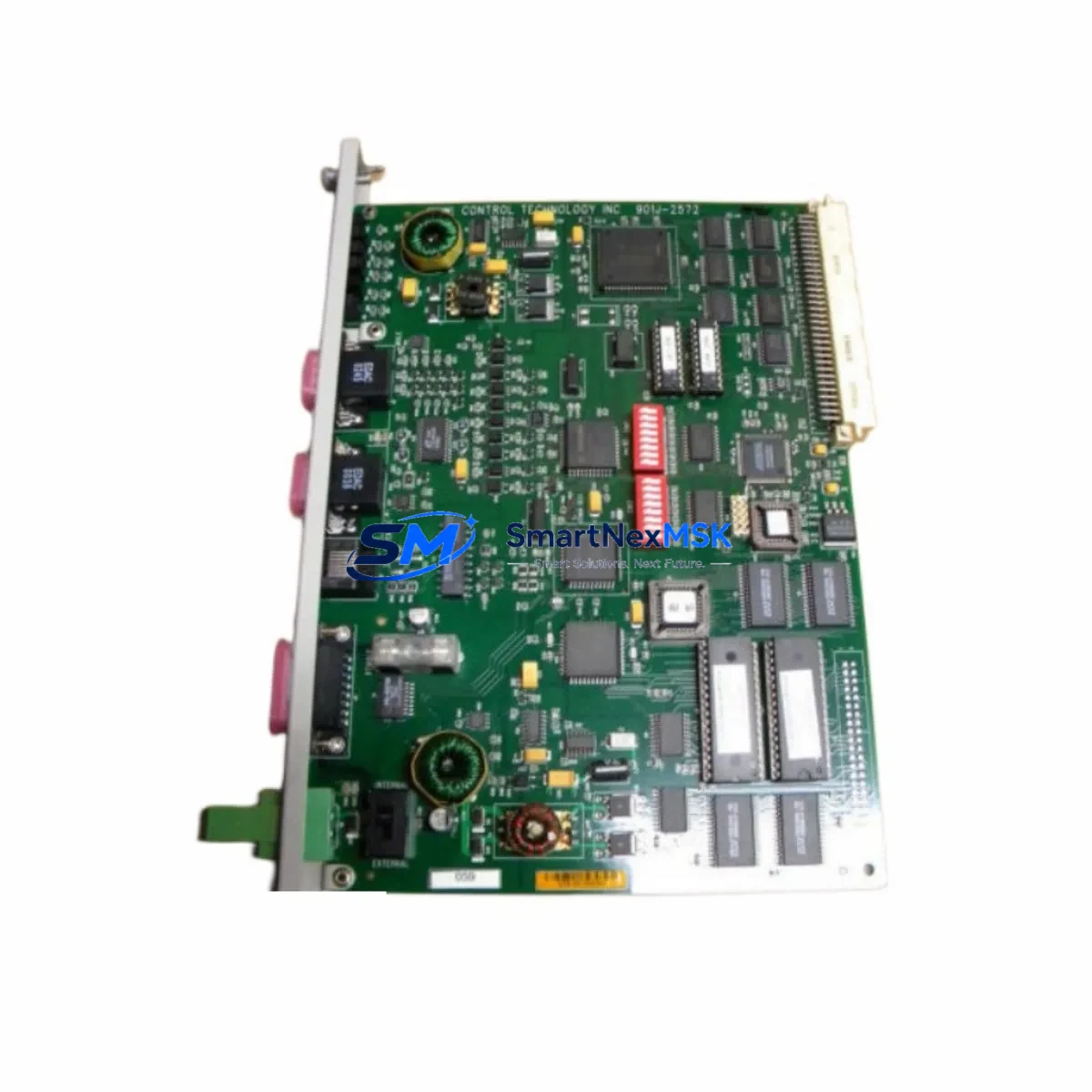
SIEMENS CTI 2572 Spare for SIMATIC 505 Automation
Unplanned downtime in industrial automation environments is costly. The SIEMENS CTI 2572 Ethernet TCP/IP Network Adapter is a critical communication component in SIMATIC 505 PLC systems, enabling real-time data exchange between the PLC backplane and plant-level Ethernet networks. When this module fails or degrades, the entire control loop — from field I/O to SCADA — can be interrupted. Sourcing a verified, original-spec replacement quickly is the difference between a two-hour recovery and a two-day shutdown.
At SMARTNEXMSK, we stock the CTI 2572 as a maintenance-ready spare, pre-tested before dispatch, with a 12-month warranty and same-week shipping to industrial sites worldwide. Whether you are executing a planned turnaround, responding to an emergency fault, or building a strategic spare parts inventory for aging SIMATIC 505 infrastructure, this module ships with full documentation and compatibility confirmation.
Spare Maintenance Table
| Parameter | Specification |
|---|---|
| Part Number / SKU | CTI 2572 |
| Brand | SIEMENS / CTI (Compatible Replacement) |
| Series | SIMATIC 505 |
| Module Type | Ethernet TCP/IP Network Adapter |
| Communication Protocol | TCP/IP, Ethernet 10/100 Mbps |
| Backplane Compatibility | SIMATIC 505 Series PLC Racks |
| Power Supply Requirement | 5 VDC via backplane (rack-powered) |
| Operating Temperature | 0°C to 60°C (32°F to 140°F) |
| Mounting | Single-slot backplane insertion |
| Connector Interface | RJ-45 Ethernet port |
| Application Environment | Industrial control cabinets, DCS/PLC panels, process automation |
| Maintenance Recommendation | Inspect connector pins, verify IP configuration, check firmware version on replacement |
| Warranty | 12 Months – SMARTNEXMSK Quality Guarantee |
| Pre-Shipment Testing | Function-tested and inspected before dispatch |
| Origin | Germany (OEM) / Authorized Spare Supply |
Maintenance Planning for Continuous Operation
When a maintenance or procurement engineer schedules replacement of the CTI 2572, the scope of inspection should extend beyond the module itself. The SIMATIC 505 control architecture integrates multiple interdependent components, and a communication fault at the Ethernet adapter level often signals stress in adjacent systems.
Begin with the SIMATIC 505 power supply module — verify output voltage stability under load, as voltage sag is a leading cause of communication module resets. Next, inspect the 505 backplane bus connector for oxidation or mechanical wear at the module slot. If the CTI 2572 is used in a multi-rack configuration, check the rack interconnect cable and termination resistors for signal integrity.
On the I/O side, review the SIMATIC 505 digital input/output modules in the same rack — a failing I/O module can generate spurious bus errors that are misdiagnosed as communication faults. For systems using CTI 2500 series CPU modules, confirm that the firmware version is compatible with the CTI 2572 network adapter to avoid handshake failures after replacement.
In the wiring cabinet, inspect terminal blocks and DIN rail connectors for loose terminations on the Ethernet segment. If the plant network uses managed industrial Ethernet switches, verify port configuration (speed, duplex, VLAN) matches the CTI 2572 settings. For systems with signal isolators on analog I/O channels feeding the 505 CPU, confirm isolation barriers are intact — ground loops can corrupt communication timing.
Where PROFIBUS DP or serial communication modules are installed alongside the CTI 2572 in the same rack, check for address conflicts and bus termination. Finally, if an HMI panel (such as a SIMATIC OP or TP series) communicates via the CTI 2572 Ethernet path, test the HMI connection independently after module swap to confirm the network path is fully restored before returning the system to production.
A proactive spare parts kit for a SIMATIC 505 Ethernet node should include: the CTI 2572 adapter, a backup CPU module, at least one I/O module per type in use, a spare power supply, and a set of pre-configured Ethernet patch cables. This kit reduces mean time to repair (MTTR) from hours to minutes.
Site Replacement Workflow
Step 1 – Pre-Replacement Verification: Download the current PLC program and network configuration before powering down. Confirm the replacement CTI 2572 SKU matches the installed module’s firmware baseline. If the existing module is a legacy CTI 2572 variant, verify that the replacement unit supports the same TCP/IP stack version used by your SCADA or DCS host.
Step 2 – Safe Isolation: Follow your site’s lockout/tagout (LOTO) procedure. Power down the rack or isolate the slot if hot-swap is not supported. Discharge any residual backplane voltage before extraction.
Step 3 – Module Swap: Remove the faulty CTI 2572 by releasing the front-panel locking lever. Insert the replacement module firmly into the same slot. Reconnect the RJ-45 Ethernet cable and verify the connector is fully seated.
Step 4 – Configuration Restore: Apply the saved IP address, subnet mask, gateway, and any SRTP or Modbus TCP settings to the new module using the CTI Workbench or equivalent configuration tool. Confirm the module appears on the network with a ping test before restarting the PLC program.
Step 5 – System Validation: Restart the PLC, verify all I/O modules report healthy status, and confirm SCADA/HMI communication is re-established. Log the replacement in your maintenance management system (CMMS) with the new module serial number and warranty start date.
This workflow minimizes downtime, preserves system compatibility, and ensures the replacement is fully documented for future audits. SMARTNEXMSK modules are shipped with a test report and can be configured to your IP settings on request before dispatch.
Spare Parts Support FAQ
Q1: Is the CTI 2572 still available as a new original spare, or only as refurbished stock?
SMARTNEXMSK supplies the CTI 2572 as original-spec spare parts sourced through authorized industrial channels. Each unit undergoes pre-shipment functional testing. Where new-old-stock (NOS) units are available, they are clearly identified. All units carry a 12-month warranty regardless of production date.
Q2: How do I confirm compatibility with my specific SIMATIC 505 rack configuration before ordering?
Provide your existing module part number, rack model, and CPU firmware version to our technical team at [email protected]. We will confirm slot compatibility, firmware alignment, and any configuration notes before shipment. For urgent replacements, same-day technical confirmation is available.
Q3: What is the recommended inventory strategy for CTI 2572 in a multi-site SIMATIC 505 installation?
For installations with three or more SIMATIC 505 Ethernet nodes, we recommend holding a minimum of one CTI 2572 spare per five active units, stored in an ESD-safe environment at controlled temperature. For critical production lines with no redundancy, a 1:1 hot-spare ratio is advisable. SMARTNEXMSK offers blanket order agreements for long-term supply continuity.
Q4: What does the 12-month warranty cover, and what is the replacement process if a fault occurs?
The 12-month warranty covers manufacturing defects and functional failures under normal operating conditions. If a warranted unit fails, contact [email protected] with your order number and fault description. We will arrange advance replacement shipment to minimize your downtime, with return of the faulty unit for failure analysis on request.
© 2026 SMARTNEXMSK. All rights reserved.
Original Source: https://smartnexmsk.com
Contact: [email protected] | +86 18259474341



