
HMI Touch Panel Replacement Buying Guide: Screen, Protocol and Mounting Checks
Key checks for HMI touch panel replacement, including screen size, mounting, protocol, power, software, and model evidence.
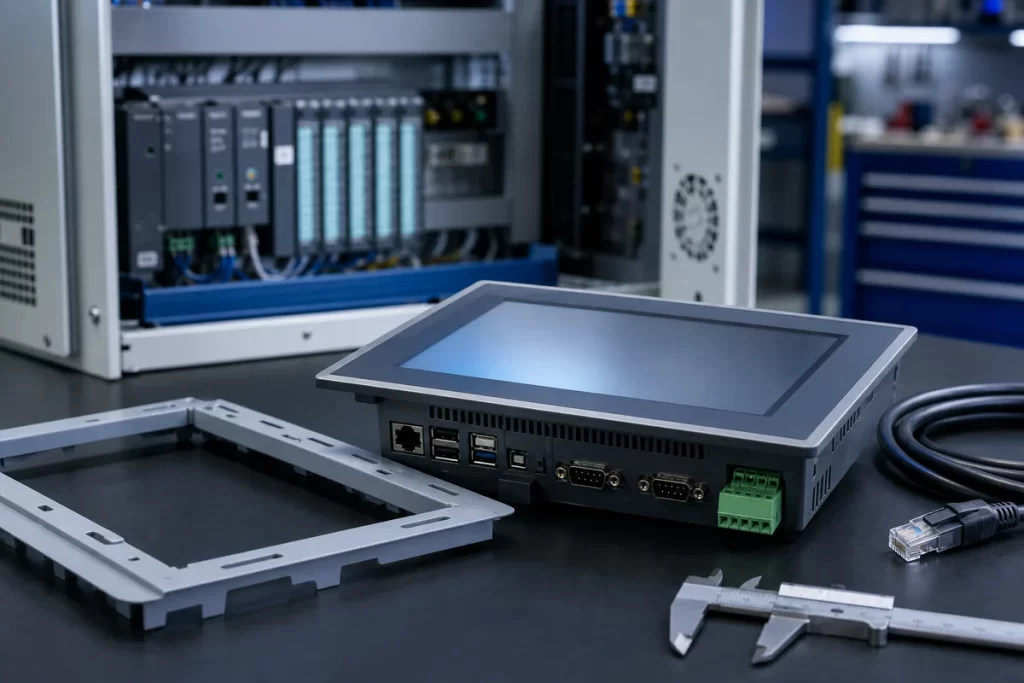
HMI touch panel replacement is one of the easiest places to make a costly mistake. A screen may look similar in the catalog, but the panel cutout, voltage, communication driver, software project, cable connection, and firmware generation can decide whether the unit can be installed quickly. This guide helps buyers prepare the right information before requesting an HMI quote.
Confirm the visible model first
Always begin with the complete HMI model number. Do not rely only on screen size or brand family. Siemens SIMATIC Panels, Pro-face GP panels, Omron NS/NB units, Mitsubishi GOT, Allen-Bradley PanelView, Schneider Magelis, and Weintek HMIs can have multiple versions with similar front appearances but different communication, software, and mounting requirements.
- Full HMI order code from the rear label
- Screen size and color/monochrome type
- Input voltage, usually 24 VDC or AC range
- Communication ports and protocol
- Panel cutout size or cabinet photo
- Whether the software project is available
Check replacement risk before accepting alternatives
When the original HMI is discontinued, a newer model may require software conversion, cable changes, or PLC communication settings. If the machine is running a legacy protocol, the safest quote path is a replacement review rather than a simple price check. Include the connected PLC brand and model if known.
Use the HMIs & Touch Panels category for HMI sourcing paths, or search exact models in the Parts Catalog. For brand-specific routing, the Brand Directory can help organize Siemens, Omron, Mitsubishi, Pro-face, Schneider, and other HMI requests.
Useful photos for HMI RFQs
- Front screen photo to confirm panel family
- Rear model label photo
- Connector area photo showing ports
- Cabinet cutout or mounting photo
- Photo of connected PLC or communication cable if replacement is uncertain
Best inquiry format
Send the model number, quantity, destination, urgency, and whether the order is exact replacement or project spare. If the original unit is damaged and the label is unclear, send photos anyway. SmartNexMSK can route the case for model recognition, replacement matching, or export-ready quotation.
Check panel model, cutout, protocol, and software risk
Route the HMI request with rear-label photos, screen size, voltage, communication, and replacement limits.
Related Insights
Continue with sourcing and model matching guides
 Sep 8, 2026
SANYO DENKI QS1E Spares: Save Parameters First
When a SANMOTION Q axis stops, the purchasing request often becomes a model number: “Please quote QS1E01AA0H4A3P1T.” That is a useful starting point, but…
Read guide Sep 6, 2026
Yaskawa SGDH-05DE-OY Spares: Check the Servo Chain
A servo drive fault often produces a deceptively simple purchasing request: “Replace the SGDH-05DE-OY.” In a running machine, however, the amplifier is only one…
Read guide Sep 5, 2026
GE IS220PCLAH1A Spares: Check Mark VIe Fit
When a Mark VIe cabinet develops an intermittent control fault, the urgent request often becomes a single line: “Please quote IS220PCLAH1A.” That is understandable…
Read guide