
Industrial PC Spares: Check the Software License
Keep industrial PC hardware, software entitlement, target identity and license-key custody together before accepting a replacement.
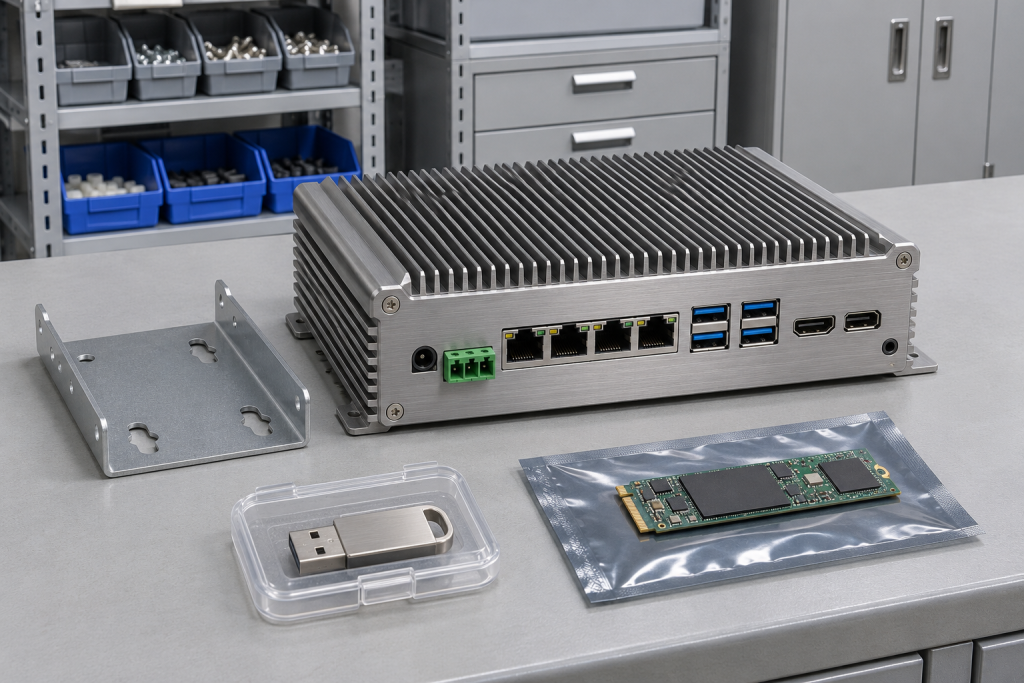
A replacement industrial computer may boot from the old disk image and still lack the software rights or activation evidence needed for the intended installation. Hardware purchasing and software licensing are separate acceptance questions. A successful boot is useful information, but it is not the complete handover.
For industrial PC spares, define the license evidence before approving the quotation. This guide concerns procurement records and authorized recovery planning, not license circumvention or instructions for connecting a replacement to a running machine. Transfer eligibility must be confirmed for the actual agreement and installed software.
Separate the disk image from the license record
An image preserves files from a particular system state. It does not, by itself, establish which organization holds the entitlement, which hardware is covered or which optional functions were purchased. A spare described as supplied with software needs a more precise definition than a photograph of a familiar desktop.
Build a short software schedule alongside the hardware requirement. List the operating system edition, runtime product, version or build, enabled options and relevant machine reference. Keep installation media, recovery files and licensing evidence as distinct deliverables. Mark missing documents explicitly instead of treating the image as a substitute for everything else.
Identify what each license is attached to
Hardware identity can matter even where the processor specification looks equivalent. Microsoft’s hardware-change activation guidance explains that a significant change, such as motherboard replacement, can require Windows reactivation. Its Windows 10 and Windows 11 guidance also requires the edition to remain consistent. This is not blanket permission to transfer an OEM or embedded license.
Ask the responsible license owner which licensing arrangement applies to the installed system and proposed spare. Record the supplier’s answer with its supporting reference. Do not infer that a new chassis, a replacement motherboard and a storage-only repair have identical consequences. Keep operating-system approval separate from the control runtime and third-party application checks.
Use the runtime’s actual identity, not a family name
Beckhoff’s TwinCAT 3 system ID documentation identifies the IPC or license dongle through a hardware-specific system ID. For a dongle, the connected computer’s platform level affects that identity. A matching cabinet-PC family name therefore cannot close a runtime license review.
For a TwinCAT 3 license handover, capture the applicable target identity and platform level in the controlled equipment record. Keep sensitive files and entitlement details in approved storage, not public quotation attachments. Have the authorized software owner compare the proposed target with the licensing documentation before anyone promises a ready-to-run spare.
Beckhoff’s License Response File guidance calls for the file’s system ID, including platform level, to match the relevant dongle or IPC. File locations depend on the runtime build and operating system. Preserve the applicable vendor instructions rather than turning one remembered folder path into a universal recovery procedure.
Make hardware-key custody part of the order
If the installation uses a license key, identify that device separately from ordinary USB accessories. Record whether it remains with the machine, accompanies the returned computer or is included with the offered assembly. A missing key should be an open procurement issue, not something discovered after the spare reaches the cabinet.
Beckhoff’s license-dongle documentation describes hardware-linked standard licenses and platform-level coverage. A physical dongle is not evidence that every computer or software option is covered. Do not move a production key merely to investigate a purchase enquiry; arrange any inspection through the authorized owner.
Write an evidence-based acceptance boundary
Ask the offer to distinguish bare hardware, hardware with recovery media and a system with identified software deliverables. Record exclusions, unresolved entitlement questions and the party responsible for each answer. Keep a supplier’s general assurance separate from an actual license document or a vendor-confirmed recovery route.
Before shutdown, assign an acceptance owner and agree which records will close the licensing question. Relevant evidence can include the exact hardware identity, software schedule, documented license mechanism, response-file reference and approved recovery instructions. Separately plan functional verification under the machine’s change controls; license evidence does not prove application behavior or process suitability.
The existing Beckhoff IPC lifecycle review addresses service-phase and replacement planning. This article adds a narrower purchasing boundary: the proposed computer and software license record must be reviewed together. Neither lifecycle status nor a disk clone answers that question alone.
Keep the sourcing route proportionate
Use the published Beckhoff sourcing page when that is the installed manufacturer. No individual catalog model is endorsed here because the installed full code, software agreement and license target are unspecified. A brand listing does not promise included licenses, transfer rights or availability.
Send hardware identification and a non-sensitive summary of the missing deliverables. Ask for separate confirmation of the physical spare and any software scope. Leave unresolved licensing with the authorized software owner or vendor rather than burying it inside a hardware substitution approval.
FAQ
Does a cloned disk prove the replacement is licensed?
No. File recovery and license entitlement are different records. Review the applicable agreement and target hardware before accepting the spare.
Is Windows activation enough to approve the control runtime?
No. Review the operating system, runtime and purchased application options separately. One activation result does not establish the others.
Can a TwinCAT license dongle cover any replacement IPC?
Do not assume so. Check the applicable system ID, platform coverage and vendor documentation for the actual target.
What should procurement do if license evidence is missing?
Keep the software scope open, name its owner and request the applicable documentation. Do not describe an unqualified hardware offer as a complete operational replacement.
Prepare the IPC spare enquiry
Send the complete model, nameplate photos, discontinued-part replacement need and delivery requirement to [email protected] or WhatsApp/Phone +86 18259474341. Identify any software deliverable awaiting confirmation; do not send passwords or product keys in the initial enquiry.
Route this topic into a sourcing request
Connect the article topic to a model number, category, brand, quantity, and destination before opening the RFQ.
Related Insights
Continue with sourcing and model matching guides
 Nov 28, 2026
Series 90-30 Spares: Check the RX3i Rack Boundary
Separate exact Series 90-30 spares from the verified RX3i rack, processor and retained I/O needed for a planned migration.
Read guide Nov 27, 2026
HMI Screen Spares: Identify the Failed Layer
Separate surface damage, touch input and the supported display assembly before specifying an HMI hardware spare.
Read guide Nov 26, 2026
Motor Brake Rectifier Spares: Match the Coil
Check the fitted brake coil and approved control function before treating a motor brake rectifier as an exact spare.
Read guide