
Beckhoff IPC Spares: Service Phase Is Not EOL
A practical Beckhoff IPC lifecycle guide for separating service phase, hardware fit, software recovery, repair routes, and retrofit decisions.
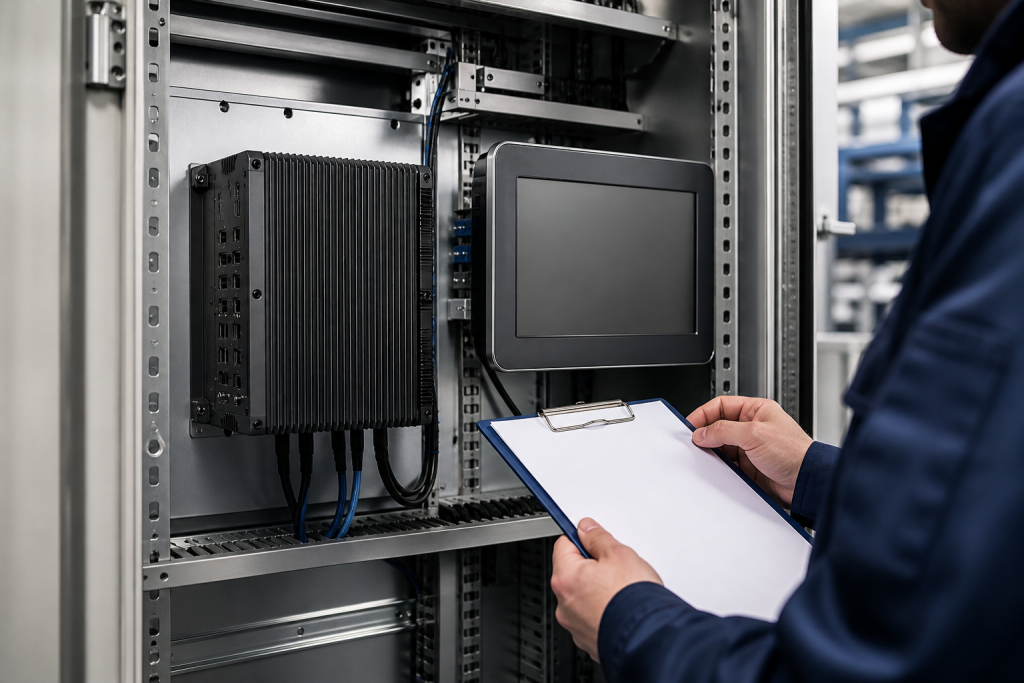
When an industrial PC reaches the service phase, many buyers make one of two mistakes. They either assume the unit is already unusable, or they treat any similar-looking computer as a safe replacement. Both decisions can create unnecessary outage risk. The correct question is more specific: what does the manufacturer still support, what evidence exists for the installed system, and which part of the recovery path must be validated before purchase?
Beckhoff’s official service-products guidance separates product status, replacement devices, spare parts, and repair services. It also notes that support can continue after discontinuation for certain products, while customer-specific or very old items may require additional review. For maintenance teams, that means a service-phase label is a planning signal, not an automatic technical verdict.
Start with the installed IPC function
An industrial PC is rarely just a box. It may run an HMI, visualization client, engineering tool, historian interface, machine-control application, or a gateway between the operator layer and the controller. The same physical format can support very different software, display, network, storage, and licensing requirements.
Before sourcing a Beckhoff IPC spare, record the installed model, CPU or board information where available, display and touch-panel arrangement, storage media, operating system, application version, network interfaces, mounting method, power input, and cabinet location. Add the role of the unit in the control architecture and the consequence of failure. A panel PC that only displays a local status page does not carry the same recovery burden as the engineering workstation used to restore a machine.
Photograph the full unit, nameplate, connectors, rear mounting, display size, cabinet position, and nearby network or power components. Store the photographs against the asset or machine identifier.
Service phase is not a drop-in replacement promise
Beckhoff’s service information describes a lifecycle in which products can move from regular supply toward service support, replacement, spare-part, or repair routes. That does not mean every part is interchangeable, and it does not mean every software environment will move with a new hardware unit.
For example, a model-specific sourcing record such as the Beckhoff C6640-0010 industrial PC spare should be checked against the installed application, storage image, expansion interfaces, display connections, and mechanical fit. The label “retrofit-ready” can describe a sourcing path, but the plant still needs its own acceptance basis.
The same principle applies to a panel PC. A listing such as the Beckhoff CP6203-0021-0010 spare may be relevant to the installed machine, but the purchasing record should also capture screen size, touch function, operating-system image, application license, network addressing, and commissioning steps. A screen that powers on is not proof that the machine interface is ready for production.
Separate hardware evidence from software evidence
Industrial PC failures often look like hardware failures when the real recovery problem is software. Create two linked records. The hardware record should include model, revision, connectors, storage, power, mounting, environmental condition, and photographs. The software record should include operating system, application version, drivers, runtime dependencies, user accounts, licenses, network settings, backup location, and restoration method.
Confirm whether the current system uses a disk image, a file-based backup, a vendor recovery medium, or a manually maintained installation procedure. Record who owns the image and when it was last tested. A spare IPC without a known-good image may require a long engineering effort before it can be used, even if the hardware is technically compatible.
Do not assume that a newer processor or larger storage device is automatically better. Changes in drivers, operating-system support, display timing, network adapters, licensing, or application dependencies can turn a hardware replacement into an unplanned software project.
Define the service-phase acceptance checklist
Before approving a service-phase Beckhoff replacement, ask for evidence in five areas:
- Identity: exact model, serial or assembly information, revision, and photographs.
- Condition: inspection scope, power-up or bench checks, storage condition, packaging, and test limits.
- Compatibility: display, connectors, power, mounting, network, storage, operating system, and application requirements.
- Recovery: image or installation source, licenses, configuration backup, restart sequence, and rollback method.
- Traceability: source, inspection date, warranty terms, responsible reviewer, and acceptance record.
Keep “tested,” “refurbished,” “replacement,” and “compatible” as separate descriptions. A seller may test the hardware while the plant still needs to validate software, licensing, communication, and machine behavior. Clear wording prevents the purchasing team from treating one type of evidence as proof of another.
When to repair, stock, or retrofit
Use the installed consequence and recovery difficulty to choose the next action. Keep a validated spare when the unit is critical, the exact model is identifiable, the software recovery path is known, and the replacement can be tested or accepted before the outage. Use repair or exchange when the installed hardware is serviceable, the repair route is documented, and the expected turnaround fits the plant’s risk tolerance.
Start a retrofit study when the unit depends on unsupported software, the image cannot be recovered, the display or storage is unique, the installed population is small, or the cost of one failure would exceed the effort of a planned change. A retrofit study does not require an immediate replacement. It requires a controlled comparison of hardware, software, network, mechanical, validation, and operator impacts.
Check the Beckhoff brand catalog when mapping the installed part family, but do not use a brand page as a substitute for model-level verification. The exact part number, installed function, condition evidence, and recovery plan should remain the basis of the final RFQ.
Build an IPC lifecycle register
A useful register should connect each IPC to the machine it protects. Include the asset identifier, installed model, function, software image, display and network dependencies, spare or repair route, evidence status, and next review trigger. Review it after a machine retrofit, operating-system change, failed replacement, long storage period, or lifecycle notice.
Frequently asked questions
Does Beckhoff discontinuation mean repair is no longer possible?
No. Beckhoff’s service guidance indicates that replacement devices, spare parts, and repair services may remain available after discontinuation, depending on the product and service route. Verify the exact model rather than assuming a universal rule.
Is a newer industrial PC automatically compatible?
No. Check hardware interfaces, mounting, display, storage, operating system, drivers, application versions, licensing, network settings, and the approved recovery procedure.
What should be sent with a Beckhoff IPC RFQ?
Send the exact model, nameplate photographs, cabinet and connector views, display details, operating-system and application information, installed location, quantity, urgency, and target delivery country.
Should an operator panel and an engineering IPC use the same spare policy?
No. Their software, licensing, recovery, and process consequences can be different. Classify them by function and failure impact even when the hardware family is similar.
When should a service-phase unit be replaced proactively?
Consider proactive replacement when recovery evidence is weak, the unit is unique, software support is declining, a planned outage already exists, or the consequence of an unplanned failure is high.
Practical next step
For a Beckhoff IPC or panel-PC review, send the exact model number, nameplate and cabinet photographs, software and image information where available, installed function, replacement or repair need, and delivery requirement. SmartNexMSK can help distinguish a model match from a recoverable, system-compatible spare path. Contact [email protected] or WhatsApp/Phone +86 18259474341.
Route this topic into a sourcing request
Connect the article topic to a model number, category, brand, quantity, and destination before opening the RFQ.
Related Insights
Continue with sourcing and model matching guides
 Sep 8, 2026
SANYO DENKI QS1E Spares: Save Parameters First
When a SANMOTION Q axis stops, the purchasing request often becomes a model number: “Please quote QS1E01AA0H4A3P1T.” That is a useful starting point, but…
Read guide Sep 6, 2026
Yaskawa SGDH-05DE-OY Spares: Check the Servo Chain
A servo drive fault often produces a deceptively simple purchasing request: “Replace the SGDH-05DE-OY.” In a running machine, however, the amplifier is only one…
Read guide Sep 5, 2026
GE IS220PCLAH1A Spares: Check Mark VIe Fit
When a Mark VIe cabinet develops an intermittent control fault, the urgent request often becomes a single line: “Please quote IS220PCLAH1A.” That is understandable…
Read guide