
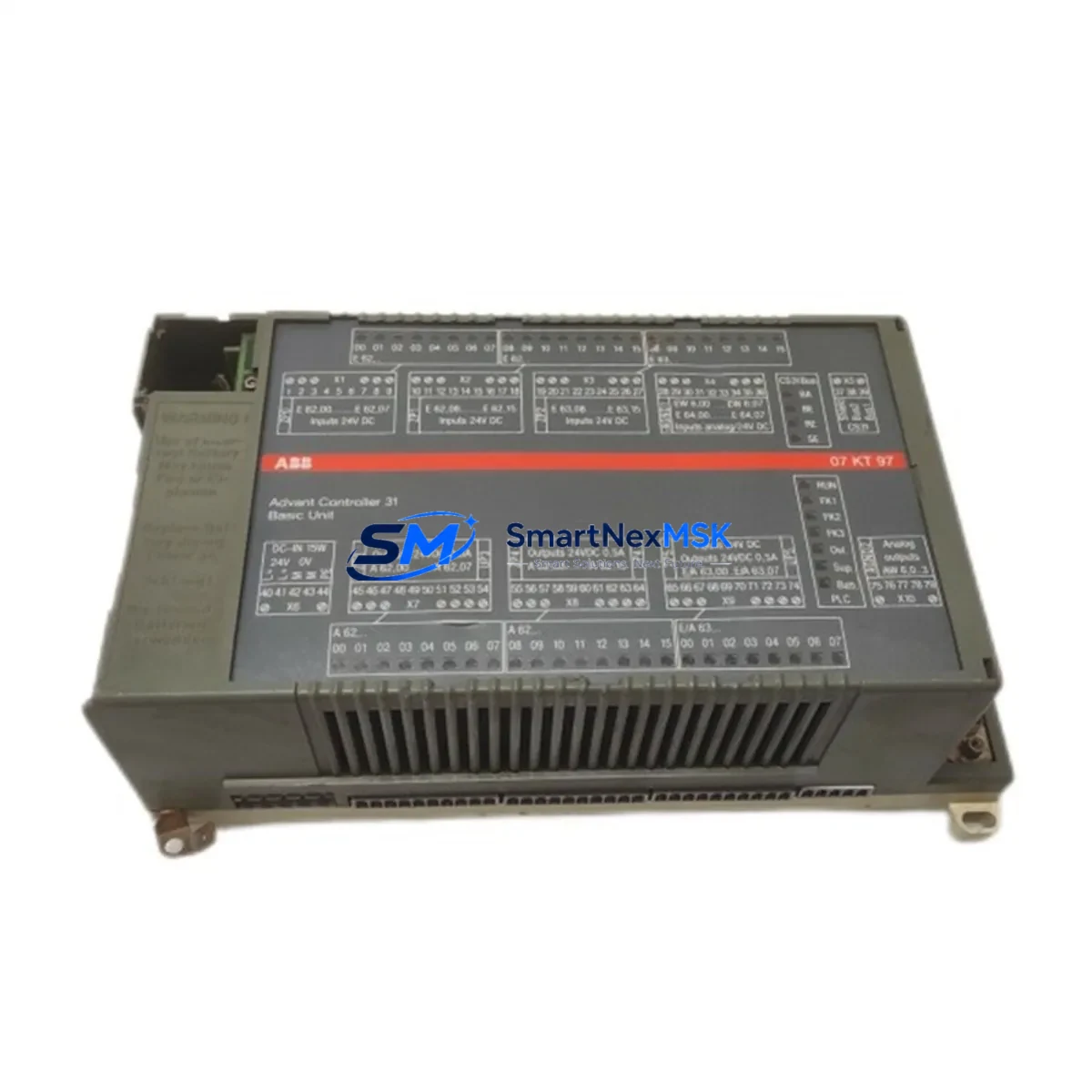
ABB 07KT97 Maintenance-Ready Spare for AC31 Automation
The ABB 07KT97 is a CPU module designed for the Advant Controller 31 (AC31) series — one of ABB’s most widely deployed compact PLC platforms in industrial automation. As a maintenance-ready original spare, the 07KT97 is a direct replacement for aging or failed CPU units in AC31 control cabinets, enabling rapid restoration of machine control without system redesign or reprogramming. Whether you are managing a planned shutdown, responding to an unplanned fault, or building a strategic spare parts inventory, the 07KT97 provides the compatibility, reliability, and traceability that maintenance engineers and procurement teams require.
The AC31 platform remains operational across a broad range of legacy installations in manufacturing, water treatment, building automation, and process control. When a CPU module fails or degrades, the impact on production continuity is immediate. Sourcing a tested, original 07KT97 from a verified supplier eliminates the risk of counterfeit components and reduces mean time to repair (MTTR) significantly. Each unit shipped by SMARTNEXMSK undergoes functional verification and is backed by a 12-month warranty, giving your maintenance team confidence in every replacement.
For procurement engineers managing multi-site operations or aging control infrastructure, the 07KT97 represents a cost-effective alternative to full system migration. Extending the operational life of an AC31-based control cabinet by 3–5 years through targeted spare part replacement is a proven strategy for capital expenditure deferral without compromising uptime or safety compliance.
Spare Maintenance Table
| Parameter | Specification / Details |
|---|---|
| Part Number / SKU | 07KT97 |
| Brand | ABB |
| Series | Advant Controller 31 (AC31) |
| Module Type | PLC CPU Module |
| Country of Origin | Germany (DE) |
| Compatible Systems | ABB AC31 / Advant Controller 31 series control systems |
| Mounting | DIN rail / AC31 backplane rack |
| Communication Interface | ARCNET / serial communication (AC31 native bus) |
| Programming Standard | IEC 61131-3 compatible (via ABB Advant Builder / 907 AC 1131) |
| Operating Temperature | 0°C to +55°C (standard industrial environment) |
| Storage Temperature | -25°C to +70°C |
| Power Supply Requirement | 24 VDC (via AC31 power supply module, e.g. 07KP60 or equivalent) |
| Application Environment | Manufacturing, process control, water treatment, building automation |
| Condition | Original, tested, functional verified |
| Warranty | 12 months from date of shipment |
| Pre-shipment Testing | Power-on functional test, communication check |
| Weight | Approx. 800 g (with packaging) |
| Maintenance Recommendation | Replace as part of planned CPU lifecycle refresh every 8–12 years; inspect battery backup and EEPROM integrity at each scheduled shutdown |
Maintenance Planning for Continuous Operation
When replacing the 07KT97 CPU module in an AC31 control cabinet, a thorough inspection of the surrounding electrical environment is essential to prevent repeat failures and ensure system stability. Maintenance engineers should treat a CPU replacement as an opportunity for a comprehensive cabinet audit.
Power supply integrity is the first checkpoint. The AC31 power supply module — commonly the 07KP60 or 07KP90 — should be tested for output voltage stability and ripple. A degraded power supply is a leading cause of CPU instability and premature module failure. Verify that the 24 VDC rail is within tolerance before commissioning the replacement 07KT97.
I/O module inspection is equally critical. Digital input modules such as the 07DI92 and digital output modules such as the 07DO92 should be checked for contact wear, blown output drivers, and correct addressing. Analog I/O modules, including the 07AI91 for analog inputs and 07AO91 for analog outputs, should be calibrated and verified against process signals to confirm signal integrity before the new CPU is brought online.
Communication modules and network wiring must be inspected when the CPU is replaced. The AC31 ARCNET communication bus relies on correct termination and cable integrity. If the system uses a 07KT98 or 07KT94 CPU variant in a multi-CPU configuration, verify that inter-CPU communication is re-established after replacement. For systems with PROFIBUS or Modbus extensions, check the respective communication interface modules for firmware compatibility with the replacement CPU.
Relay output modules and terminal blocks are often overlooked during CPU replacement. Relay modules such as the 07CR41 should be inspected for contact erosion, especially in high-cycle applications. Terminal blocks and wiring ferrules should be re-torqued to manufacturer specifications to prevent intermittent signal faults that can be misdiagnosed as CPU errors post-replacement.
Battery backup and memory retention are specific concerns for the 07KT97. The onboard battery maintains the real-time clock and retentive memory. Always replace the battery during a CPU swap and document the replacement date in the maintenance log. Failure to do so risks loss of retentive data on the next power cycle.
HMI and operator panel connectivity should be verified after CPU replacement. If the system interfaces with an ABB CP600 operator panel or a third-party HMI via serial or Ethernet, confirm that communication parameters (baud rate, station address, protocol) are correctly configured in the replacement CPU’s program. Signal isolators on analog loops should also be checked for drift, as they can introduce offset errors that appear as process faults after a CPU change.
Site Replacement Workflow
Step 1 — Pre-replacement documentation: Before removing the 07KT97, back up the existing CPU program using ABB’s 907 AC 1131 programming software or the appropriate Advant Builder tool. Record all configuration parameters, I/O assignments, communication settings, and retentive data values. Photograph the wiring and module positions in the cabinet.
Step 2 — Safe isolation: Follow your site’s lockout/tagout (LOTO) procedure. De-energize the control cabinet and verify zero voltage on all rails before handling the CPU module. Discharge any capacitive loads on the 24 VDC bus.
Step 3 — Module removal and inspection: Remove the failed 07KT97 and inspect the backplane connector for bent pins, corrosion, or debris. Clean the connector with appropriate contact cleaner if necessary. Inspect the adjacent modules for signs of thermal stress or moisture ingress.
Step 4 — Replacement installation: Install the new 07KT97 onto the AC31 backplane. Ensure the module is fully seated and the locking mechanism is engaged. Reconnect all communication cables and verify termination resistors are in place on the ARCNET bus.
Step 5 — Program restore and commissioning: Download the backed-up program to the replacement CPU. Verify all I/O points in manual mode before enabling automatic control. Confirm HMI communication is re-established and all process values are reading correctly. Document the replacement in the site maintenance register.
This workflow minimizes downtime, maintains system compatibility, and ensures the replacement 07KT97 is commissioned safely and correctly — reducing the risk of secondary faults caused by improper installation.
Spare Parts Support FAQ
Q1: Is the 07KT97 a direct drop-in replacement for all AC31 CPU variants?
The 07KT97 is designed for the ABB Advant Controller 31 (AC31) platform. Compatibility depends on the specific AC31 configuration and firmware version in use at your site. We recommend confirming the exact CPU variant installed (e.g., 07KT97 vs. 07KT98 or 07KT94) before ordering. Our technical team can assist with compatibility verification based on your system documentation or nameplate data.
Q2: What pre-shipment testing does the 07KT97 undergo?
Every 07KT97 unit shipped by SMARTNEXMSK undergoes a power-on functional test and communication interface check. Units are inspected for physical integrity, connector condition, and firmware operability. A test report is available upon request. All units are shipped with ESD-protective packaging to prevent transit damage.
Q3: What does the 12-month warranty cover?
The 12-month warranty covers functional failure under normal operating conditions from the date of shipment. It does not cover damage caused by incorrect installation, overvoltage, environmental contamination, or unauthorized modification. In the event of a warranty claim, SMARTNEXMSK will provide a replacement unit or full refund after fault verification. Contact [email protected] to initiate a warranty claim.
Q4: Can SMARTNEXMSK support long-term or blanket purchase orders for the 07KT97?
Yes. For maintenance teams managing multiple AC31 installations or planning multi-year spare parts programs, SMARTNEXMSK offers long-term supply agreements and reserved stock arrangements. We maintain ongoing inventory of AC31-series modules to support customers with legacy system continuity requirements. Contact our procurement team to discuss volume pricing and delivery scheduling.
© 2026 SMARTNEXMSK. All rights reserved.
Original Source: https://smartnexmsk.com
Contact: [email protected] | +86 18259474341



