
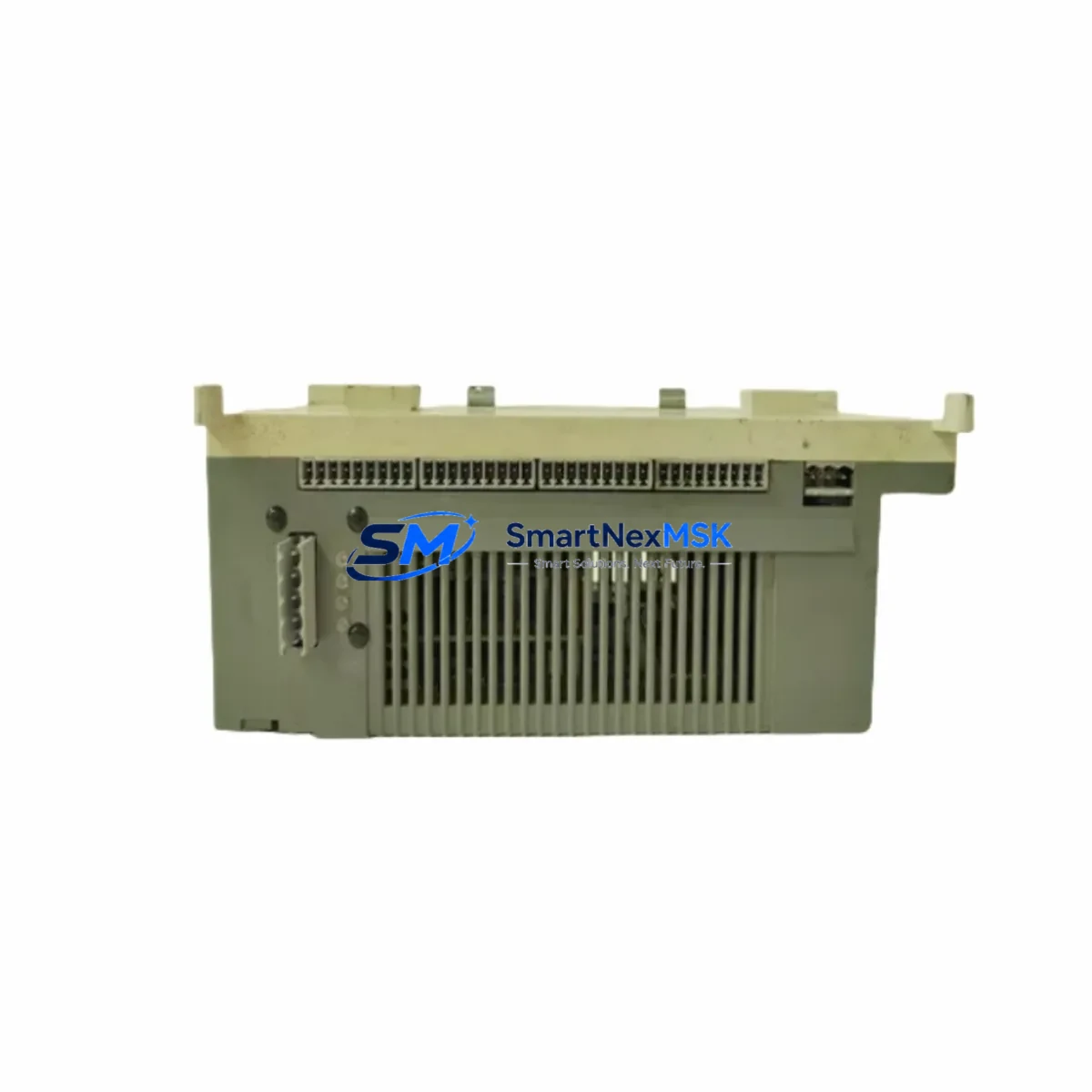
ABB 07KT98 GJR5253100R0278 Spare for AC31 Automation: Spare Replacement & Industrial Downtime Risk Control
The ABB 07KT98 (GJR5253100R0278) is the central CPU module of the Advant Controller AC31 series — a widely deployed programmable logic controller platform found in process automation, machine control, and utility infrastructure installations worldwide. When this module fails or degrades, the entire control loop is interrupted, making rapid, verified spare part replacement the single most critical factor in minimizing unplanned downtime. SMARTNEXMSK maintains ready stock of the 07KT98 GJR5253100R0278 to support maintenance engineers and procurement teams who cannot afford extended lead times on legacy automation hardware.
This unit is supplied as an original ABB spare, fully tested prior to shipment, and backed by a 12-month warranty covering manufacturing defects and functional failure under normal operating conditions. Each module undergoes power-on verification and communication interface checks before dispatch, ensuring that what arrives on-site is ready for immediate installation without additional bench testing.
Spare Maintenance Table
| Parameter | Specification / Detail |
|---|---|
| Part Number | 07KT98 |
| Reference Number | GJR5253100R0278 |
| Brand | ABB |
| Series | Advant Controller AC31 |
| Module Type | CPU / Central Processing Unit Module |
| Supply Voltage | 24 V DC (via backplane / rack power bus) |
| Communication Interface | ARCNET, serial RS-232/RS-485 (series-dependent) |
| Program Memory | Onboard flash / SRAM with battery backup |
| Operating Temperature | 0 °C to +55 °C |
| Mounting | DIN rail / AC31 rack backplane |
| Country of Origin | Germany |
| Compatibility | ABB Advant Controller AC31 rack systems |
| Condition | Original, tested, ready to ship |
| Warranty | 12 Months — functional guarantee from shipment date |
| Lead Time | In stock — ships within 1–3 business days |
Maintenance Planning for Continuous Operation
Replacing the 07KT98 CPU module is rarely an isolated task. Experienced maintenance engineers know that a CPU failure in an AC31 rack is often preceded or accompanied by stress on adjacent components. Before returning the system to service, a thorough inspection of the surrounding hardware is essential to prevent repeat failures and ensure long-term stability.
Start with the AC31 rack power supply module — typically the 07KP90 or equivalent — which feeds regulated 24 V DC to the CPU and I/O backplane. A degraded power supply can cause intermittent CPU resets, memory corruption, or communication dropouts that mimic CPU failure. Verify output voltage stability under load before inserting the replacement 07KT98.
Next, inspect the digital input and output modules installed in the same rack, such as the 07DI92 or 07DO92 series. I/O modules that share the backplane bus can introduce noise or bus contention that shortens CPU lifespan. Check for blown output channels, stuck inputs, or field wiring short circuits that may have contributed to the original failure event.
The communication interface module — whether an ARCNET coupler, a PROFIBUS DP adapter, or a serial gateway — should also be inspected. A faulty communication module can cause the CPU to enter fault mode or generate watchdog trips. Confirm that the network topology is intact and that termination resistors are correctly placed on the ARCNET or PROFIBUS segment.
For systems using analog I/O modules (e.g., 07AI91 or 07AO91), verify signal integrity on 4–20 mA loops and ±10 V channels. Signal isolation barriers and signal isolators in the field wiring cabinet should be checked for drift or insulation breakdown, particularly in high-humidity or high-vibration environments.
Do not overlook the battery backup unit for the CPU’s SRAM program retention. If the battery has not been replaced within the recommended service interval, program loss after a power cycle is a real risk. Replace the backup battery as a standard step whenever the CPU module is swapped.
In control cabinets housing the AC31 system, inspect terminal blocks and wiring harnesses for loose connections, corrosion, or insulation damage. Loose 24 V DC supply wiring to the rack is a common root cause of intermittent CPU faults that are misdiagnosed as module failure. Similarly, check miniature circuit breakers and fuses protecting the control voltage rail — a nuisance trip on the 24 V supply can corrupt CPU memory during an uncontrolled power-down.
If the AC31 system communicates with an HMI panel — such as an ABB CP600 series or a third-party operator panel via RS-232 — verify that the serial communication parameters (baud rate, parity, stop bits) are correctly configured on the replacement CPU after programming is restored. HMI communication loss after a CPU swap is a common commissioning oversight that delays restart.
For plants running extended maintenance cycles, consider stocking a second 07KT98 GJR5253100R0278 as a cold standby spare. Paired with a spare rack power supply and a set of critical I/O modules, this forms a minimum viable spare kit for the AC31 platform that can restore operation within a single shift rather than waiting for emergency procurement.
Site Replacement Workflow
Step 1 — Preparation: Before removing the failed 07KT98, back up the application program using the ABB Advant Builder or compatible programming tool connected via the CPU’s serial port. Confirm the backup is complete and readable. If the CPU is non-responsive, check whether the program is stored on a removable memory card or in the rack’s program backup module.
Step 2 — Safe Isolation: Place the AC31 system in STOP mode via the programming tool or the physical RUN/STOP switch on the CPU faceplate. Isolate the 24 V DC supply to the rack using the upstream circuit breaker. Verify isolation with a multimeter before touching any backplane connectors.
Step 3 — Module Removal: Release the CPU module locking tabs and slide the 07KT98 out of the backplane slot. Note the slot position — the CPU must be reinstalled in the same designated CPU slot, not an I/O slot.
Step 4 — Replacement Installation: Insert the new 07KT98 GJR5253100R0278 into the CPU slot and secure the locking tabs. Restore 24 V DC power. The module should power up with the RUN LED illuminated after a brief self-test sequence.
Step 5 — Program Restore and Verification: Download the backed-up application program to the replacement CPU. Verify I/O mapping, communication parameters, and HMI link. Perform a controlled test cycle before returning the system to automatic operation.
Step 6 — Documentation: Record the replacement date, new module serial number, and any observations about the failed unit in the site maintenance log. This data supports future failure analysis and spare parts planning.
This workflow is compatible with all AC31 rack configurations and does not require system-wide reconfiguration when replacing a like-for-like 07KT98 module, significantly reducing restart time compared to platform migration.
Spare Parts Support FAQ
Q1: Is the 07KT98 GJR5253100R0278 still available as a new original part, or is it a refurbished unit?
SMARTNEXMSK supplies original ABB 07KT98 modules sourced from authorized distribution channels and verified surplus stock. Each unit is tested for full functional operation before shipment. Where new old stock is available, it is clearly identified. Refurbished units, if offered, are disclosed as such and carry the same 12-month warranty.
Q2: How do I verify compatibility before ordering if my AC31 rack uses a different firmware revision?
The GJR5253100R0278 reference number identifies a specific hardware and firmware revision of the 07KT98. If your existing system uses a different R-suffix variant, contact our technical team with your current module’s full reference number. We can confirm cross-compatibility or identify the correct replacement variant to avoid firmware mismatch issues on startup.
Q3: What testing is performed before shipment, and what does the 12-month warranty cover?
Every 07KT98 unit is powered on, subjected to a self-diagnostic cycle, and verified for communication port functionality before packaging. The 12-month warranty covers failure under normal operating conditions, including CPU processing faults, communication interface failure, and power regulation issues attributable to the module itself. Physical damage caused by incorrect installation or field wiring faults is excluded.
Q4: Can I order multiple units for a planned maintenance stock program, and what lead times apply?
Yes. SMARTNEXMSK supports bulk spare parts procurement for planned maintenance programs. For quantities of 3 or more units, contact our sales team for volume pricing and staggered delivery scheduling. In-stock units ship within 1–3 business days. For larger quantities or specific delivery windows, lead times are confirmed at order placement.
© 2026 SMARTNEXMSK. All rights reserved.
Original Source: https://smartnexmsk.com
Contact: [email protected] | +86 18259474341



