
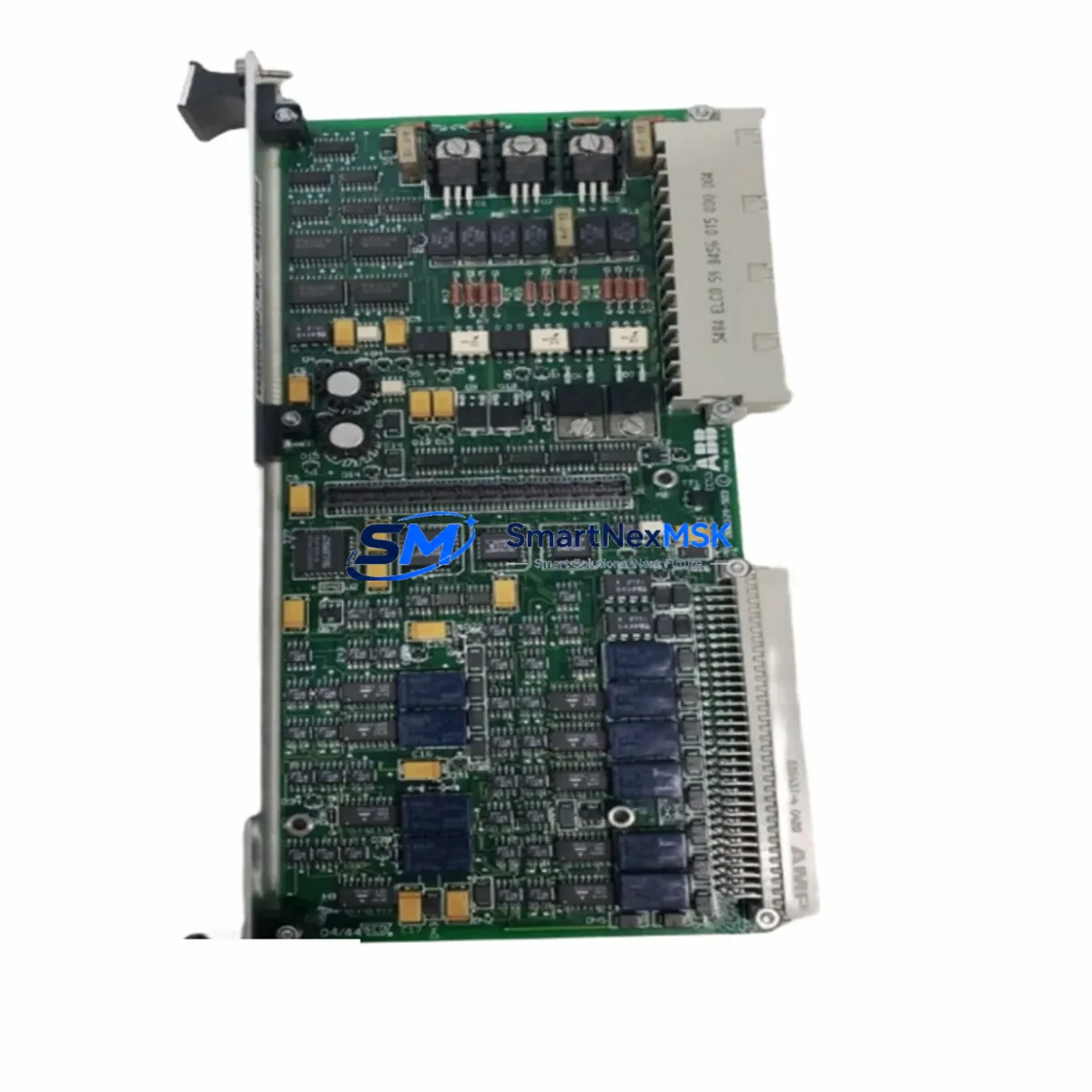
ABB 086329-004 Retrofit-Ready I/O Module for DSQC Control Systems
The ABB 086329-004 is a proven I/O module designed for seamless integration into ABB DSQC-series robot controller platforms. As legacy automation lines face increasing pressure from discontinued spare parts and aging backplane infrastructure, the 086329-004 has become a critical component in retrofit projects across automotive, electronics manufacturing, and process industries. Whether you are replacing a failed unit in an IRC5 cabinet or upgrading an older S4C+ system to extend its operational life, this module delivers the electrical compatibility and signal integrity required for uninterrupted production continuity.
Our stock of ABB 086329-004 units is sourced, inspected, and function-tested prior to shipment. Each unit undergoes bench verification of I/O channel response, backplane communication handshake, and power rail stability. We maintain buffer inventory specifically for customers managing multi-robot cells where a single module failure can halt an entire line. With 12-month warranty coverage and fast dispatch from our Xiamen warehouse, lead time risk is minimized even for urgent breakdown replacements.
Upgrade Compatibility Table
| Parameter | Details |
|---|---|
| Part Number | 086329-004 |
| Brand | ABB |
| Compatible Series | DSQC (IRC5, S4C+, S4C) |
| Module Function | Digital I/O Interface Module |
| Backplane Interface | DSQC internal bus connector |
| Installation Type | DIN rail / cabinet rack mount |
| Communication Protocol | DeviceNet / internal DSQC bus |
| Replacement Compatibility | Direct drop-in for DSQC I/O variants in same slot class |
| Wiring Adaptation | Terminal block pinout preserved; verify 24 VDC supply rail |
| Commissioning Note | Module address must be re-confirmed in RobotWare I/O configuration after swap |
| Warranty | 12 Months |
| Origin | China (Xiamen) |
Retrofit Planning for Existing Automation Systems
A successful retrofit around the ABB 086329-004 begins well before the module arrives on site. Engineers should first audit the existing DSQC controller cabinet to confirm the backplane slot assignment, verify the 24 VDC power supply capacity — typically provided by a DSQC 609 or DSQC 661 power distribution unit — and document the current terminal block wiring against the original I/O list. In many IRC5 installations, the 086329-004 shares a rack with the DSQC 652 digital I/O board and the DSQC 378 fieldbus adapter, so slot sequencing and module addressing must be preserved exactly to avoid remapping errors in the RobotWare configuration.
For lines migrating from S4C+ to IRC5 architecture, the 086329-004 often serves as a bridging component during phased upgrades. The DSQC 503 and DSQC 504 boards from the older generation may be physically incompatible with the new IRC5 main computer — the DSQC 1000 — but the I/O signal architecture can be preserved by remapping through the 086329-004 with appropriate terminal adapter harnesses. Communication links running over DeviceNet should be re-terminated and the node address re-assigned using the rotary switch on the module face before powering up the updated cabinet.
Where the retrofit also involves HMI modernization, operators should verify that the signal tags mapped in the existing FlexPendant or Panel Builder 800 screens correspond correctly to the new I/O channel assignments. A mismatch between the physical I/O address on the 086329-004 and the symbolic name in the RAPID program will cause runtime faults that are difficult to trace without a full I/O cross-reference. Preparing a channel-by-channel mapping table before the cutover window significantly reduces commissioning time. Programming cables such as the DSQC 679 teach pendant cable and the USB-to-serial adapter used for RobotStudio offline backup should be on hand throughout the swap procedure.
Downtime Control During System Migration
Minimizing unplanned downtime during an I/O module replacement requires a structured pre-outage checklist. Before removing the ABB 086329-004 from service, create a full RobotWare system backup using RobotStudio or the FlexPendant backup function. This preserves the RAPID task programs, I/O configuration, safety parameters, and motion calibration data. If the controller is part of a MultiMove cell coordinating multiple robot arms, ensure all coordinated motion tasks are suspended and the safety PLC — often a JOKAB Safety or ABB SafeMove module — is placed in a known safe state before any cabinet work begins.
During the physical swap, label every terminal block wire before disconnection and photograph the original wiring layout. The 086329-004 terminal block is removable on most DSQC variants, which allows the wiring harness to be transferred directly to the replacement unit without re-terminating individual conductors — a significant time saving on dense I/O panels. After reinstallation, power up the controller in manual mode, verify the I/O status in the RobotWare I/O panel, and run a dry-cycle of the RAPID program before returning the cell to automatic production. Total planned outage for a single-module swap on a well-documented IRC5 system typically ranges from 2 to 4 hours, including functional verification.
Retrofit Support FAQ
Q: Is the ABB 086329-004 a direct replacement for all DSQC I/O modules in the same slot?
A: The 086329-004 is compatible with DSQC-series I/O slot positions that share the same backplane connector class. However, you should verify the slot type (digital input, digital output, or combined) against your cabinet layout drawing before ordering. Our technical team can assist with cross-referencing your existing module label against the 086329-004 specification sheet.
Q: Do I need to re-configure the I/O addresses after replacing the module?
A: In most cases, if the replacement module is installed in the same physical slot and the RobotWare system backup is intact, the I/O address mapping is preserved automatically on restart. However, if the DeviceNet node address was set via rotary switch on the original unit, you must confirm and match that address on the 086329-004 before powering up to avoid bus conflicts.
Q: What wiring checks are required before commissioning the replacement module?
A: Verify the 24 VDC supply voltage at the module power terminals, confirm that all field device wiring is correctly re-terminated to the original terminal block positions, and check that the cable shield grounds are intact. For modules connected to safety circuits, re-validate the safety function using the SafeMove or external safety PLC test procedure before returning to automatic mode.
Q: What does the 12-month warranty cover, and is pre-shipment testing included?
A: Every ABB 086329-004 unit shipped by SMARTNEXMSK is function-tested prior to dispatch, covering I/O channel response, backplane communication, and power rail integrity. The 12-month warranty covers manufacturing defects and functional failure under normal operating conditions. Units are shipped with a test report on request. Contact [email protected] for warranty claims or pre-sales technical consultation.
© 2026 SMARTNEXMSK. All rights reserved.
Original Source: https://smartnexmsk.com
Contact: [email protected] | +86 18259474341



