
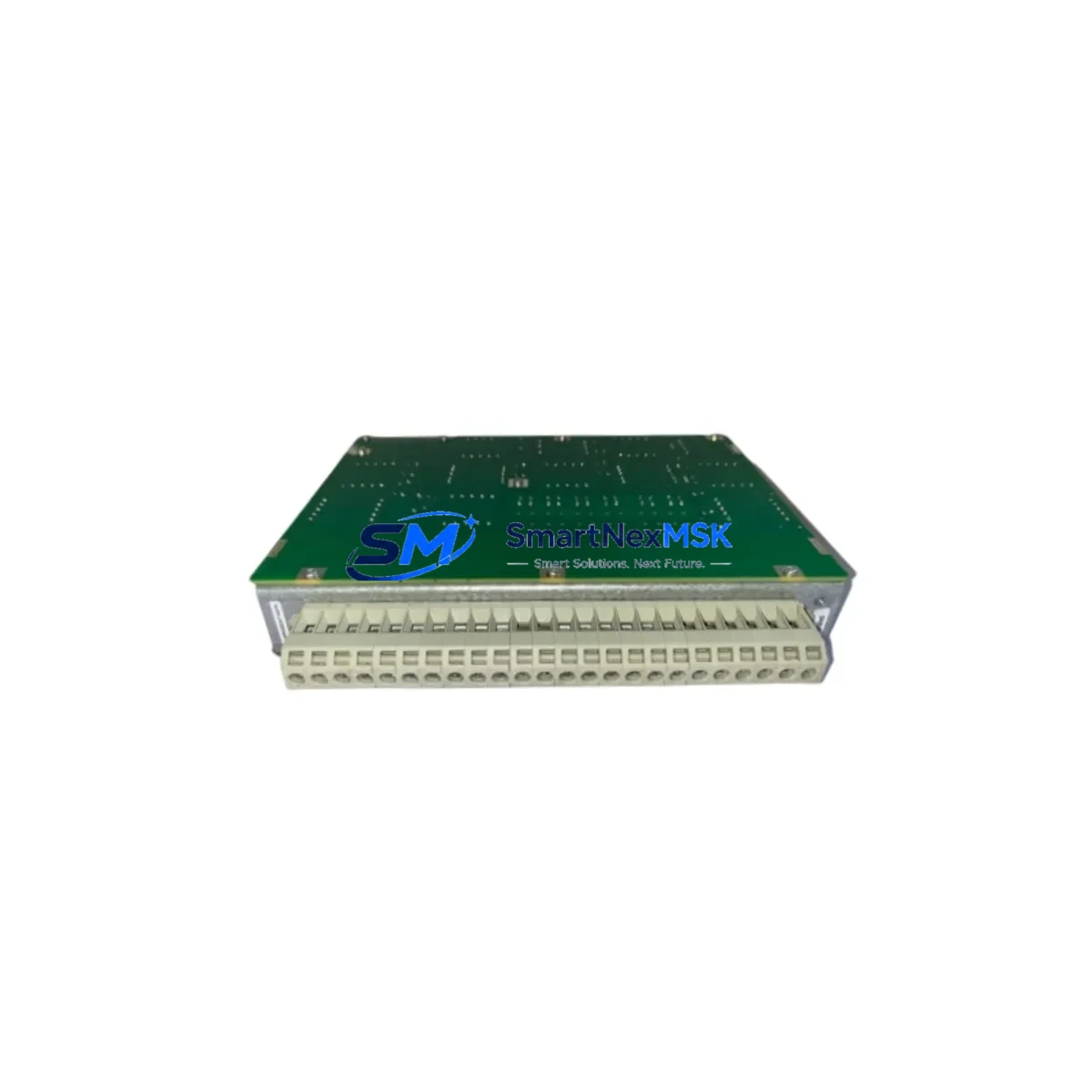
ABB 1KHL178012R0016A Maintenance-Ready Spare for UNITROL Automation
The ABB 1KHL178012R0016A (TRM01) is an original transformer monitoring module engineered for ABB UNITROL excitation and voltage regulation systems. In power generation, heavy industry, and utility-grade automation environments, this board serves as the primary interface for transformer thermal protection, winding temperature monitoring, and excitation feedback — functions that are critical to continuous generator and transformer operation. When this module fails or degrades, the consequences range from nuisance trips to unplanned outages lasting hours or days. Stocking a verified replacement is the most effective strategy for minimizing mean time to repair (MTTR) and protecting uptime commitments.
For maintenance engineers managing UNITROL 1000, UNITROL 5000, or UNITROL 6000 excitation panels, the TRM01 board is a known wear item in long-running installations. Thermal cycling, vibration, and capacitor aging are the primary failure modes. A proactive spare parts strategy — keeping at least one tested replacement on the shelf — eliminates the lead-time risk associated with OEM procurement channels, which can extend to 8–16 weeks for legacy excitation hardware.
Each unit supplied by SMARTNEXMSK is sourced from verified industrial channels, functionally tested prior to dispatch, and covered by a 12-month warranty. Shipment is supported with full documentation including test records and packing declarations for customs clearance.
Spare Maintenance Table
| Parameter | Specification / Value |
|---|---|
| Part Number | 1KHL178012R0016A |
| Module Designation | TRM01 — Transformer Monitoring Module |
| Compatible System | ABB UNITROL 1000 / 5000 / 6000 Excitation Systems |
| Function | Winding temperature monitoring, thermal protection relay interface, excitation feedback |
| Signal Type | Analog PT100 / thermistor inputs; digital relay outputs |
| Supply Voltage | 24 VDC (internal bus, excitation panel) |
| Mounting | DIN rail / backplane slot, UNITROL excitation cabinet |
| Operating Temperature | 0°C to +55°C (panel-mounted, forced-air cooled enclosure) |
| Weight | 360 g |
| Country of Origin | Germany |
| Condition | Original, new or refurbished-to-spec |
| Warranty | 12 months from date of shipment |
| Pre-shipment Test | Functional verification performed; test record available on request |
| Compatibility Verification | Confirm panel firmware revision and backplane slot assignment before installation |
| Maintenance Interval | Inspect annually; replace at first sign of thermal discoloration or relay chatter |
Maintenance Planning for Continuous Operation
When a UNITROL excitation panel is opened for scheduled maintenance or emergency fault isolation, the TRM01 module should never be evaluated in isolation. A comprehensive inspection of the surrounding electrical circuit is essential to prevent repeat failures and ensure the replacement module operates within its rated parameters from day one.
Begin with the 24 VDC auxiliary power supply feeding the excitation control rack — voltage ripple or transient spikes are a leading cause of premature board failure. Verify the UNITROL power interface module (PIM) output is within tolerance before installing the replacement TRM01. Next, inspect the field current controller (FCC) board and its associated gate drive signals; a degraded FCC can impose abnormal thermal loads on the monitoring circuit.
Check all PT100 wiring and terminal blocks connected to the transformer winding temperature sensors — corroded or loose terminations generate signal noise that can cause false trips even with a new TRM01 installed. The analog input signal conditioner or signal isolator upstream of the TRM01 should also be tested; if it has drifted out of calibration, the new module will inherit the same measurement error.
For panels with integrated communications, verify the UNITROL communication module (COM) — typically a PROFIBUS DP or Modbus RTU interface card — is functioning correctly, as TRM01 alarm states are often transmitted upstream to the DCS or SCADA system via this path. A faulty COM module can mask or misreport transformer protection alarms.
Inspect the excitation transformer and rectifier bridge assembly for signs of overheating or diode degradation. Elevated rectifier temperatures accelerate aging of all nearby electronic modules including the TRM01. Replace any panel-mounted fuses (typically 2A–6A fast-blow types on the 24 VDC rail) as a matter of course during any board-level replacement. Finally, review the HMI operator panel — often an ABB CP600 or similar touch panel — to confirm that alarm acknowledgment and setpoint configuration for the new TRM01 are correctly restored after replacement.
Maintaining a coordinated spare kit that includes the TRM01, a spare PIM board, a set of terminal block fuses, and a calibrated PT100 extension cable set reduces the risk of a second unplanned outage within the same maintenance window.
Site Replacement Workflow
Step 1 — Isolation & Lockout: De-energize the excitation panel following site LOTO procedures. Confirm zero voltage on the 24 VDC auxiliary bus and the AC excitation input before opening the cabinet.
Step 2 — Documentation: Photograph the existing TRM01 wiring, terminal assignments, and DIP switch or jumper settings before removal. Record the firmware version displayed on the UNITROL HMI if accessible.
Step 3 — Module Removal: Disconnect all signal cables and terminal block connectors from the TRM01. Release the backplane locking tab or DIN rail clip and extract the module. Inspect the backplane connector pins for corrosion or mechanical damage.
Step 4 — Replacement Installation: Insert the 1KHL178012R0016A replacement module, ensuring the backplane connector seats fully. Replicate all DIP switch and jumper settings from the documentation captured in Step 2. Reconnect all signal cables in the original configuration.
Step 5 — Power-Up & Verification: Re-energize the auxiliary supply and observe the UNITROL HMI for fault-free startup. Confirm that transformer winding temperature readings are within expected range and that no TRM01-related alarms are active. Perform a simulated thermal trip test if site procedures permit.
Step 6 — Documentation & Handover: Update the maintenance log with the replacement date, new module serial number, and test results. File the SMARTNEXMSK test record with the equipment history folder.
This workflow is compatible with direct replacement of legacy TRM01 variants across UNITROL 1000, 5000, and 6000 panel generations without firmware modification in most configurations — always verify against the site-specific UNITROL parameter backup before final commissioning.
Spare Parts Support FAQ
Q1: Is the 1KHL178012R0016A compatible with all UNITROL excitation panel generations?
The TRM01 module is designed for ABB UNITROL 1000, 5000, and 6000 series excitation systems. Compatibility with specific panel revisions depends on backplane slot assignment and firmware version. SMARTNEXMSK recommends providing your panel nameplate data and UNITROL software version for pre-shipment compatibility confirmation at no additional charge.
Q2: What pre-shipment testing is performed on each unit?
Every 1KHL178012R0016A supplied by SMARTNEXMSK undergoes functional verification including power-up self-test, analog input channel check, and relay output continuity test. A test record is available upon request and can be included with the shipment documentation for your maintenance file.
Q3: What does the 12-month warranty cover, and how is a warranty claim handled?
The 12-month warranty covers manufacturing defects and functional failures under normal operating conditions from the date of shipment. In the event of a warranty claim, contact [email protected] with the order reference and a description of the fault. SMARTNEXMSK will arrange return logistics and provide a replacement or repair within an agreed lead time to minimize your downtime exposure.
Q4: Can SMARTNEXMSK support long-term or blanket spare parts orders for this module?
Yes. For maintenance teams managing multiple UNITROL installations or planning multi-year spare parts budgets, SMARTNEXMSK offers reserved stock arrangements and scheduled delivery programs. Contact our team to discuss volume pricing, consignment stock options, and priority allocation for critical excitation system spares.
© 2026 SMARTNEXMSK. All rights reserved.
Original Source: https://smartnexmsk.com
Contact: [email protected] | +86 18259474341



