
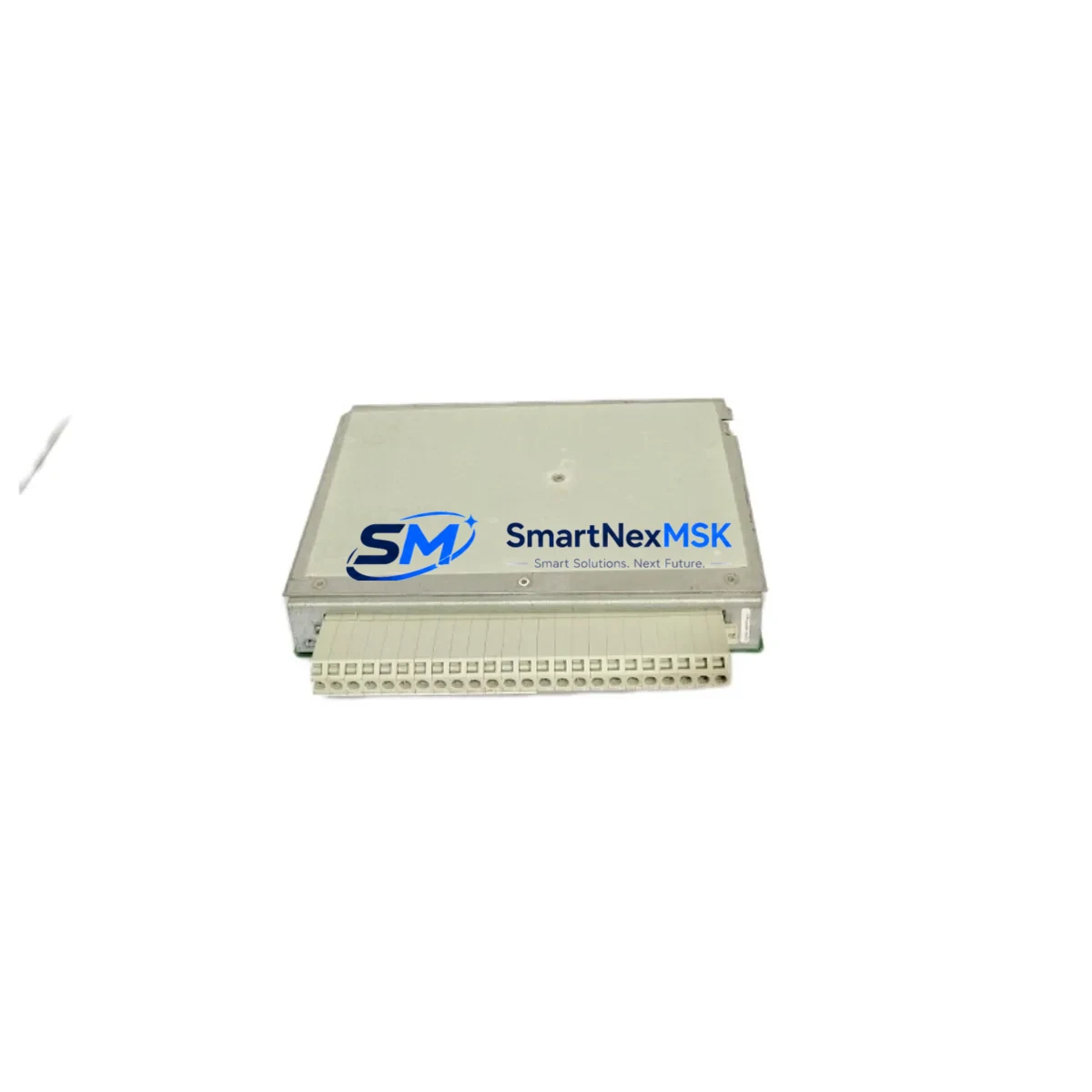
ABB 1KHW001381R0001 E5TX AC500 Retrofit-Ready Expansion Module: Seamless Compatibility for Legacy System Upgrades
The ABB 1KHW001381R0001 E5TX is a high-performance expansion module designed for the ABB AC500 PLC platform, one of the most widely deployed programmable logic controller families in industrial automation. Whether you are replacing a discontinued module in an aging control cabinet, upgrading a legacy production line, or migrating from an earlier AC500 generation to a current-generation architecture, the 1KHW001381R0001 E5TX delivers the electrical compatibility, communication reliability, and mechanical fit required for a smooth, low-risk retrofit.
Industrial facilities running AC500-based control systems often face the challenge of sourcing reliable spare parts for modules that have reached end-of-life status. The 1KHW001381R0001 E5TX addresses this directly: it is engineered to slot into existing AC500 backplanes without requiring structural modifications to the control cabinet, and its terminal wiring layout is compatible with standard AC500 field wiring practices. Engineers responsible for system continuity can proceed with confidence, knowing that the module has been tested against ABB’s original performance specifications before shipment.
Before installing the 1KHW001381R0001 E5TX into an existing system, the following verification steps are recommended to ensure a successful retrofit:
- Power Supply Capacity: Confirm that the existing ABB PS501 or PS502 power supply module in the rack provides sufficient current headroom for the additional expansion module. Overloaded power rails are a common cause of intermittent faults during post-retrofit commissioning.
- Terminal Wiring: Verify field wiring gauge and terminal torque specifications against the 1KHW001381R0001 E5TX datasheet. Where the original module used screw-type terminals, confirm compatibility with the replacement module’s terminal block type.
- Backplane Interface: The AC500 backplane connector on the TB511, TB521, or TB541 terminal base must be inspected for pin damage or oxidation before seating the new module. A damaged backplane connector can cause communication errors that are difficult to distinguish from module faults.
- Module Address Configuration: In AC500 systems using Automation Builder or PS501 Control Builder Plus software, confirm that the module address assignment in the hardware configuration matches the physical slot position. Address mismatches will prevent the CPU — such as the PM573, PM583, or PM595 — from recognizing the module during startup.
- Program Compatibility: Review the existing PLC program for any module-type-specific function blocks or I/O mapping that references the original module’s firmware version. In most AC500 retrofit scenarios, the application program requires no modification, but this should be verified in the offline project before going live.
- HMI Screen Mapping: If the control system includes an ABB CP600 or CP620 HMI panel, confirm that any diagnostic or status screens referencing the expansion module’s I/O points remain valid after the replacement. Tag names and data types should be cross-checked against the new module’s I/O specification.
- Communication Link Integrity: For systems using PROFIBUS DP, Modbus RTU, or CANopen communication via an ABB CI501, CI502, or CI504 fieldbus coupler, verify that the communication link remains stable after module replacement. A brief bus scan using the engineering tool will confirm that all nodes are responding correctly.
- On-Site Commissioning: After physical installation, perform a controlled power-up sequence: energize the power supply first, allow the CPU to complete its boot cycle, then verify module status LEDs. Use Automation Builder’s online diagnostic view to confirm that the 1KHW001381R0001 E5TX is recognized and reporting correctly before releasing the system to production.
Upgrade Compatibility Table
| Parameter | Details |
|---|---|
| Module SKU | 1KHW001381R0001 E5TX |
| Brand / Series | ABB / AC500 |
| Compatible CPUs | PM573, PM583, PM591, PM595 |
| Compatible Terminal Bases | TB511, TB521, TB541 |
| Backplane Interface | AC500 standard backplane connector |
| Communication Protocols | PROFIBUS DP, Modbus RTU, CANopen (via fieldbus coupler) |
| Installation Requirement | No cabinet modification required; direct slot replacement |
| Replacement Compatibility | Drop-in replacement for discontinued AC500 expansion modules |
| Programming Environment | ABB Automation Builder / PS501 Control Builder Plus |
| Commissioning Tool | Automation Builder online diagnostic view |
| Pre-Shipment Testing | Full functional test against ABB OEM specifications |
| Warranty | 12 Months from date of shipment |
Retrofit Planning for Existing Automation Systems
A successful AC500 retrofit begins well before the module arrives on site. The 1KHW001381R0001 E5TX is most commonly deployed in control cabinets that house a mix of I/O expansion modules, communication couplers, and power distribution components. A typical retrofit bill of materials for an AC500 upgrade project may include the ABB PS501 or PS502 power supply to ensure adequate rail current, one or more TB511 or TB521 terminal bases to support the new module’s field wiring, and a CI501-PNIO or CI504-PNIO PROFINET coupler if the migration path involves transitioning from legacy PROFIBUS to a modern Ethernet-based fieldbus architecture.
For I/O expansion, the 1KHW001381R0001 E5TX is often installed alongside ABB DI524 digital input modules and DO524 digital output modules, or analog variants such as the AI523 analog input module, depending on the process requirements of the upgraded line. In multi-rack configurations, the AC500 expansion rack and its associated backplane segments must be verified for compatibility with the new module’s firmware generation.
Where the original system used a PM571 or PM581 CPU that has reached end-of-support status, the retrofit path typically involves upgrading to a PM583 or PM595 while retaining as much of the existing I/O infrastructure as possible. The 1KHW001381R0001 E5TX supports this migration path by maintaining backward compatibility with the AC500 backplane standard, reducing the scope of hardware changes required and protecting the customer’s investment in existing field wiring and cabinet infrastructure.
Downtime Control During System Migration
Minimizing production downtime is the primary operational constraint in any live-system retrofit. For the 1KHW001381R0001 E5TX, the recommended approach is to complete all pre-installation verification steps — power budget calculation, wiring review, address configuration, and program compatibility check — during a scheduled maintenance window before the physical swap takes place.
The existing PLC program should be backed up to a secure offline location using Automation Builder’s project archive function before any hardware changes are made. This preserves the original logic, I/O mapping, and communication configuration, and provides a recovery baseline if the commissioning process encounters unexpected issues.
During the physical swap, the control system should be placed in a safe state: outputs de-energized, field devices confirmed in a safe position, and the CPU placed in STOP mode. The 1KHW001381R0001 E5TX can then be installed in the target slot, the terminal base reconnected, and the system powered up in a controlled sequence. In most AC500 retrofit scenarios, the CPU will recognize the new module automatically during its startup diagnostic cycle, and the system can be returned to RUN mode within the same maintenance window.
For systems where continuous control is critical, a parallel commissioning approach — where the new module is validated in a test rack before being transferred to the live cabinet — is strongly recommended. This approach eliminates the risk of extended downtime caused by unexpected compatibility issues and allows the engineering team to confirm correct operation before the production system is affected.
Retrofit Support FAQ
Q1: Is the 1KHW001381R0001 E5TX a direct drop-in replacement for my existing AC500 expansion module?
In the majority of AC500 retrofit applications, yes. The module uses the standard AC500 backplane connector and is compatible with TB511, TB521, and TB541 terminal bases. We recommend confirming the terminal base type and slot position against your existing hardware configuration before ordering.
Q2: What commissioning steps are required after installation?
After physical installation, power up the rack and use ABB Automation Builder’s online diagnostic view to confirm that the CPU recognizes the 1KHW001381R0001 E5TX in the correct slot. Verify module status LEDs, check I/O mapping in the application program, and perform a functional test of connected field devices before returning the system to production.
Q3: Is the module tested before shipment?
Yes. Every 1KHW001381R0001 E5TX unit undergoes a full functional test against ABB OEM specifications prior to shipment. Test records are available upon request. All units are covered by a 12-month warranty from the date of shipment.
Q4: What is covered under the 12-month warranty?
The warranty covers manufacturing defects and functional failures under normal operating conditions. It does not cover damage resulting from incorrect installation, overvoltage events, or use outside the module’s rated environmental specifications. Our technical support team is available to assist with wiring, commissioning, and compatibility questions throughout the warranty period.
© 2026 SMARTNEXMSK. All rights reserved.
Original Source: https://smartnexmsk.com
Contact: [email protected] | +86 18259474341



