
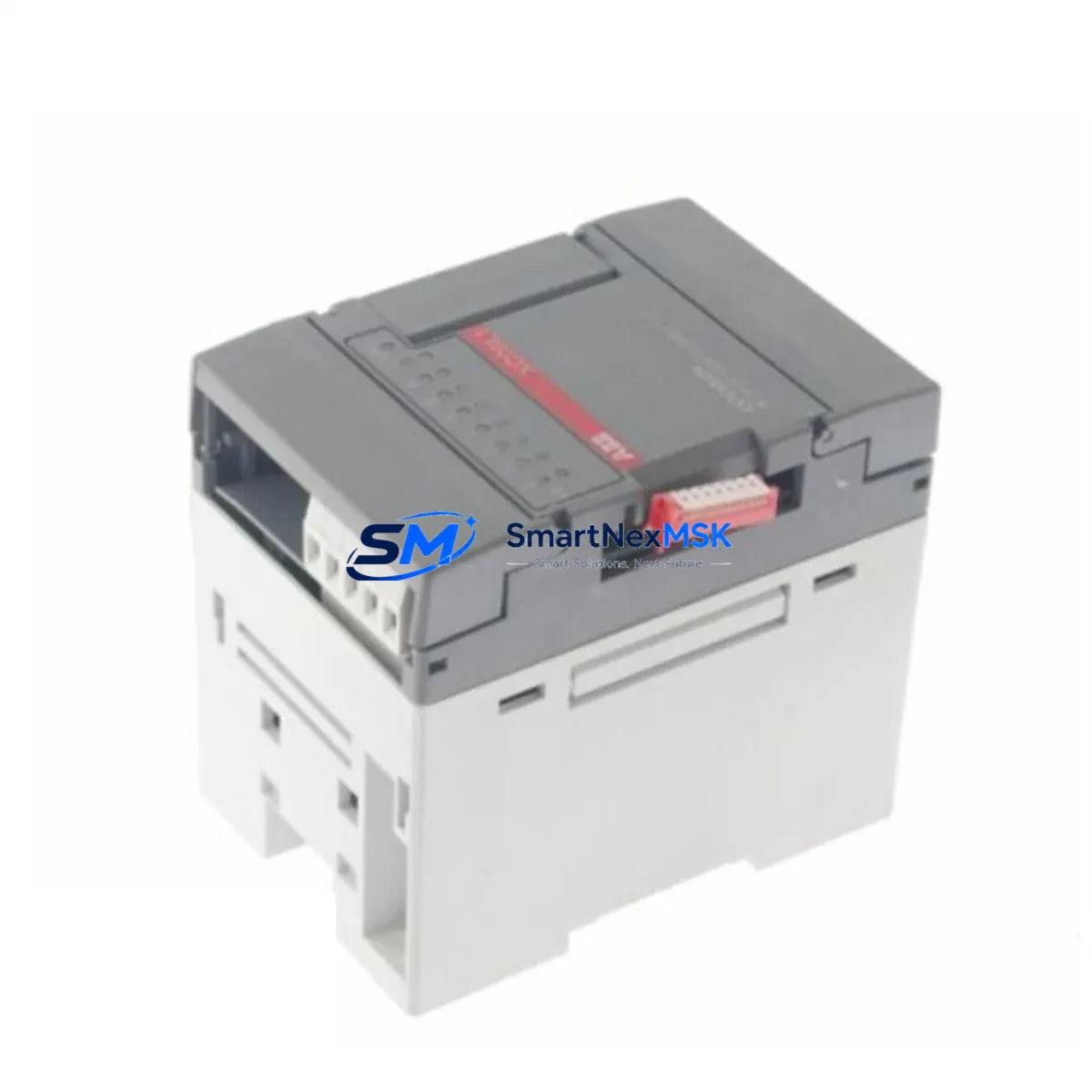
ABB 1SBP260102R1001 XC08L1 Spare for AC500 Automation
The ABB 1SBP260102R1001 XC08L1 is a digital I/O extension unit designed for the ABB AC500 PLC series — one of the most widely deployed modular programmable logic controller platforms in industrial automation. As a maintenance-ready original spare, this module supports rapid field replacement to minimize unplanned downtime in process control, machine automation, and utility management applications. Whether you are managing a scheduled overhaul, responding to an emergency fault, or building a strategic spare parts inventory, the 1SBP260102R1001 XC08L1 delivers the compatibility, reliability, and traceability that maintenance engineers and procurement teams require.
Sourced directly from authorized supply channels, each unit undergoes pre-shipment functional verification and ships with a 12-month warranty. Long-term supply continuity is supported for legacy AC500 installations where the original module may be approaching end-of-availability from the OEM.
Spare Maintenance Table
| Parameter | Specification |
|---|---|
| Part Number | 1SBP260102R1001 |
| Model | XC08L1 |
| Brand | ABB |
| Series | AC500 |
| Module Type | Digital I/O Extension Unit |
| Origin | Germany (DE) |
| Compatible Systems | ABB AC500 PLC Series (PM5xx, PM5xx-ETH, PM5xx-2ETH CPUs) |
| Mounting | DIN Rail, AC500 I/O Bus Backplane |
| Operating Temperature | -25°C to +60°C (typical AC500 range) |
| Protection Class | IP20 |
| Application Environment | Industrial control panels, process automation, utility systems |
| Maintenance Recommendation | Inspect bus connectors, terminal wiring, and LED status indicators during each planned maintenance cycle |
| Warranty | 12 Months |
| Condition | Original, New |
| Pre-Shipment Test | Functional verification performed before dispatch |
Maintenance Planning for Continuous Operation
When replacing the XC08L1 digital I/O extension unit in an AC500 system, a thorough maintenance inspection of the surrounding control architecture is essential to prevent repeat faults and ensure stable resumption of operations. Maintenance engineers should treat this replacement as an opportunity to audit the full I/O subsystem.
Begin by verifying the AC500 CPU module (such as the PM554 or PM564 series) for firmware version compatibility and bus communication integrity. The XC08L1 communicates over the AC500 I/O bus, so inspect the TB521-ETH or TB511 terminal base for secure seating and undamaged bus connectors — a loose or corroded terminal base is a common root cause of I/O extension faults that are misdiagnosed as module failures.
Check the 24 VDC power supply module feeding the I/O rack. Voltage sag or ripple on the DC bus can cause intermittent I/O errors that appear as module faults. If the installation uses an ABB CP600 or CP400 series HMI, verify that the HMI communication link to the CPU remains stable after the I/O module swap, as some HMI configurations cache I/O addresses that may require a soft reset.
Inspect all field wiring terminals connected to the XC08L1’s digital inputs and outputs. Terminal blocks should be re-torqued to specification, and any discolored or heat-stressed terminals should be replaced. If the system uses signal isolators between field sensors and the I/O module, verify isolator output levels are within the module’s input threshold range.
For installations with communication modules such as the CM572-DP (PROFIBUS) or CM589-PNIO (PROFINET), confirm that the I/O module address configuration in the network master matches the physical slot assignment after reinstallation. Address mismatches following a module swap are a frequent cause of post-maintenance communication faults.
Finally, review the status of any miniature circuit breakers (MCBs) or fuses protecting the I/O output circuits. Blown output protection is often the underlying cause of the original module failure and must be resolved before energizing the replacement unit. Maintaining a co-located spare set of 24 VDC fuse holders and fuse elements alongside the XC08L1 spare is a best practice for rapid fault recovery.
Site Replacement Workflow
The 1SBP260102R1001 XC08L1 is a direct plug-in replacement for the corresponding slot in the AC500 I/O expansion rack. No hardware modification is required when replacing a like-for-like unit. Follow this field replacement sequence to minimize downtime:
1. Safe Isolation: Place the AC500 CPU in STOP mode via the programming tool (Automation Builder or PS501 Control Builder Plus). De-energize the I/O rack power supply and lock out the supply circuit per site LOTO procedures.
2. Module Removal: Disconnect all field wiring from the terminal base. Release the module locking tab and slide the XC08L1 out of the terminal base. Do not remove the terminal base from the DIN rail — this preserves all field wiring connections and eliminates rewiring errors.
3. Replacement Installation: Insert the new 1SBP260102R1001 XC08L1 into the terminal base until the locking tab engages. Verify the module is fully seated on the bus connector.
4. Power-Up and Verification: Re-energize the I/O rack. Observe the module’s RUN LED — a steady green indicates successful bus initialization. From the programming tool, perform an online I/O status check to confirm all digital channels are reporting correctly.
5. Return to Service: Set the CPU back to RUN mode. Monitor the first 15 minutes of operation for any diagnostic alarms. Document the replacement in the site maintenance log with the new module serial number and date.
This workflow is compatible with both hot-standby and standard single-CPU AC500 configurations. For redundant system architectures, consult the AC500 system manual for the recommended switchover procedure before initiating the replacement.
Spare Parts Support FAQ
Q1: Is the 1SBP260102R1001 XC08L1 compatible with all AC500 CPU variants?
The XC08L1 is designed for the ABB AC500 modular PLC platform and is compatible with AC500 CPU modules that support the standard I/O bus expansion architecture, including the PM554, PM564, PM572, and PM581 series. Compatibility with AC500-S (Safety) or AC500-eCo variants should be verified against the specific system configuration. Contact our technical team with your CPU part number for confirmation before ordering.
Q2: What pre-shipment testing is performed on each unit?
Every 1SBP260102R1001 XC08L1 unit undergoes functional verification prior to dispatch, including bus communication check, digital I/O channel continuity, and visual inspection for physical integrity. Units are shipped in anti-static packaging with individual labeling. A 12-month warranty covers manufacturing defects and functional failures under normal operating conditions.
Q3: Can this module replace an older or discontinued XC08L1 variant?
The 1SBP260102R1001 is the current catalog reference for the XC08L1 module. If your existing installation uses an earlier revision of the XC08L1, the replacement is typically direct and transparent at the hardware level, as ABB maintains backward compatibility within the AC500 I/O extension family. Firmware and configuration files do not require modification for a like-for-like swap.
Q4: What is your lead time and long-term supply availability?
Stocked units ship within 1–3 business days. For projects requiring multiple units or scheduled maintenance programs, we support blanket order arrangements and reserved stock agreements to ensure supply continuity for legacy AC500 installations. Long-term availability is supported even for modules approaching OEM end-of-life status.
© 2026 SMARTNEXMSK. All rights reserved.
Original Source: https://smartnexmsk.com
Contact: [email protected] | +86 18259474341



